Preferences
Privacy is important to us, so you have the option of disabling certain types of storage that may not be necessary for the basic functioning of the website. Blocking categories may impact your experience on the website. More information

Privacy is important to us, so you have the option of disabling certain types of storage that may not be necessary for the basic functioning of the website. Blocking categories may impact your experience on the website. More information

How to create a Shopify blog, set its SEO (URL, title, meta, images), link posts to products and publish on a steady rhythm to rank on Google and in AI.

Tools

In short
every Shopify store already includes a blog engine: a first blog called "News" is created by default, and you manage it from Content > Blog posts in the admin. To make it bring sales, set the search engine listing of each post (title, meta description, URL handle), add alt text to images, write about the questions your buyers ask, and link each article to the products and collections it mentions. Publish on a steady rhythm: a blog with a few posts a year rarely ranks.
Want to go further? Ask
Quick quiz
How should you run your blog?
Sorank matches your answers


Test it for 3 days on your own site and see where you stand on Google, ChatGPT and the other AIs.
Start 3-day free trial3 days free, then stop whenever you want. 90-day results-or-refund guarantee.
A Shopify blog is the cheapest way for a store to be found on searches that product pages never capture: "how to choose", "how to use", "X vs Y", "best X for Y". Product pages answer buyers who already know what they want; articles reach those who are still looking. Shopify presents its built-in blog as a native part of the online store, with no app required. This guide covers setup, SEO settings, what to publish, how to link articles to products, the limits of the native blog and how to keep it running.
Yes. Every Shopify online store comes with a blogging engine, and your store starts with a default blog named "News". You can rename it, create other blogs (for example "Guides" and "Recipes"), and publish posts with text, images, an excerpt, tags and an author. Posts can go live immediately or be scheduled for a later date.
Blog posts live on your own domain, under a fixed pattern: yourstore.com/blogs/blog-handle/post-handle. The /blogs/ prefix cannot be removed, but you choose the blog handle ("news", "guides") and the handle of each post. This is a real advantage over a blog hosted on another platform: every link and every visit an article earns strengthens the same domain as your products.
In the Shopify admin, go to Content > Blog posts, then Manage blogs. Rename "News" if it does not fit your store, or click Add blog to create a new one. A clear blog name such as "Guides" or "Journal" also gives a cleaner URL.
Shopify lets you disable comments, allow them with moderation, or publish them automatically. Moderation is the safe choice: unmoderated comments attract spam links, which hurt the page.
Creating a blog does not add it to your menu. Add a "Blog" link to the main menu or footer (Content > Menus), and if your theme supports it, add a "Blog posts" section on the homepage to show the latest articles. Most themes in the best free Shopify themes include a blog template you can customize in the theme editor.
Click Create blog post, write the title, the content, an excerpt (shown on the blog listing page) and add a featured image. Assign the post to the right blog, add an author and a few consistent tags. The structure of the article matters as much as its words: our guide on how to format a blog post details headings, lists and tables that keep readers on the page.
At the bottom of the post editor, open "Search engine listing" to set the page title, the meta description and the URL handle. The next section gives the right values.
Set the visibility to visible to publish now, or pick a date to schedule it. Scheduling a batch of posts in advance is the simplest way to keep a regular rhythm.
Tip
Create one blog per type of content only if the types are really distinct (for example "Guides" and "Recipes"). Shopify has no categories, so a few separate blogs plus consistent tags give the cleanest structure.
Each post has the same on-page elements as any web page. Shopify recommends a page title of 60 characters or fewer (the field accepts 70) and a meta description of about 160 characters, as stated in its SEO help page. Here is what to set for every article.
| Element | Where in Shopify | Best practice |
|---|---|---|
| Page title | Search engine listing | Main keyword first, 60 characters or fewer, unique per post |
| Meta description | Search engine listing | About 160 characters: the answer plus a reason to click |
| URL handle | Search engine listing | Short, lowercase, keyword only, no dates or stop words |
| Headings | Post editor | One H2 per subtopic, phrased as the question people ask |
| Image alt text | Image settings in the editor | Describe the image in a few words, keyword only if natural |
| Image file name | Before upload | Descriptive ("linen-duvet-cover-care.jpg"), never "IMG_0023.jpg" |
| Excerpt | Post editor | One or two sentences that summarize the answer |
| Internal links | Post content | Links to the products, collections and related posts mentioned |
A good meta description does not change rankings directly, but it decides whether people click your result. For images, Google calls alt text the most important attribute for understanding an image and advises short, descriptive file names in its image SEO guidelines. Compress images before upload: heavy photos are the most common cause of slow blog pages on Shopify themes.
Watch out
If you change the URL handle of a post that is already indexed, tick the option to create a URL redirect from the old address. Without it, the old URL returns a 404 page and loses the rankings and links it had earned. Shopify explains the process in its URL redirect documentation.
Write for the questions buyers ask before they choose a product, not for company news. Each article should target one search, answer it completely, and lead naturally to a product or collection. The table below matches content types with the stage of the purchase.
| Content type | Example for a bedding store | Buyer stage |
|---|---|---|
| How-to guide | How to wash a linen duvet cover without shrinking it | Use and retention |
| Buying guide | How to choose a duvet for a hot sleeper | Comparison |
| Comparison | Linen vs cotton sheets: which is better in summer? | Decision |
| Selection | Best bedding for a guest room | Decision |
| Problem solving | Why do my sheets pill, and how to prevent it | Awareness |
| Size or spec guide | Duvet sizes by country, with a conversion table | Pre-purchase |
Group articles by theme: a complete guide on a broad subject, then shorter articles on each precise question, all linked together. This topic cluster structure shows search engines that your store covers the subject in depth. To find titles and plans quickly, the free blog title generator and blog outline generator give a starting point you then adapt to your products.
Frequency matters more than volume per post. A store that publishes one useful article a week for a year builds 50 entry points; a store that writes ten posts in January and stops has ten pages that age without updates. Our guide to blogging for SEO explains how to choose topics with real search demand.
A blog post that never mentions a product generates traffic without sales. Three habits turn articles into revenue:
Product pages themselves must be ready to receive this traffic: clear photos, unique descriptions, reviews, delivery information. Our checklist of the ecommerce product page elements that rank and convert covers them one by one.
Example
An article "How to choose a duvet for a hot sleeper" ends each section with a link to the matching collection (lightweight duvets, linen duvets, cooling pillows). A reader who arrives from Google with a question leaves with a shortlist of three products, instead of a generic answer.
The native blog is enough for most stores. Apps and external platforms only make sense when you hit a specific limit.
| Option | Strengths | Limits |
|---|---|---|
| Native Shopify blog | Free, on your domain, managed in the same admin, products easy to link | Basic editor, fixed /blogs/ prefix, tags instead of categories, no FAQ structured data by default |
| Blog app from the Shopify App Store | Richer editor, layouts, product blocks, sometimes structured data | Extra monthly cost, content may depend on the app, can slow the theme |
| External platform on a subdomain | Full control of the editor and design | Two sites to maintain, links to products harder, authority split between hosts |
Before installing an app, check what your theme already does: several themes include rich blog templates. Our comparison of the best Shopify SEO apps helps decide which tool fills a real gap.
ChatGPT, Gemini and Perplexity answer more and more product questions directly, and they cite the pages they rely on. A store blog is the best place to give them something to cite: product pages describe one item, while a good article compares, explains and recommends. Our Shopify AI citation study measured 301,025 AI answers between August 2025 and August 2026: Shopify domains appear in 0.91% of answers over the last three months, with large differences between models (1.54% on Gemini, 0.08% on Claude).
What makes an article citable is the same as what makes it useful: a direct answer at the top of each section, clear definitions, comparison tables, figures with their source, and a question phrased the way people ask it. Write a short answer first, then the details. To see whether your store is already mentioned in AI answers and what to fix first, run the free GEO audit.
Most store blogs stop after a few months: writing takes time, and results on Google usually take two to four months to appear. The answer is either a fixed editorial calendar with a dedicated writer, or automation.
Sorank is our product: an SEO and GEO software that runs on autopilot. It analyzes your store, finds the keywords your buyers search, then the blog article generator writes articles optimized for Google and for AI assistants, with sources, images and internal links. The Shopify integration connects in a few minutes and publishes posts directly in your store blog, automatically or as drafts for review.
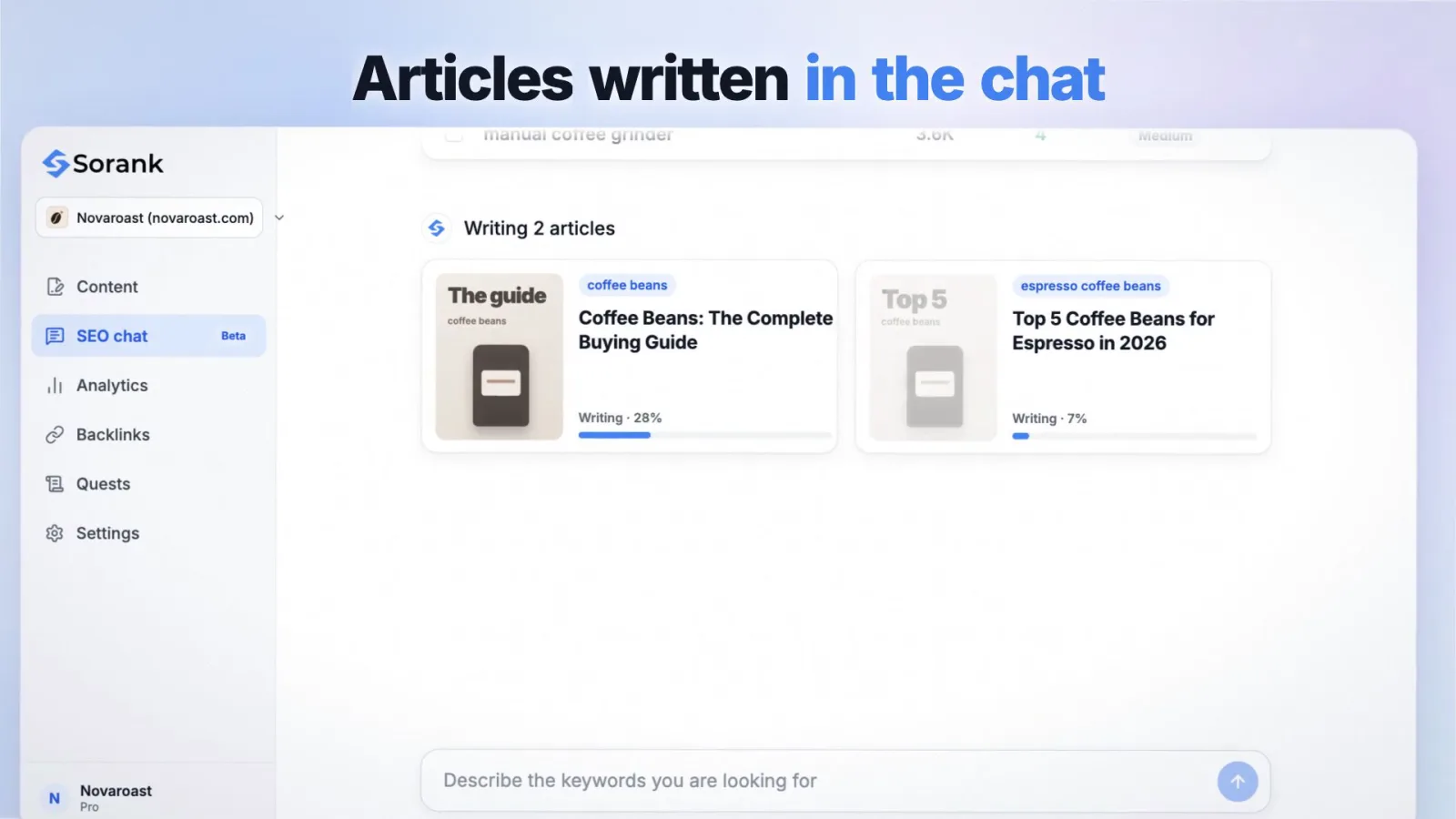
Plans start at $49 per month billed annually, with a 3-day free trial: details on the pricing page.
A Shopify blog is already in your store: the work is in the settings and the rhythm. Set a clear title, meta description and handle for each post, describe your images, link every article to the products it mentions, and redirect any URL you change. A store blog that answers buyer questions every week becomes the entry point that product pages cannot be, on Google as in AI answers.

Yes. The native Shopify blog lets you edit the page title, meta description and URL handle of each post, add alt text to images and link to products on the same domain. Its limits (fixed /blogs/ prefix, tags instead of categories, basic editor) rarely prevent a well-written article from ranking.
Technically yes, since every Shopify plan includes the blog engine, but it is an expensive choice for a site that sells nothing. Shopify makes sense when the blog supports a store; for a pure content site, a dedicated blogging platform costs less and offers a richer editor.
One useful article a week is a good target for most stores, and regularity matters more than volume. Scheduling posts in advance in the Shopify admin, or automating writing and publishing, keeps the rhythm during busy sales periods.
We analyse your competitors, your website and your AI visibility to create a tailored content plan for free.
 AI Content Brief Generator
 FAQ Schema Generator
 AI Blog Post Ideas Generator
 Structured Data Validator (Schema Validator)
 Alt Text Checker
 Internal Link Analyzer
 Backlink Challenge
 AI Meta Description Generator
 AI Blog Title Generator
 Google Indexability Checker
 AI Blog Outline Generator
 UTM Link Builder
 Keyword Clustering Tool
 Canonical Tag Checker
 XML Sitemap Generator
 Broken Link Checker
 AI SEO Title Generator
 Headline Analyzer
 SERP Preview Tool
 Redirect Checker
 Hreflang Tag Generator
 Heading Structure Analyzer
 HTTP Headers Checker
 Favicon Extractor
 SERP CTR Calculator
 SEO vs Paid Search Savings Calculator
 SEO Share of Voice Calculator
 SEO ROI Calculator
 SEO Traffic and Revenue Forecast Calculator
 SEO Budget Calculator
 SEO Break-Even Calculator
 SaaS SEO ROI Calculator
 ROAS Calculator
 Reading Time Calculator
 Ranking Gain Simulator
 Organic Traffic Value Calculator
 Organic Traffic Estimator and Website Traffic Checker
 LTV to CAC Ratio Calculator
 Local SEO ROI Calculator
 Link Building Cost Calculator
 Keyword Value Calculator
 Keyword Opportunity Score Calculator
 Keyword Density Calculator
 GEO ROI Calculator
 GEO Content Investment Calculator
 Ecommerce SEO ROI Calculator
 Customer Lifetime Value Calculator
 Customer Acquisition Cost Calculator
 CTR Calculator
 Cost Per Article Calculator
 Conversion Rate Calculator
 Content Marketing ROI Calculator
 ChatGPT Referral Traffic Estimator
 Bounce Rate Calculator
 Backlink ROI Calculator
 AI Visibility Score Calculator
 AI Traffic Value Calculator
 AI Share of Voice Calculator
 Cost of AI Invisibility Calculator
 AI Citation Rate Calculator
 llms.txt Validator
 AI Overview Checker and AI Overviews Rank Checker
 Robots.txt Checker
 AI SEO Audit
 LLM Readability Checker
 SearchGPT Readiness Checker
 Structured Data LLM Audit
 Website Crawlability AI Audit
 Why ChatGPT Is Not Recommending My Website
 Gemini Ranking Tool
 Perplexity Ranking Checker
 LLM Citation Checker
 Answer Engine Optimization Audit
 GEO Audit
 AI Search Visibility Test
 ChatGPT Visibility Checker
 llms.txt Generator
 URL Extractor
 Webpage to Markdown
 Sitemap Checker
 SERP Volatility Sensor
 Page Size Checker
 Word Counter
 Slug Generator
 Schema Generator
 Robots Generator
 OG Preview
 Meta Tags Generator
 Image Compressor
 Favicon Generator
 On-Page SEO Audit: SEO Checker and SEO Analyzer
 Backlink Analysis Tool
 Keyword Research Tool
 Domain Authority Checker
THEY TRIED SORANK BEFORE YOU
 “I tested Sorank on a real client site and it's insane. It does everything an agency would bill you $1500 a month for. It's going into production on that client now.”

 Guillaume Guersanguersanguillaume.com“We are an Ads agency and we wanted to get our SEO back on track once and for all. Sorank gave us a clear view of our site, helped us prioritize optimizations, and properly structure our content. The tool is easy to use, well designed for a team, and very practical for centralizing tracking without having to juggle multiple platforms. A very solid foundation to start fresh with our SEO.”
 Gaspard MadouiAds Agency
 “I just let the Sorank software do its thing, and now my DR is 25 and my page is ranking higher.”
 Lucas Flandrefoundertrace.fr“I specialized in GEO thanks to Sorank. The GEO Leaderboard allows me to show my clients their position vs competitors on ChatGPT. It’s a real commercial differentiator.”
 MélanieSEO Freelance“Great service, works well for our website and helps us understand how to improve it to rank better on Google and elsewhere. Congrats, keep going, I recommend it.”
 Hugo T.E-commerce merchant