Preferences
Privacy is important to us, so you have the option of disabling certain types of storage that may not be necessary for the basic functioning of the website. Blocking categories may impact your experience on the website. More information

Privacy is important to us, so you have the option of disabling certain types of storage that may not be necessary for the basic functioning of the website. Blocking categories may impact your experience on the website. More information

Learn how to write meta descriptions that boost click-through rates. Length, keywords, best practices, and examples.






Tools


Summary
A meta description is a 160-character summary of a page's content shown in search results below the title. It doesn't impact rankings directly but significantly boosts click-through rates.
Want to go further? Ask
A meta description is a brief summary of a web page's content. It appears below your title in Google search results and is the key element that determines whether a searcher clicks your result or a competitor's. While meta descriptions don't directly impact rankings, they heavily impact click-through rate (CTR). Higher CTR is a user engagement signal that Google uses to validate its rankings, so indirectly, better meta descriptions lead to better rankings over time.
In 2026, with competition fiercer and searchers more skeptical, your meta description is your pitch. You have 160 characters to convince someone your page has the answer they're looking for. Miss that opportunity, and they click a competitor instead, even if your content is better. This guide teaches you how to write meta descriptions that convert searchers into visitors.
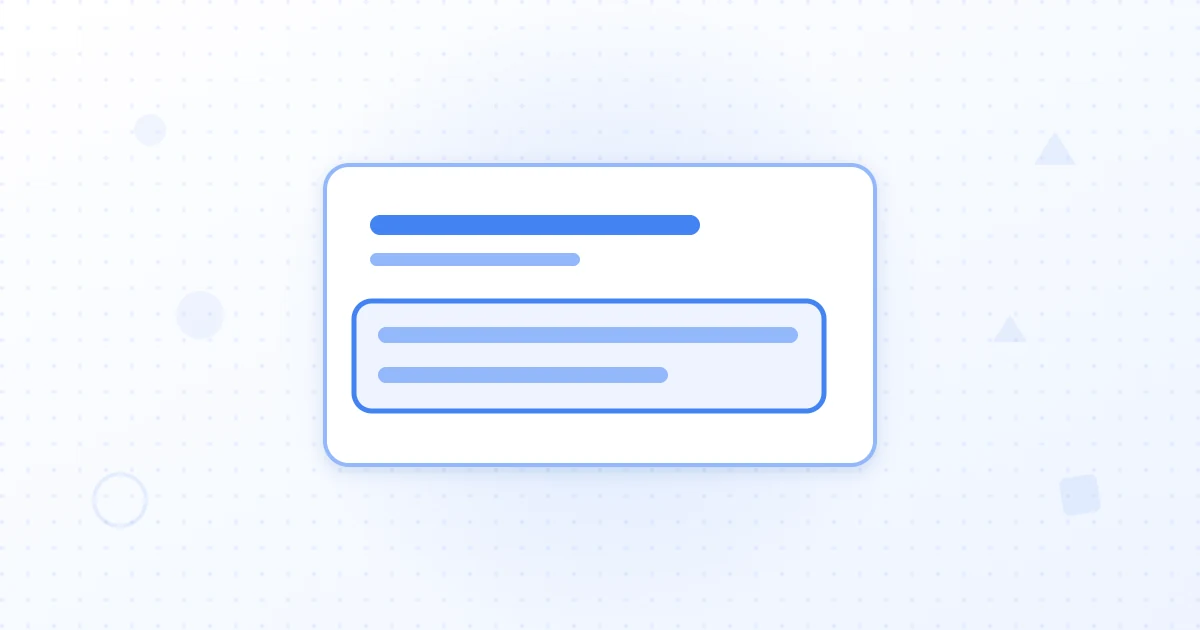
Google's documentation defines the meta description as an HTML tag that summarizes a page's content. It appears in search results below the page title and URL. On desktop, Google displays approximately 155-160 characters. On mobile, about 120 characters. However, Google sometimes rewrites or ignores meta descriptions and shows content from your page instead, especially if that content is more relevant to the query.
The meta description is an HTML tag in your page's head section: ``. Every page should have a unique meta description. Using the same description on multiple pages wastes an opportunity to customize your pitch for each search query and audience.
Click-through rate (CTR) is the percentage of searchers who see your result and click it. A page ranking in position 3 with 10% CTR will typically get more traffic than a page ranking in position 5 with 5% CTR. Google's algorithm learns from CTR. When many users click a page from search results, Google takes that as a signal of relevance and can boost that page's rankings further. Conversely, if your result appears high but nobody clicks it, Google may demote it.
Google recommends writing unique descriptions that clearly describe each page's content. A boring or vague description makes searchers skip your result. A clear, compelling description with a call to action makes searchers want to click. Research shows that meta descriptions with a CTA see 20-30% higher CTR than descriptions without one.
Write for humans first, search engines second. Your meta description should answer: "Why should I click this result?" Include your main keyword if it fits naturally. Google bolds matching keywords in the meta description, which draws attention. However, don't keyword stuff. "Title tags, meta descriptions, on-page SEO, keyword research, SEO optimization" reads like spam. "Learn how to optimize your title tags and meta descriptions for ranking and clicks" reads natural and includes keywords.
Include a unique value proposition. What do you offer that competitors don't? "Complete guide to on-page SEO" is generic. "The on-page SEO checklist Google's John Mueller recommends" is specific and compelling. Make a bold claim if you have proof. "Boost your CTR by 30% with better meta descriptions" is stronger than "Read our guide about meta descriptions." Use action words: discover, learn, find, explore, understand, master.
Write for 155-160 characters to avoid truncation on desktop. On mobile, Google shows 120 characters. Rather than writing two different descriptions for desktop and mobile, focus on putting your most important information first. The first 120 characters should be complete and compelling even if the rest is cut off.
Write your key benefit and CTA in the first 120 characters. Example: "Complete on-page SEO checklist. Title tags, meta descriptions, headers, content length, and 5 more factors explained." (132 characters). If a mobile user sees only the first 120 characters, they still get the gist. If a desktop user sees all 132, they get more detail.
Include your target keyword if it fits naturally. Users searching for "title tag optimization" will see their query bolded in results that include it. This draws attention. However, never force keywords in unnaturally. "Title tag title tag optimization guide for title tags" is spam. "How to write title tags that rank and boost click-through rates" naturally includes the keyword and sounds human.
Include keyword variations and related terms. If your main keyword is "title tags," variations include "title tag optimization," "how to write title tags," "effective title tags." A description that includes the keyword and a variation gives searchers multiple ways to see themselves in the result. This boosts perceived relevance and CTR.
Calls to action increase CTR significantly. Test CTAs like "Learn how to," "Discover," "Find out," "Read the," "Get," "Start," "Join," "Download," or "Explore." For commercial keywords, emphasize benefits: "Start your free trial," "Get a free audit," "See pricing," or "Compare plans." For informational keywords, emphasize learning: "Learn 10 tactics," "Master the," "Discover," or "Get the ultimate guide."
Use power words that trigger emotion or curiosity. "Complete" is stronger than "full." "The definitive guide" is stronger than "a guide." "Avoid these 5 mistakes" is stronger than "tips on." However, never use clickbait that misrepresents your page. If you promise something your page doesn't deliver, searchers bounce immediately, which hurts your rankings. Authenticity beats hype.
Tailor your description to the main search intent of the page. For informational queries ("how to"), emphasize learning and comprehensiveness: "Learn 7 title tag best practices backed by Google's SEO experts." For commercial queries ("best [product]"), emphasize comparison and benefits: "Compare the 10 best SEO tools. Features, pricing, and real user reviews." For transactional queries ("buy [product]"), emphasize ease and value: "Start your free trial. No credit card required. Full access to all features for 14 days."
If a page targets multiple queries with different intents, choose the primary intent and write the description for that. Secondary searchers will click if the primary description matches their query closely enough. Web.dev's SEO auditing guidance emphasizes matching page content and description to search intent.
In rare cases, Google ignores your meta description entirely and replaces it with a rich snippet. Rich snippets are special SERP displays showing ratings, prices, availability, or other structured data. When a page has schema.org markup, Google may extract that data for display instead of using your meta description. This is actually beneficial because structured data increases visual real estate and attracts more clicks. However, you should still write good meta descriptions for pages that don't trigger rich snippets. HTML standards recommend including descriptive meta tags even when rich snippets are expected, as they serve as fallback content.
Meta descriptions don't directly impact rankings, but they significantly impact click-through rate (CTR), which is an indirect ranking factor. A well-written description increases CTR by 20-30% compared to a generic one, which translates directly to more organic traffic. Write unique descriptions for each page that match search intent, include your target keyword naturally, use persuasive language and a call to action, and keep it between 155-160 characters.
Start auditing your existing meta descriptions today. Replace vague or duplicate descriptions with compelling ones that match search intent and include a CTA. Monitor your CTR in Google Search Console and adjust descriptions that underperform. For a comprehensive audit of all your SEO elements including meta descriptions, check out Sorank's free SEO audit tool.
Sources

No, meta descriptions are not a direct ranking factor. Google has stated that meta descriptions don't affect your ranking position. However, they heavily impact click-through rate (CTR). Better CTR is a user engagement signal that Google uses to validate rankings. A page that gets 10% CTR will outrank a page with 5% CTR over time, all else equal. So while meta descriptions don't rank you, they help you convert clicks once you're ranking.
Google typically displays 155-160 characters on desktop and 120 characters on mobile. Write for the full 160 characters to avoid text being cut off. However, focus on clarity first. A concise, compelling 130-character description beats a vague 160-character one. Include your main keyword if it fits naturally. Every character should add value and entice users to click.
Yes, CTAs can boost click-through rate. Phrases like 'Learn how to...', 'Discover...', 'Get...', or 'Find out...' encourage clicks. However, the call to action must be relevant to the page content. Don't promise what the page doesn't deliver. A page about 'how to write title tags' can use CTA: 'Learn how to write title tags that rank.' A page about a product can use CTA: 'Start your free trial today.'
THEY TRIED SORANK BEFORE YOU
 “I tested Sorank on a real client site and it's insane. It does everything an agency would bill you $1500 a month for. It's going into production on that client now.”
 Guillaume Guersanguersanguillaume.com“We are an Ads agency and we wanted to get our SEO back on track once and for all. Sorank gave us a clear view of our site, helped us prioritize optimizations, and properly structure our content. The tool is easy to use, well designed for a team, and very practical for centralizing tracking without having to juggle multiple platforms. A very solid foundation to start fresh with our SEO.”
 Gaspard MadouiAds Agency
 “I just let the Sorank software do its thing, and now my DR is 25 and my page is ranking higher.”
 Lucas Flandrefoundertrace.fr“I specialized in GEO thanks to Sorank. The GEO Leaderboard allows me to show my clients their position vs competitors on ChatGPT. It’s a real commercial differentiator.”
 MélanieSEO Freelance“Great service, works well for our website and helps us understand how to improve it to rank better on Google and elsewhere. Congrats, keep going, I recommend it.”
 Hugo T.E-commerce merchant