
Preferences
Privacy is important to us, so you have the option of disabling certain types of storage that may not be necessary for the basic functioning of the website. Blocking categories may impact your experience on the website. More information

Privacy is important to us, so you have the option of disabling certain types of storage that may not be necessary for the basic functioning of the website. Blocking categories may impact your experience on the website. More information

Learn how to install the llms.txt file on your site. A guide to improve your site's ranking in AI systems.

Tools


Summarize this article with AI
With the rise of large language models (LLMs) and the proliferation of AI use cases, new standards are emerging to make information on websites easier to access. Among them is the llms.txt file, an AI-first equivalent inspired by robots.txt and sitemap.xml, but designed specifically to help LLMs (Large Language Models) and their tools (for example ChatGPT, Claude, Cursor, Windsurf, Replit Ghostwriter, etc.) better understand and use your content.
In this mega guide, you will discover:
llms.txtllms.txt and why use it?The llms.txt file is a text file written in Markdown (even though it keeps the .txt extension) placed at the root of a website, like robots.txt. Its goal is to guide AIs directly during the inference phase (when a user or a conversational agent is looking up specific information in real time) by providing:
In other words, llms.txt becomes a catalyst that points AIs toward the essential content and prevents them from crudely, or too heavily, parsing traditional HTML pages full of design elements, animations, and ads.
Thus, llms.txt streamlines the way AIs get a site overview, enabling better use during the inference phase (code suggestions, expert answers, ChatGPT plugins, etc.).
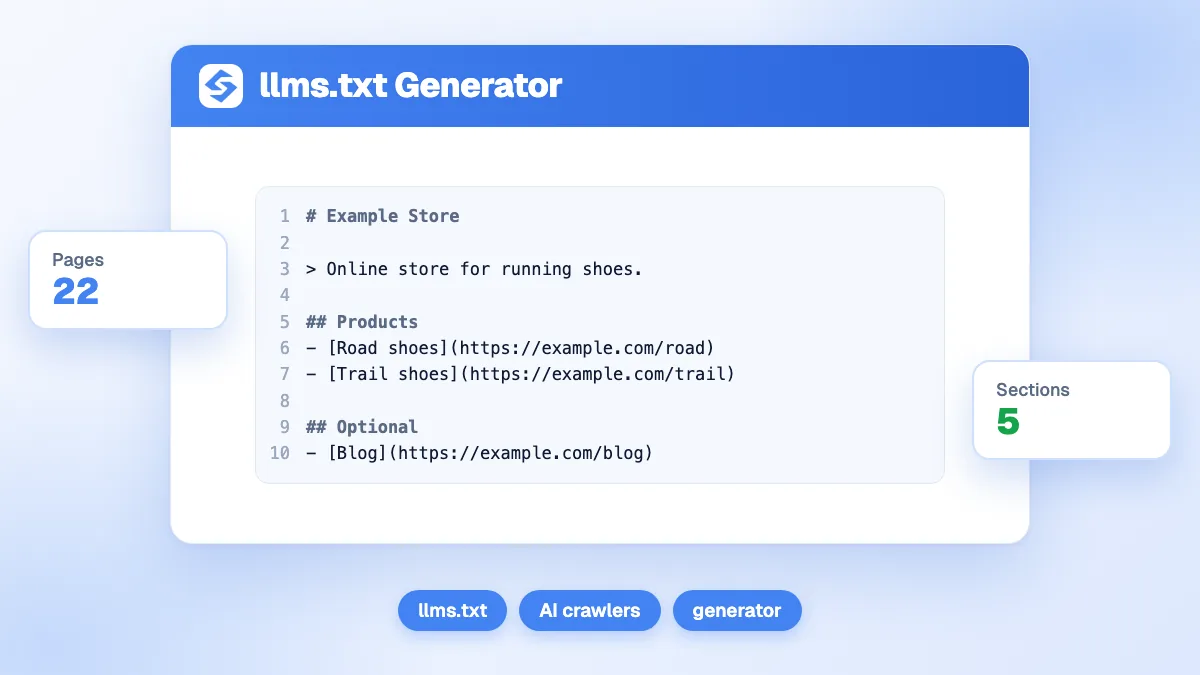
llms.txt, robots.txt, and sitemap.xml?robots.txt: tells bots (GoogleBot, BingBot, etc.) where they can or cannot crawl. It does not provide any content, only access rules.sitemap.xml: lists all indexable pages for search engines (URL, last update date, priorities). Very useful for SEO, but it does not provide a description of content or mention an "AI-friendly" form of the pages.llms.txt: a Markdown file aimed at AIs to describe or point to pages used during inference. It can also include strategic excerpts, foundational external links, and even .md versions of your pages. It's an opt-in tool designed to serve agents directly. It complements, but does not replace, robots.txt or sitemap.xml.The llms.txt file is meant to be simple and flexible. Here is the proposed structure:
Note: URLs may end in .md if you want to provide the text/Markdown version of your pages directly.
In the FastHTML documentation, there is an llms.txt (demonstration file) that points to:
llms-full.txt with its complete documentation. This makes it easier to use in IDEs or chatbots (e.g., Cursor) that load this file directly.llms.txt to describe its services.llms.txt and llms-full.txt to allow loading the documentation into a conversational agent.Even though llms.txt is not aimed directly at traditional search engines, it indirectly improves SEO:
Teams building this into a wider strategy can review our comparison of the 10 best GEO and AI visibility agencies in France, which lists specialists who monitor and improve AI citation rates specifically.
llms.txt?: brief overview).## headings, "optional" sections, etc.Several open-source projects and SaaS services offer to generate your llms.txt automatically:
llms.txt.llms.txt.LLMs.txt Explorer): to load or create an llms.txt from the editor.llms.txt can mislead AIs.llms.txt. If LLMs blindly rely on this file, they can "hallucinate" or spread false information./.well-known/llms.txt path to align with RFC 8615, while others prefer to use example.com/llms.txt directly.llms.txt to boost your AI SEO?llms.txt is not mandatory, but it is gaining popularity among smart IDEs, AI plugins, and open-source communities. It simplifies integrating content into AI projects in real time, avoids wasting tokens, and helps documentation be better understood by language models.
The llms.txt file is establishing itself as a new cornerstone of the SEO and AI toolkit. By providing a hierarchical condensation of your key content, it makes contextual search by conversational agents easier and highlights your technical documentation. As chatbots and smart IDEs become the "new gateway" to information, adopting llms.txt can make a difference.
Don't wait to put it in place! Take advantage today of the synergy between your traditional SEO and this new AI layer to deliver the best possible experience to users… humans and artificial intelligences. If you need a partner to bridge that gap, our comparison of the 10 best seo agencies in France profiles providers who already fold llms.txt into their technical checklist.

No, most AIs can already “scrape” the web. However, llms.txt streamlines and makes the context provided at inference more reliable. It is particularly useful for customer support, code auto-completion, technical documentation, etc.
No, they are two different things. robots.txt is mainly used to control crawler access. llms.txt is aimed at AIs during the information-seeking (inference) phase and offers a concise format, leveraging Markdown versions of your resources.
llms.txt is an optional standard. Not creating one is equivalent to not offering this privileged bridge to AIs. And if you want to block all usage, you should configure your robots.txt or implement technical measures (block user agents, etc.). But nothing guarantees that all LLMs or scrapers will respect these instructions.
 AI Content Brief Generator
 FAQ Schema Generator
 AI Blog Post Ideas Generator
 Structured Data Validator
 Alt Text Checker
 Internal Link Analyzer
 Backlink Challenge
 AI Meta Description Generator
 AI Blog Title Generator
 Google Indexability Checker
 AI Blog Outline Generator
 UTM Link Builder
 Keyword Clustering Tool
 Canonical Tag Checker
 XML Sitemap Generator
 Broken Link Checker
 AI SEO Title Generator
 Headline Analyzer
 SERP Preview Tool
 Redirect Checker
 Hreflang Tag Generator
 Heading Structure Analyzer
 HTTP Headers Checker
 Favicon Extractor
 SERP CTR Calculator
 SEO vs Paid Search Savings Calculator
 SEO Share of Voice Calculator
 SEO ROI Calculator
 SEO Traffic and Revenue Forecast Calculator
 SEO Budget Calculator
 SEO Break-Even Calculator
 SaaS SEO ROI Calculator
 ROAS Calculator
 Reading Time Calculator
 Ranking Gain Simulator
 Organic Traffic Value Calculator
 Organic Traffic Estimator
 LTV to CAC Ratio Calculator
 Local SEO ROI Calculator
 Link Building Cost Calculator
 Keyword Value Calculator
 Keyword Opportunity Score Calculator
 Keyword Density Calculator
 GEO ROI Calculator
 GEO Content Investment Calculator
 Ecommerce SEO ROI Calculator
 Customer Lifetime Value Calculator
 Customer Acquisition Cost Calculator
 CTR Calculator
 Cost Per Article Calculator
 Conversion Rate Calculator
 Content Marketing ROI Calculator
 ChatGPT Referral Traffic Estimator
 Bounce Rate Calculator
 Backlink ROI Calculator
 AI Visibility Score Calculator
 AI Traffic Value Calculator
 AI Share of Voice Calculator
 Cost of AI Invisibility Calculator
 AI Citation Rate Calculator
 llms.txt Validator
 AI Overview Checker
 Robots.txt Checker
 AI SEO Audit
 LLM Readability Checker
 SearchGPT Readiness Checker
 Structured Data LLM Audit
 Website Crawlability AI Audit
 Why ChatGPT Is Not Recommending My Website
 Gemini Ranking Tool
 Perplexity Ranking Checker
 LLM Citation Checker
 Answer Engine Optimization Audit
 GEO Audit
 AI Search Visibility Test
 ChatGPT Visibility Checker
 llms.txt Generator
 URL Extractor
 Webpage to Markdown
 Sitemap Checker
 SERP Volatility Sensor
 Page Size Checker
 Word Counter
 Slug Generator
 Schema Generator
 Robots Generator
 OG Preview
 Meta Tags Generator
 Image Compressor
 Favicon Generator
 On-Page SEO Audit
 Backlink Analysis Tool
 Keyword Research Tool
 Domain Authority Checker
THEY TRIED SORANK BEFORE YOU
 “I tested Sorank on a real client site and it's insane. It does everything an agency would bill you $1500 a month for. It's going into production on that client now.”
 Guillaume Guersanguersanguillaume.com“We are an Ads agency and we wanted to get our SEO back on track once and for all. Sorank gave us a clear view of our site, helped us prioritize optimizations, and properly structure our content. The tool is easy to use, well designed for a team, and very practical for centralizing tracking without having to juggle multiple platforms. A very solid foundation to start fresh with our SEO.”
 Gaspard MadouiAds Agency
 “I just let the Sorank software do its thing, and now my DR is 25 and my page is ranking higher.”
 Lucas Flandrefoundertrace.fr“I specialized in GEO thanks to Sorank. The GEO Leaderboard allows me to show my clients their position vs competitors on ChatGPT. It’s a real commercial differentiator.”
 MélanieSEO Freelance“Great service, works well for our website and helps us understand how to improve it to rank better on Google and elsewhere. Congrats, keep going, I recommend it.”
 Hugo T.E-commerce merchant























