Preferences
Privacy is important to us, so you have the option of disabling certain types of storage that may not be necessary for the basic functioning of the website. Blocking categories may impact your experience on the website. More information
Privacy is important to us, so you have the option of disabling certain types of storage that may not be necessary for the basic functioning of the website. Blocking categories may impact your experience on the website. More information

Ten SEO examples you can copy this week: title tags, internal links, technical fixes and content refreshes, each with the before, the after and a check.


In short
An SEO example is a specific change to a page or a site, such as a rewritten title tag, a new internal link or a fixed redirect, with a result you can measure. Most lists stop at the idea. This guide gives the before, the after, the check and the mistake for each type.
Want to go further? Ask
Quick quiz
Is SEO right for you, and how should you start?
Sorank matches your answers


Test it for 3 days on your own site and see where you stand on Google, ChatGPT and the other AIs.
Start 3-day free trial3 days free, then stop whenever you want. 90-day results guarantee, conditions apply.
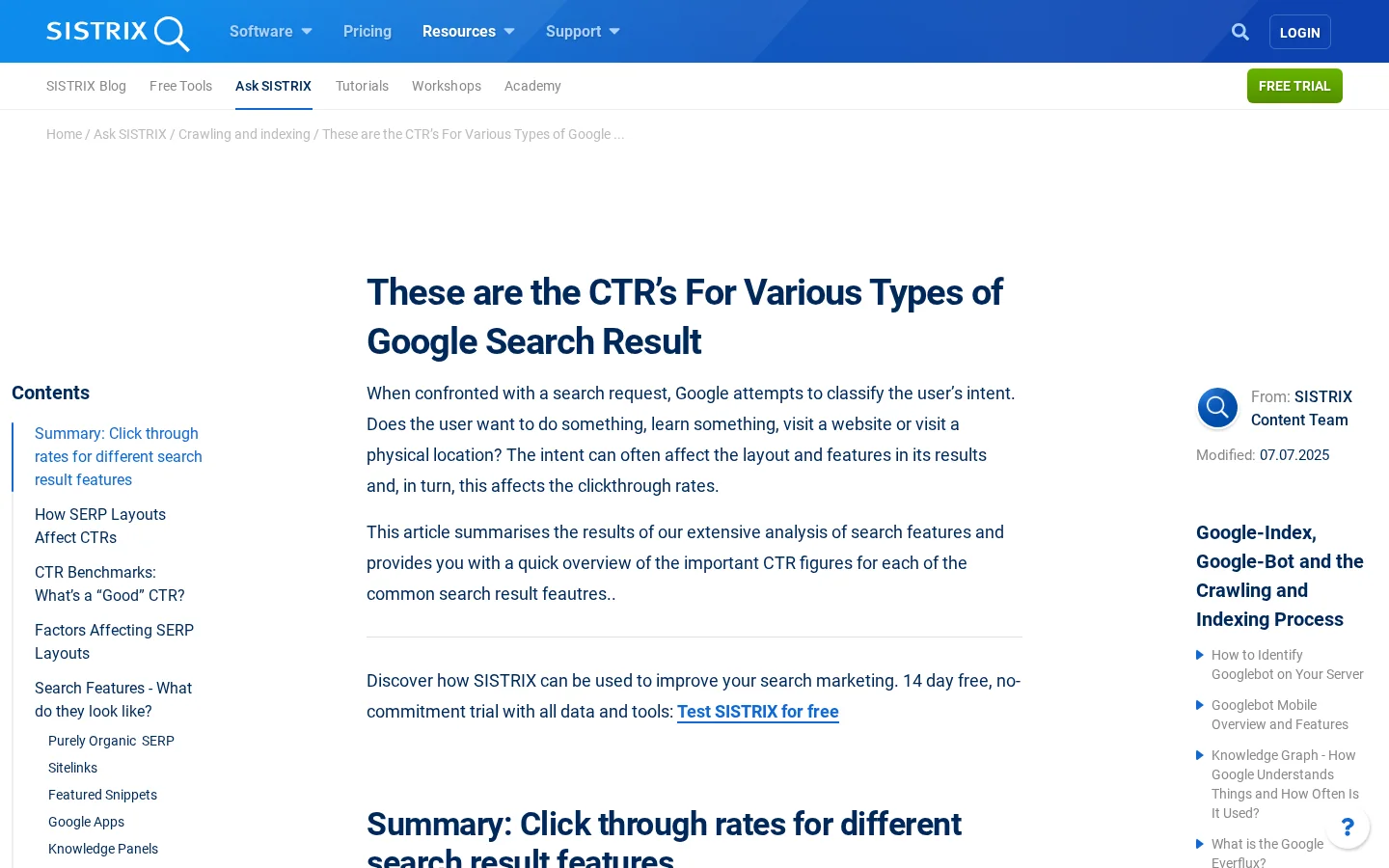
Start with the reason position matters. Sistrix published a CTR analysis in 2020 and updated it in July 2025. On mobile Google results it puts the average click-through rate at 28.5% for position 1, 15.7% for position 2 and 11.0% for position 3. These are averages, so treat them as a sense of scale, not a forecast for your page.
The averages hide the layout. The same Sistrix table gives 34.2% for position 1 when the results are purely organic, and 23.3% when a featured snippet sits above it. A top rank on a page with a large answer box can bring fewer clicks than a lower rank on a plain page. That is why every example in this guide ends with a check in Search Console, not with a rank tracker alone.
Most lists of SEO examples are brand case studies. They tell you that a large company added city pages or restructured its blog, but not which template it used, what it changed first or how it measured the result. A case study you cannot repeat is interesting, and that is all it is. If you want brand stories about content, read content marketing examples, which covers how companies build an audience. This guide stays on search and on changes you can make to your own pages.
Each example in this guide has the same four parts, so you can copy one and check it:
The title tag is the text in the <title> element of a page. It is one of the few on-page elements you can change in minutes, and it often shows as the blue headline in search results. A clear guide to clickable title tags explains the basics. Here is the example that matters most: a product page whose title names only the brand.
Take the page, write down the query it should win, then rewrite the title so it names the product, the need and the brand, in that order. Keep it short enough to read in full on a phone.
<!-- Before -->
<title>Shoes | Acme</title>

<!-- After -->
<title>Running Shoes for Flat Feet: Support Guide and Sizing | Acme</title>
Title tag: before and after
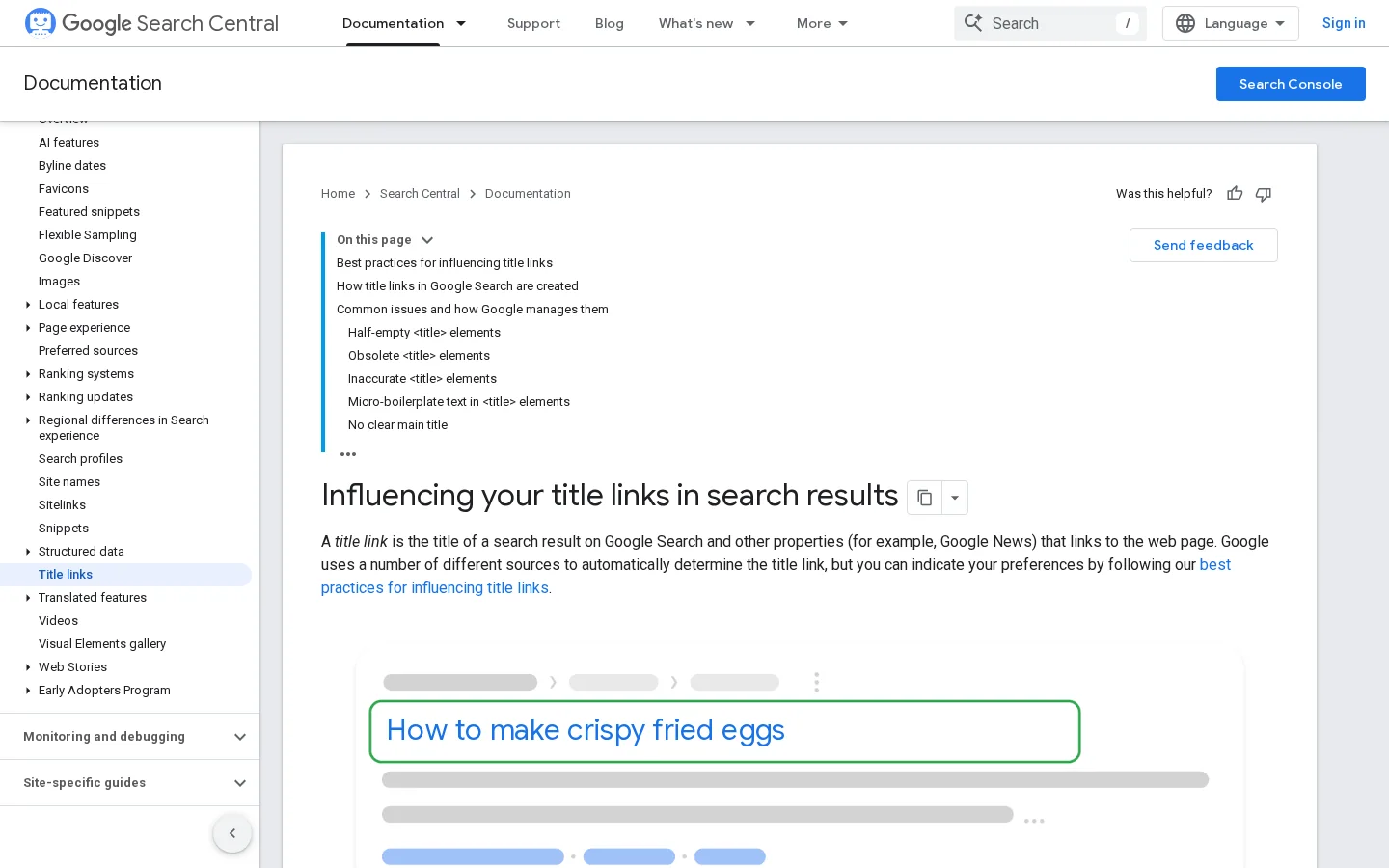
Google does not always show your title tag as written. Its Search Central documentation on title links says the title is generated automatically from several sources: the content of the <title> element, the main visual title on the page, the <h1> heading, the og:title tag, other large text, anchor text on links that point to the page, and WebSite structured data. Google's SEO Starter Guide adds that a good title "is unique to the page, clear and concise, and accurately describes the contents of the page." So make the title and the H1 agree, and write the title as the one line that describes the page.
The meta description is the short summary under the title in results. The list of sources Google gives for title links does not include the meta description, so spend your effort on the title and keep the description a plain summary that matches the page. Do not repeat the keyword three times. Google's title link guidance lists keyword stuffing and boilerplate titles as things that do not help the user, and the same logic applies to descriptions: an identical sentence on every page gives the searcher no reason to pick yours.
Headings do two jobs. They tell the reader what the next section covers, and they give search engines and AI systems a label for the section. A vague heading like "Benefits" forces the reader to read on to find out what it means. A heading that states the answer lets a scanning reader, or an AI system pulling an answer, get the point in a line. The table below shows the rewrite pattern.
| Weak heading | Stronger heading | Why it works better |
|---|---|---|
| Benefits | Internal links help Google find deep pages faster | States the claim the section proves |
| Pricing | What an SEO audit costs for a small site | Matches what people type into search |
| Conclusion | Run the audit this week and fix the top five errors | Gives the reader the next action |
| Tools | Which crawler finds broken links on a small site | Names the job the reader wants done |
Once the heading is clear, write the first sentence of the section as a direct answer. Put the definition, the number or the recommendation first, then explain it. The rest of the section can be as long as the subject needs. A reader who stops after one sentence should still leave with the point. This is also the easiest on-page example to test: take three pages that get impressions but few clicks, rewrite the first sentence under each H2, and compare the same weeks in Search Console afterward.
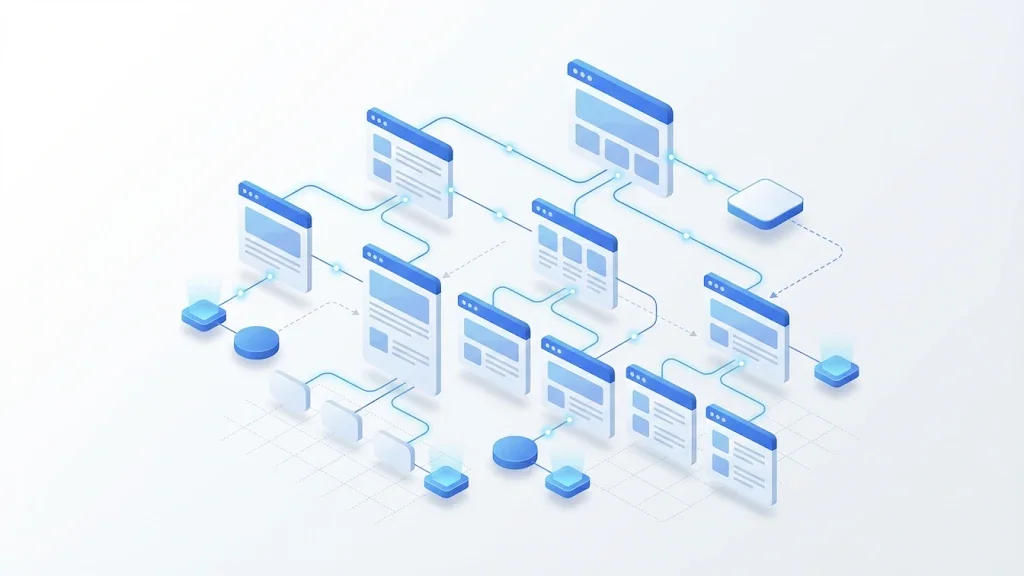
Internal links are the most flexible SEO lever on a site, because you control them completely. Three methods cover most cases: a hub that links everything to one central page, topic clusters built around pillar pages, and URL silos that keep related pages in one folder. Each one has a different principle, a different best use, a different main risk and a different amount of work. Pick one as your base, then apply its rules to the pages you already have.
Principle. One central page, such as a glossary or a resource hub, links to every important page, and each of those pages links back to the hub. The link graph looks like a wheel, with the hub at the center.
When to use it. A small site with a few dozen pages on one core topic, such as a glossary of terms, a documentation site or a local business with a service list.
Advantages. It is simple to build and to explain. Every page is one click from the hub, so crawlers reach the whole site quickly.
Limits. The signal is flat. The hub says everything is related, which tells search engines little about which page should win a given query. It also concentrates links on the hub, so the hub has to stay healthy.
Example. A glossary of a few dozen terms where each term page links to the hub and to two or three related terms. The hub is the first page a reader sees, and each term is reachable from it.
Principle. A pillar page covers a broad topic in depth. Spoke pages cover narrower subtopics. Every spoke links to the pillar, the pillar links to every spoke, and spokes link to each other when the reader would want the next step.
When to use it. A site with several subtopics that each need their own page, such as a SaaS blog covering email deliverability, subject lines and list cleaning under one pillar on email marketing.
Advantages. It shows the topic structure clearly, and it gives each spoke a clear target keyword. It also makes it easier to spot gaps, because an empty spoke is visible in the plan.
Limits. It only works if each spoke targets a different intent. Two spokes with the same intent compete with each other, which is the problem called keyword cannibalization. It also needs a keyword map before you write anything.
Example. A pillar called "Email marketing" with spokes "subject line examples", "deliverability checklist" and "how to clean an email list". Each spoke links to the pillar in its introduction and to one other spoke where the reader's next question is answered.
Principle. The folder structure of the URLs defines the groups. A silo keeps pages about one topic under one folder, such as /shoes/running/, and most internal links stay inside that folder.
When to use it. A large site with clear categories that do not overlap, such as an ecommerce store with separate product lines or a directory with regional sections.
Advantages. The structure is readable from the URL alone. Crawlers and people can see which section a page belongs to, and reporting by folder becomes easy.
Limits. The structure is rigid. Once URLs are set, changing them means redirects, and a useful link from another silo breaks the rule. Teams often end up with silos that are clean on paper and full of exceptions in practice.
Example. A running shoe store where every product and guide lives under /shoes/running/, with a single link from the category page to each product and a link from each guide to the matching category.
| Method | Core principle | Best for | Main risk | Effort |
|---|---|---|---|---|
| Hub | Every page links to one central page | Small, single-topic sites | Weak topical signal | Low |
| Topic cluster | Pillar and spokes, linked both ways | Sites with many subtopics | Spokes that target the same intent | Medium |
| URL silo | Folders define the groups, links stay inside | Large sites with clear categories | Rigid structure and costly URL changes | High |
Checking internal links: by hand or with a tool
Whatever method you choose, write the anchor text as a description of the target page. Here is a link that tells the reader and the crawler what they will find:
<a href="/blog-geo-seo/technical-seo-checklist">technical SEO checklist</a>The anchor says what is behind the link. Avoid "click here" and "read more", which tell the reader nothing. For the rules that keep automated linking safe, read automated internal linking, and for a wider plan that covers priority pages and multilingual sites, read the internal linking strategy guide.
Technical fixes come before content work, because a page that search engines cannot reach cannot rank. Three examples cover most of the cases you will meet on a real site: a redirect after a URL change, a canonical tag that points to the wrong page, and an internal link that returns an error. Each one is small, and each one is easy to check.
When you change a URL permanently, the old address should send a 301 redirect to the new one. The 301 tells search engines that the move is permanent, so the old page's signals pass to the new page. A 302 is for temporary moves. If you are not sure which one applies, read the 301 vs 302 redirect guide before you change the server. Check the result by requesting the old URL and confirming it answers with a 301 and the new address.
The canonical tag tells search engines which URL is the preferred version of a page with duplicates, such as a filtered or printed version. A common mistake is a canonical that points to the homepage on every page, which asks search engines to treat the whole site as one page. The correct example, on the running shoes page with a size filter, looks like this:
<!-- On /shoes/running/?size=10 -->
<link rel="canonical" href="https://www.example.com/shoes/running/">
Check it by viewing the source of each template and confirming that the canonical points to the clean version of its own page.
Tip
Find internal links that return errors before you rewrite anything. The free broken link checker scans a page and lists the dead links, so you can fix the ones that send readers and crawlers to a dead end.
A broken internal link returns a 404 or another error. Search engines follow it, find nothing, and the readers who click it leave. Fix it by pointing the link to the current page, or by removing it. If the page moved, add a redirect as in the first example so old external links still arrive.
Warning
Do not change a URL without a redirect. If the old URL had links from other sites, changing it without a 301 turns those links into errors, and you lose the signals they carried.
For most sites, the quickest SEO change is to improve a page that already exists. The page has links, age and some search history, so a better answer usually moves faster than a new article starting from zero. The method below works on any page that gets impressions but has weak clicks or a position between 5 and 20, and it is the core of content optimization when it is done by hand.
Refreshing an old page, step by step
Refreshing is not only about adding words. A page that was accurate three years ago can lose traffic because its information is no longer the best answer. The pattern is common enough to have a name, which is content decay, and the fix is the same: find what changed in the search results, then rewrite the page so it answers the current question better than the pages above it.
A keyword example is not a list of words. It is a decision about which page answers which query, and what kind of answer the searcher expects. Two pages that target the same intent compete with each other, and a page that answers a different intent than the query will rarely rank for long. The table below shows three queries, the intent behind each one, and the page type that fits.
| Query | Intent | Page type that fits |
|---|---|---|
| best running shoes for flat feet | Comparison and buying advice | Guide with a comparison table and sizing notes |
| how to fix broken links | Step-by-step how-to | Numbered guide with one check per step |
| acme shoes return policy | Navigational, the reader wants one page | A single returns page on the brand site |
The practical way to avoid overlap is to map each keyword cluster to one URL before you write. Sorank's automated keyword research reads your Search Console queries and checks each new suggestion against the pages you already have, so a planned article does not duplicate one that already ranks. For larger plans, the topic cluster generator builds the pillar and spoke structure with overlap checks built in. Read keyword cannibalization for the signs that two of your pages are fighting over one query.
Local landing pages and product pages are SEO examples at scale. A plumbing company may publish one page per district, and an online shop may publish one page per product and per filter. The pattern is the same: a template, a list of entries and a set of fields that change from one page to the next. The same pattern also produces the same failure, which is pages that differ only by a city name or a colour. Search engines treat those pages as thin content or as duplicate content.
| Pattern | Example that works | Failure to avoid |
|---|---|---|
| City page for a local service | Local details such as response areas, opening hours and a real project from that district | The same text with the city name swapped |
| Product page for a store | A size guide, fit notes and original photos | The supplier description copied word for word |
| Filter page for a category | One canonical version that the site links to | Thousands of filter URLs indexed with the same content |
Before you launch a template, write the rule that makes each page different. If the rule cannot be written, the template is not ready. For local work, the local SEO checklist lists the fields that differ by location, and for stores the technical SEO for ecommerce guide covers facets and variants in detail.
The same few errors show up in almost every failed change. Learn to spot them and you can review an example before it goes live, which is cheaper than explaining a traffic drop later.
What it is. A title such as "SEO examples, SEO examples guide, best SEO examples" that repeats the same phrase for the search engine.
How to spot it. Read the title out loud. If it sounds like a list of keywords and not a sentence a person would say, it is stuffed.
How to fix it. Write one clear title that names the page's subject, and let the body contain the variations. Google's title link guidance warns that a title of repeated words "doesn't help the user".
What it is. Moving a page to a new address and leaving the old one to return a 404.
How to spot it. Crawl the site before and after the change, then compare the lists. Any old URL that now returns an error without a redirect is a loss.
How to fix it. Map every old URL to its new one and add a 301. The first technical example in this guide shows the check.
What it is. Every link to a page uses the same exact keyword as anchor text, across the whole site.
How to spot it. Export the internal links and group them by anchor text. If one phrase makes up most of the links to a page, the anchors look forced.
How to fix it. Mix exact, partial and descriptive anchors, and let the sentence around the link do the work. The anchor should describe the target, not repeat the keyword each time.
What it is. Hundreds of city or product pages built from one template, where only the name changes.
How to spot it. Compare two pages side by side. If most of the words are the same, the pages will be treated as duplicates.
How to fix it. Launch fewer pages with real local or product content, or do not publish the thin ones. A page with nothing new to say is better kept out of the index than indexed as one more copy.
What it is. Changing the date on an article and adding a sentence, without fixing the parts that were wrong or outdated.
How to spot it. Compare the old and new versions. If the figures, examples and links are the same, the page has not improved.
How to fix it. Follow the refresh steps above, and only update the date when the content changed in a meaningful way.
What it is. Declaring a change a failure after a few days, or reverting it before search engines have seen it.
How to spot it. You made the change this week and already want to undo it.
How to fix it. Google's title link documentation notes that a recrawl "may take a few days to a few weeks". Record the date of the change, wait, and compare the same weeks before and after.
Review before you publish any SEO change
A rank tracker reports positions for keywords you chose. Search Console reports what real people did on your pages. Judge an example by the second, and use the first only to see the trend. The table below lists the metrics to compare, where to find them and what each one tells you.
| Metric | Where to read it | What it tells you |
|---|---|---|
| Clicks | Search Console, Performance report | Whether the change brought more visits from Google |
| Impressions | Search Console, Performance report | Whether the page is shown for more queries |
| Average position | Search Console, Performance report | Where the page sits on average for its queries |
| CTR | Clicks divided by impressions | Whether the title and snippet make people click |
| Indexing status | Search Console, Page indexing report | Whether the changed page is in Google's index |
Compare the same weeks before and after, and compare the changed page with a similar page you did not touch. If both move together, the change probably was not the cause. A short note in your calendar with the date of each change makes the comparison easy later. For a wider list of checks you can run after a change, the SEO checklist covers the rest of the site, and the SEO best practices guide explains which practices are worth keeping.
Open Search Console, filter the Performance report to pages, and sort by impressions. Choose the five pages with the most impressions and the lowest CTR. For each one, write a title that names the subject, rewrite the first sentence under the main H2 as an answer, and fix one broken or missing internal link. Note the date. Come back in four weeks and compare the same queries. That is one SEO example you can run this week, and it gives you the data to choose the next one.
An SEO example is a specific change to a page or a site, such as a rewritten title tag, a new internal link or a fixed redirect, with a result you can measure. It shows what to change, where to change it and how to check that it worked. General advice like "write good content" is a principle, not an example.
Start with pages that already get impressions in Google Search Console but few clicks, and rewrite their title tag and the first sentence under the main heading. The change is small, quick to publish and easy to measure. Then fix any broken internal links that point to those pages.
Compare clicks, impressions and average position for the page in Search Console over the same weeks before and after the change. Google needs time to recrawl the page, so wait several weeks before you judge the result. Write down the date of every change so the comparison is clear.
We analyse your competitors, your website and your AI visibility to create a tailored content plan for free.
 AI Content Brief Generator
 FAQ Schema Generator
 AI Blog Post Ideas Generator
 Structured Data Validator (Schema Validator)
 Alt Text Checker
 Internal Link Analyzer
 Backlink Challenge
 AI Meta Description Generator
 AI Blog Title Generator
 Google Indexability Checker
 AI Blog Outline Generator
 UTM Link Builder
 Keyword Clustering Tool
 Canonical Tag Checker
 XML Sitemap Generator
 Broken Link Checker
 AI SEO Title Generator
 Headline Analyzer
 SERP Preview Tool
 Redirect Checker
 Hreflang Tag Generator
 Heading Structure Analyzer
 HTTP Headers Checker
 Favicon Extractor
 SERP CTR Calculator
 SEO vs Paid Search Savings Calculator
 SEO Share of Voice Calculator
 SEO ROI Calculator
 SEO Traffic and Revenue Forecast Calculator
 SEO Budget Calculator
 SEO Break-Even Calculator
 SaaS SEO ROI Calculator
 ROAS Calculator
 Reading Time Calculator
 Ranking Gain Simulator
 Organic Traffic Value Calculator
 Organic Traffic Estimator and Website Traffic Checker
 LTV to CAC Ratio Calculator
 Local SEO ROI Calculator
 Link Building Cost Calculator
 Keyword Value Calculator
 Keyword Opportunity Score Calculator
 Keyword Density Calculator
 GEO ROI Calculator
 GEO Content Investment Calculator
 Ecommerce SEO ROI Calculator
 Customer Lifetime Value Calculator
 Customer Acquisition Cost Calculator
 CTR Calculator
 Cost Per Article Calculator
 Conversion Rate Calculator
 Content Marketing ROI Calculator
 ChatGPT Referral Traffic Estimator
 Bounce Rate Calculator
 Backlink ROI Calculator
 AI Visibility Score Calculator
 AI Traffic Value Calculator
 AI Share of Voice Calculator
 Cost of AI Invisibility Calculator
 AI Citation Rate Calculator
 llms.txt Validator
 AI Overview Checker and AI Overviews Rank Checker
 Robots.txt Checker
 AI SEO Audit
 LLM Readability Checker
 SearchGPT Readiness Checker
 Structured Data LLM Audit
 Website Crawlability AI Audit
 Why ChatGPT Is Not Recommending My Website
 Gemini Ranking Tool
 Perplexity Ranking Checker
 LLM Citation Checker
 Answer Engine Optimization Audit
 GEO Audit
 AI Search Visibility Test
 ChatGPT Visibility Checker
 llms.txt Generator
 URL Extractor
 Webpage to Markdown
 Sitemap Checker
 SERP Volatility Sensor
 Page Size Checker
 Word Counter
 Slug Generator
 Schema Generator
 Robots Generator
 OG Preview
 Meta Tags Generator
 Image Compressor
 Favicon Generator
 On-Page SEO Audit: SEO Checker and SEO Analyzer
 Backlink Analysis Tool
 Keyword Research Tool
 Domain Authority Checker
 “I tested Sorank on a real client site and it's insane. It does everything an agency would bill you $1500 a month for. It's going into production on that client now.”

 Guillaume Guersanguersanguillaume.com“We are an Ads agency and we wanted to get our SEO back on track once and for all. Sorank gave us a clear view of our site, helped us prioritize optimizations, and properly structure our content. The tool is easy to use, well designed for a team, and very practical for centralizing tracking without having to juggle multiple platforms. A very solid foundation to start fresh with our SEO.”
 Gaspard MadouiAds Agency
 “I just let the Sorank software do its thing, and now my DR is 25 and my page is ranking higher.”
 Lucas Flandrefoundertrace.fr“I specialized in GEO thanks to Sorank. The GEO Leaderboard allows me to show my clients their position vs competitors on ChatGPT. It’s a real commercial differentiator.”
 MélanieSEO Freelance“Great service, works well for our website and helps us understand how to improve it to rank better on Google and elsewhere. Congrats, keep going, I recommend it.”
 Hugo T.E-commerce merchant