Preferences
Privacy is important to us, so you have the option of disabling certain types of storage that may not be necessary for the basic functioning of the website. Blocking categories may impact your experience on the website. More information
Privacy is important to us, so you have the option of disabling certain types of storage that may not be necessary for the basic functioning of the website. Blocking categories may impact your experience on the website. More information

Marketplace SEO for platform operators: which pages to index, how to tame facets and expired listings, structured data, and a 90-day plan you can start today.

Tools

In short
marketplace SEO is the work of getting a two-sided platform (one site, thousands of sellers, millions of listings) to rank on Google and get cited by AI assistants. The traffic rarely comes from listings alone: it comes from a controlled set of category, location and attribute pages that match real searches, backed by listings that are clean enough to index. The job is 80% deciding which URLs deserve to exist in Google, and 20% making those URLs better than anyone else's.
Want to go further? Ask
Quick quiz
Is SEO right for you, and how should you start?
Sorank matches your answers


Test it for 3 days on your own site and see where you stand on Google, ChatGPT and the other AIs.
Start 3-day free trial3 days free, then stop whenever you want. 90-day results guarantee, conditions apply.
Type "marketplace SEO" into Google and you get two kinds of advice. The first is for sellers who want their products to rank inside Amazon, Etsy or eBay search. The second is for operators: the companies that run the marketplace itself (a rental platform, a services directory, a B2B parts exchange, a second-hand fashion site) and want buyers to land on their pages from Google.
This guide is about the second meaning. If you sell on someone else's platform, read our dedicated guides on how Amazon search ranks products and on Etsy SEO: the ranking systems there are internal, closed and driven by sales velocity, which is a different game.
A classic online store controls its catalogue. It writes its product pages, decides its categories and knows exactly how many URLs it publishes. A marketplace controls none of that directly. Sellers write the listings, inventory appears and disappears every day, the same product is offered by ten vendors, and every filter a buyer can click creates a new URL. The SEO team does not write the content: it designs the rules that turn user-generated supply into pages Google wants to show.
Online store SEO vs marketplace SEO
| Question | Online store | Seller on a marketplace | Marketplace operator |
|---|---|---|---|
| Who writes product content? | The store | The seller | Thousands of sellers |
| Which search engine matters most? | Google and AI assistants | The marketplace's internal search | Google and AI assistants |
| Main ranking pages | Categories and products | Individual listings | Categories, category x location, category x attribute |
| Main technical risk | Duplicate variants | None (platform handles it) | Crawl traps from facets, search and expired listings |
| Main lever | Content and links | Title, images, price, sales | Indexing rules, templates, internal linking |
Large marketplaces are now a starting point for shopping in their own right. ChannelEngine's Marketplace Shopping Behavior Report 2025 (survey of 4500 shoppers in the US, UK, Germany, France and the Netherlands, published 30 April 2025) found that 47% of consumers start their shopping journey on a marketplace, against 24% on search engines and 14% on brand websites. Its 2026 edition puts the marketplace share at 37%: still first, but shoppers now spread their research across search, social and AI tools.
Read that from the operator's side. Unless you are Amazon, buyers do not start on your marketplace. They start on Google, in ChatGPT, or on a giant platform. For a vertical or local marketplace, organic search is how a buyer who has never heard of you finds the one listing that fits. And each buyer you bring in makes the platform more attractive to sellers, which adds supply, which creates more pages worth ranking. SEO is one of the few acquisition channels that feeds both sides at once.
Take a dog-sitting marketplace. A page for "dog sitter in Lyon" that ranks brings owners. Those owners book, leave reviews, and the reviews make the sitter profiles richer. New sitters in Lyon sign up because demand is visible. More sitters means the Lyon page lists more options, which makes it better than the competition, which makes it rank higher. If the Lyon page has two sitters and a broken map, the loop runs backwards. That is why marketplace SEO and supply strategy have to be planned together: never push a page to Google before you have enough inventory to satisfy the search.

Most marketplace traffic does not land on listings. It lands on aggregation pages that answer a broad need ("used road bikes", "wedding photographer Bordeaux", "hydraulic pumps 24V"). Listings matter for long-tail and branded searches, and as the content that makes aggregation pages useful. Start by mapping every template you publish and giving each one an explicit SEO role.
| Page type | Example URL | Search intent it matches | Index? |
|---|---|---|---|
| Home page | / | Brand, very broad category | Yes |
| Category | /road-bikes/ | "used road bikes" | Yes, if it has supply |
| Category x location | /dog-sitters/lyon/ | "dog sitter Lyon" | Yes, above an inventory threshold |
| Category x attribute | /road-bikes/carbon/ | "carbon road bike second hand" | Only if searched and stocked |
| Listing | /listing/trek-emonda-sl6-2022-54cm-4821/ | Precise model, long tail | Yes, if it passes a quality bar |
| Seller profile | /sellers/atelier-velo-nord/ | Seller brand, trust checks | Yes, if it has content and listings |
| Internal search results | /search?q=red+bike | Anything | No |
| Sorted or paginated variants | /road-bikes/?sort=price | None of its own | No (sort) / crawlable but not targeted (pagination) |
| Guides and buying advice | /guides/road-bike-size-chart/ | Informational, pre-purchase | Yes |
A URL deserves to be indexed when three conditions are true at the same time: a real search exists for it, you have enough supply to answer it today, and the page is meaningfully different from its neighbours. Everything else is crawl noise. On a large marketplace, the number of indexable pages is usually a small fraction of the number of URLs the code can generate, and that is the goal, not a failure.
There are five ways a marketplace can create the pages that bring organic traffic. Most mature platforms combine several, but each one has a cost and a failure mode. Choose deliberately.
Principle: a clean category tree (department, category, subcategory) where each node is a hand-curated landing page with an intro, filters and listings. When to use it: always, it is the backbone. Advantages: stable URLs, strong internal linking, easy to control. Limits: it only covers head and mid-tail terms. Example: /furniture/chairs/office-chairs/.
Principle: generate pages from combinations of category and one or two attributes or locations ("office chairs ergonomic", "plumber Nantes"), from a template fed by your data. See our glossary entry on programmatic SEO. When to use it: when search demand is spread over thousands of combinations, typical of local services, real estate, cars and B2B parts. Advantages: captures the long tail at scale. Limits: the fastest way to create thin, near-duplicate pages if you do not gate them by demand and inventory. Example: /plumbers/nantes/emergency/.
Principle: let Google index whatever buyers type in your search box. When to use it: almost never. A few platforms whitelist a curated list of search queries and turn them into static pages, which is really method 2 with a different data source. Advantages: zero editorial effort. Limits: infinite URL space, misspellings, spam queries injected by third parties, and pages Google considers low value. Example to avoid: /search?q=cheap+cheap+chair.
Principle: rank individual listings for precise queries (a model number, a property address, a specific service). When to use it: when listings are unique, durable and rich (real estate, classic cars, B2B equipment with references). Advantages: exact-match intent, high conversion. Limits: listings expire, and short-lived or duplicate listings waste crawl. Example: /listing/porsche-911-carrera-1989-coupe-3112/.
Principle: guides, price indexes, size charts and market reports that sit above the catalogue and link down into categories. When to use it: when buyers research before they buy, and to earn links and AI citations. Advantages: attracts backlinks, builds topical authority, feeds AI answers. Limits: needs a publishing rhythm. Example: /guides/used-bike-price-index/.
| Method | Traffic potential | Risk of thin pages | Effort | Best for |
|---|---|---|---|---|
| Taxonomy categories | High on head terms | Low | Medium, one-time | Every marketplace |
| Programmatic facet pages | Very high on long tail | High without gating | High setup, low run | Local services, real estate, parts |
| Indexed internal search | Unpredictable | Very high | None, then a cleanup | Almost no one |
| Listing long tail | Medium | Medium | Low (seller-written) | Unique, durable inventory |
| Editorial and data | Medium, plus links | Low | Continuous | Considered purchases, AI visibility |
Tip
Before you generate a single programmatic page, export the search volume of every candidate combination. Our free keyword clustering tool groups keywords that should share one page, which tells you how many landing pages the demand really justifies.
Marketplaces live or die on URL discipline, because the code will happily generate millions of addresses. Google's documentation on faceted navigation and URL structure gives the ground rules: one URL per piece of content, ?key=value parameters rather than bare values, the standard & separator, no session IDs or timestamps in links, and descriptive words in paths.
Put dimensions you want indexed in the path, in a fixed order. Put everything else in parameters you can block. This makes your robots.txt and your analytics far simpler.
# Indexable: path segments, fixed order (category / location / one attribute)
/office-chairs/
/office-chairs/paris/
/office-chairs/ergonomic/
/office-chairs/paris/ergonomic/

# Crawlable for discovery, not targeted
/office-chairs/?page=2

# Never indexed: parameters for sort, view, price slider, multi-select
/office-chairs/?sort=price_asc
/office-chairs/?view=map
/office-chairs/?price_min=50&price_max=200
/office-chairs/?color=black&color=greyEach category page should link to its most important child pages (top locations, top attributes) with plain <a href> links, not JavaScript buttons. Listings link up to their category and location page through breadcrumbs. Seller profiles link to their listings. Avoid linking to every facet combination from every page: you would spread internal authority across URLs you do not want indexed. Our internal linking strategy guide details how to prioritise.
How link equity should flow on a marketplace
Google's Gary Illyes wrote on 17 December 2024 that faceted navigation is "by far the most common source of overcrawl issues site owners report to us" (Crawling December: faceted navigation). Marketplaces combine facets, location filters, internal search and constantly changing inventory, so they are the textbook case.
Google's crawl budget guide says it is aimed at large sites with more than 1 million unique pages whose content changes about once a week, and at sites with more than 10000 unique pages whose content changes daily (Google adds that these are not exact thresholds). A mid-size marketplace with daily new listings qualifies on the second criterion, even if it feels small.
User-agent: *
# Internal search results
Disallow: /search
Disallow: /*?*q=
# Sorting, views, sliders and multi-select filters
Disallow: /*?*sort=
Disallow: /*?*view=
Disallow: /*?*price_min=
Disallow: /*?*price_max=
Disallow: /*?*color=
# Tracking and session parameters
Disallow: /*?*utm_
Disallow: /*?*sessionid=

Sitemap: https://www.example-marketplace.com/sitemap-index.xml
Warning
Never block in robots.txt a URL that carries a canonical or a noindex you need Google to see. If Google cannot crawl the page, it cannot read the tag. Block parameters that should never be crawled, and use canonical or noindex only on pages Google is allowed to fetch.
Tip
Test each rule before you ship it. Paste your file into our free robots.txt checker, then run a few sample listing and category URLs through the indexability checker to confirm nothing important is blocked.
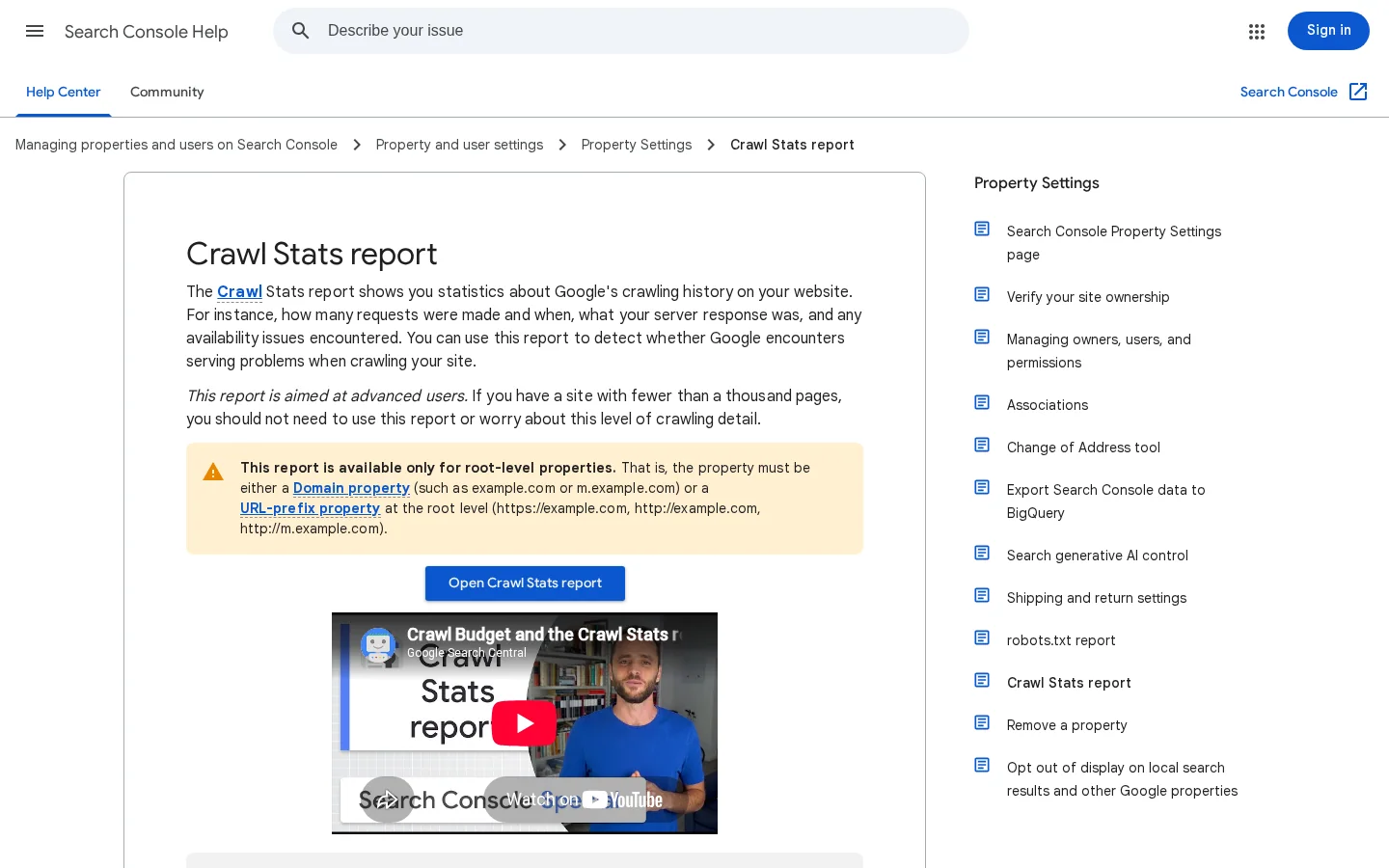
The Pages report in Search Console tells you whether the cleanup works. On a marketplace, watch three lines: "Discovered, currently not indexed" (Google knows the URL but has not crawled it, often a sign of crawl waste), "Crawled, currently not indexed" (Google fetched it and judged it not worth indexing, often thin listings or empty location pages) and "Duplicate without user-selected canonical". The Crawl stats report shows whether Googlebot spends its requests on parameters or on your real pages.
You cannot rewrite 200000 seller listings by hand. What you can do is define a quality bar in code, and only let listings and landing pages into the index when they pass it. This is the single most powerful lever an operator has.
Here is an example of the rules a second-hand goods marketplace could apply. The thresholds are illustrations: tune them on your own data by comparing indexed pages that earn clicks with those that do not.
# Category x location / attribute landing page
index_landing_page:
  live_listings_min: 5          # enough supply to satisfy the search
  monthly_searches_min: 10      # real demand for the keyword
  unique_intro: true            # not the same text as the parent page
  else: noindex, keep crawlable links only from the parent

# Individual listing
index_listing:
  description_words_min: 60
  photos_min: 3
  has_price: true
  is_duplicate_of_catalog_product: false   # otherwise canonical to the product page
  seller_status: verified
  else: noindex

# Seller profile
index_seller_profile:
  live_listings_min: 1
  has_bio_or_reviews: true
else: noindexSellers will not write better descriptions because you ask nicely. The template is where you win: structured fields (brand, model, size, condition, year) turned into a readable spec table, an auto-generated title that follows a pattern ("Brand Model, size, condition, city"), compulsory photo minimums, review blocks, and a "similar listings" module that gives every page useful internal links. Our guide to product description SEO covers what makes a description rank; on a marketplace, translate those rules into form fields and validation.
A seller listing before and after a template overhaul
When ten sellers offer the same new product, do not publish ten near-identical listing pages. Large platforms solve this with a catalogue page per product (one URL, one description, one set of specs) and a list of offers from different sellers on it. If your model creates one URL per offer anyway, point the canonical of each offer page to the catalogue page, and keep only the catalogue page in your sitemap.
Inventory churn is what makes marketplaces different from stores. Every day, listings sell, expire or get deleted. Handled badly, this creates thousands of soft 404s (pages that return 200 but have nothing useful on them) and chains of redirects. Decide one rule per case and apply it in code.
| Situation | What to serve | Why |
|---|---|---|
| Temporarily out of stock (will return) | 200, availability set to OutOfStock, similar items shown | The page keeps its rankings and still helps the visitor |
| Unique item sold, page has links or traffic | 200 for a defined period with a clear "sold" label and similar listings, then 410 or a 301 to the closest category | Keeps value while it is still searched, avoids a soft 404 forever |
| Unique item sold, no traffic, no links | 410 (or 404) | Tells Google quickly the page is gone; Google's crawl guide recommends 404 or 410 for removed pages |
| Listing expired without sale (seller may relist) | Reuse the same URL on relisting; otherwise 410 | Avoids creating a new URL for the same item every month |
| Seller banned, all listings removed | 410 on listings, 404 or 410 on the profile | Spam or fraud pages should leave the index fast |
| Category with no live supply | noindex while temporary; 404 if removed from browsing | Matches Google's ecommerce URL guidance for empty categories |
Never redirect every dead listing to the home page. Google treats mass redirects to an irrelevant page as soft 404s, and visitors bounce. A 301 only makes sense when the target genuinely replaces the old page, like the same model in another listing or its exact category.
Structured data tells Google, and the AI systems that read the same pages, what a page is: a product with offers, a list of items, a breadcrumb trail, a seller. On a marketplace there is one nuance most guides miss.
Google's merchant listing documentation states that "product snippets accept an Offer or AggregateOffer but merchant listings require an Offer as the merchant has to be the seller." In practice:
AggregateOffer (lowest price, highest price, number of offers). It is eligible for product snippets, not for merchant listing experiences.Offer and is a candidate for merchant listings, if the other requirements are met.<script type="application/ld+json">
{
"@context": "https://schema.org",
"@type": "Product",
"name": "Trek Emonda SL 6 road bike, 54 cm",
"brand": { "@type": "Brand", "name": "Trek" },
"image": ["https://www.example-marketplace.com/img/emonda-sl6-1.jpg"],
"aggregateRating": { "@type": "AggregateRating", "ratingValue": "4.6", "reviewCount": "31" },
"offers": {
"@type": "AggregateOffer",
"priceCurrency": "EUR",
"lowPrice": "1450",
"highPrice": "1890",
"offerCount": "7",
"availability": "https://schema.org/InStock"
}
}
</script>Add BreadcrumbList on every category, landing page and listing, so Google understands where each page sits in your tree. For seller pages, keep the markup honest: describe the seller as an Organization or Person with its name, location and links, and only mark up ratings that are shown on the page and collected from real buyers. See our guide on review schema for the rules on ratings.
Tip
Paste a listing URL or your JSON-LD into our free structured data validator to catch missing prices, wrong currencies or ratings without a review count before Google does.
Marketplaces earn links naturally from sellers who show off their shop, from local press and from data that only the platform holds. They also attract spam: sellers who stuff links in descriptions, fake profiles created to pass links to other sites.
Mark every link a seller adds in a description, profile or message with rel="ugc", the value Google created for user-generated links. You can lift it for verified, long-standing sellers if you want. Strip links entirely from new accounts, and rate-limit profile creation, because spam profiles that pass links are a classic marketplace attack.
Sorank's backlink acquisition feature adds contextual links from sites in your niche, which is useful in the early months when the platform has little authority of its own. For more ideas suited to catalogue sites, read our guide on link building for ecommerce.
When someone asks ChatGPT, Gemini or Perplexity "where can I find a reliable dog sitter in Lyon?" or "best site to buy a used road bike", the answer cites a handful of sources. Large marketplaces and directories are often among them. Our study of directories and marketplaces in AI answers looks at how often these platforms are cited and why they are a blind spot for most brands.
To see which prompts mention your platform or your competitors, Sorank's GEO optimization tracks your visibility in ChatGPT, Gemini, Claude and Perplexity alongside Google. Operators can also see how Sorank applies this to two-sided platforms on our marketplace page.
This plan assumes a live marketplace with real inventory. Each step produces something you can check.
The 90-day marketplace SEO plan
Generate one sitemap per template (categories, landing pages, listings, sellers, guides) and only include indexable URLs with their real last modification date. Search Console then shows indexing coverage per template, which is the fastest way to see whether your rules work. Our sitemap checker validates the files before you submit them.
<sitemapindex xmlns="http://www.sitemaps.org/schemas/sitemap/0.9">
  <sitemap><loc>https://www.example-marketplace.com/sitemap-categories.xml</loc></sitemap>
  <sitemap><loc>https://www.example-marketplace.com/sitemap-landing-pages.xml</loc></sitemap>
  <sitemap><loc>https://www.example-marketplace.com/sitemap-listings-1.xml</loc></sitemap>
  <sitemap><loc>https://www.example-marketplace.com/sitemap-sellers.xml</loc></sitemap>
  <sitemap><loc>https://www.example-marketplace.com/sitemap-guides.xml</loc></sitemap>
</sitemapindex>
Keyword demand drives the whole plan. Sorank's keyword research finds the category, location and attribute searches your marketplace can answer, and the topic cluster generator groups them into pages without two pages chasing the same query.
What it is: /search?q= pages open to crawling and indexing. How to spot it: run a site: search on your domain with "search" in the URL, or filter Search Console's Pages report on the /search path. Fix: disallow the search path in robots.txt after removing indexed copies (noindex first, then block), and turn the few valuable queries into proper landing pages.
What it is: every filter, in any order, generates a crawlable URL. How to spot it: Crawl stats in Search Console dominated by parameter URLs; a crawler finds far more URLs than you have listings. Fix: fixed path order for the one or two dimensions you index, parameters blocked for the rest, 404 on empty combinations.
What it is: one-photo, two-line listings in the index. How to spot it: a large "Crawled, currently not indexed" count on listing URLs, and listings with impressions but almost no clicks. Fix: a coded quality gate (see the rules above) and template fields that force minimum content.
What it is: "dog sitter in [every town in the country]", most with zero or one result. How to spot it: landing pages with fewer live listings than your threshold. Fix: generate the page only above the inventory threshold, noindex below it, and link to the nearest larger city instead.
What it is: dead listings returning 200 with an empty template. How to spot it: the "Soft 404" line in Search Console, and listing pages with no price or photos. Fix: apply the lifecycle table: 410 when nothing remains, 200 with similar items only while the page still has value.
What it is: noindex on millions of filter pages, hoping Googlebot will go elsewhere. How to spot it: crawl stats unchanged after the noindex rollout. Fix: Google's crawl budget guide says noindex does not save crawl; block the parameters in robots.txt instead, once the pages have dropped out.
What it is: followed links in descriptions and profiles. How to spot it: crawl your seller profiles and list outgoing external links. Fix: add rel="ugc" by default, strip links from new accounts, moderate profiles created in bulk.
What it is: listings and pagination loaded by script after a click or scroll, with no <a href> links in the HTML. How to spot it: view the raw HTML or the rendered HTML in Search Console's URL inspection; if listing links are missing, Google cannot follow them. Fix: server-render the first page of results and use real links for pagination.
Marketplace SEO health check
You need three kinds of tools: one that shows what Google sees (Search Console), one that crawls the site like a bot to find traps, and one that tracks demand and visibility.
| Tool | What it does for a marketplace | When you use it |
|---|---|---|
| Google Search Console | Indexing per template (via split sitemaps), crawl stats, soft 404s, URL inspection | Weekly |
| Screaming Frog SEO Spider | Crawls the site to count URLs per template, find parameter traps, check canonicals and status codes | Before and after each technical change |
| Server log analysis | Shows exactly which URLs Googlebot requests and how often | Monthly on large sites |
| Google Rich Results Test | Checks Product, Offer and Breadcrumb markup on a sample URL | When you change templates |
| Sorank | Keyword research for categories and locations, content for guides, backlinks, AI visibility tracking | Continuously |
Configure your crawler to respect your robots.txt and to stop at a URL limit, or it will get lost in the same traps as Googlebot. Then compare its URL count per template with the count you expect from your database: the gap is your crawl waste. For the store-side technical checks that also apply to marketplaces, our guide on technical SEO for ecommerce and the one on category page SEO go further on variants, speed and collection pages.
Start today with one action: export Search Console's Pages report, group the URLs by template, and write down for each template how many URLs exist, how many are indexed and how many earn clicks. That one table tells you where your marketplace leaks crawl, and which pages deserve your next sprint.
An online store writes and controls every page, so its SEO is mostly about content and links. A marketplace publishes pages written by thousands of sellers and generates URLs from filters, locations and listings, so its SEO is mostly about deciding which URLs deserve to be indexed and building templates that make seller content rank.
No. Internal search creates an infinite number of URLs, including misspellings and spam queries, and Google treats most of them as low value. Block the search path in robots.txt once indexed copies are gone, and turn the few queries with real demand into proper landing pages.
If the item will come back, keep the page live with an out-of-stock status and similar listings. If it is gone for good and the page has no traffic or links, return a 410 or 404; if it still earns traffic, keep it for a defined period with a clear sold label and similar items, then remove it or redirect it to the closest category.
We analyse your competitors, your website and your AI visibility to create a tailored content plan for free.
 AI Content Brief Generator
 FAQ Schema Generator
 AI Blog Post Ideas Generator
 Structured Data Validator (Schema Validator)
 Alt Text Checker
 Internal Link Analyzer
 Backlink Challenge
 AI Meta Description Generator
 AI Blog Title Generator
 Google Indexability Checker
 AI Blog Outline Generator
 UTM Link Builder
 Keyword Clustering Tool
 Canonical Tag Checker
 XML Sitemap Generator
 Broken Link Checker
 AI SEO Title Generator
 Headline Analyzer
 SERP Preview Tool
 Redirect Checker
 Hreflang Tag Generator
 Heading Structure Analyzer
 HTTP Headers Checker
 Favicon Extractor
 SERP CTR Calculator
 SEO vs Paid Search Savings Calculator
 SEO Share of Voice Calculator
 SEO ROI Calculator
 SEO Traffic and Revenue Forecast Calculator
 SEO Budget Calculator
 SEO Break-Even Calculator
 SaaS SEO ROI Calculator
 ROAS Calculator
 Reading Time Calculator
 Ranking Gain Simulator
 Organic Traffic Value Calculator
 Organic Traffic Estimator and Website Traffic Checker
 LTV to CAC Ratio Calculator
 Local SEO ROI Calculator
 Link Building Cost Calculator
 Keyword Value Calculator
 Keyword Opportunity Score Calculator
 Keyword Density Calculator
 GEO ROI Calculator
 GEO Content Investment Calculator
 Ecommerce SEO ROI Calculator
 Customer Lifetime Value Calculator
 Customer Acquisition Cost Calculator
 CTR Calculator
 Cost Per Article Calculator
 Conversion Rate Calculator
 Content Marketing ROI Calculator
 ChatGPT Referral Traffic Estimator
 Bounce Rate Calculator
 Backlink ROI Calculator
 AI Visibility Score Calculator
 AI Traffic Value Calculator
 AI Share of Voice Calculator
 Cost of AI Invisibility Calculator
 AI Citation Rate Calculator
 llms.txt Validator
 AI Overview Checker and AI Overviews Rank Checker
 Robots.txt Checker
 AI SEO Audit
 LLM Readability Checker
 SearchGPT Readiness Checker
 Structured Data LLM Audit
 Website Crawlability AI Audit
 Why ChatGPT Is Not Recommending My Website
 Gemini Ranking Tool
 Perplexity Ranking Checker
 LLM Citation Checker
 Answer Engine Optimization Audit
 GEO Audit
 AI Search Visibility Test
 ChatGPT Visibility Checker
 llms.txt Generator
 URL Extractor
 Webpage to Markdown
 Sitemap Checker
 SERP Volatility Sensor
 Page Size Checker
 Word Counter
 Slug Generator
 Schema Generator
 Robots Generator
 OG Preview
 Meta Tags Generator
 Image Compressor
 Favicon Generator
 On-Page SEO Audit: SEO Checker and SEO Analyzer
 Backlink Analysis Tool
 Keyword Research Tool
 Domain Authority Checker
 “I tested Sorank on a real client site and it's insane. It does everything an agency would bill you $1500 a month for. It's going into production on that client now.”

 Guillaume Guersanguersanguillaume.com“We are an Ads agency and we wanted to get our SEO back on track once and for all. Sorank gave us a clear view of our site, helped us prioritize optimizations, and properly structure our content. The tool is easy to use, well designed for a team, and very practical for centralizing tracking without having to juggle multiple platforms. A very solid foundation to start fresh with our SEO.”
 Gaspard MadouiAds Agency
 “I just let the Sorank software do its thing, and now my DR is 25 and my page is ranking higher.”
 Lucas Flandrefoundertrace.fr“I specialized in GEO thanks to Sorank. The GEO Leaderboard allows me to show my clients their position vs competitors on ChatGPT. It’s a real commercial differentiator.”
 MélanieSEO Freelance“Great service, works well for our website and helps us understand how to improve it to rank better on Google and elsewhere. Congrats, keep going, I recommend it.”
 Hugo T.E-commerce merchant