Preferences
Privacy is important to us, so you have the option of disabling certain types of storage that may not be necessary for the basic functioning of the website. Blocking categories may impact your experience on the website. More information
Privacy is important to us, so you have the option of disabling certain types of storage that may not be necessary for the basic functioning of the website. Blocking categories may impact your experience on the website. More information

AI won't replace SEO, but it cuts the clicks. See the Pew and Google data, the tasks AI already does, and a five-step audit you can run this week.

In short
AI will not replace SEO, but it replaces the click that SEO used to guarantee. Google's AI Overviews and AI Mode answer many questions on the results page, so fewer people visit a site after a search. The tasks that change most are measurement and content format. Strategy, original evidence and fact checking stay with people.
Want to go further? Ask
Quick quiz
How should you use AI in your marketing?
Sorank matches your answers


Test it for 3 days on your own site and see where you stand on Google, ChatGPT and the other AIs.
Start 3-day free trial3 days free, then stop whenever you want. 90-day results guarantee, conditions apply.
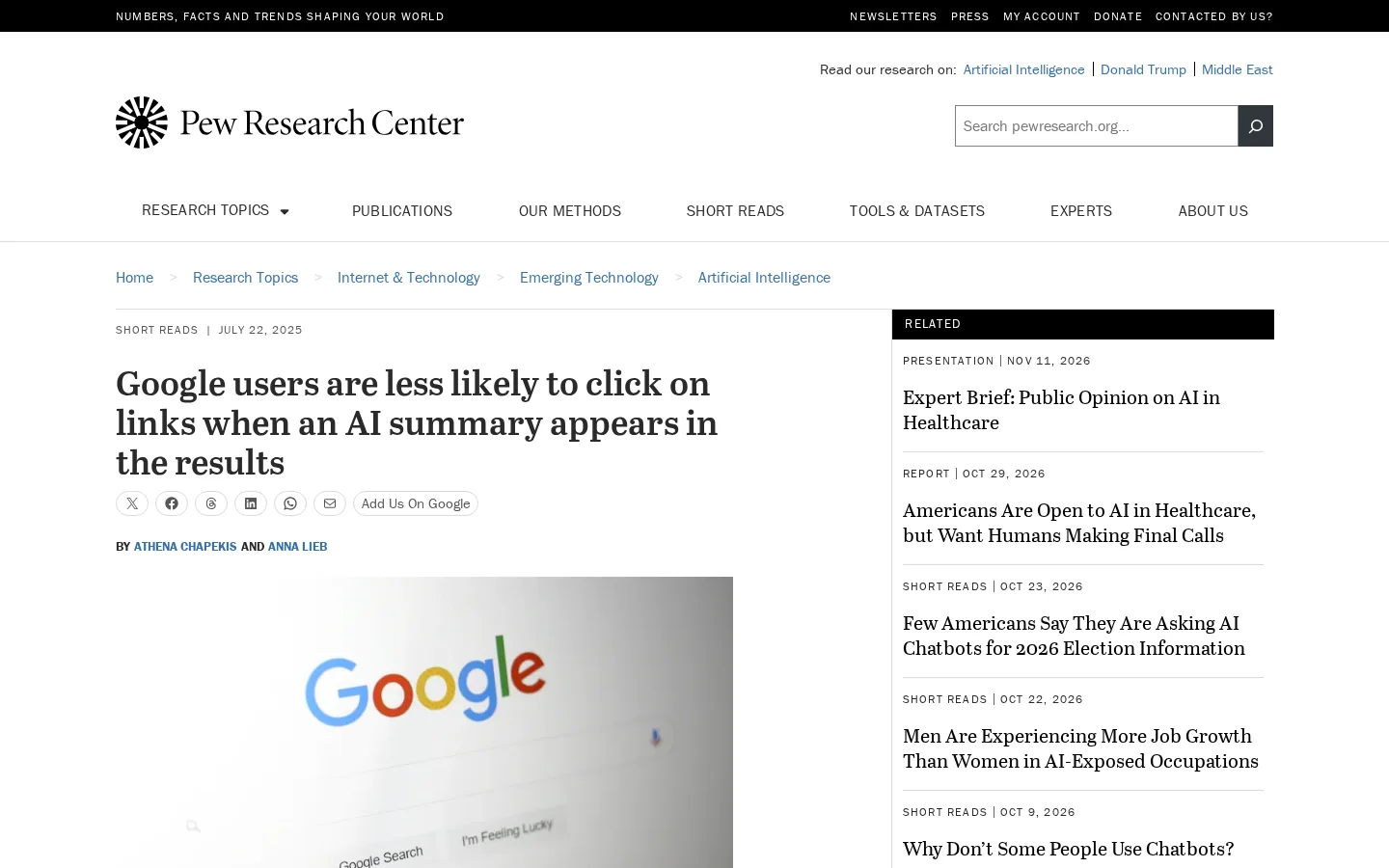
SEO is the work of making pages findable and worth choosing, and that work still exists. What weakened is the assumption that a good ranking brings a visit. In a study published on 22 July 2025, Pew Research Center looked at 68879 unique Google searches made by 900 U.S. adults in March 2025. When an AI summary appeared, people clicked a traditional search result in 8% of visits. When no summary appeared, they clicked in 15% of visits.
Two details in that data matter for your planning. The drop is about clicks, not about whether people search. And the summary did not send people to other sites either: only about 1% of visits to pages with a summary involved a click on a link inside the summary itself. Most people who saw the summary stayed on the results page, or left without clicking.
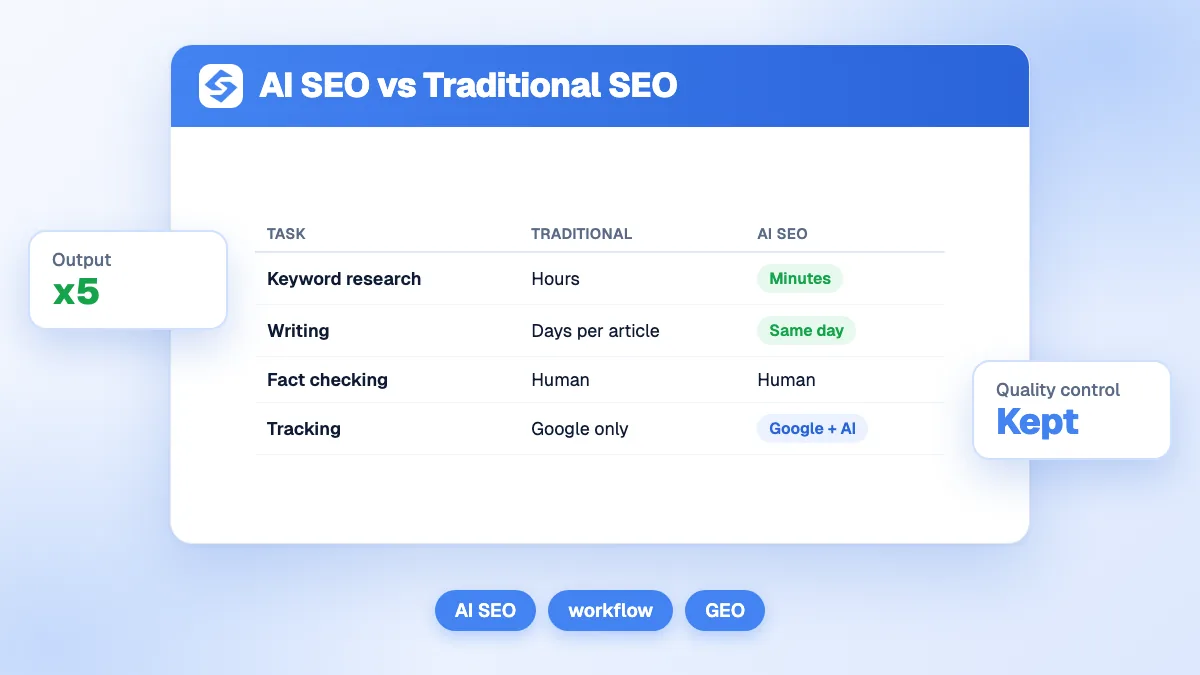
For a page, this means it can keep its position and still lose visits. A ranking is no longer a sales channel on its own. It is one of several ways a buyer meets your brand, and the others (an AI answer that names you, a comparison a friend shared, a Google Business Profile) do not show up in a position report. Our article on AI SEO vs traditional SEO compares the two models. This article asks a narrower question: which tasks AI already does, which ones it cannot do, and what you change on Monday.
The drop is not spread evenly across searches. The same Pew analysis found that 60% of queries beginning with words like who, what, when or why produced an AI summary. Only 8% of one- or two-word queries did, against 53% of queries of 10 words or more. Long, question-shaped searches are the most exposed, and they are also the searches that most blog posts are written for.
Where AI summaries appear in Google results
Source: Pew Research Center, 22 July 2025
Google does not give AI features their own report. In its documentation on AI features in Search, Google says that sites appearing in AI Overviews and AI Mode are counted in the overall search traffic in Search Console, under the Web search type. So the effect is hidden inside your normal queries. You find it by comparing the same queries over time, and by checking which questions now show a summary. The method is in the section on the five-step audit below.
Two numbers to keep in mind
Source: Pew Research Center, 22 July 2025

Google's position is direct. In its documentation, Google writes that there are no additional requirements to appear in AI Overviews or AI Mode, and no other special optimizations are necessary. You do not need new machine-readable files, AI text files or markup. The page also states that the best practices for SEO remain relevant for these features.
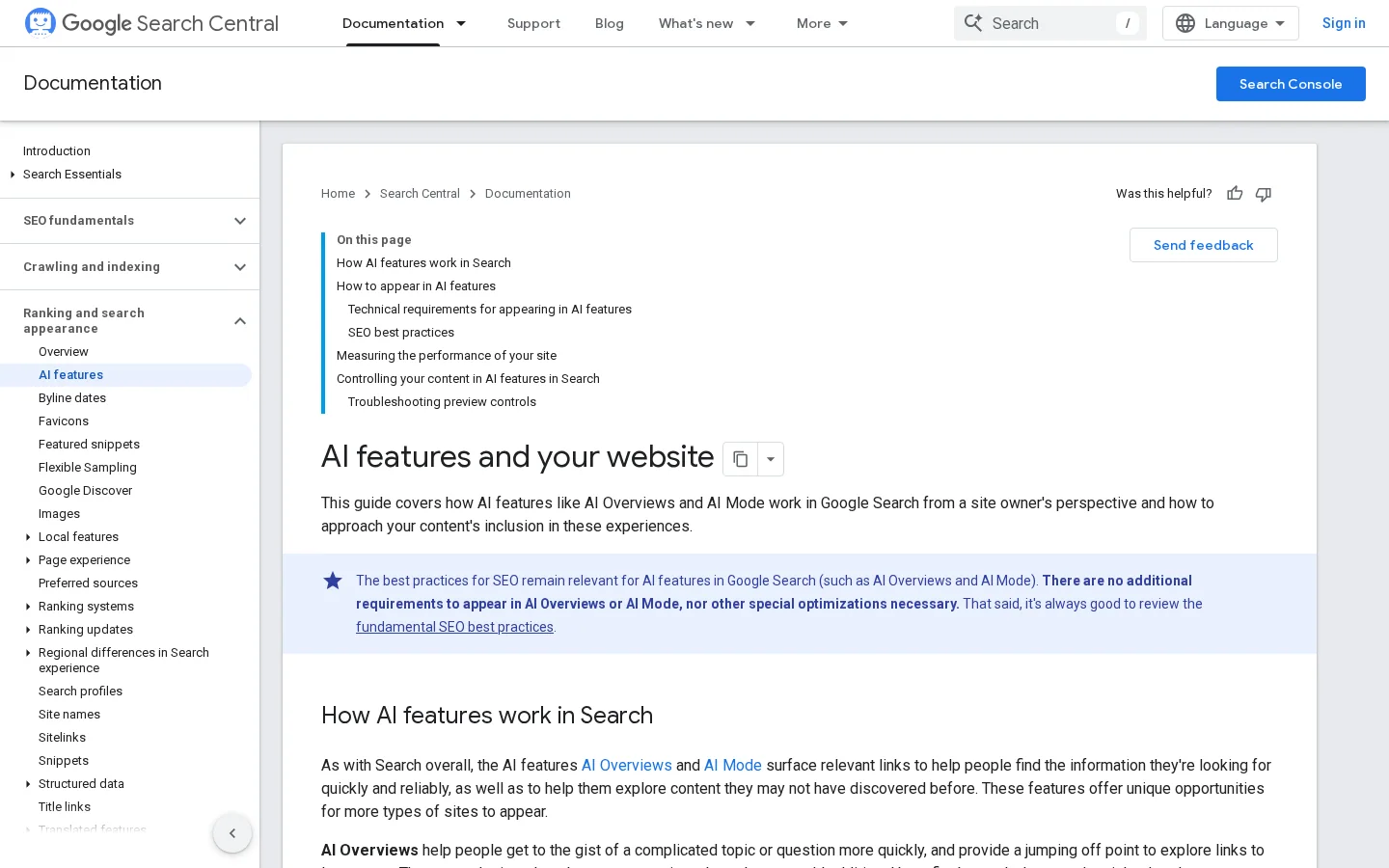
Some people read that and decide they can drop search and write only for AI prompts. Nothing in Google's guidance supports that. In practice, the pages that serve search well are also the pages AI systems can read, trust and reuse: they must be reachable by crawlers, load quickly, answer a precise question and show who wrote them. The standard Google applies to AI-generated text is the same. Its guidance on using generative AI content focuses on accuracy, quality and relevance, and it warns that using generative AI tools to generate many pages without adding value for users may violate Google's spam policy on scaled content abuse.
That spam policy is defined in Google's spam policies: scaled content abuse is when many pages are generated for the primary purpose of manipulating search rankings and not helping users. The risk is not the use of AI. It is the output that no person checked. Our longer answer to the penalty question is in AI content for SEO.
Warning
A page is not scaled content just because a model helped write it. Ten pages with the same structure, the same introduction and only the city name changed are scaled content, whoever wrote them. Before you publish a batch, ask what a reader learns on page 7 that they did not learn on page 1.
Most SEO work is a chain of tasks. Some are repetitive and rule-based, and software does them faster and more consistently than a person. Others depend on judgment about a business, a buyer or a risk. The table below is a working split, not a benchmark, and it moves every few months as tools change. Use it to decide what to hand over and what to keep.
| Task | What AI does well now | What still needs a person |
|---|---|---|
| Keyword research | Collects volumes, groups queries by intent, finds gaps | Choosing the gaps that match your margin and your buyers |
| Content drafting | Produces a structured first draft in minutes | Checking every claim, adding proof and your own examples |
| Technical audit | Lists broken links, redirect chains, missing tags, slow templates | Ordering the fixes and choosing 301 or 302 for a given move |
| Internal linking | Suggests links between related pages at scale | Deciding which page should be the authority for a topic |
| Link building | Finds sites that cover your topic | Earning the mention, and refusing links that break the rules |
| Reporting | Refreshes dashboards and flags drops | Explaining the cause and deciding the response |
Pulling search volumes, grouping queries by intent and spotting gaps are data jobs, and software handles them well. The human part is deciding which gap is worth the effort. A query with a good volume is worth nothing if the people who type it never buy what you sell. For example, a query that brings 900 searches a month and converts at 0.2% can be a weaker target than a query with 90 searches that brings buyers. Check each candidate against your margin before you write a line.
A model can produce a complete draft in minutes. Checking it takes the time that matters. Every figure needs a source you have read, not a number that sounds right. Every claim about a product needs a test on the real product. Every example needs a real case. The pages that keep ranking usually contain something a model cannot produce from its training data: your own test results, a quote from a customer, a screenshot taken on the day you wrote the page. Build your draft around one of those, then let the tool help with the structure.
A crawler lists broken links, redirect chains, missing titles and slow templates in minutes. Deciding which fix comes first is a different job. A redirect chain on a page that earns 40 links is more urgent than a missing meta description on a page nobody visits. The choice between a 301 and a 302 depends on whether the move is permanent, and the 301 vs 302 redirect guide explains the difference in practice. A person who knows the site's history makes that call, because the crawler only sees the current state.
Finding sites that could mention you is a search job, and it is a good one to automate. Asking for a link, paying for one or swapping links is where judgment and policy matter. Google's link spam policies cover paid and exchanged links that are meant to manipulate rankings. Any system that sends outreach at scale needs a person who reviews each target, reads the page and refuses the placements that would look like a scheme.
A dashboard can show that clicks fell 20% last month. It cannot tell you whether the fall came from a Google update, from AI summaries on your questions or from a page you unpublished. Reporting tools now refresh the numbers for you. Your job is to read the drop by page and by query type, then decide what to rewrite, merge or defend.
The scorecard for SEO in 2026
You can run this audit in an afternoon with Search Console open. The goal is to separate two kinds of loss. Some pages lost clicks because the results page changed. Other pages lost clicks because they got worse. Only the second kind needs a rewrite.
The five-step audit
For step two, paste this expression into the custom regex filter of the Performance report. It keeps queries that start with a question word, and queries of 10 words or more:
(?i)^(who|what|when|why|how|is|are|can|does|do)\b|\b\w+(\s+\w+){9,}Read the result carefully. If question queries lost clicks while their impressions held steady, a summary is the likely cause. If impressions fell too, the topic lost demand or your rankings moved. Those two cases have different fixes, and mixing them up is the most common error in this audit.
Example
Take a page that answers "how long does a redirect take to pass link value". Its position is still 4, its impressions are flat, but its clicks dropped by a third over the last year. Question queries are the cause, so the fix is a direct answer in the first paragraph, plus a table or a worked example that a summary cannot reproduce in full.
For step four, the check is manual on purpose. A tool can count summaries, but reading the cited sources shows you who is taking the answer. If your competitors are cited and you are not, the gap is usually in the first lines of their page, not in the length of yours.
Tip
To check a list of questions at once, the free AI Overview Checker shows whether Google cites your brand for a query, so you do not have to run each search by hand.
Steps one to three are the slowest part of the audit, because they mean exports and spreadsheets. A reporting view that keeps Search Console and Analytics side by side removes most of that work. The image below shows the page of Sorank's GEO / SEO dashboard, which puts Google clicks, impressions and visits from AI assistants on one screen.
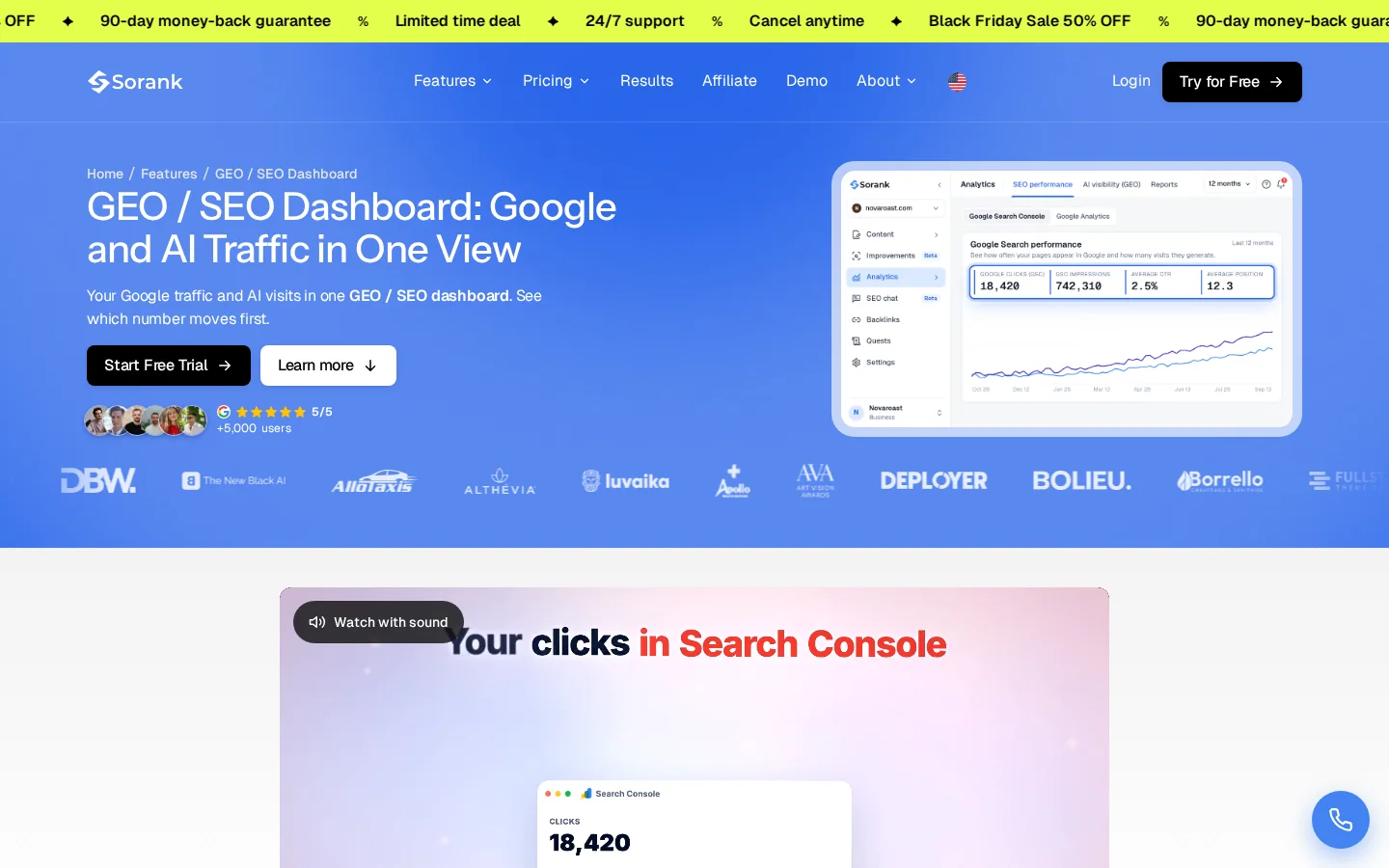
The point is not the tool. The point is to read the two sources together, because a page can lose Google clicks while it gains visits from AI assistants. Our definition of zero-click search explains why the click count alone misleads you.
Most of the wasted effort comes from a handful of mistakes. Each one looks reasonable when you make it. Each one has a visible sign in your data, and a fix that takes an afternoon.
What it is: you decide that SEO failed because clicks fell, and stop the work. How to spot it: clicks are down, impressions are steady, and your brand appears more often in direct or branded searches than before. How to fix it: keep clicks in the report, but add brand mentions in AI answers and visits from AI assistants next to them. A page that is cited and not clicked is still doing work. A page that is not cited and not clicked is the one to rewrite.
What it is: a batch of articles goes live on the same day, with the same sections and the same claims, and nobody reads them in full. How to spot it: the pages share an opening sentence pattern, the same headings in the same order and no number you can trace to a source. Search Console shows them with low clicks and low impressions after a few weeks. How to fix it: merge the thin pages into one stronger page, redirect the old URLs, and publish fewer pages with one original element each: a test, a quote, a dataset or a screenshot.
The same batch, before and after review
What it is: a rule copied from an old forum post blocks every AI crawler, or one of them, from the whole site. How to spot it: open your robots.txt and look for a rule like the one below. Each AI company names its crawler differently, so one rule does not cover them all, and a rule that works for one may leave another free.
User-agent: GPTBot
Disallow: /
That block tells OpenAI's crawler, GPTBot, that it may not read any page on the site. How to fix it: decide crawler by crawler whether you want to appear in that assistant's answers, then write the rules for each one. Our guide to robots.txt for AI crawlers lists the names and what each one does, and the robots.txt checker tests whether a given crawler can read a URL.
What it is: the page is built around a list of prompts copied from a tool, and each heading repeats one of them in a slightly different wording. How to spot it: the same keyword phrase appears in every heading and in the first sentence of every section, and the text reads like a form. How to fix it: write one page per question a buyer would really ask, answer it in the first two or three sentences, then develop it with examples. A model reads meaning, not repetition. A reader leaves a page that repeats the question in every paragraph.
What it is: new pages are published but nothing links to them, so both crawlers and readers find them late or not at all. How to spot it: a crawl of your site lists pages with zero internal links, and Search Console reports them as discovered but not indexed. How to fix it: link each new page from at least three related pages, with descriptive anchors, and make the main page of each topic the one that links to the others. The internal linking strategy guide sets out the order to work in.
Once the audit is done, the work for the next month is short. Keep the list small enough that you finish it. The checklist below is the order we would follow.
Your first month
If you want Search Console and visits from AI assistants in one view, the GEO / SEO dashboard in Sorank connects to both sources and separates the visits from ChatGPT, Claude, Gemini, Perplexity and Grok. It is a reading tool, so the decisions in the checklist are still yours.
AI will keep answering more questions on the results page. That does not remove the need for a source it can rely on, and it makes measurement harder. Build pages that answer one question well, prove what they say and show the numbers you actually track. For the broader picture of how the search and AI channels fit together, see our guide to generative engine optimization, and our walkthrough of how to rank in AI Overviews.
Not on its own. AI already does much of the repetitive SEO work, such as collecting keyword data, listing technical errors and drafting pages. Choosing which gaps to target, ordering the fixes and earning trust still need a person who knows the business.
Google does not ban AI-generated content as such. Its guidance focuses on accuracy, quality and relevance, and it warns that generating many pages without adding value for users may violate its spam policy on scaled content abuse.
Google says no. Its documentation states there are no additional requirements to appear in AI Overviews or AI Mode, and no special markup or AI text files are needed. The standard SEO fundamentals remain the base.
We analyse your competitors, your website and your AI visibility to create a tailored content plan for free.
 AI Content Brief Generator
 FAQ Schema Generator
 AI Blog Post Ideas Generator
 Structured Data Validator (Schema Validator)
 Alt Text Checker
 Internal Link Analyzer
 Backlink Challenge
 AI Meta Description Generator
 AI Blog Title Generator
 Google Indexability Checker
 AI Blog Outline Generator
 UTM Link Builder
 Keyword Clustering Tool
 Canonical Tag Checker
 XML Sitemap Generator
 Broken Link Checker
 AI SEO Title Generator
 Headline Analyzer
 SERP Preview Tool
 Redirect Checker
 Hreflang Tag Generator
 Heading Structure Analyzer
 HTTP Headers Checker
 Favicon Extractor
 SERP CTR Calculator
 SEO vs Paid Search Savings Calculator
 SEO Share of Voice Calculator
 SEO ROI Calculator
 SEO Traffic and Revenue Forecast Calculator
 SEO Budget Calculator
 SEO Break-Even Calculator
 SaaS SEO ROI Calculator
 ROAS Calculator
 Reading Time Calculator
 Ranking Gain Simulator
 Organic Traffic Value Calculator
 Organic Traffic Estimator and Website Traffic Checker
 LTV to CAC Ratio Calculator
 Local SEO ROI Calculator
 Link Building Cost Calculator
 Keyword Value Calculator
 Keyword Opportunity Score Calculator
 Keyword Density Calculator
 GEO ROI Calculator
 GEO Content Investment Calculator
 Ecommerce SEO ROI Calculator
 Customer Lifetime Value Calculator
 Customer Acquisition Cost Calculator
 CTR Calculator
 Cost Per Article Calculator
 Conversion Rate Calculator
 Content Marketing ROI Calculator
 ChatGPT Referral Traffic Estimator
 Bounce Rate Calculator
 Backlink ROI Calculator
 AI Visibility Score Calculator
 AI Traffic Value Calculator
 AI Share of Voice Calculator
 Cost of AI Invisibility Calculator
 AI Citation Rate Calculator
 llms.txt Validator
 AI Overview Checker and AI Overviews Rank Checker
 Robots.txt Checker
 AI SEO Audit
 LLM Readability Checker
 SearchGPT Readiness Checker
 Structured Data LLM Audit
 Website Crawlability AI Audit
 Why ChatGPT Is Not Recommending My Website
 Gemini Ranking Tool
 Perplexity Ranking Checker
 LLM Citation Checker
 Answer Engine Optimization Audit
 GEO Audit
 AI Search Visibility Test
 ChatGPT Visibility Checker
 llms.txt Generator
 URL Extractor
 Webpage to Markdown
 Sitemap Checker
 SERP Volatility Sensor
 Page Size Checker
 Word Counter
 Slug Generator
 Schema Generator
 Robots Generator
 OG Preview
 Meta Tags Generator
 Image Compressor
 Favicon Generator
 On-Page SEO Audit: SEO Checker and SEO Analyzer
 Backlink Analysis Tool
 Keyword Research Tool
 Domain Authority Checker
 “I tested Sorank on a real client site and it's insane. It does everything an agency would bill you $1500 a month for. It's going into production on that client now.”

 Guillaume Guersanguersanguillaume.com“We are an Ads agency and we wanted to get our SEO back on track once and for all. Sorank gave us a clear view of our site, helped us prioritize optimizations, and properly structure our content. The tool is easy to use, well designed for a team, and very practical for centralizing tracking without having to juggle multiple platforms. A very solid foundation to start fresh with our SEO.”
 Gaspard MadouiAds Agency
 “I just let the Sorank software do its thing, and now my DR is 25 and my page is ranking higher.”
 Lucas Flandrefoundertrace.fr“I specialized in GEO thanks to Sorank. The GEO Leaderboard allows me to show my clients their position vs competitors on ChatGPT. It’s a real commercial differentiator.”
 MélanieSEO Freelance“Great service, works well for our website and helps us understand how to improve it to rank better on Google and elsewhere. Congrats, keep going, I recommend it.”
 Hugo T.E-commerce merchant