Preferences
Privacy is important to us, so you have the option of disabling certain types of storage that may not be necessary for the basic functioning of the website. Blocking categories may impact your experience on the website. More information
Privacy is important to us, so you have the option of disabling certain types of storage that may not be necessary for the basic functioning of the website. Blocking categories may impact your experience on the website. More information

 Semrush vs SpyFu: How to Choose for Competitor Keyword Research
Semrush or SpyFu for competitor keyword research? Compare their data, volume accuracy, backlinks, ad research and pricing, then run a two-week test.


In short
Semrush is a broad SEO suite covering keywords, site audits, backlinks and content. SpyFu is built around competitors: it shows which keywords a rival ranks for and which ads it buys. Pick Semrush for one tool across the whole SEO workflow, and SpyFu when your main question is what your rivals do.
Want to go further? Ask
Quick quiz
Which kind of SEO tool is right for you?
Sorank matches your answers


Test it for 3 days on your own site and see where you stand on Google, ChatGPT and the other AIs.
Start 3-day free trial3 days free, then stop whenever you want. 90-day results guarantee, conditions apply.
Neither tool sees Google's search data directly. Both estimate volumes, positions and traffic from data they collect and model themselves, so the same keyword can show different numbers in each tool. Knowing where those numbers come from tells you how far to trust them.
Semrush's help center describes its method in some detail. Its keyword volumes come from a main database built on national-level data, and it says it combines third-party provider data with historical clickstream data (Semrush help center, search volume article, © 2026). Its traffic estimates combine its own backlink and organic position databases with clickstream data, while third-party providers collect Google's results pages (Semrush help center, "Where does Semrush data come from", © 2026).
| Data input | What Semrush says it uses | What it means for you |
|---|---|---|
| Search volume | National-level data, mobile and desktop combined, updated monthly | Good for ranking keywords against each other, weaker as a traffic forecast |
| Traffic estimates | Its backlink and organic position databases plus clickstream data | Estimated visits, not measured visits |
| Search results pages | Collected by third-party providers | Positions depend on the location and device of the check |
| Clickstream | A panel of anonymized users built with partner providers | Reflects the sites panel users visit, which may not match your market |
What Semrush says about its data
Source: Semrush help center, "Where does Semrush data come from" and search volume article, © 2026
Note
Database sizes are vendor figures, measured the vendor's way. They tell you the scale of the data, not whether one keyword number is right. Check the number on a keyword you already know, and keep the size claims out of your decision.
SpyFu's comparison article does not explain its data method or how often its data refreshes, so ask that question before you rely on its figures (SpyFu's own Semrush vs SpyFu article, first published in January 2025 and updated since).
Use a tool when you need a full list of what a rival ranks for. Use Google's own planner when you need a volume you can defend. Use your Search Console data as the measured reference for your own pages, and use a manual check when you need to see what a results page shows right now. None of the four answers the whole question, so most teams combine two.
The principle is simple: the tool models search data and lists the keywords a domain ranks for, with an estimated volume and traffic for each one. Use it when you need breadth, for example to list everything a rival has ranked for over the past year. The advantage is coverage: hundreds of keywords arrive in one export. The limit is that every figure is modelled, so estimated traffic can sit far from real traffic, especially for small sites and niche terms.
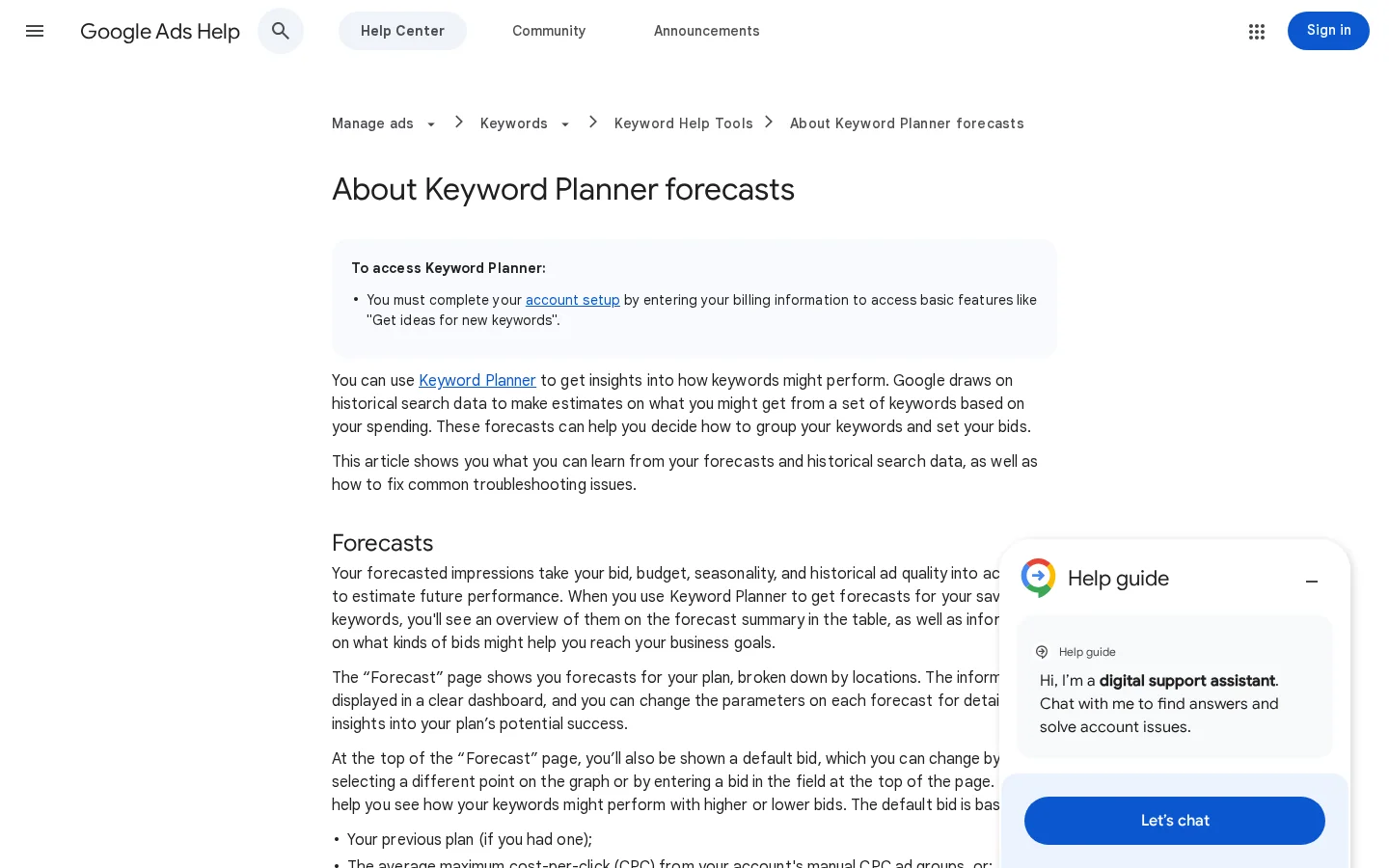
Google's Keyword Planner help page explains that average monthly searches are averaged over a 12-month period, shown only for exact matches, for the location and network you select. It also says the figures are rounded and fluctuate with seasonality and current events (Google Ads Help, "Understanding your Keyword Planner statistics", undated page). Use it as the reference for volume: the numbers come from Google, and the planner is free with a Google Ads account. It does not show what a competitor ranks for, so it cannot replace a rival-first tool.
Search Console is the only source here that measures your own site rather than estimating it. It shows the queries your pages already get impressions and clicks for. Impressions are not search volume, but a consistent gap between what a tool predicts and what your pages receive, across many queries, tells you whether that tool runs high or low for your niche. Use it to calibrate the tools, not to find rival keywords.
Type the keyword into an incognito window with your target country set, then write down the first ten domains and any SERP features that appear. It takes ten minutes and shows what Google displays right now. The limit is that results change with location, device and personalization, so one check tells you little. Repeat it on three different days and in two locations before you draw a conclusion.
| Method | Answers | Cost | Main limit |
|---|---|---|---|
| Tool estimate (Semrush, SpyFu) | Which keywords a rival ranks for | Subscription | Modelled, not measured |
| Keyword Planner | Google's average demand for a term | Free with a Google Ads account | Exact-match averages, rounded, no rival data |
| Search Console | What your own pages already get | Free | Covers only your own site |
| Manual SERP check | What a results page shows now | Your time | Changes with location and device |
For the detailed method behind rival traffic estimates, read our guide to seven ways to check competitor website traffic and how far each one can be trusted.

For competitor keyword research, SpyFu starts from the rival and Semrush starts from the keyword. Enter a rival domain in SpyFu and you see its ranking keywords, its ad history and its estimated traffic first. Load a keyword list into Semrush and you filter, group and compare volume, difficulty and intent across the whole list. Which order suits you depends on your first question: "what does this site rank for?" or "which of these terms should I write for?"
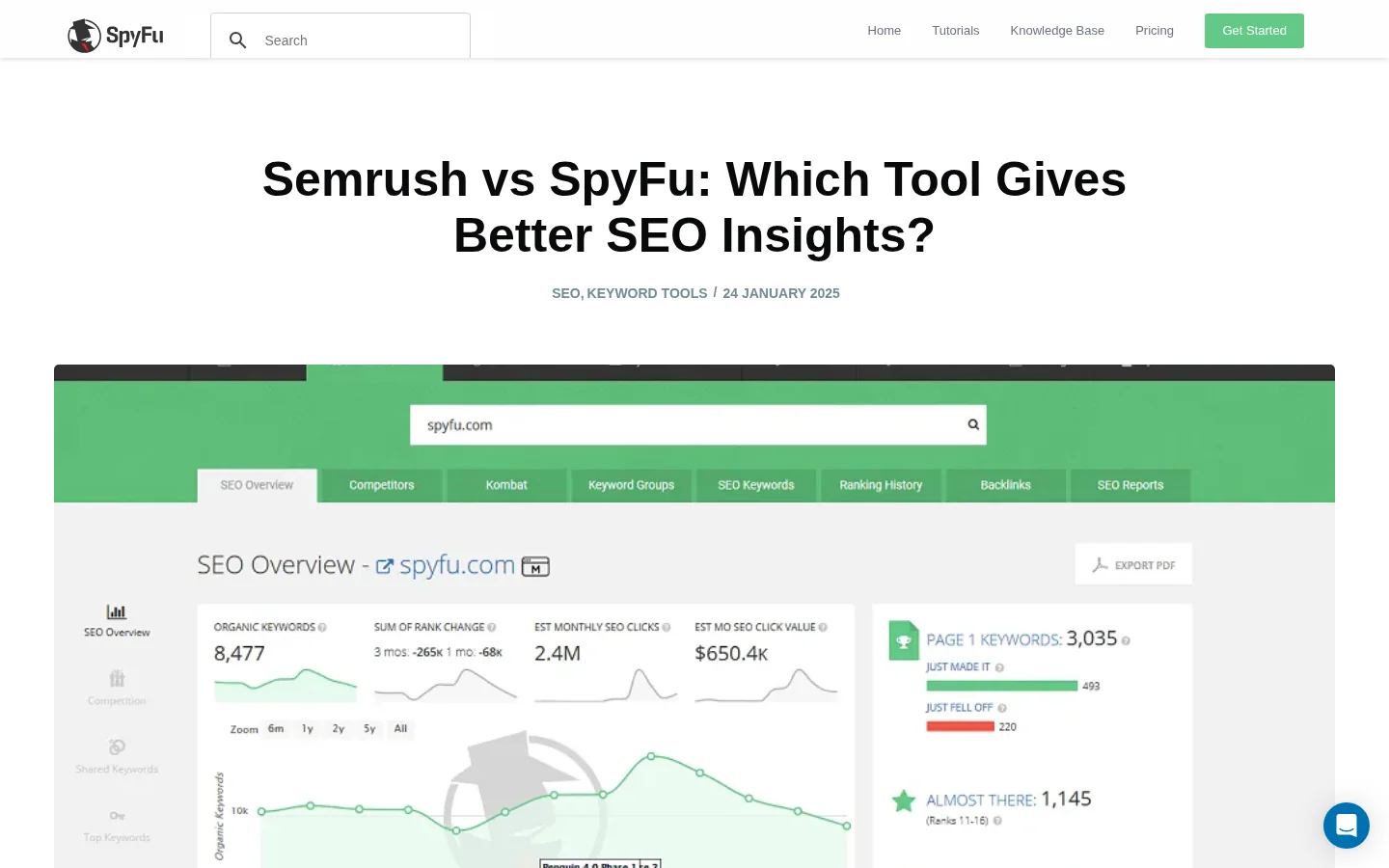
SpyFu's comparison article presents its strength as competitor history: which keywords a domain ranked for, and when. It also claims 10x more PPC keywords and 2x more SEO keywords than Semrush. The article gives no method, sample size or date for those numbers, so treat them as claims to test, not facts. Test a rival you know well. If SpyFu's keyword list for that site matches the pages you can see, its data is probably sound for your niche.
Semrush's Keyword Magic Tool starts from a seed term and returns a large set of related keywords with volume, difficulty and intent, so you can group them by topic and pick the clusters worth a page. It is the faster route when you already know your topic and need to decide which terms to write for. To find gaps against a rival, use the method in our keyword gap analysis guide, which lists the terms a competitor covers and you don't.
Whichever export you pull, remove the rivals' brand queries before you plan articles. A search for a rival's name is usually navigational, so an article built on it rarely fits your brief. In Google Sheets, put this formula in a helper column next to your keyword column, starting in row 2:
=NOT(REGEXMATCH(A2, "^(semrush|spyfu|ahrefs)\b"))Start from the rival or start from the keyword
If you want the full method for rival research, follow our seven-step SEO competitor analysis. For the concept itself, the competitor analysis definition covers what to look for before you open either tool.
Treat a volume figure as a relative signal for ranking keywords against each other, not as a traffic forecast. Google averages its figures over 12 months and rounds them, and third-party tools model theirs from clickstream data, so the two rarely match and a gap between them is normal. Difficulty scores are each tool's own scale, so a 40 in one tool is not a 40 in the other. For what the metric measures and what it does not, read the keyword volume definition.
To judge whether a keyword is worth a page, convert its volume into the clicks you could realistically get. Use the click-through rate you see in Search Console for a page in a similar position, not a generic figure.
estimated clicks per month = search volume x CTR at your target position (example: 1200 x 0.10 = 120 clicks)The 10% in the example is an assumption for illustration. Replace it with your own rate, run the formula on each keyword on your shortlist, and sort by the result rather than by raw volume.
Tip
Before you open a paid trial, run your target keyword through our free Keyword Research and Suggestions Tool. It returns up to 50 related searches sorted by monthly volume, each with difficulty and cost per click for the country you pick, which gives you a baseline to compare the paid tools against.
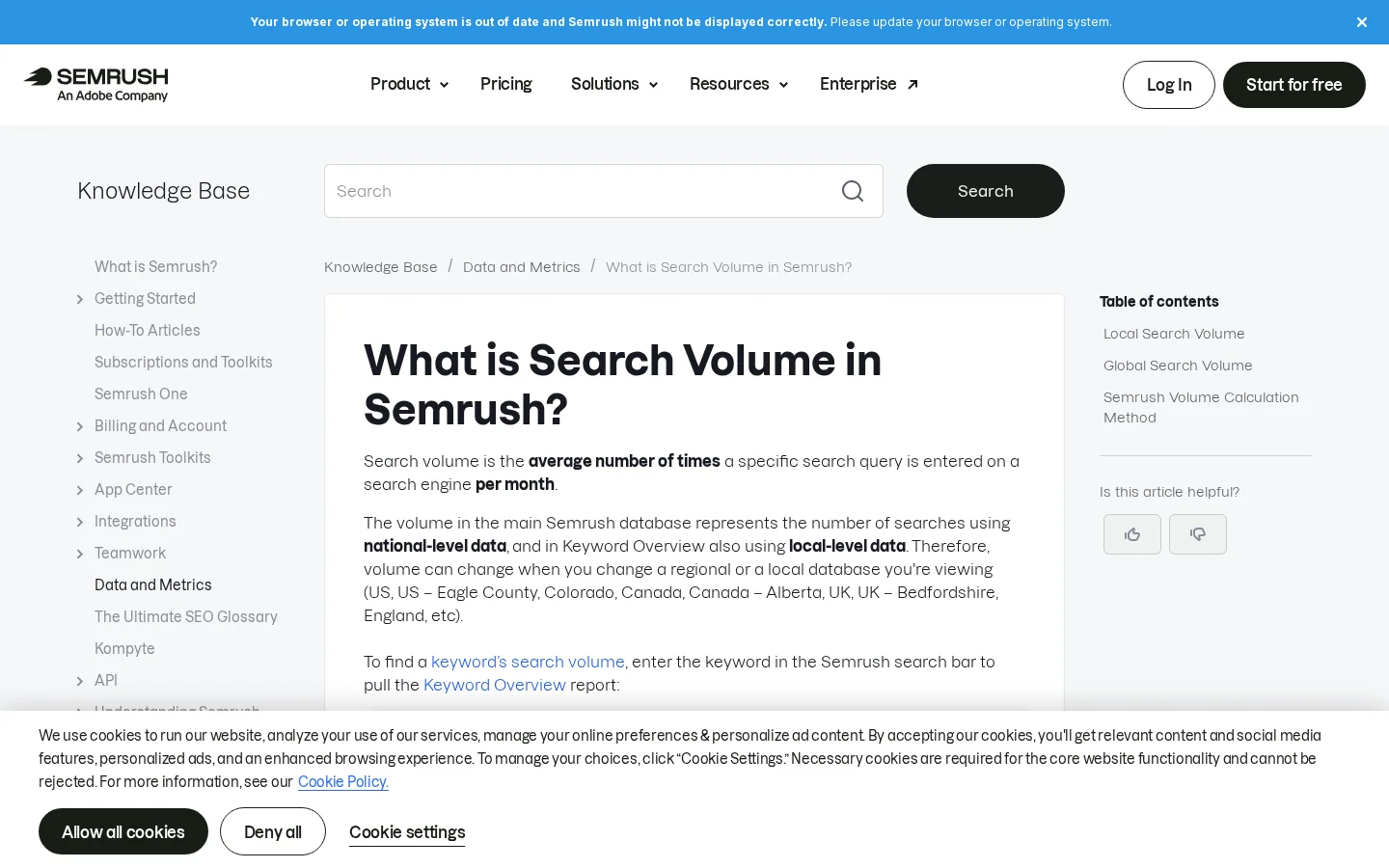
Semrush says its search volumes update monthly and combine mobile and desktop at national level, with local figures available in Keyword Overview. Google's figures are averages over 12 months, for exact matches. A keyword can therefore look seasonal in one source and flat in the other. When they disagree, compare the trend over several months in both tools, not a single month's number.
Both tools list backlink research and site auditing on their comparison pages, so the real question is how much of your workflow you want inside one product. A suite keeps links, audits and keywords in one place. If you already run a crawler and a dedicated link tool, a second suite may add little, and you should test whether its link data matches the sources you already trust.
Pick one rival page that you know has earned links. Export its referring domains from each tool, compare the two lists, then open ten of the linking pages yourself and note whether each one is an editorial link, a directory listing or a footer link. The overlap tells you which tool sees the link graph you need. The ten pages tell you whether the counts mean anything. For the full method, read our guide to how to find your competitors' backlinks and win them, and check the backlink definition if you need the basics.
| Task | What to test | Why it matters |
|---|---|---|
| Referring domains for a rival page | Export the same URL from both tools | Shows which tool sees the link graph you need |
| Link quality | Open ten linking pages by hand | Counts can include weak links, so judge the pages |
| Site health | Crawl one of your pages in each tool | Shows whether the two tools flag the same issues |
Both tools offer competitor ad copy and PPC research, so the question is depth and how easy the data is to act on. SpyFu builds its product around paid search history, which makes it the stronger first look when your budget decision depends on what a rival pays for a term. Check it against the rival you really compete with in the auction, not the biggest brand in your category.
Start with the terms, then the copy, then the money. The table gives the check for each step, and it works with either tool's data because it asks you to verify the claim on Google yourself.
| Question | Where to look | How to check |
|---|---|---|
| Which terms does a rival buy? | Competitor paid keywords in either tool | Search the term yourself and see whether the rival's ad appears |
| What does the ad say? | Competitor ad copy in either tool | Read five live ads in an incognito window |
| Is the spend worth matching? | Estimated paid spend | Compare with your own cost per click in Google Ads |
For the auction side, our guide to reading rivals' Google Ads covers how to read the ads and the auction signals around them.
Compare plans by the units you will actually use: websites or projects, tracked keywords, competitors, seats and add-ons. Prices move, and one vendor can show different figures on different pages, so write down the price, currency, billing cycle and date for every number you use.
Example
SpyFu's comparison article lists its Basic plan at one price in a table and at another in a banner, with no date on either. Semrush's pricing page, as we loaded it, showed prices in pounds sterling and said that annual billing saves up to 17%. Same vendor, two prices, one missing date: the figure is only useful once you know the currency, the cycle and the day you read it.
| Cost driver | What to ask | Why it matters |
|---|---|---|
| Projects or websites | How many domains can you monitor on the plan you need? | Agencies hit this limit first |
| Tracked keywords | How often is each keyword refreshed? | Refresh rate changes what you see week to week |
| Historical data | How far back can you see a rival's rankings? | You need a trend, not a snapshot |
| Exports and API | Are exports or API access included? | Without them, you copy results by hand |
| Add-ons | Which modules cost extra? | Add-ons often decide the final total |
Before you pay for either tool
Run the same 20 keywords through both tools and score the output, not the feature list. Two weeks is enough to see whether each tool's numbers and suggestions hold up against your own data. The setup takes an afternoon, and it gives you a decision you can defend to a client or a manager.
The two-week method
Keep a log while you test, one row per keyword and tool, so you can see the pattern later. Start the header with this line:
keyword,tool,location,volume,difficulty,checked_onIf a tool's number moves a lot between your first and second check, note it. Monthly refreshes are a common reason, and the log will show you whether a number is stable enough to plan with.
Each mistake below wastes time or budget, and each one is easy to spot once you know what to look for. Check your current work against this list before you sign a contract.
Rival keywords, before and after a check
What it is: Reading a volume of 1200 as 1200 visits for your page. How to spot it: Your forecast is off by a wide margin after the first month. How to fix it: Multiply volume by a click-through rate from Search Console for a similar position, as shown in the formula above.
What it is: Sorting a list by Semrush difficulty and expecting the same order from SpyFu. How to spot it: The two tools rank the same keywords in opposite orders, and you cannot say why. How to fix it: Compare difficulty only inside one tool, across the keywords of one list.
What it is: Taking a verdict from a comparison article as independent. Vendors write comparisons of their own product, and some comparison pages rank the author's product first. How to spot it: The verdict always favors the publisher, or a number arrives with no method, date or sample. How to fix it: Ask for the method. Treat SpyFu's 10x claim as a hypothesis, and test it on your own keyword list.
What it is: Pasting every rival keyword into your calendar. How to spot it: Several new pages target the same query as one of your existing pages, and they start to compete with each other. How to fix it: Run a cannibalization check against your own pages first. The keyword cannibalization definition explains the signs to look for.
What it is: Paying for seats, history and modules you never open. How to spot it: After 30 days you use two reports and nothing else. How to fix it: Start on the smallest plan that covers your test list, then upgrade when you can name the feature you need and the task it will do.
Choose Semrush if you want one suite for keywords, audits, backlinks and content. Choose SpyFu if rival keyword history and ad research drive most of your decisions. Either way, check what the tool says against your own Search Console data before you act on it. If Semrush is on your shortlist, our Semrush review covers the tool on its own, with its strengths and limits.
| Your situation | Better starting point | Why |
|---|---|---|
| One person runs all of your SEO | Semrush | Keywords, audits, backlinks and content in one place |
| Paid search is your main channel | SpyFu | Ad history and estimated spend are central to the product |
| You want rival keywords turned into articles each week | Sorank | It is a different job: rival keywords feed your calendar after a check against your pages |
Sorank is built for that last job, and it is not trying to be another Semrush or Ahrefs. Its SEO Spy Tool works in three steps: you mark up to five competitors, Sorank reads what they publish each week, and the keywords from their new pages are checked against your own pages before they land in your editorial calendar. You get no alerts to read. For ideas beyond your rivals, the automated keyword research feature draws on your Search Console data and AI answers too, and filters out cannibalization before it turns the best ones into articles.
Choose the tool after your two-week test, not after a comparison page. The test takes an afternoon to set up and tells you more about your own keywords than any table, including the one above.
Neither tool publishes an accuracy test you can check. Both estimate volume and traffic from models, and SpyFu's own claims come without a method. Test both on keywords whose real numbers you already know, such as your own Search Console queries.
On the figures we found, SpyFu's entry plan costs less than Semrush's, but the answer depends on the unit you need. Compare the price per project, per tracked keyword and per add-on, using the same currency and billing cycle.
Yes. Some teams use a rival-first tool for ideas and a suite for the rest of the workflow. Check that you are not paying twice for the same keyword data, and keep both only if each one covers a task the other does not.
We analyse your competitors, your website and your AI visibility to create a tailored content plan for free.
 AI Content Brief Generator
 FAQ Schema Generator
 AI Blog Post Ideas Generator
 Structured Data Validator (Schema Validator)
 Alt Text Checker
 Internal Link Analyzer
 Backlink Challenge
 AI Meta Description Generator
 AI Blog Title Generator
 Google Indexability Checker
 AI Blog Outline Generator
 UTM Link Builder
 Keyword Clustering Tool
 Canonical Tag Checker
 XML Sitemap Generator
 Broken Link Checker
 AI SEO Title Generator
 Headline Analyzer
 SERP Preview Tool
 Redirect Checker
 Hreflang Tag Generator
 Heading Structure Analyzer
 HTTP Headers Checker
 Favicon Extractor
 SERP CTR Calculator
 SEO vs Paid Search Savings Calculator
 SEO Share of Voice Calculator
 SEO ROI Calculator
 SEO Traffic and Revenue Forecast Calculator
 SEO Budget Calculator
 SEO Break-Even Calculator
 SaaS SEO ROI Calculator
 ROAS Calculator
 Reading Time Calculator
 Ranking Gain Simulator
 Organic Traffic Value Calculator
 Organic Traffic Estimator and Website Traffic Checker
 LTV to CAC Ratio Calculator
 Local SEO ROI Calculator
 Link Building Cost Calculator
 Keyword Value Calculator
 Keyword Opportunity Score Calculator
 Keyword Density Calculator
 GEO ROI Calculator
 GEO Content Investment Calculator
 Ecommerce SEO ROI Calculator
 Customer Lifetime Value Calculator
 Customer Acquisition Cost Calculator
 CTR Calculator
 Cost Per Article Calculator
 Conversion Rate Calculator
 Content Marketing ROI Calculator
 ChatGPT Referral Traffic Estimator
 Bounce Rate Calculator
 Backlink ROI Calculator
 AI Visibility Score Calculator
 AI Traffic Value Calculator
 AI Share of Voice Calculator
 Cost of AI Invisibility Calculator
 AI Citation Rate Calculator
 llms.txt Validator
 AI Overview Checker and AI Overviews Rank Checker
 Robots.txt Checker
 AI SEO Audit
 LLM Readability Checker
 SearchGPT Readiness Checker
 Structured Data LLM Audit
 Website Crawlability AI Audit
 Why ChatGPT Is Not Recommending My Website
 Gemini Ranking Tool
 Perplexity Ranking Checker
 LLM Citation Checker
 Answer Engine Optimization Audit
 GEO Audit
 AI Search Visibility Test
 ChatGPT Visibility Checker
 llms.txt Generator
 URL Extractor
 Webpage to Markdown
 Sitemap Checker
 SERP Volatility Sensor
 Page Size Checker
 Word Counter
 Slug Generator
 Schema Generator
 Robots Generator
 OG Preview
 Meta Tags Generator
 Image Compressor
 Favicon Generator
 On-Page SEO Audit: SEO Checker and SEO Analyzer
 Backlink Analysis Tool
 Keyword Research Tool
 Domain Authority Checker
 “I tested Sorank on a real client site and it's insane. It does everything an agency would bill you $1500 a month for. It's going into production on that client now.”

 Guillaume Guersanguersanguillaume.com“We are an Ads agency and we wanted to get our SEO back on track once and for all. Sorank gave us a clear view of our site, helped us prioritize optimizations, and properly structure our content. The tool is easy to use, well designed for a team, and very practical for centralizing tracking without having to juggle multiple platforms. A very solid foundation to start fresh with our SEO.”
 Gaspard MadouiAds Agency
 “I just let the Sorank software do its thing, and now my DR is 25 and my page is ranking higher.”
 Lucas Flandrefoundertrace.fr“I specialized in GEO thanks to Sorank. The GEO Leaderboard allows me to show my clients their position vs competitors on ChatGPT. It’s a real commercial differentiator.”
 MélanieSEO Freelance“Great service, works well for our website and helps us understand how to improve it to rank better on Google and elsewhere. Congrats, keep going, I recommend it.”
 Hugo T.E-commerce merchant