Preferences
Privacy is important to us, so you have the option of disabling certain types of storage that may not be necessary for the basic functioning of the website. Blocking categories may impact your experience on the website. More information
Privacy is important to us, so you have the option of disabling certain types of storage that may not be necessary for the basic functioning of the website. Blocking categories may impact your experience on the website. More information

Writesonic review for 2026: current plan prices, what its GEO and content tools do, their limits, and a one-week test to decide if it fits your team.

In short
Writesonic is an AI platform for content and AI visibility: it produces SEO pages and tracks how ChatGPT, Gemini and Google AI Overviews mention your brand. Paid plans start at $79 per month billed annually, with a 7-day free trial. Test it on your own topics before you pay, because public ratings say little about the quality of your drafts.
Want to go further? Ask
Quick quiz
Which way of writing with AI is right for you?
Sorank matches your answers


Test it for 3 days on your own site and see where you stand on Google, ChatGPT and the other AIs.
Start 3-day free trial3 days free, then stop whenever you want. 90-day results guarantee, conditions apply.
Writesonic now presents itself first as an AI search visibility platform. Its homepage leads with GEO (generative engine optimization), the work of getting your brand named in AI answers, and treats its content tools as one part of that loop. Many older reviews still describe it mainly as an AI writing tool. Some also quote plan names and prices that are no longer on the pricing page, so check the date of any review before you rely on it.
How we checked
This review is based on Writesonic's public homepage and pricing page, checked on 21 November 2026, and on public reviews found in search results. We did not run a paid account. Sorank competes with Writesonic, so keep that in mind when you read our reading of its claims.
The homepage lists the main parts. The AI visibility tracker monitors brand mentions, rank and sentiment across AI platforms. The Action Center ranks opportunities such as missing prompts, citation gaps, content fixes and technical issues. An AI content agent rewrites pages for GEO, adds FAQ blocks and comparison tables. A crawler audit checks robots.txt, schema, indexing and errors from AI bots, with one-click fixes. Integrations include Google Analytics, Google Search Console, Looker Studio, Keyword Planner, WordPress, an API and MCP.
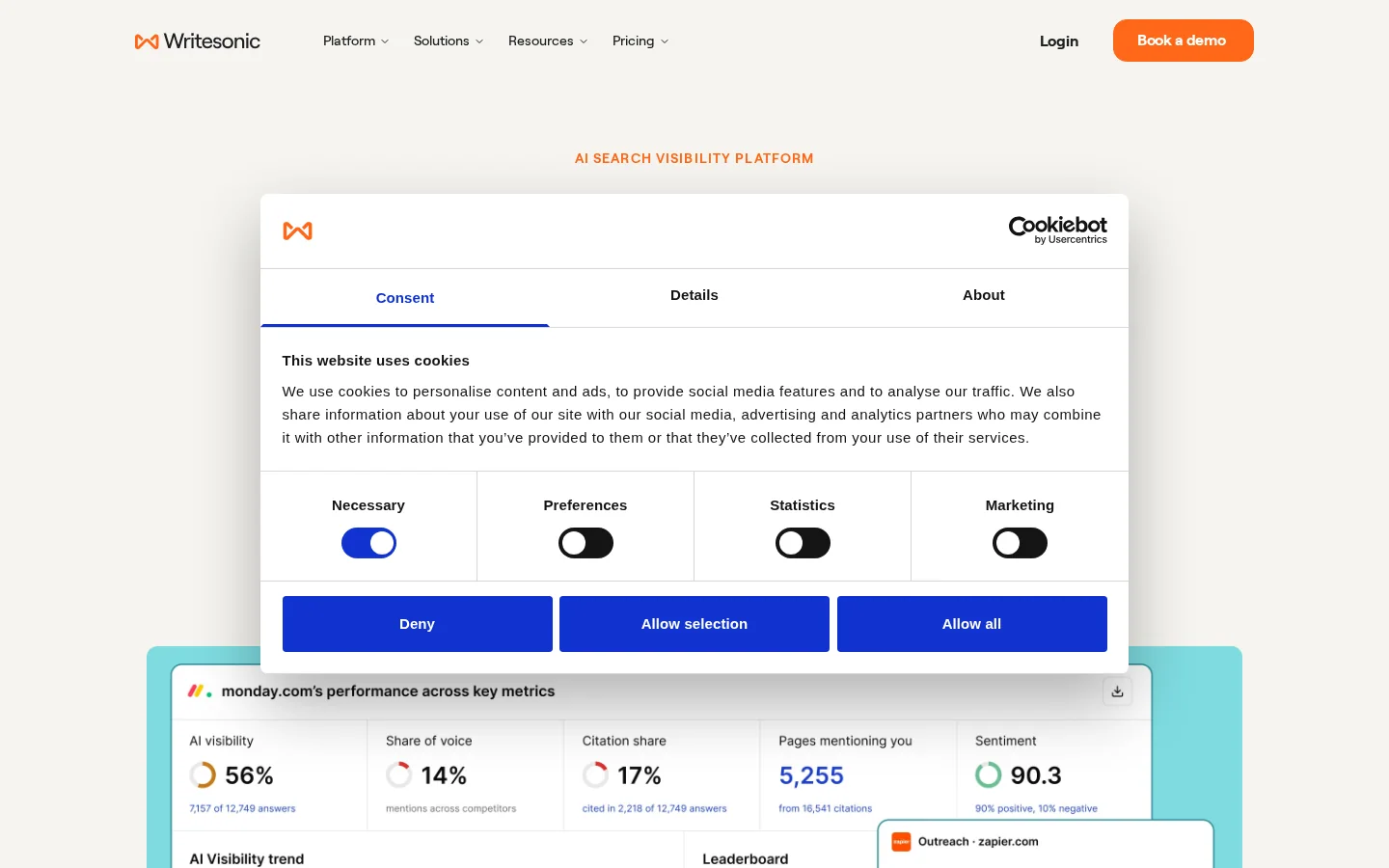
A tracker can show you that ChatGPT does not name you, but it cannot make your pages easier to quote. That part depends on how your pages are written and structured. For the background on how AI models choose and cite sources, read our LLM citations glossary entry.
Writesonic is built for marketing teams that publish often and want one tool for content and AI visibility. The homepage also lists features for agencies, such as white-label reporting and multi-client management, and for e-commerce, such as product-level tracking and feed optimization. It states that it is trusted by 10000+ marketing teams. That is the company's own figure, so read it as a claim, not as an audit.
The pricing page lists three self-serve plans and one custom plan. Starter is $79, Basic $199 and Growth $399 per month when billed annually. Enterprise is priced on request. The page does not print monthly prices, but you can work them out from the savings it shows. Starter saves $240 a year, which is $20 a month, so its monthly price is $99. Basic saves $600 a year ($50 a month), so $249. Growth saves $1200 a year ($100 a month), so $499. The monthly figures are our calculation from the page, not numbers Writesonic prints. The page has no "as of" date, so the prices below are the ones we saw on 21 November 2026.
| Plan | Price billed annually | Monthly price (our calculation) | Articles per month | Prompts tracked | AI platforms tracked |
|---|---|---|---|---|---|
| Starter | $79 | $99 | 15 | 50 | 3 |
| Basic | $199 | $249 | 25 | 100 | 3 |
| Growth | $399 | $499 | 50 | 200 | 3 |
| Enterprise | Custom | Custom | Custom | Custom | 8 |
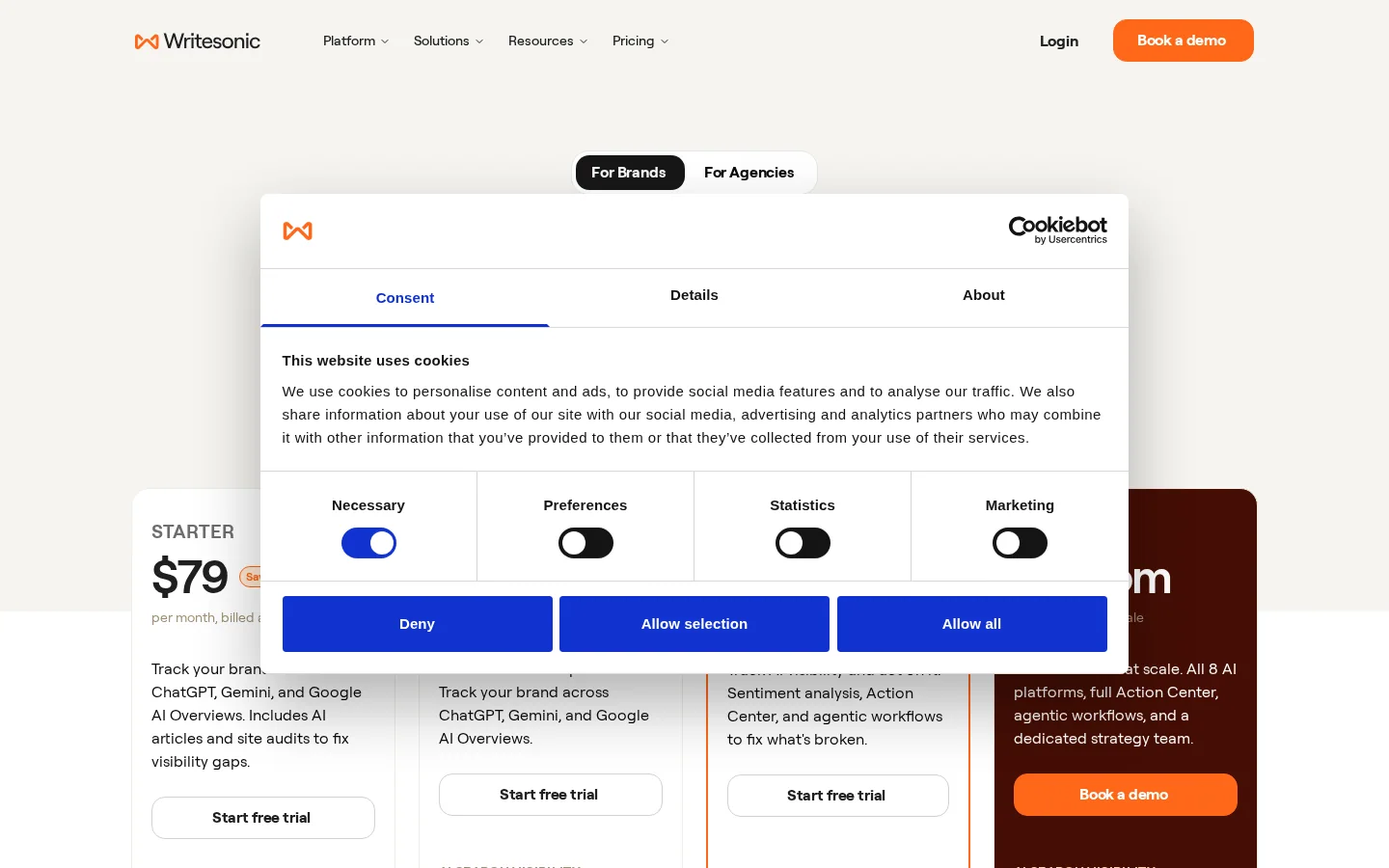
Read the table with three questions. Do the entry plans cover the platforms your customers use? Do the prompts cover the queries that matter to you? Is the article quota higher than what you can review properly? A higher quota only helps if you check every article, so the cheapest plan that fits your review capacity is usually the right one.
Example
Take Starter at $99 a month, the monthly price we calculated. If you publish all 15 articles, each one costs about $6.60. If you review and publish only 5, each one costs about $19.80. The cost per article depends on how many you publish, not on how many the plan allows.
The entry plans track three AI platforms: ChatGPT, Gemini and Google AI Overviews. Enterprise tracks eight, including Perplexity, Claude, Grok, Google AI Mode and Muse Spark. If you need Perplexity or Claude coverage, the entry plans do not include it, so check that before you compare prices.

Writesonic describes its visibility product as a four-stage loop. The loop is simple to state and easy to run badly, so here is how each stage should work in practice.
The AI visibility loop, in four stages
The last stage is the one most teams skip. AI answers change from one run to the next, so one check tells you little. Run the same prompts over several weeks and treat a change as real only when it holds. The reasons answers move are covered in why AI answers keep changing and how to respond.
When you read a tracker's report, check how many prompts it runs, how often it runs them, and on which platform versions. For a comparison with another tracker and how it measures AI visibility, read our Ahrefs Brand Radar review.
Most AI writing tools, Writesonic included, can be used in three ways. Each has a different risk and a different share of human time. Choose the approach that matches how many articles you can check properly, not the one that promises the most output. The table at the end of this section compares them.
In this approach, a schedule generates pages and publishes them with little or no review. It fits catalogs built from trusted data, such as location or product pages where each field comes from a database you already check. Its advantage is volume and speed. Its limit is that one wrong value repeats on every page, and Google's spam policies target large numbers of pages made without adding value. Example: 300 location pages from one template, where the address and opening hours come from your own database. If the template text is generic, the 300 pages will look alike, and that is the sign to stop.
Here the tool produces a first draft from a brief, and a person checks the facts, adds evidence from their own work and rewrites weak sections. This is the approach that fits a blog best, because it saves time on the blank page and keeps a human responsible for the result. Its limit is that editing is real work. A draft you publish unedited is unlikely to earn its place. Our guide on whether Google penalizes AI-generated content explains why the edit matters. Example: a 2000-word guide where the writer replaces generic advice with three figures from their own support tickets, and checks each number before publishing. Writesonic's content agent, which rewrites pages and adds FAQ blocks and comparison tables, fits this model best. That is our reading of its homepage, not a claim from Writesonic.
In this approach the AI helps with keyword clusters, outlines, the questions users ask and fact lists, while a writer does the prose. It fits expert content, topics where mistakes harm readers, and brands with a strict voice. It carries the lowest risk and the strongest voice, but it produces the least output and takes the most human time. If you want the wider picture of these uses, the AI content generation glossary entry covers the full range.
| Approach | Best for | Main advantage | Main limit | Human time per article |
|---|---|---|---|---|
| Full automation | Catalogs built on trusted data | Volume | One error repeats across pages | Low, but review is essential |
| Draft and edit | Blogs and guides | Fast first draft | Editing is real work | Medium |
| Assist only | Expert and high-stakes content | Lowest risk, strongest voice | Lowest output | High |
Publishing an AI draft as it is, or reviewing it first
Writesonic's real strength, as its own site presents it, is breadth. Tracking, content, crawler audits and Google data connections sit in one place. If your team already works in Search Console, Google Analytics and WordPress, that saves switching between tools. Enterprise buyers also get the widest platform coverage.
The weaknesses are harder to see on a homepage. The public reviews we found in search results, on G2, Trustpilot and Reddit, mention three recurring concerns: drafts that need heavy editing, a tone that can repeat across pages, and factual errors on technical topics. We did not test a paid account, so treat these as hypotheses to check, not as established facts about the product.
Test the claims that matter to you, with your topics and your data. The checklist below is what we would run before paying.
Trial checklist before you pay
The homepage shows a 4.8 rating on G2 and says that 10000+ marketing teams trust the platform. These are the company's own figures, published on its site. A high average tells you that many people left a score. It does not tell you how good the drafts are for your topic, or whether the reviewers used a plan like the one you would buy.
Figures Writesonic publishes about itself
Source: writesonic.com, checked 21 November 2026. These are the vendor's own figures.
Read reviews in three steps. Sort them by date, because an old review may describe a plan that no longer exists. Read the three most negative reviews in full, because they show how the product fails. Then check whether the reviewer used a plan like the one you would buy.
Fake reviews are also a legal matter in the United States. The Federal Trade Commission announced its final rule on consumer reviews and testimonials on August 14, 2024. The rule prohibits selling or buying fake reviews and lets the agency seek civil penalties against knowing violators. It took effect 60 days after publication in the Federal Register. For you as a buyer, a review that was bought or arranged without disclosure tells you nothing. For you as a publisher, do not ask for or write fake reviews, even for a tool you like.
The FTC rule on fake reviews
Source: FTC press release, August 14, 2024; Federal Register, August 22, 2024
Use the free trial for one controlled test. Keep the same brief format, the same topics and the same reviewer for the whole week, so the results compare fairly. At the end, ask one question: did the tool save time after fact-checking, or only before it?
A one-week trial, day by day
Two checks belong on the last day, before any article goes live. The first is crawler access. Open your robots.txt file and confirm that no rule blocks the AI crawlers you want to read your pages. A rule like this one lets GPTBot read everything except one folder:
User-agent: GPTBot
Disallow: /private/
Allow: /
The second check is structure. Look at the heading order. A draft that skips heading levels or repeats the same H2 idea usually needs another editing pass.
Tip
Run any page through Sorank's free Heading Structure Analyzer to check H1 to H6 in one step. It takes a minute and catches the gaps that are easy to miss in a long draft.
If you want to compare the writing side with other tools, our AI blog writers compared guide covers the main options.
Most costly mistakes happen before the first article goes live. These five cost the most time or ranking in AI writing projects. For each one, check how to spot it, then how to fix it.
What it is: you pay for the annual plan because it is cheaper per month, then find that the articles you can review are fewer than the quota.
How to spot it: count the articles you fully reviewed last month. If that number is well below the plan quota, you are paying for capacity you do not use.
How to fix it: test in the trial, then choose the plan that matches the number you can review. Compare the monthly price as well as the annual one. For the plans above, that is $99, $249 and $499 a month, from our calculation.
What it is: the draft includes a figure, a date or a product feature that sounds right but has no source.
How to spot it: any number without a link you have opened is unverified. Sentences describing a product feature are risky too, because features change.
How to fix it: keep a source list next to each draft, open each primary source, and delete any claim you cannot trace. Google's guidance on generative AI content says it is critical to manually fact-check and review all AI-generated content, so this step is not optional.
What it is: a template produces dozens or hundreds of pages that differ only by a city, a product name or a keyword.
How to spot it: put two pages side by side. If only the proper noun changes, the pages are thin. The scaled content abuse policy describes the problem as many pages generated "for the primary purpose of manipulating search rankings and not helping users".
How to fix it: give each page something only it has, such as local data, a real example or a short expert note. Publish in small batches and check each batch before the next one.
What it is: you choose a tool because the score is high, without reading what the reviews say.
How to spot it: the rating comes from the vendor's own page, or most of the reviews are old.
How to fix it: follow the three-step review reading described above, then test on your own topics. Never buy or write reviews for a product, because the FTC rule covers fake reviews and testimonials.
What it is: you check the AI mentions dashboard every week, but nothing on the page changes.
How to spot it: the change log is empty, or the dashboard shows gaps that nobody owns.
How to fix it: log each change with its date, the prompt it targets and the person who made it. Rerun the same prompts after a set interval. Two to four weeks is a reasonable first check, since AI answers move between runs, but that interval is our suggestion, not a platform rule.
| Mistake | How to spot it | How to fix it |
|---|---|---|
| Annual plan before a review test | Fully reviewed articles are well below the quota | Test in the trial, then match the plan to your review capacity |
| Unchecked facts | Numbers and claims with no source you opened | Keep a source list per draft and delete untraceable claims |
| Many similar pages | Pages that differ only by one proper noun | Add unique data and publish in small batches |
| Buying on the rating | A vendor-published score, or old and thin reviews | Read dated and negative reviews, then test on your topics |
| Dashboard without action | An empty change log and unowned gaps | Log each change and rerun the same prompts later |
Writesonic competes in three groups of tools: AI writers that focus on drafts, SEO suites that add content features, and AI visibility trackers that focus on measurement. Platforms that combine writing, publishing and tracking sit between these groups. Choose by the job you need done first. Treat the table as a guide to categories rather than a ranking, since prices and features change often.
| Category | Strong at | Weak at | Choose it when |
|---|---|---|---|
| AI writers | Fast first drafts and tone control | Fact-checking and visibility measurement | You have an editor and need draft volume |
| SEO suites | Keyword research, audits and rank tracking | Writing depth varies by tool | You want one place for classic SEO data |
| AI visibility trackers | Measuring mentions in AI answers | Rewriting pages | You need to know your position in AI answers |
| Combined platforms | One loop from brief to measurement | Output quality still needs your review | You want one workflow and will review every draft |
Writesonic sits in the last group. Sorank does too, and Sorank is a direct competitor of Writesonic, so weigh this review with that in mind. Sorank generates blog articles with its AI blog article generator, its AI content calendar plans and publishes them, and its AI mention tracking shows when ChatGPT cites a brand. The Sorank homepage reports more than 5000 users. Whichever tool you pick, run the one-week test above on your own topics before you commit.
It depends on how many articles you can review each month. Paid plans start at $79 per month billed annually on the pricing page, so use the 7-day free trial on three of your own topics before you commit.
Yes. The pricing page lists those three platforms on the Starter, Basic and Growth plans. Enterprise adds Perplexity, Claude, Grok, Google AI Mode and Muse Spark. Check the exact plan before you buy.
Google does not ban AI content as such. Its documentation warns that using AI to generate many pages without adding value may violate its spam policies, so edit, fact-check and improve every draft before you publish it.
Start the free trial with three topics you know well, and compare the raw drafts with your own writing. Fact-check every number before you judge the speed. Then pick the lowest plan that covers the review work you can do and the platforms you need to track. If the drafts take longer to fix than to write yourself, the monthly price is not the real cost.
It depends on how many articles you can review each month. Paid plans start at $79 per month billed annually on the pricing page, so use the 7-day free trial on three of your own topics before you commit.
Yes. The pricing page lists those three platforms on the Starter, Basic and Growth plans. Enterprise adds Perplexity, Claude, Grok, Google AI Mode and Muse Spark. Check the exact plan before you buy.
Google does not ban AI content as such. Its documentation warns that using AI to generate many pages without adding value may violate its spam policies, so edit, fact-check and improve every draft before you publish it.
We analyse your competitors, your website and your AI visibility to create a tailored content plan for free.
 AI Content Brief Generator
 FAQ Schema Generator
 AI Blog Post Ideas Generator
 Structured Data Validator (Schema Validator)
 Alt Text Checker
 Internal Link Analyzer
 Backlink Challenge
 AI Meta Description Generator
 AI Blog Title Generator
 Google Indexability Checker
 AI Blog Outline Generator
 UTM Link Builder
 Keyword Clustering Tool
 Canonical Tag Checker
 XML Sitemap Generator
 Broken Link Checker
 AI SEO Title Generator
 Headline Analyzer
 SERP Preview Tool
 Redirect Checker
 Hreflang Tag Generator
 Heading Structure Analyzer
 HTTP Headers Checker
 Favicon Extractor
 SERP CTR Calculator
 SEO vs Paid Search Savings Calculator
 SEO Share of Voice Calculator
 SEO ROI Calculator
 SEO Traffic and Revenue Forecast Calculator
 SEO Budget Calculator
 SEO Break-Even Calculator
 SaaS SEO ROI Calculator
 ROAS Calculator
 Reading Time Calculator
 Ranking Gain Simulator
 Organic Traffic Value Calculator
 Organic Traffic Estimator and Website Traffic Checker
 LTV to CAC Ratio Calculator
 Local SEO ROI Calculator
 Link Building Cost Calculator
 Keyword Value Calculator
 Keyword Opportunity Score Calculator
 Keyword Density Calculator
 GEO ROI Calculator
 GEO Content Investment Calculator
 Ecommerce SEO ROI Calculator
 Customer Lifetime Value Calculator
 Customer Acquisition Cost Calculator
 CTR Calculator
 Cost Per Article Calculator
 Conversion Rate Calculator
 Content Marketing ROI Calculator
 ChatGPT Referral Traffic Estimator
 Bounce Rate Calculator
 Backlink ROI Calculator
 AI Visibility Score Calculator
 AI Traffic Value Calculator
 AI Share of Voice Calculator
 Cost of AI Invisibility Calculator
 AI Citation Rate Calculator
 llms.txt Validator
 AI Overview Checker and AI Overviews Rank Checker
 Robots.txt Checker
 AI SEO Audit
 LLM Readability Checker
 SearchGPT Readiness Checker
 Structured Data LLM Audit
 Website Crawlability AI Audit
 Why ChatGPT Is Not Recommending My Website
 Gemini Ranking Tool
 Perplexity Ranking Checker
 LLM Citation Checker
 Answer Engine Optimization Audit
 GEO Audit
 AI Search Visibility Test
 ChatGPT Visibility Checker
 llms.txt Generator
 URL Extractor
 Webpage to Markdown
 Sitemap Checker
 SERP Volatility Sensor
 Page Size Checker
 Word Counter
 Slug Generator
 Schema Generator
 Robots Generator
 OG Preview
 Meta Tags Generator
 Image Compressor
 Favicon Generator
 On-Page SEO Audit: SEO Checker and SEO Analyzer
 Backlink Analysis Tool
 Keyword Research Tool
 Domain Authority Checker
 “I tested Sorank on a real client site and it's insane. It does everything an agency would bill you $1500 a month for. It's going into production on that client now.”

 Guillaume Guersanguersanguillaume.com“We are an Ads agency and we wanted to get our SEO back on track once and for all. Sorank gave us a clear view of our site, helped us prioritize optimizations, and properly structure our content. The tool is easy to use, well designed for a team, and very practical for centralizing tracking without having to juggle multiple platforms. A very solid foundation to start fresh with our SEO.”
 Gaspard MadouiAds Agency
 “I just let the Sorank software do its thing, and now my DR is 25 and my page is ranking higher.”
 Lucas Flandrefoundertrace.fr“I specialized in GEO thanks to Sorank. The GEO Leaderboard allows me to show my clients their position vs competitors on ChatGPT. It’s a real commercial differentiator.”
 MélanieSEO Freelance“Great service, works well for our website and helps us understand how to improve it to rank better on Google and elsewhere. Congrats, keep going, I recommend it.”
 Hugo T.E-commerce merchant