Preferences
Privacy is important to us, so you have the option of disabling certain types of storage that may not be necessary for the basic functioning of the website. Blocking categories may impact your experience on the website. More information
Privacy is important to us, so you have the option of disabling certain types of storage that may not be necessary for the basic functioning of the website. Blocking categories may impact your experience on the website. More information

Programmatic SEO for SaaS explained: the 6 page types, the data model, a template that ranks, Google's spam rules, a 7-step launch and the mistakes to avoid.


In short
programmatic SEO for SaaS means building hundreds of useful pages from one template and one structured dataset: integrations, alternatives, use cases, templates, free tools. It works when each row of your data carries real, unique information that a buyer is searching for, and it fails when pages only swap a name. Start with the data model, publish in small batches, watch indexing, and prune what does not earn clicks.
Want to go further? Ask
Quick quiz
Ads, SEO or both: what is right for you now?
Sorank matches your answers


Test it for 3 days on your own site and see where you stand on Google, ChatGPT and the other AIs.
Start 3-day free trial3 days free, then stop whenever you want. 90-day results guarantee, conditions apply.
Programmatic SEO (pSEO) is a way to create many landing pages at once. You define a search pattern, such as "[your product] + [other app] integration", you collect one row of data for each value of the variable, and a template turns each row into a page. If you want the general definition first, our glossary entry on programmatic SEO covers the basics. This guide goes further and focuses on what changes when the site belongs to a software company.
For a SaaS business, pSEO is not a content trick. It is a product surface. The best programmatic pages answer a question that only your product data can answer: does this tool connect to my CRM, how does it compare to the tool I already pay for, does it fit a 20-person accounting firm, is there a ready template for my use case. That is why it sits close to product-led SEO: the page is useful because the product is behind it.
Publishing 300 blog posts written by a language model is not programmatic SEO. A blog post is a free-form answer to a question. A programmatic page is a structured answer built from fields: a name, a category, a list of supported actions, a price, a setup time, a screenshot, a set of FAQs pulled from support tickets. The template decides the layout, the data decides the value. AI can help write short connecting paragraphs from those fields, but it should never be the source of the facts.
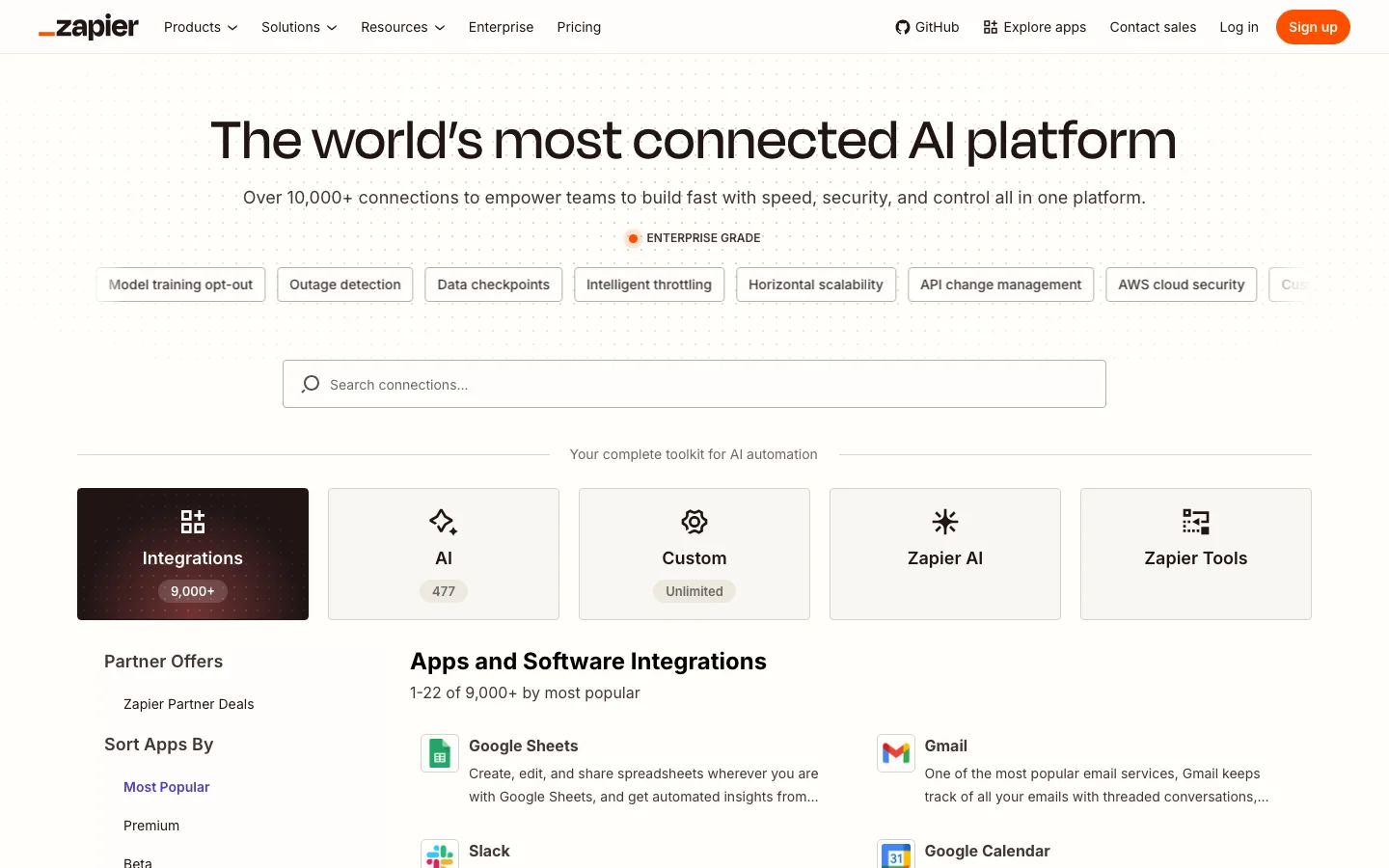
Software companies already own structured data that nobody else has: their integration catalog, their feature matrix, their template gallery, their changelog, anonymized usage benchmarks. A local plumber has no dataset to scale. A SaaS company with 150 integrations has 150 pages of demand sitting in a database. Zapier is the textbook case: its public app directory lists "10537+ apps" (as displayed on Zapier's app directory, checked in November 2026), and nearly each app and each pair of apps has its own page.
Mass AI articles vs programmatic pages
The question is not "can we generate 1000 pages?" Any CMS can. The question is whether 1000 different people search 1000 different variants, and whether each page gives them something they cannot get on the page next to it.
Most failed pSEO projects fail for one of these reasons: no search demand behind the pattern (the team guessed it), thin data (the same paragraph with a different logo), the wrong audience (traffic without buying intent), or no owner (pages go stale, integrations get deprecated, the comparison table still shows a competitor's 2023 pricing). The last one is the most common in SaaS, because the pages are built once by a growth team and then forgotten.
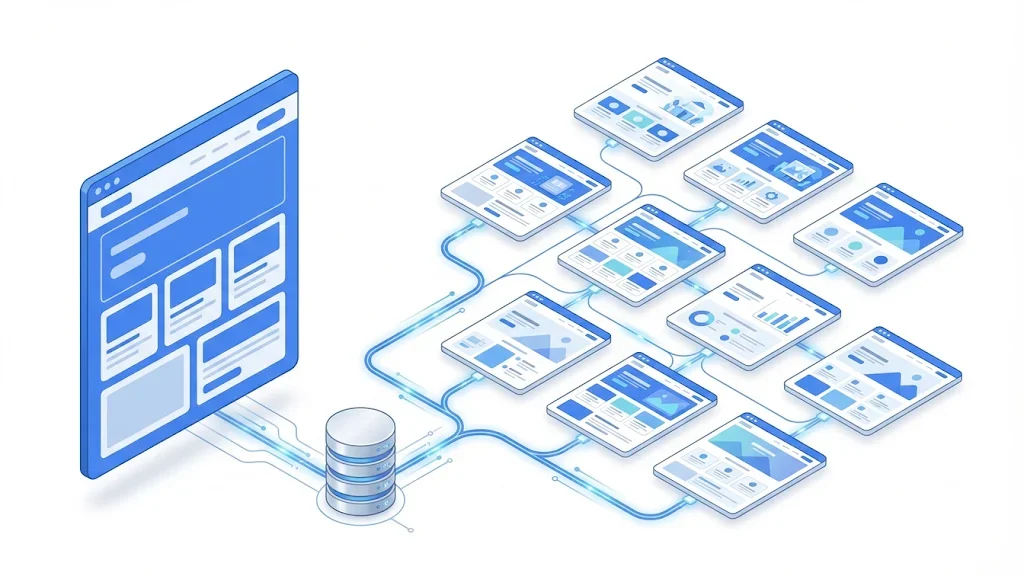
From a raw list to pages worth publishing
There is not one programmatic SEO strategy for SaaS, there are several, each built on a different dataset. Most successful companies run two or three of them, not all at once. Here they are, from the most common to the most specialized.
Principle: one page per connected app ("[Product] + [App]"), and sometimes one page per pair of apps if you are an automation platform. When to use it: as soon as you have 20 or more native integrations or a public API with a marketplace. Advantages: very high intent, data you already own, natural internal links to the app's docs. Limits: pages become thin if the integration only "sends data" and nothing else is said. Example: a page for "Acme CRM + Gmail" lists the triggers (new email, new label), the actions (create contact, log activity), the plan required, the sync frequency, three real workflows and a setup guide with screenshots.
Principle: "[Competitor] alternatives" and "[You] vs [Competitor]". When to use it: when you know your market and can state honest differences. Advantages: buyers in evaluation mode, high conversion. Limits: needs real research per competitor, prices and features change every quarter, and a one-sided page is useless to the reader. Example: a comparison table fed by a "competitors" table in your database, with a "last verified" date field shown on the page.
Principle: "[Product] for [industry]" or "[Product] for [job title]". When to use it: when your product is horizontal and different segments use it differently. Advantages: captures the vocabulary of each segment, supports sales. Limits: the most likely to become doorway pages, because it is tempting to change only the industry name. You need segment-specific workflows, objections, metrics and customer quotes.
Principle: one page per ready-to-use template (project plan, onboarding checklist, invoice, dashboard). When to use it: when templates are a real feature of your product. Advantages: huge long tail, the template itself is the unique content, the user can try it in one click. Limits: traffic can be weakly qualified, so each page must push toward using the template inside the product.
Principle: one tool, many variants (a pricing calculator per currency, a converter per format, a checker per file type). When to use it: when a small function of your product can live alone. Advantages: attracts links, the page does something no article can do. Limits: engineering cost, maintenance, and variants must really change the output.
Principle: one page per term of your field, or one page per benchmark from your anonymized data ("average churn rate for B2B SaaS in fintech"). When to use it: to build topical authority around your category, or when you sit on aggregated data. Advantages: data pages get cited by journalists and AI assistants. Limits: a glossary without expertise is the purest form of thin content; benchmark pages need enough data per segment to be honest.
| Page type | Dataset needed | Buyer intent | Risk of thin content | Maintenance | Best for |
|---|---|---|---|---|---|
| Integration pages | Integration catalog, triggers, actions | Very high | Medium | Medium | Any SaaS with 20+ integrations |
| Alternatives and "vs" pages | Competitor features, prices, verified dates | Very high | Low if researched | High | Crowded markets |
| Use case, industry, role | Segment workflows, quotes, metrics | High | High | Medium | Horizontal products |
| Template libraries | Real templates inside the product | Medium | Low | Low | Productivity, design, docs tools |
| Free tools and calculators | Logic plus input variants | Medium | Low | High | Teams with engineering time |
| Glossary and data pages | Expert definitions, aggregated usage data | Low to medium | High for glossaries | Low | Category leaders, data-rich products |
Tip
Pick the page type where your data is the hardest to copy. If a competitor could build the same 200 pages in a weekend with public information, your pages will not stand out for long.
Teams love to start with the design of the page. Start with the spreadsheet instead. The template is the easy part; the dataset decides whether the pages deserve to rank.
For an integration page set, a solid row looks like this. Notice that only one field is the name; the rest is substance.
slug,app_name,category,direction,triggers,actions,plan_required,setup_minutes,limits,use_case_1,use_case_2,use_case_3,doc_url,last_verified
gmail,Gmail,Email,two-way,"new email;new label","create contact;log activity",Starter,5,"attachments over 25 MB skipped","Log sales emails to deals","Create leads from inbound","Tag replies by stage",/docs/gmail,2026-11-02
stripe,Stripe,Payments,one-way,"new invoice;failed payment","update account;create task",Pro,10,"test mode not synced","Flag failed payments","Show MRR on account","Alert CSM on churn risk",/docs/stripe,2026-10-28Before you publish, take two random rows and render them side by side. Remove the name and the logo. If a reader can still tell which page is which, the row has enough substance. If not, add fields or merge the rows into one page. A practical rule: at least 60% of the visible text of a page should come from fields that differ from row to row.
A good programmatic template is a good landing page first. The reader should find the answer in the first screen, then the details, then a clear next step.
Not every row has every field. The template should hide a block when the field is empty instead of printing a generic sentence. An empty "limits" field should remove the "Known limits" section, not show "There are no known limits", which may be false. Conditional logic is what keeps 400 pages from looking identical.
Each page type maps to a schema.org type. Integration and tool pages can use SoftwareApplication, FAQs can use FAQPage, and every page benefits from BreadcrumbList. Generate the JSON-LD from the same row as the visible content, so the two never disagree. You can test your output with our free schema markup generator.
<script type="application/ld+json">
{
  "@context": "https://schema.org",
  "@type": "SoftwareApplication",
  "name": "Acme CRM for Gmail",
  "applicationCategory": "BusinessApplication",
  "operatingSystem": "Web",
  "offers": { "@type": "Offer", "price": "29", "priceCurrency": "USD" },
  "description": "Two-way sync between Gmail and Acme CRM: log emails, create contacts, tag replies by deal stage."
}
</script>
A thin template vs a template that ranks
This is where most SaaS teams get nervous, and they are right to be careful. Google does not forbid templates or automation. It forbids pages built mainly to manipulate rankings.
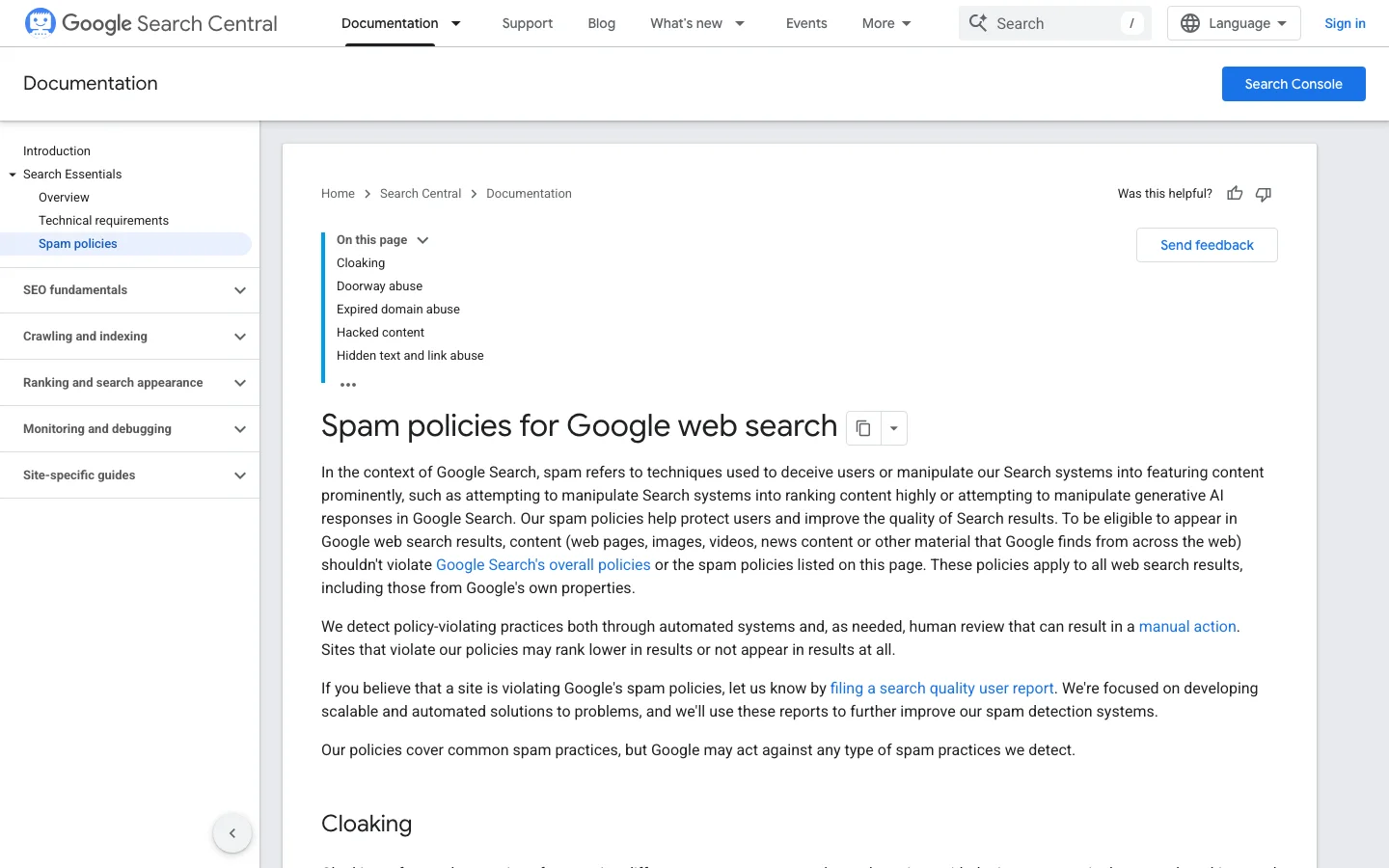
Google's spam policies for Google web search define scaled content abuse as "when many pages are generated for the primary purpose of manipulating search rankings and not helping users", whatever the method used to create them. The same page defines doorway abuse as pages "created to rank for specific, similar search queries" that lead users to "intermediate pages that aren't as useful as the final destination." A set of "[Product] for [city]" pages with identical text is the classic doorway.
These policies have teeth. In her post of March 5, 2024 on the Google blog, Elizabeth Tucker (Director of Product Management) announced the scaled content abuse policy and a core update expected to cut low-quality, unoriginal content in results by 40%; the April 26, 2024 update to the same post reported a 45% reduction.
What Google has said about scale
Sources: Google blog, Elizabeth Tucker, March and April 2024; Google Search Central, large site crawl budget guide
For an expert reader, the test is simple: would this page exist if search engines did not? An integration page that your customers open from the in-app marketplace passes. A "[Product] for dentists in Ohio" page nobody would ever navigate to does not. Concretely:
Here is the method we recommend for a first launch, sized for a SaaS team without a dedicated SEO engineer.
The 7-step launch method
Export the list of values (your integrations, competitors, industries) and pick 10 at random. Check search volume and the current results for each. If the top results are other SaaS landing pages, the pattern has commercial intent. If they are forums or Wikipedia, intent is informational. Our automated keyword research can surface these patterns from your site and competitors, and our guide on how to do keyword research details the manual method.
Airtable, Google Sheets or a database table all work. What matters is that the data has one owner and an update path. Add a status column (draft, live, noindex, merged) from day one; you will need it when pruning.
Build the template in your CMS (most headless and visual CMS have "collections" bound to a data source) or in your framework with static generation. Render five rows, including the poorest one in your dataset. The poorest row shows you the real quality of the set.
Do not push 800 URLs on day one. Publish 30 to 50, linked from a hub page ("All integrations") that is itself linked from your main navigation. Split sitemaps by page type so you can read indexing per set in Search Console:
<?xml version="1.0" encoding="UTF-8"?>
<sitemapindex xmlns="http://www.sitemaps.org/schemas/sitemap/0.9">
  <sitemap><loc>https://example.com/sitemaps/integrations.xml</loc><lastmod>2026-11-18</lastmod></sitemap>
  <sitemap><loc>https://example.com/sitemaps/alternatives.xml</loc><lastmod>2026-11-10</lastmod></sitemap>
  <sitemap><loc>https://example.com/sitemaps/templates.xml</loc><lastmod>2026-11-15</lastmod></sitemap>
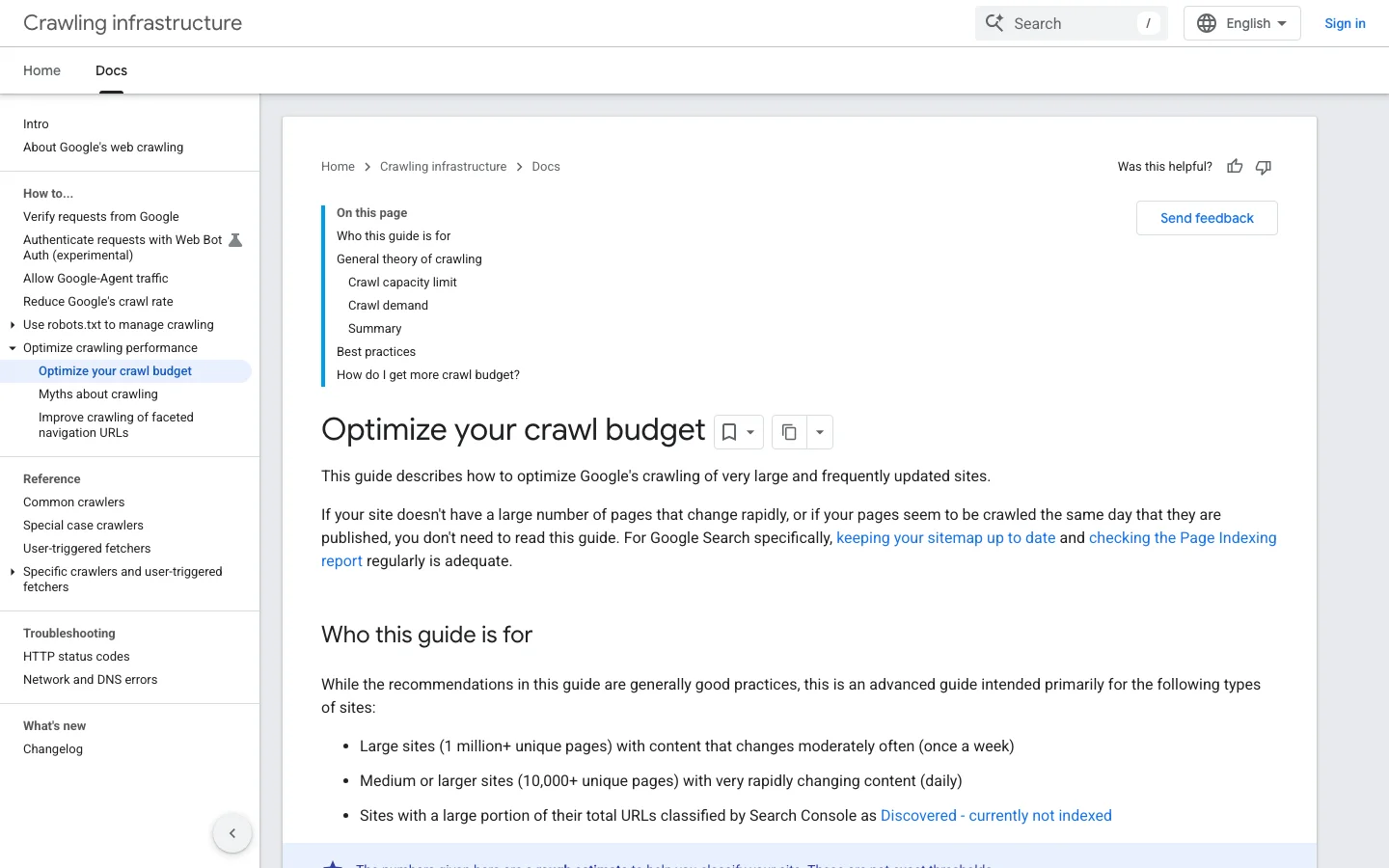
</sitemapindex>Google's guide to managing crawl budget for large sites says it targets sites with 1 million+ pages changing weekly, sites with 10000+ pages changing daily, or sites where many URLs show as "Discovered, currently not indexed". Most SaaS page sets are smaller, but the advice still applies: keep sitemaps current, include lastmod for updated content, consolidate duplicates and remove soft 404s. Our guide to Google indexing explains each status of the Page indexing report.
In the Performance report, filter pages with a regex to see one set at a time:
^https://example\.com/integrations/[^/]+/?$After four weeks, if most of the batch is indexed and pages get impressions, add the next batch. If indexing stalls, do not add pages: enrich the existing rows, add internal links, and check for near-duplicates first.
Programmatic pages die when they are orphans. A sitemap tells Google a URL exists; links tell it the URL matters.
Each page set gets a hub ("All integrations", "Templates", "Alternatives"), linked from the main navigation or the footer. The hub links to every page, grouped by category. Each page links back to the hub, to its category, and to three to six neighbors chosen by relevance (same category, often used together), not at random.
Your blog articles and docs are crawled often. Add contextual links from them to the most relevant programmatic pages: a tutorial about email automation should link to the Gmail and Outlook integration pages. This pulls new page sets into the index faster than sitemaps alone. For the full method, read our internal linking strategy guide, and check a page's links with the free internal link analyzer.
Tip
Programmatic pages and blog articles often target overlapping queries ("Gmail CRM integration" vs "how to connect Gmail to a CRM"). Map both in one topic plan so they support each other instead of competing. Sorank's topic cluster generator builds that map with anti-cannibalization checks.
These are the errors we see most often on SaaS programmatic projects, with the signal that reveals each one and the fix.
What it is: 200 pages share the same text with a different app or industry name. How to spot it: run the side-by-side test on two random pages, or crawl the set and look at near-duplicate content reports; Search Console may also show "Duplicate, Google chose different canonical than user". How to fix it: add fields with real differences, or merge the rows into one page per category.
What it is: 1500 URLs go live the same day. How to spot it: a large share stays in "Discovered, currently not indexed" for weeks. How to fix it: stop adding pages, noindex the weakest, strengthen internal links, then release by batches of 30 to 50.
What it is: pages reachable only from the sitemap. How to spot it: a crawler started from the homepage does not find them, or finds them only at depth 6 and more. How to fix it: create hubs, add them to the navigation, and add contextual links from the blog and docs.
What it is: an integration was deprecated, a competitor changed its pricing, but the pages still say the old thing. How to spot it: the "last_verified" date is older than six months, or support receives questions that contradict the page. How to fix it: sync product data automatically, assign an owner per page set, and show the verification date on comparison pages.
What it is: a template library brings thousands of visits and no signups. How to spot it: compare signups per page set in your analytics, not just sessions. How to fix it: link each template to an in-product "use this template" flow, or narrow the set to templates your ideal customer needs.
What it is: every page ends with "Start your free trial". How to spot it: low conversion on high-intent pages such as integrations. How to fix it: deep-link to the exact action ("Connect Stripe", "Import from Trello").
What it is: filtered or parameter URLs (?sort=, ?ref=) get indexed, or the template ships with a canonical pointing to the hub. How to spot it: URL Inspection shows a canonical you did not intend. How to fix it: self-referencing canonicals on every page, and noindex on pages you keep for users but do not want in search:
<meta name="robots" content="noindex, follow">Pre-launch checklist for a programmatic page set
Programmatic SEO is not a launch, it is an inventory. Like any inventory, part of it will not sell.
Three months after a batch goes live, sort each page into one of four groups:
Individual programmatic pages have tiny numbers. Judge the set: share of pages indexed, total clicks, signups attributed to the set, and the trend month over month. A set of 200 integration pages bringing 40 signups a month can be one of your best acquisition channels even if no single page looks impressive.
Buyers now also ask ChatGPT, Gemini or Perplexity "which CRM integrates with Gmail" or "best alternative to X for small teams". Structured, factual programmatic pages are exactly the kind of source these assistants can quote. Sorank's AI mention tracking shows whether your pages and brand are cited for these prompts, next to your Google traffic.
You do not need an SEO engineering team to start. You need one owner, one dataset, and a monthly routine.
| Task | Who | Frequency |
|---|---|---|
| Update the dataset from the product | Automated export, checked by the owner | Weekly |
| Verify competitor data | Product marketing | Quarterly |
| Add FAQ fields from support | Support lead | Monthly |
| Review indexing and performance per set | SEO or growth owner | Monthly |
| Prune, merge, redirect | SEO or growth owner | Every 90 days |
The programmatic pages themselves need your product data, so they stay your job. What can run on autopilot is everything around them: finding the keyword patterns, writing the supporting blog articles that link to the page sets, keeping internal links current and tracking visibility in Google and AI answers. That is what Sorank does: it researches keywords, writes and publishes the articles, and tracks how ChatGPT, Gemini, Claude and Perplexity talk about you, so your team can focus on the dataset that makes the programmatic pages worth reading.
Your action for today: export your integration list (or competitor list), pick 10 values at random, and check what Google shows for "[your product] [value]". If you see buyer intent and you own the data, you have your first page set.
Yes, if each page answers a real query with facts specific to its row. Google's spam policies target pages generated mainly to manipulate rankings, such as templates that only swap a name, not templates as such.
Start with a batch of 30 to 50 pages linked from a hub and a dedicated sitemap. Watch indexing and impressions for about four weeks, then scale if the batch performs or enrich the data if it stalls.
Integration pages and alternatives or comparison pages usually bring the most qualified traffic, because the searcher is evaluating a purchase. Template libraries and free tools bring more volume but need a clear path into the product to convert.
We analyse your competitors, your website and your AI visibility to create a tailored content plan for free.
 AI Content Brief Generator
 FAQ Schema Generator
 AI Blog Post Ideas Generator
 Structured Data Validator (Schema Validator)
 Alt Text Checker
 Internal Link Analyzer
 Backlink Challenge
 AI Meta Description Generator
 AI Blog Title Generator
 Google Indexability Checker
 AI Blog Outline Generator
 UTM Link Builder
 Keyword Clustering Tool
 Canonical Tag Checker
 XML Sitemap Generator
 Broken Link Checker
 AI SEO Title Generator
 Headline Analyzer
 SERP Preview Tool
 Redirect Checker
 Hreflang Tag Generator
 Heading Structure Analyzer
 HTTP Headers Checker
 Favicon Extractor
 SERP CTR Calculator
 SEO vs Paid Search Savings Calculator
 SEO Share of Voice Calculator
 SEO ROI Calculator
 SEO Traffic and Revenue Forecast Calculator
 SEO Budget Calculator
 SEO Break-Even Calculator
 SaaS SEO ROI Calculator
 ROAS Calculator
 Reading Time Calculator
 Ranking Gain Simulator
 Organic Traffic Value Calculator
 Organic Traffic Estimator and Website Traffic Checker
 LTV to CAC Ratio Calculator
 Local SEO ROI Calculator
 Link Building Cost Calculator
 Keyword Value Calculator
 Keyword Opportunity Score Calculator
 Keyword Density Calculator
 GEO ROI Calculator
 GEO Content Investment Calculator
 Ecommerce SEO ROI Calculator
 Customer Lifetime Value Calculator
 Customer Acquisition Cost Calculator
 CTR Calculator
 Cost Per Article Calculator
 Conversion Rate Calculator
 Content Marketing ROI Calculator
 ChatGPT Referral Traffic Estimator
 Bounce Rate Calculator
 Backlink ROI Calculator
 AI Visibility Score Calculator
 AI Traffic Value Calculator
 AI Share of Voice Calculator
 Cost of AI Invisibility Calculator
 AI Citation Rate Calculator
 llms.txt Validator
 AI Overview Checker and AI Overviews Rank Checker
 Robots.txt Checker
 AI SEO Audit
 LLM Readability Checker
 SearchGPT Readiness Checker
 Structured Data LLM Audit
 Website Crawlability AI Audit
 Why ChatGPT Is Not Recommending My Website
 Gemini Ranking Tool
 Perplexity Ranking Checker
 LLM Citation Checker
 Answer Engine Optimization Audit
 GEO Audit
 AI Search Visibility Test
 ChatGPT Visibility Checker
 llms.txt Generator
 URL Extractor
 Webpage to Markdown
 Sitemap Checker
 SERP Volatility Sensor
 Page Size Checker
 Word Counter
 Slug Generator
 Schema Generator
 Robots Generator
 OG Preview
 Meta Tags Generator
 Image Compressor
 Favicon Generator
 On-Page SEO Audit: SEO Checker and SEO Analyzer
 Backlink Analysis Tool
 Keyword Research Tool
 Domain Authority Checker
 “I tested Sorank on a real client site and it's insane. It does everything an agency would bill you $1500 a month for. It's going into production on that client now.”

 Guillaume Guersanguersanguillaume.com“We are an Ads agency and we wanted to get our SEO back on track once and for all. Sorank gave us a clear view of our site, helped us prioritize optimizations, and properly structure our content. The tool is easy to use, well designed for a team, and very practical for centralizing tracking without having to juggle multiple platforms. A very solid foundation to start fresh with our SEO.”
 Gaspard MadouiAds Agency
 “I just let the Sorank software do its thing, and now my DR is 25 and my page is ranking higher.”
 Lucas Flandrefoundertrace.fr“I specialized in GEO thanks to Sorank. The GEO Leaderboard allows me to show my clients their position vs competitors on ChatGPT. It’s a real commercial differentiator.”
 MélanieSEO Freelance“Great service, works well for our website and helps us understand how to improve it to rank better on Google and elsewhere. Congrats, keep going, I recommend it.”
 Hugo T.E-commerce merchant