Preferences
Privacy is important to us, so you have the option of disabling certain types of storage that may not be necessary for the basic functioning of the website. Blocking categories may impact your experience on the website. More information

Privacy is important to us, so you have the option of disabling certain types of storage that may not be necessary for the basic functioning of the website. Blocking categories may impact your experience on the website. More information

Next.js SEO guide: pick SSG, SSR or ISR, set metadata and canonicals, generate sitemap.xml, run a webhook-fed blog and stay readable by AI crawlers.
Tools


In short
Next.js is one of the best React frameworks for SEO because it sends complete HTML to crawlers instead of an empty shell. To rank, prerender content pages (static generation or ISR), define titles, descriptions and canonicals with the Metadata API, generate sitemap.xml and robots.txt from the app folder, use real links and correct status codes, and keep your main content out of client-only code, since most AI crawlers do not run JavaScript.
Want to go further? Ask
Quick quiz
Is SEO right for you, and how should you start?
4 quick questions to see if Google can bring you customers.
Our advice for you
Sorank is the right solution for you
People search for what you sell and you can wait a few months: Sorank finds the right searches, writes and publishes the articles, and gets you links.
Sorank matches your answers
Test it for 3 days on your own site, or start with a free audit to see where you stand.
3 days free, then stop whenever you want. 90-day money-back guarantee.
Next.js SEO is mostly about making the right choice per route: what is rendered on the server, what is cached, and what reaches the HTML before any script runs. Google explains in its JavaScript SEO basics that it processes JavaScript apps in three phases (crawling, rendering, indexing) and that "server-side or pre-rendering is still a great idea". Next.js does that by default. This guide covers the App Router (Next.js 13 and later), with notes for the older Pages Router.
Yes. A plain React app built with client-side rendering sends a nearly empty HTML file and builds the page in the browser; search engines must render it, and many bots never do. Next.js renders React on the server, so the HTML response already contains the headings, text, links and metadata. Our guide to JavaScript SEO explains why that difference matters for indexing.
In the App Router, components are Server Components by default. Even components marked 'use client' are prerendered to HTML on the server. The weak spot is data: anything you fetch inside useEffect, or load only after a click, is missing from the initial HTML. Fetch content in Server Components, and keep client components for interactivity.
Next.js lets you mix modes route by route. The choice affects freshness, speed and what crawlers receive.
| Mode | When the HTML is built | SEO verdict | Good for |
|---|---|---|---|
| Static generation (SSG) | At build time | Best: full HTML, very fast | Landing pages, docs, evergreen articles |
| Incremental Static Regeneration (ISR) | At build, then refreshed in the background or on demand | Best for large or changing sites | Blogs, product catalogs, CMS pages |
| Server-side rendering (SSR) | On every request | Good: full HTML, depends on server speed | Personalized or real-time pages |
| Client-side rendering (CSR) | In the browser | Weak: content invisible to most bots | Dashboards behind a login |
The Next.js ISR documentation lists the benefits: update static content "without rebuilding the entire site" and handle large amounts of pages without long build times. A route with export const revalidate = 3600 is regenerated at most once an hour; for exact control, call revalidatePath or revalidateTag when content changes. Note that ISR does not work with a static export (output: 'export'). For apps that must stay client-rendered, our guide to single page application SEO covers the workarounds.
Tip
Check what bots receive, not what your browser shows: run curl on the URL or open view-source and search for a sentence from the article. If it is not in the raw HTML, it depends on JavaScript.
The Metadata API replaces next/head in the App Router. According to the Next.js metadata documentation, you export a static metadata object from a layout or page, or a generateMetadata function when the values depend on data, and Next.js generates the head tags. Both are only supported in Server Components.
export async function generateMetadata({ params }) {
  const { slug } = await params
  const post = await getPost(slug)
  return {
    title: post.title,
    description: post.excerpt,
    alternates: { canonical: `/blog/${slug}` },
    openGraph: { images: [post.cover] },
  }
}
Five rules that prevent most problems:
On dynamic pages, Next.js streams metadata after the first bytes to speed up rendering. The documentation states that streaming is disabled for bots that expect metadata in the head, detected by user agent (Bingbot, Twitterbot and Slackbot are among the examples), and that the htmlLimitedBots option customizes the list. If you care about a crawler that is not covered, add it. On the Pages Router, the equivalent is the Head component from next/head, with a key attribute to avoid duplicate tags.
Both are special files in the app folder. A sitemap.ts file that exports a function returning URLs becomes /sitemap.xml; a robots.ts file becomes /robots.txt. The sitemap reference notes that the file is cached by default and that Google's limit is 50,000 URLs per sitemap; above that, generateSitemaps splits it into several files.
import type { MetadataRoute } from 'next'

export default async function sitemap(): Promise<MetadataRoute.Sitemap> {
  const posts = await getPosts()
  return posts.map((p) => ({
    url: `https://example.com/blog/${p.slug}`,
    lastModified: p.updatedAt,
  }))
}
Include only canonical, indexable URLs that return 200, and use the real update date in lastModified. The sitemap also accepts alternates.languages for multilingual sites. In robots.ts, point to the sitemap and decide which AI bots may crawl the site; our article on robots.txt for AI crawlers lists them. More on the format in our glossary entry on the XML sitemap.
| Problem | What happens | Fix |
|---|---|---|
| Navigation with onClick and router.push | Google only follows a elements with an href | Use the Link component from next/link, which renders a real link |
| Missing content rendered as a 200 page | Soft 404 in Search Console | Call notFound() so the route returns a 404 status |
| Temporary redirects for moved pages | redirect() sends a 307 | Use permanentRedirect() or permanent: true in next.config (308) |
| Mixed trailing slashes | Two URLs for the same page | Pick one with the trailingSlash option and keep canonicals consistent |
| Preview or staging deployments indexed | Duplicate copies of the site in Google | Send noindex on non-production domains |
| Content behind tabs loaded on click | Text absent from the HTML | Render all content on the server and hide it with CSS if needed |
These issues all reduce crawlability: a crawler must be able to discover each URL through links and get a clean status code.
The Next.js documentation recommends rendering JSON-LD as a script tag of type application/ld+json directly in the page or layout component, built from the same data as the page, and escaping the < character in the serialized JSON to prevent injection. Because it is rendered on the server, Google and AI crawlers both see it in the raw HTML. Use Article (or BlogPosting) for posts, Organization in the root layout, BreadcrumbList for deep pages and Product for e-commerce. A schema generator gives you a valid starting block, then validate the page with Google's Rich Results Test.
Next.js ships the components that handle the usual causes of poor Core Web Vitals:
Measure field data, not only a lab score: our guide to PageSpeed Insights shows how to read both.
A Next.js blog usually takes one of three forms: MDX or Markdown files in the repository (simple, but every post needs a commit and a deploy), a headless CMS (Sanity, Contentful, Strapi, Payload) fetched in Server Components, or a publishing webhook that receives articles from an external tool. In all three cases the SEO pattern is the same: a dynamic route app/blog/[slug] with generateStaticParams, generateMetadata, ISR, the sitemap fed from the same source, and an index page that links every post.
The webhook pattern keeps publishing out of your deploy cycle. A Route Handler receives the article, stores it, then revalidates the affected pages:
// app/api/publish/route.ts
import { revalidatePath } from 'next/cache'

export async function POST(request) {
  if (request.headers.get('authorization') !== `Bearer ${process.env.PUBLISH_SECRET}`) {
    return new Response('Unauthorized', { status: 401 })
  }
  const article = await request.json()
  await savePost(article)
  revalidatePath('/blog')
  revalidatePath(`/blog/${article.slug}`)
  return Response.json({ ok: true })
}
Watch out
Protect the endpoint with a secret, and revalidate the exact public path. The ISR documentation warns that with several server instances and the default file cache, on-demand revalidation only clears the instance that receives the call; use a shared cache handler.
Server rendering is the first condition for GEO (generative engine optimization). Vercel's December 2024 analysis The rise of the AI crawler found that "none of the major AI crawlers currently render JavaScript", naming GPTBot, ChatGPT-User, OAI-SearchBot, ClaudeBot and PerplexityBot, and counted 569 million GPTBot fetches and 370 million Claude fetches on its network in one month. A Next.js page that prerenders its text, headings and JSON-LD is readable by all of them; a client-rendered page is not.
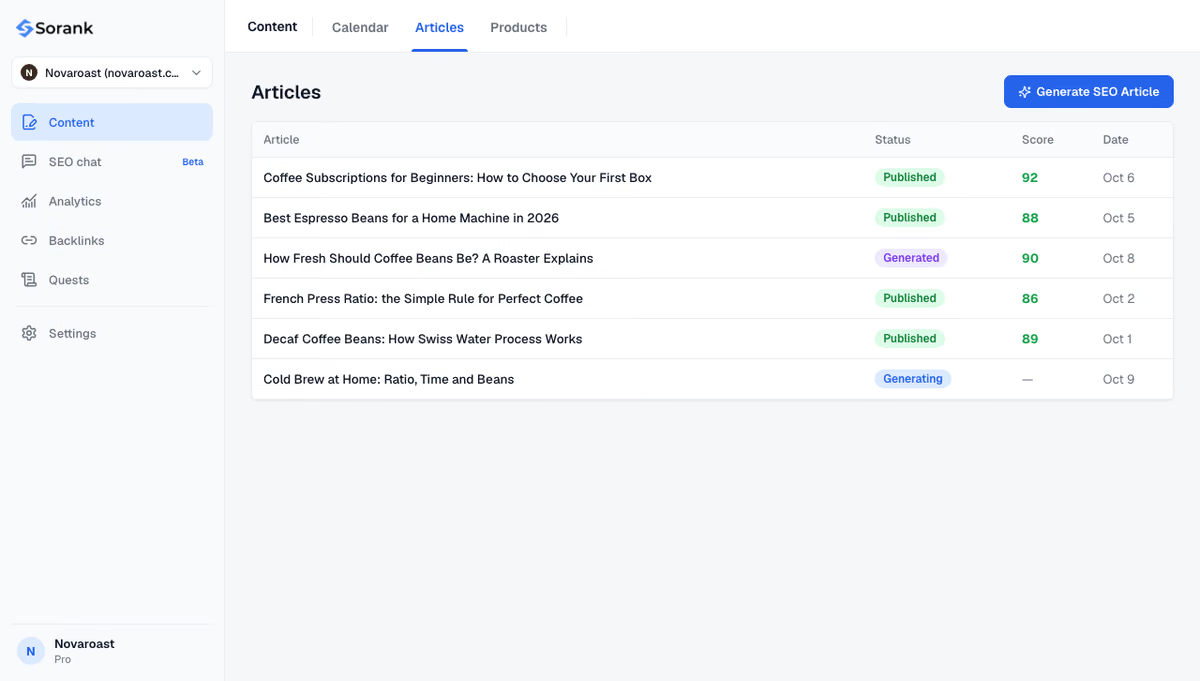
The second condition is content worth citing: articles that answer one question per section, with sources, figures and clear definitions, published regularly. That is the part Sorank, our product, automates. Sorank is an autopilot SEO and GEO software: it finds your keywords, and its blog article generator writes 20, 60 or 120 articles per month with sources, internal links and images. On a Next.js site, it connects through the custom webhook described on the installation page: your Route Handler receives each article, saves it and revalidates the blog. AI mention tracking then checks every week whether ChatGPT, Claude and Gemini cite your brand.
The short version: prerender every page you want found, define metadata on the server, and feed the sitemap from the same source as the content. Next.js gives you the tools; rankings and AI citations come from what you publish with them. To keep a Next.js blog supplied with articles, see Sorank's plans, from $49 per month with a 3-day free trial.

Next.js is built on React, so the comparison is between rendering approaches. A default React single page app renders in the browser and sends almost empty HTML, while Next.js prerenders pages on the server or at build time. Crawlers, including AI bots that do not run JavaScript, receive complete content from Next.js without extra setup.
Not by itself. In the App Router you add a sitemap.ts file to the app folder that returns your URLs, and Next.js serves it at /sitemap.xml. For large sites, generateSitemaps splits the list into several files, since Google accepts up to 50,000 URLs per sitemap.
Both can rank well because both prerender HTML. The App Router is the recommended choice for new projects: Server Components reduce client JavaScript, and the Metadata API, sitemap.ts and robots.ts handle SEO files natively. On an existing Pages Router site, migrating is rarely worth it for SEO alone.
 AI Content Brief Generator
 FAQ Schema Generator
 AI Blog Post Ideas Generator
 Structured Data Validator
 Alt Text Checker
 Internal Link Analyzer
 Backlink Challenge
 AI Meta Description Generator
 AI Blog Title Generator
 Google Indexability Checker
 AI Blog Outline Generator
 UTM Link Builder
 Keyword Clustering Tool
 Canonical Tag Checker
 XML Sitemap Generator
 Broken Link Checker
 AI SEO Title Generator
 Headline Analyzer
 SERP Preview Tool
 Redirect Checker
 Hreflang Tag Generator
 Heading Structure Analyzer
 HTTP Headers Checker
 Favicon Extractor
 SERP CTR Calculator
 SEO vs Paid Search Savings Calculator
 SEO Share of Voice Calculator
 SEO ROI Calculator
 SEO Traffic and Revenue Forecast Calculator
 SEO Budget Calculator
 SEO Break-Even Calculator
 SaaS SEO ROI Calculator
 ROAS Calculator
 Reading Time Calculator
 Ranking Gain Simulator
 Organic Traffic Value Calculator
 Organic Traffic Estimator
 LTV to CAC Ratio Calculator
 Local SEO ROI Calculator
 Link Building Cost Calculator
 Keyword Value Calculator
 Keyword Opportunity Score Calculator
 Keyword Density Calculator
 GEO ROI Calculator
 GEO Content Investment Calculator
 Ecommerce SEO ROI Calculator
 Customer Lifetime Value Calculator
 Customer Acquisition Cost Calculator
 CTR Calculator
 Cost Per Article Calculator
 Conversion Rate Calculator
 Content Marketing ROI Calculator
 ChatGPT Referral Traffic Estimator
 Bounce Rate Calculator
 Backlink ROI Calculator
 AI Visibility Score Calculator
 AI Traffic Value Calculator
 AI Share of Voice Calculator
 Cost of AI Invisibility Calculator
 AI Citation Rate Calculator
 llms.txt Validator
 AI Overview Checker
 Robots.txt Checker
 AI SEO Audit
 LLM Readability Checker
 SearchGPT Readiness Checker
 Structured Data LLM Audit
 Website Crawlability AI Audit
 Why ChatGPT Is Not Recommending My Website
 Gemini Ranking Tool
 Perplexity Ranking Checker
 LLM Citation Checker
 Answer Engine Optimization Audit
 GEO Audit
 AI Search Visibility Test
 ChatGPT Visibility Checker
 llms.txt Generator
 URL Extractor
 Webpage to Markdown
 Sitemap Checker
 SERP Volatility Sensor
 Page Size Checker
 Word Counter
 Slug Generator
 Schema Generator
 Robots Generator
 OG Preview
 Meta Tags Generator
 Image Compressor
 Favicon Generator
 On-Page SEO Audit
 Backlink Analysis Tool
 Keyword Research Tool
 Domain Authority Checker
THEY TRIED SORANK BEFORE YOU
 “I tested Sorank on a real client site and it's insane. It does everything an agency would bill you $1500 a month for. It's going into production on that client now.”
 Guillaume Guersanguersanguillaume.com“We are an Ads agency and we wanted to get our SEO back on track once and for all. Sorank gave us a clear view of our site, helped us prioritize optimizations, and properly structure our content. The tool is easy to use, well designed for a team, and very practical for centralizing tracking without having to juggle multiple platforms. A very solid foundation to start fresh with our SEO.”
 Gaspard MadouiAds Agency
 “I just let the Sorank software do its thing, and now my DR is 25 and my page is ranking higher.”
 Lucas Flandrefoundertrace.fr“I specialized in GEO thanks to Sorank. The GEO Leaderboard allows me to show my clients their position vs competitors on ChatGPT. It’s a real commercial differentiator.”
 MélanieSEO Freelance“Great service, works well for our website and helps us understand how to improve it to rank better on Google and elsewhere. Congrats, keep going, I recommend it.”
 Hugo T.E-commerce merchant