Preferences
Privacy is important to us, so you have the option of disabling certain types of storage that may not be necessary for the basic functioning of the website. Blocking categories may impact your experience on the website. More information
Privacy is important to us, so you have the option of disabling certain types of storage that may not be necessary for the basic functioning of the website. Blocking categories may impact your experience on the website. More information

Fix a wrong brand mention in  ChatGPT,
 Gemini,
 Claude or
 Perplexity: trace the source, correct your pages and entity data, control AI crawlers, then re-test.
In short
A wrong brand mention in ChatGPT, Gemini, Claude or Perplexity comes from one of three places: a wrong fact on the web, a name shared with another company, or a missing or unclear page the model cannot use. Trace each wrong answer to the page or profile behind it, fix that source first, make your organization unambiguous with structured data, then re-run the same prompts for several weeks. Asking the chatbot to correct itself in one chat does not change the answer other people get.
Want to go further? Ask
Quick quiz
What should you work on first for your brand?
Sorank matches your answers


Test it for 3 days on your own site and see where you stand on Google, ChatGPT and the other AIs.
Start 3-day free trial3 days free, then stop whenever you want. 90-day results guarantee, conditions apply.
Name the error before you fix it. Each kind has a different cause, so the same fix does not work for all of them. Most failed corrections treat an entity confusion as a wrong fact, or the reverse.
The examples below use a fictional company, Halden Analytics, so you can follow the logic without any real brand in view.
| Kind | Example in an answer | Likely cause | First fix |
|---|---|---|---|
| Wrong fact | Halden Analytics costs 99 per month | An old pricing page or an outdated review | Update your pricing page and the source that quotes the old price |
| Entity confusion | Halden Analytics is described as a bank in Norway | Another company with a similar name | Make your organization unambiguous with consistent names and structured data |
| Competitor conflation | A rival's feature is credited to Halden | Comparison pages that list both brands with unclear wording | Publish a clear product page and correct the comparison pages |
| Invented claim | Halden was fined for a data leak | A hallucination with no source, or a mix-up with another company | Search for the claim, publish the true facts clearly, and document the answer |
| Missing mention | Halden is never named for a category question | Thin content and few third-party sources | Build content and third-party presence, not a correction |
Prices, plan limits, features, founding year, headquarters and leadership are the most common wrong facts. They are also the easiest to fix, because a source exists. Find it, correct it, and the answer usually follows once the model reads the new version again.
Check the age of the source. A model often repeats a figure from an old press release, a directory listing nobody updated, or a comparison article from two years ago. The page may have been right at the time and still be wrong today.
A model matches words to entities. If your brand name is also a common word, a person's name or the name of another company, the model may blend the two. The error is not in your facts. It is in the signal that tells the model which organization you are.
The test is simple. Ask about your brand with no context, then ask again with your category and your city. If the answer turns right once you add context, the problem is ambiguity, not missing facts. Fix it with the entity signals covered later in this guide.
A hallucination is a claim with no source behind it. Ask for the source first. If the assistant cites a page, read that page. If it cites nothing, search the exact claim in quotes. When you find nothing, you cannot fix a source that does not exist, but you can make the true version easy to find and keep a dated record of the false one.
Keep dated screenshots of any invented claim that could damage a customer decision, a hiring decision or your legal position. Our glossary entry on AI hallucination explains why models produce these claims, which helps you judge how likely a repeat is.
A missing mention is not a wrong answer, but it is the most common problem. The model does not know you well enough to name you for a category question. A correction cannot solve that. You need more pages that answer the question clearly, and more independent sources that name your brand next to the category.
Our glossary entry on AI brand mentions defines the terms used here. The rest of this guide is about wrong answers, which have a cause you can trace.
Every assistant shows sources differently, and the display changes with the product, the mode and the date. Read the answer, then decide which case you are in: a cited page contains the wrong fact, a cited page is right but the model paraphrased it badly, or no cited page supports the claim.
| Assistant | How it shows sources | What you do |
|---|---|---|
| Perplexity | Numbered sources under each answer | Open each numbered link and search for the wrong sentence |
| Google AI Overviews and AI Mode | Links attached to the generated answer | Open the links and check each page for the claim |
| ChatGPT | Sources appear when it searched the web for the answer | Run the prompt again with web search on, then open the sites listed |
| Gemini and Claude | Depends on the product and the mode | Check each answer for links, and search the claim yourself when there are none |
Run the exact prompt in a clean session: logged out or in a temporary chat, in the country and language of your market. Copy the full answer. List every cited URL. Open each one, search the page for the wrong sentence and for your brand name, and write down the URL, the date you checked it, and the exact sentence that holds the wrong fact.
Do not stop at the first page. Assistants often combine two or three pages, and the wrong fact can come from the one that mentions you least.
Some answers come with no links, or with links that do not contain the claim. Ask the assistant which sources it used, and treat the list as a lead, not as proof, because the list can be wrong too. Then turn web search on, run the same prompt again, and search the claim yourself in quotes. Look for old directory listings, scraped copies of your pages, press releases, forum threads and comparison articles. Models often pick up stale facts from those places.
Tip
Run a first check with our free ChatGPT Visibility Checker. You enter your brand and a question a customer would ask, and the tool sends that question to ChatGPT with web search on. It shows whether your brand is named, which sources ChatGPT cites and which competitors it names instead.

You can act on a wrong mention in five ways. They differ in how fast they show, who controls them and how long the fix lasts. Most corrections need two or three levers at once. The table shows which one to start with.
| Lever | What you change | How fast it shows | Who controls it | How durable |
|---|---|---|---|---|
| Your own pages | Facts, dates and product pages | Once the page is recrawled | You | High, if you keep it current |
| Third-party sources | Directories, review sites, press and forums | Once the source is updated and recrawled | The site owner, after your request | High, if the source stays online |
| Structured data | Organization markup and sameAs links | After the page is recrawled | You | Medium, it clarifies but does not replace content |
| Crawler settings | robots.txt rules for AI bots | On new crawls only | You | Stable, but a wrong rule can hide you |
| Feedback buttons | Reporting an answer inside the assistant | Not documented | The platform | Low, do not rely on it |
Use this order for every wrong answer. Do not skip step 3, because the cause decides the fix. A team that jumps to step 5 usually asks a site owner to change a page that was never the source.
The fix method, in order
Keep the log in one sheet. The columns below are enough for a small brand. Add a column for each competitor you want to follow.
| Column | What to write |
|---|---|
| Date and assistant | When you ran the prompt, and which product or mode |
| Exact prompt | Copied as it was sent, with no changes |
| Wrong claim | The sentence as the assistant wrote it |
| Kind of error | One of the five kinds |
| Source found | The URL and the exact sentence that holds the wrong fact |
| Fix made | What you changed, where, and on which date |
| Result on re-test | Still wrong, partly right or right, with the date |
Without a log, you cannot tell whether a fix worked or whether the assistant just changed its wording. The same log gives you the proof you need for a correction request.
Models read your site before they read anyone's review of you. When your pages state a fact clearly and with a date, you give the model a source it can trust. When they are vague or missing, the model fills the gap with whatever it finds, and that is often old.
Your pages, before and after a fix
Create one page, linked from the main menu or the footer, that states the facts a model is most likely to check: price or price range, plan limits, founding year, headquarters, leadership, product category, who it is for, and the markets or languages you serve. Keep it short. A plain list of facts is easier for a model to lift than a long story.
Put the same facts in the same words on the homepage and on the about page. Small differences, such as "founded in 2019" on one page and "founded in 2020" on another, are enough to make a model guess.
Show a visible "last updated" date on pages that carry prices, features or claims, and keep that date in sync with the content. A model cannot tell a fresh page from an old one if the page says nothing about its age. When you change a price, change the date too. Do not leave the old price in a PDF, a slide deck or a help article.
Choose one official name and use it everywhere: the website, the legal notice, the social profiles, the press kit and the product screens. If people also use a short name or an acronym, write it once on the about page, next to the full name, for example "Halden Analytics, often called Halden". That gives a model the link between the two forms.
Our guides on brand consistency and brand audit list the elements to check across channels, one by one.
Structured data does not overrule your content. It tells machines which organization a page describes, and that matters when a name is shared. Google documents Organization markup for this purpose. Its guidance on the Organization type says the markup helps Google understand your organization's administrative details, and that some properties "are used behind the scenes to disambiguate your organization from other organizations" (Google Search Central, Organization structured data).
| Property | What it does | Example for Halden Analytics |
|---|---|---|
| name | The official name of your organization | Halden Analytics |
| alternateName | Another common name you go by | Halden |
| url | The address that uniquely identifies your organization | https://www.example.com/ |
| logo | The logo Google should show | https://www.example.com/logo.png |
| sameAs | Pages on other websites with more information about the same organization | Your company page on LinkedIn and your profile on Crunchbase |
Add this to your homepage, inside a script tag of type application/ld+json. Replace every value with your own data, and keep the name identical to the one on the page.
<script type="application/ld+json">
{
  "@context": "https://schema.org",
  "@type": "Organization",
  "name": "Halden Analytics",
  "alternateName": "Halden",
  "url": "https://www.example.com/",
  "logo": "https://www.example.com/logo.png",
  "sameAs": [
    "https://www.linkedin.com/company/halden-analytics",
    "https://www.crunchbase.com/organization/halden-analytics"
  ]
}
</script>Google recommends placing this information "on your home page, or a single page that describes your organization," and says it does not need to appear on every page. Three mistakes are common: a name in the markup that differs from the name on the page, a sameAs link to a profile you do not control, and a sameAs link to a profile of a company with a similar name. Open every link you list. A wrong link teaches the model the wrong entity.
For the wider picture of what structured data does and does not do for AI search, read our guide on structured data for AI search.
Assistants often rely on sites you do not own: business directories, review platforms, comparison articles, forums and press. A wrong fact on one of them can return in every answer that cites it. Work in order of influence. Start with the sources the assistant cites in your wrong answers, then the sources that rank for your brand name, then the rest.
Sources to check, in this order
A short, precise request gets a faster reply than a long one. Include these five elements, in this order:
Send it to the named editor or the site owner, not to a general contact form when a person is listed. Keep the tone factual, and follow up once after two weeks if you hear nothing.
Wikipedia asks people with a conflict of interest to suggest changes on the article's talk page rather than edit the article directly. Do not edit your own company page. Propose the correction with a reliable source, and let an editor decide. Wikidata deserves the same care, because other systems reuse its entries.
If a competitor's page or a scraped copy of your site carries the wrong fact, document it with a date and the URL. Do not attack the other company in public, and do not answer with a rebuttal that repeats the false claim. If the content is false and causes real harm, ask a lawyer what options you have in your country.
Our guide to unlinked brand mentions covers how to find mentions that name you without a link, and our guide to online reputation management covers the wider reputation side.
AI companies run several crawlers, and each one has a different purpose. A rule that blocks the wrong one can remove you from the answers you want, and leave the one you meant to block untouched. OpenAI documents four user agents for its products and states that each setting is independent. In its words, "Each setting is independent of the others" (OpenAI, crawler documentation).
Here is what each one does, according to that page:
A common setup allows search and blocks training. This is the robots.txt pattern to start from:
User-agent: OAI-SearchBot
Allow: /

User-agent: GPTBot
Disallow: /
Blocking one bot, two different results
Warning
Check the robots.txt file after every change to your hosting, CDN or security tools. A rule that blocks bots by default can hide your site from AI search without any error on your side.
Our glossary entry on AI crawlers explains how the main bots read a site, and what each one is used for.
Google's AI features follow the rules of normal Search. Google's Search Central documentation on AI features in Search says a page must be indexed and eligible to show a snippet, and that no special markup is needed: "There's also no special schema.org structured data that you need to add."
So the work is the same as your Search work. Make sure the correct fact sits in indexable text on a page Google can reach, not only in an image, a PDF or a script. The same page also explains how to limit what Search shows from your pages, which you should know before you block anything.
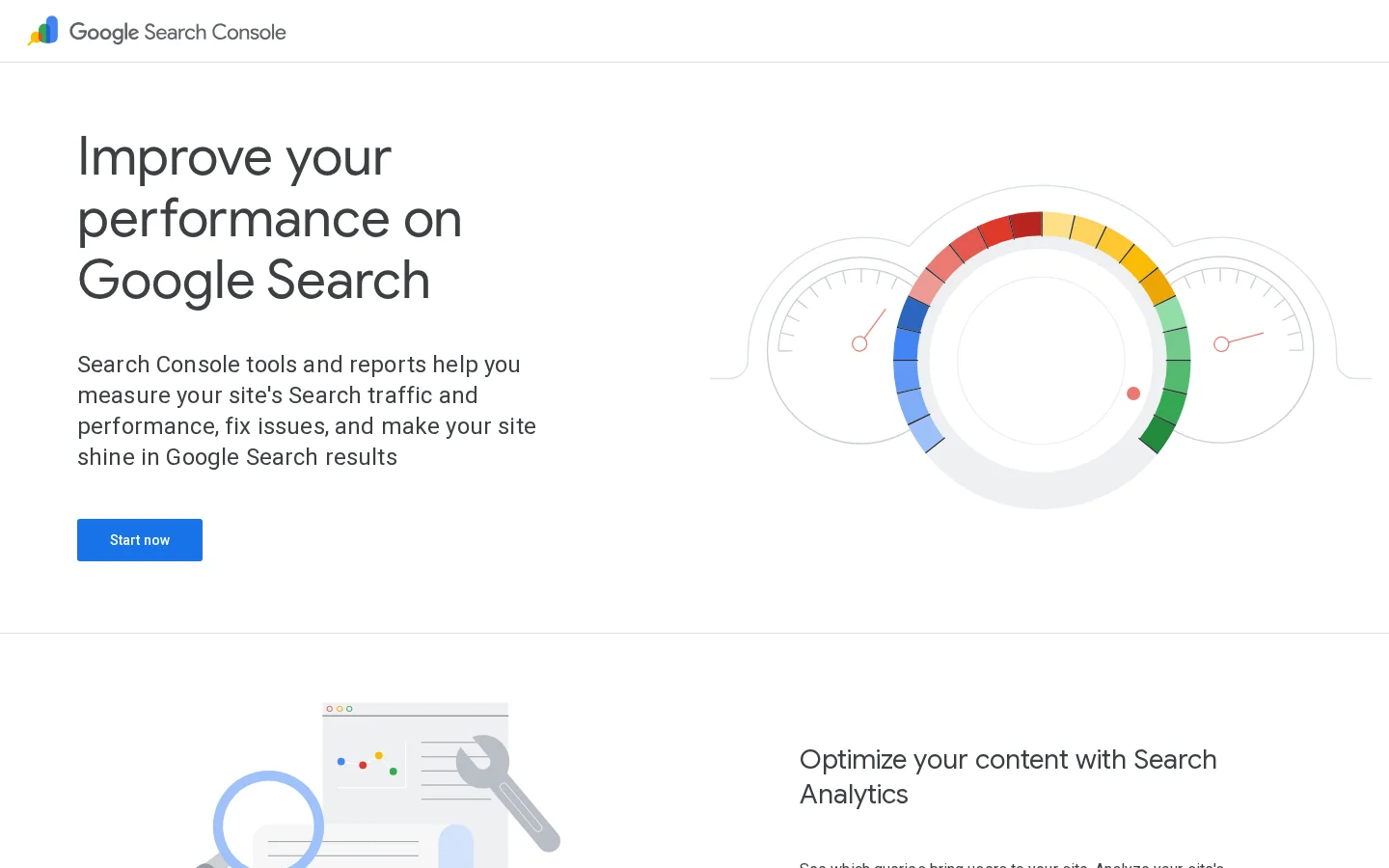
The Google page we read does not describe a way to send a correction for a single AI answer, so the lever you control is the content and the sources Google reads about you. Use Search Console to check the pages that should carry the correct fact. The URL Inspection tool shows whether Google has indexed a given page. Search Analytics shows "which queries bring users to your site," so you can see whether branded searches move after a fix.
A rise in branded searches does not prove that an AI answer changed, but it is a useful signal to log next to your re-tests. Our guide to Google AI Mode SEO covers how to get your pages cited in that interface.
One answer proves very little. Models generate each answer again, and the result changes with the session, the account history, the location and the wording. A fix is confirmed when the wrong claim stops appearing across many runs, not when you get one clean answer.
Use the same prompts, in the same language and country, in clean sessions. Do not change the wording between runs, or you compare two different questions. Start with the prompts where the wrong answer appeared, then add 10 to 20 category questions where you should be named. For how to build a full prompt panel, read our guide on how to track your brand mentions in AI. This guide is about the wrong answers, and that one is about the tracking.
Track two numbers: how often the wrong claim appears, and how often you are named with the correct facts. A fix usually shows first in the sources and then in the answers, and the change comes in steps. Compare the same weeks with each other, not one test with the next day's test.
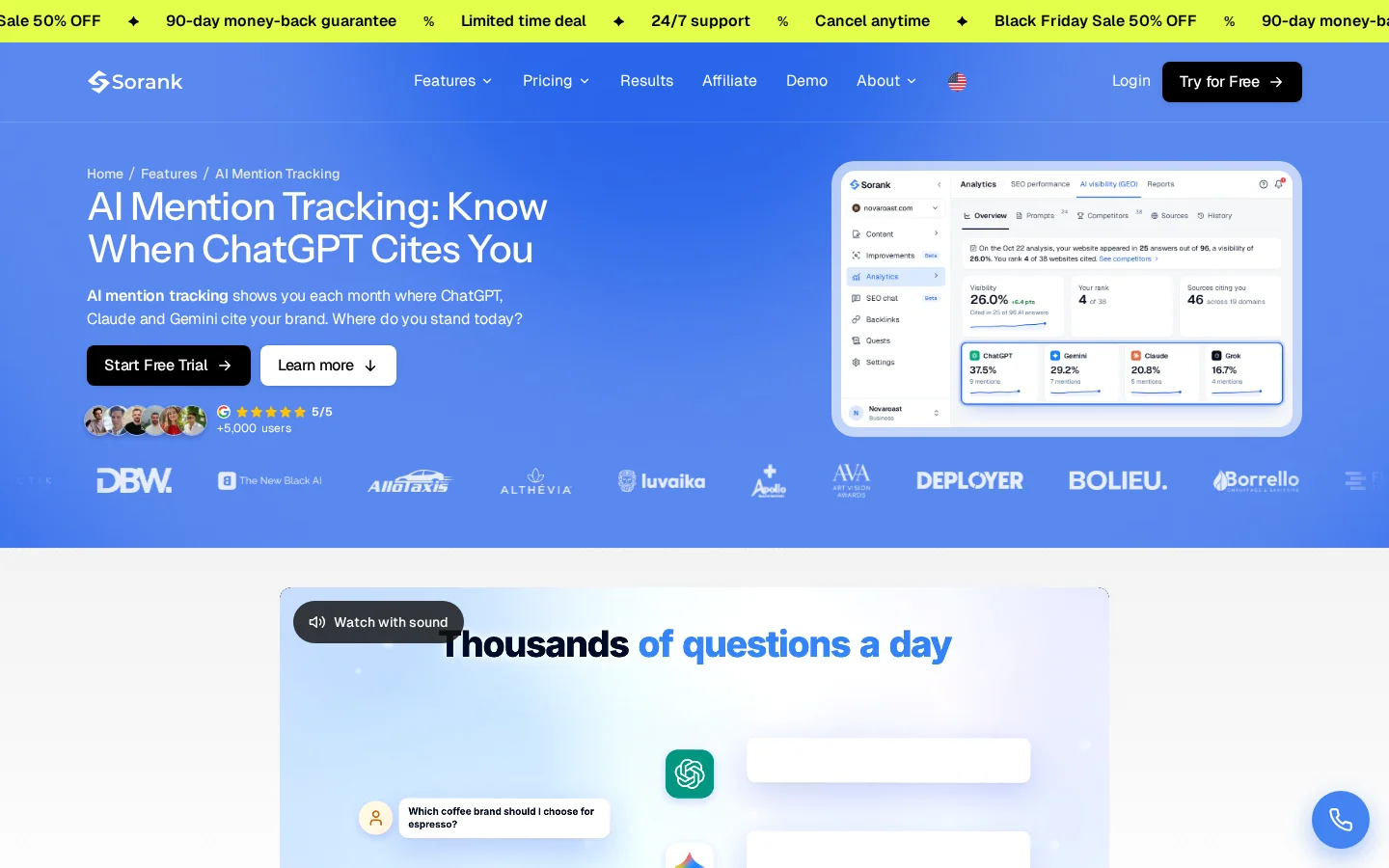
Our software automates this part. Sorank's AI mention tracking sends your prompt list to ChatGPT, Claude and Gemini every month, keeps every analysis, and lists the sources and searches behind each answer. A Not mentioned filter shows the questions where you are missing. Use it to see whether a fix moves the answers over time.
Before you call a fix done
Some wrong answers are more than a brand problem. A false safety warning, a false medical or financial statement, or an accusation of fraud needs faster action. Keep dated screenshots, send the correction request with proof, and report the answer through the assistant's feedback option. Our glossary entry on AI brand safety covers the reputation side. If the claim could cause real damage, ask a lawyer what options you have, because a feedback form alone will not stop it.
Most failed corrections come from a short list of mistakes. The table gives the quick version, and the sections below explain how to spot each one and how to fix it.
| Mistake | How to spot it | Fix |
|---|---|---|
| Correcting the chat, not the source | The wrong answer returns in a new, clean session | Correct the cited source, then re-test |
| Publishing a rebuttal instead of fixing the source | The cited page still holds the old fact | Fix the cited page first |
| Changing a page without a date | The page shows no visible update date | Add a visible date and keep it in sync |
| Blocking the wrong crawler | robots.txt blocks OAI-SearchBot, or blocks all bots | Allow the search crawler and decide on training use on purpose |
| Structured data that contradicts the page | The name in the markup differs from the name on the page | Use one name everywhere |
| Testing from a logged-in account | The brand looks right only in your own account | Test in clean sessions |
| Declaring victory after one answer | One clean run and no trend | Track for several weeks |
What it is: You tell the assistant "that is wrong" in one conversation and expect other people to see the correction. How to spot it: The same wrong answer comes back in a fresh session. How to fix it: Correct the cited source, then re-test with clean prompts.
What it is: You write a post that says the AI is wrong, but the pages the AI reads still hold the old fact. How to spot it: The cited page has not changed since the wrong answer began. How to fix it: Correct the cited page first, then publish the rebuttal only if it adds a real fact with a source.
What it is: You update the price or the features, but the page shows no date, so nothing signals the change. How to spot it: Open the page and look for a visible date. How to fix it: Add a visible "last updated" date and keep it in sync with the content.
What it is: You block GPTBot, believing it controls ChatGPT search, or you add a blanket rule that blocks every bot. How to spot it: Read your robots.txt and check which user agents it names. How to fix it: Allow OAI-SearchBot if you want to appear in ChatGPT search, and decide on GPTBot separately, as shown in the crawler section.
What it is: Your markup names the company one way, and the page another way, or a sameAs link points to a homonym. How to spot it: Compare each property with the page, then open each sameAs link. Google's Rich Results Test can confirm that the markup is read. How to fix it: Use one name everywhere and remove any link you do not control.
What it is: You check your brand in your own account, where history and memory can shape the answer. How to spot it: The answer looks right for you and wrong for a new visitor. How to fix it: Test in logged-out or temporary sessions, in the market you target, and log each run the same way.
What it is: One clean answer after a fix, and you stop checking. How to spot it: Your log has one row for the prompt after the fix. How to fix it: Keep the prompt in the panel, re-run it on your schedule, and close the issue only when the checklist above is complete.
No one can delete a generated answer, and the next run may word it differently. You can fix what the model reads: the pages and profiles that state the wrong fact. Then re-run the same prompts over several weeks to confirm the change.
The Google documentation on AI features that we read does not describe a way to correct one answer. The lever you control is the content Google can index about your brand, so make the correct facts clear on your site and on the sources Google reads.
Not for that purpose. GPTBot is for training data, while OAI-SearchBot feeds ChatGPT search answers. Blocking OAI-SearchBot removes you from those answers, and each OpenAI setting is independent, so choose each one on purpose.
We analyse your competitors, your website and your AI visibility to create a tailored content plan for free.
 AI Content Brief Generator
 FAQ Schema Generator
 AI Blog Post Ideas Generator
 Structured Data Validator (Schema Validator)
 Alt Text Checker
 Internal Link Analyzer
 Backlink Challenge
 AI Meta Description Generator
 AI Blog Title Generator
 Google Indexability Checker
 AI Blog Outline Generator
 UTM Link Builder
 Keyword Clustering Tool
 Canonical Tag Checker
 XML Sitemap Generator
 Broken Link Checker
 AI SEO Title Generator
 Headline Analyzer
 SERP Preview Tool
 Redirect Checker
 Hreflang Tag Generator
 Heading Structure Analyzer
 HTTP Headers Checker
 Favicon Extractor
 SERP CTR Calculator
 SEO vs Paid Search Savings Calculator
 SEO Share of Voice Calculator
 SEO ROI Calculator
 SEO Traffic and Revenue Forecast Calculator
 SEO Budget Calculator
 SEO Break-Even Calculator
 SaaS SEO ROI Calculator
 ROAS Calculator
 Reading Time Calculator
 Ranking Gain Simulator
 Organic Traffic Value Calculator
 Organic Traffic Estimator and Website Traffic Checker
 LTV to CAC Ratio Calculator
 Local SEO ROI Calculator
 Link Building Cost Calculator
 Keyword Value Calculator
 Keyword Opportunity Score Calculator
 Keyword Density Calculator
 GEO ROI Calculator
 GEO Content Investment Calculator
 Ecommerce SEO ROI Calculator
 Customer Lifetime Value Calculator
 Customer Acquisition Cost Calculator
 CTR Calculator
 Cost Per Article Calculator
 Conversion Rate Calculator
 Content Marketing ROI Calculator
 ChatGPT Referral Traffic Estimator
 Bounce Rate Calculator
 Backlink ROI Calculator
 AI Visibility Score Calculator
 AI Traffic Value Calculator
 AI Share of Voice Calculator
 Cost of AI Invisibility Calculator
 AI Citation Rate Calculator
 llms.txt Validator
 AI Overview Checker and AI Overviews Rank Checker
 Robots.txt Checker
 AI SEO Audit
 LLM Readability Checker
 SearchGPT Readiness Checker
 Structured Data LLM Audit
 Website Crawlability AI Audit
 Why ChatGPT Is Not Recommending My Website
 Gemini Ranking Tool
 Perplexity Ranking Checker
 LLM Citation Checker
 Answer Engine Optimization Audit
 GEO Audit
 AI Search Visibility Test
 ChatGPT Visibility Checker
 llms.txt Generator
 URL Extractor
 Webpage to Markdown
 Sitemap Checker
 SERP Volatility Sensor
 Page Size Checker
 Word Counter
 Slug Generator
 Schema Generator
 Robots Generator
 OG Preview
 Meta Tags Generator
 Image Compressor
 Favicon Generator
 On-Page SEO Audit: SEO Checker and SEO Analyzer
 Backlink Analysis Tool
 Keyword Research Tool
 Domain Authority Checker
 “I tested Sorank on a real client site and it's insane. It does everything an agency would bill you $1500 a month for. It's going into production on that client now.”

 Guillaume Guersanguersanguillaume.com“We are an Ads agency and we wanted to get our SEO back on track once and for all. Sorank gave us a clear view of our site, helped us prioritize optimizations, and properly structure our content. The tool is easy to use, well designed for a team, and very practical for centralizing tracking without having to juggle multiple platforms. A very solid foundation to start fresh with our SEO.”
 Gaspard MadouiAds Agency
 “I just let the Sorank software do its thing, and now my DR is 25 and my page is ranking higher.”
 Lucas Flandrefoundertrace.fr“I specialized in GEO thanks to Sorank. The GEO Leaderboard allows me to show my clients their position vs competitors on ChatGPT. It’s a real commercial differentiator.”
 MélanieSEO Freelance“Great service, works well for our website and helps us understand how to improve it to rank better on Google and elsewhere. Congrats, keep going, I recommend it.”
 Hugo T.E-commerce merchant