Preferences
Privacy is important to us, so you have the option of disabling certain types of storage that may not be necessary for the basic functioning of the website. Blocking categories may impact your experience on the website. More information
Privacy is important to us, so you have the option of disabling certain types of storage that may not be necessary for the basic functioning of the website. Blocking categories may impact your experience on the website. More information

Learn how to generate SaaS leads that pay back: the channels that work, a six-step build plan, the conversion fixes and the metrics that prove it.

In short
SaaS lead generation means filling your pipeline with people who fit your ideal customer and are close to a trial, a demo or a purchase. Pick the two channels your buyers already use, give each page one clear next step, and judge the work by trials and paying customers, not by form fills.
Want to go further? Ask
Quick quiz
How should you find your next customers?
Sorank matches your answers


Test it for 3 days on your own site and see where you stand on Google, ChatGPT and the other AIs.
Start 3-day free trial3 days free, then stop whenever you want. 90-day results guarantee, conditions apply.
In a service business, a lead is usually a one-time sale. In SaaS, a customer pays every month, so a lead is worth what that customer pays over the time they stay. A lead who signs up and cancels after 30 days costs you the same as one who stays for three years. That changes what you should optimize.
Three things set SaaS apart: recurring revenue, longer buying journeys, and a product that can sell itself through a free plan or a trial. A consulting firm sells a project and sends an invoice. A SaaS company sells the first month, then has to keep the customer.
| Topic | B2B service firm | SaaS company |
|---|---|---|
| Revenue | One project or retainer | Recurring subscription |
| What a lead is worth | The first contract | Gross profit from the customer over their whole stay |
| Buyer journey | Call, proposal, signature | Often a self-serve trial, then a sales call for larger plans |
| Main metric | Pipeline value | Trial starts, activation and retention |
This is why lead volume is a weak metric on its own. Ten leads who never activate are worth less than three who do.
Before you buy any traffic, write down what one paying customer is worth. The simplest version is customer lifetime value (LTV), an estimate of the gross profit a customer brings over their life.
LTV = monthly revenue per customer x gross margin / monthly churn rateSay your plan costs 99 per month, your gross margin is 80%, and 3% of customers cancel each month. Then LTV = 99 x 0.80 / 0.03 = 2640. The churn rate has a large effect. At 6% churn, the same customer is worth 1320.
Next, divide LTV by a target ratio. Many SaaS teams use 3 to 1 as a rule of thumb. At that ratio, the most you can spend to win one customer is 880 (2640 divided by 3). That number is your customer acquisition cost (CAC) ceiling.
A lead is not a customer, so the ceiling is not what you can pay per lead. Multiply it by your lead-to-customer rate. If one lead in ten becomes a paying customer, a lead is worth up to 88 to you. Anything above that loses money at your current conversion rate.
Treat the 3 to 1 ratio as a starting point, not a law. A company with very low churn can afford a lower ratio. A company that is still learning may accept a weaker one for a few months, as long as it knows the payback period.
How to set your lead budget

A marketing qualified lead (MQL) is someone who matched your criteria and took an action, usually a download or a form. A product qualified lead (PQL) is someone who used the product and shows buying signals, such as inviting teammates or hitting a usage limit. A sales qualified lead (SQL) is one that a salesperson has checked and agreed to work.
MQL or PQL: which one to chase first
Most SaaS buyers read several pages before they talk to you. Each stage needs a different page. Early on, buyers learn the problem and the category, so they need guides. In the middle, they compare options, so they need comparison and alternative pages. Late in the journey, they check price, integrations and security, so they need pricing, integration and use-case pages with a trial button.
For a deeper look at content by stage, read how to turn SaaS articles into trials, demos and AI recommendations.
Decide what each page should produce before you write it. A guide might produce an email subscriber. A comparison page should produce a trial start. A pricing page should produce a demo request or a paid signup. A page without a clear job attracts visits that never convert.
Six channels cover most SaaS lead generation. Each one trades speed against cost and volume against quality. The table gives the overview. The sections after it explain each channel, when to use it and where it fails.
| Channel | Speed to first leads | Lead quality | Main risk |
|---|---|---|---|
| SEO and content | Slow, months | High when pages match buyer intent | Long wait, and rankings can move after updates |
| Paid search | Fast | Depends on the intent of the keyword | Cost climbs on competitive terms |
| LinkedIn and paid social | Fast | Good for targeting by role and company | High cost per click and ad fatigue |
| Cold outbound email | Fast to start | Depends on the list and the offer | Damage to sending reputation and trust |
| Partnerships and integrations | Medium | High, through warm introductions | Partners are hard to find and slow to commit |
| Product-led growth (free plan or trial) | Medium | High when activation is strong | Free users who never pay |
SEO or paid search: the trade-off in one view
Principle: Publish pages that match what a buyer searches for, and make the next step obvious.
When to use it: When your category has a name and buyers search for it, for example "[category] software", "[competitor] alternative" or "[tool] pricing".
Advantages: Traffic keeps coming after you publish. Readers from search often already know the problem they want to solve.
Limits: It takes months to rank, a Google update can move your pages, and someone has to keep the content current.
Example: A team that sells reporting software publishes "Looker Studio alternatives for agencies". The page has a comparison table near the top and a trial button after the table. It targets people who already know the category and want to switch.
The SEO side of this channel, including lead capture and tracking, is covered in the SEO lead generation guide. This article focuses on the whole mix.
Principle: Buy clicks on keywords with clear buying intent, and send them to a page built to convert.
When to use it: When you already know your offer converts and you need leads this month, or when you want to test a new segment fast.
Advantages: You get data within days. You can see cost per click, click-through rate and conversion rate for each keyword, and you can stop a campaign at once.
Limits: Competitive SaaS keywords are expensive, and the traffic stops when the budget stops. Broad match terms bring unqualified clicks, so you pay for people who never buy.
Example: You bid on "[category] software for [role]" with exact match, and send the click to a landing page with one form. You then look at the search terms report weekly and add negative keywords for the wrong intent, such as "free" or "jobs".
Principle: Target people by job title, company size and industry, then offer something useful in exchange for their details.
When to use it: When your buyer is a manager or an executive in a defined segment, and the category is new enough that people need education.
Advantages: The targeting is precise. A webinar or a report can warm up a cold audience before a sales call.
Limits: Clicks are expensive, and the same audience sees the same ad many times. Lead quality depends on how well the form qualifies people.
Example: A sponsored post offers a webinar to heads of marketing at companies of 50 to 200 staff. The registration form asks for company size, so sales can prioritize leads on the first call.
Principle: Email a short list of named prospects, with a specific reason to reply.
When to use it: When your ideal customer profile is narrow and you can name the people you want to reach.
Advantages: It is direct and cheap to start. You control the list, the message and the timing.
Limits: Bad lists and mass sends hurt the reputation of your sending domain, so your emails land in spam. The rules also differ by country. In Europe, the GDPR and national rules govern how you may contact people, so check them before you send.
Example: A sequence of three short emails. Each one names a fact about the prospect's company, such as a new hire or a product launch, and asks one question. Use a separate sending domain and warm it up before you scale.
Principle: Reach your buyers through tools and people they already trust.
When to use it: When your product connects to a larger platform, or when an agency or consultant serves your exact buyer.
Advantages: The introduction is warm, and the partner's audience already trusts them. A listing in an app marketplace can keep producing leads for years.
Limits: Setup is slow, and partners want value back. A partner who sends you two leads a year is not a channel.
Example: You list your integration in a marketplace with a clear use case, then publish a guide with the partner that solves one shared customer problem. Each guide links to a trial page built for that integration.
Principle: Let people try the product, then turn active users into leads when they show intent.
When to use it: When the product shows its value in minutes, and a user can get a result before they pay.
Advantages: Trust is high because the buyer has used the product. Self-serve signups scale without a sales team.
Limits: Many free users never pay. You need activation tracking to see whether the free tier is attracting the right people.
Example: A free plan with one usage limit. When a user hits the limit and invites a teammate, they become a PQL and receive a sales email that refers to the exact feature they used.
Keyword research for leads starts with the buyer, not with the keyword list. A high-volume term such as "what is a CRM" brings readers who may never buy. A term such as "CRM software pricing" or "HubSpot alternative" brings people who are comparing options.
Sorank's keyword research feature is built for the same job, finding the queries that belong on each page:
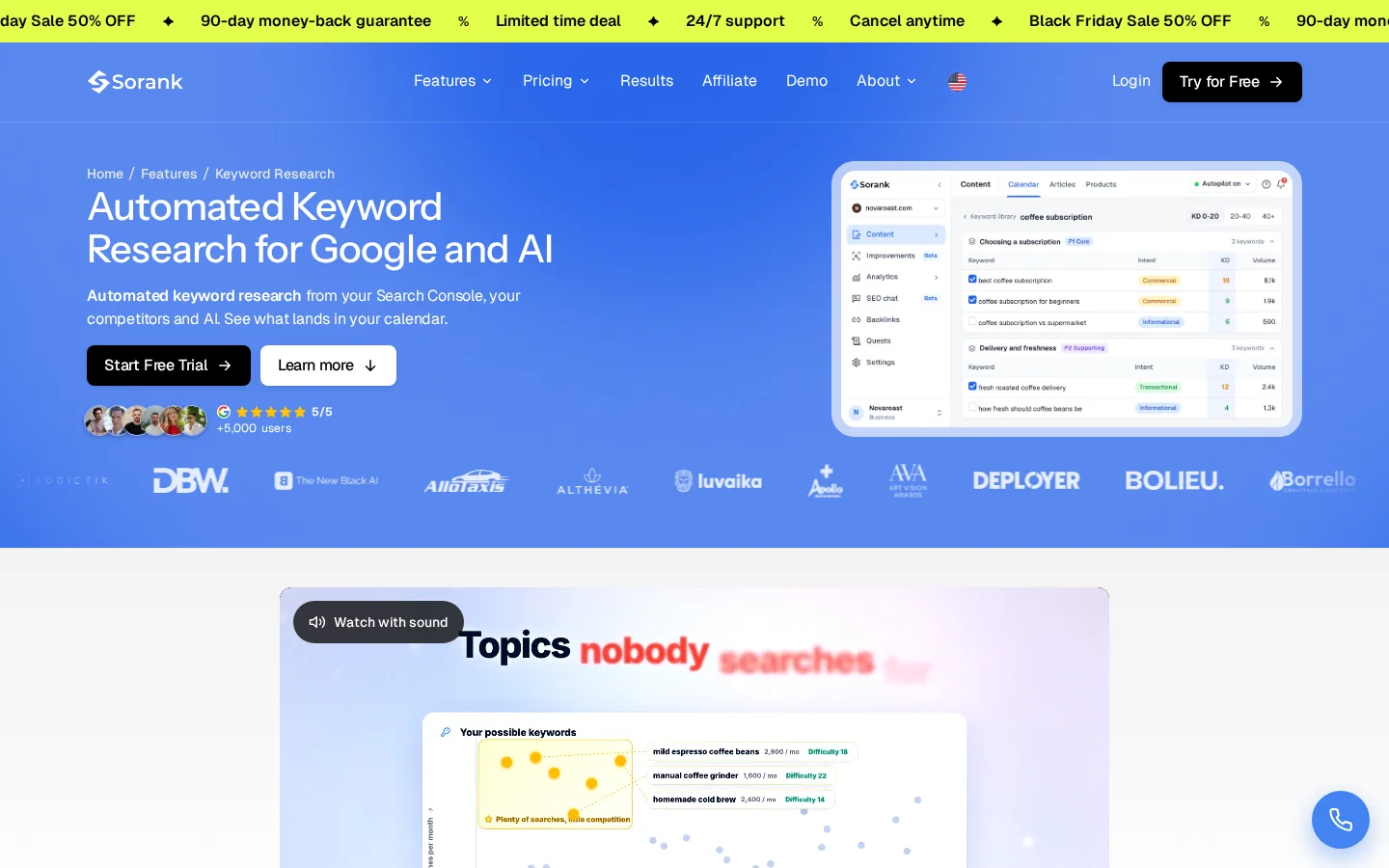
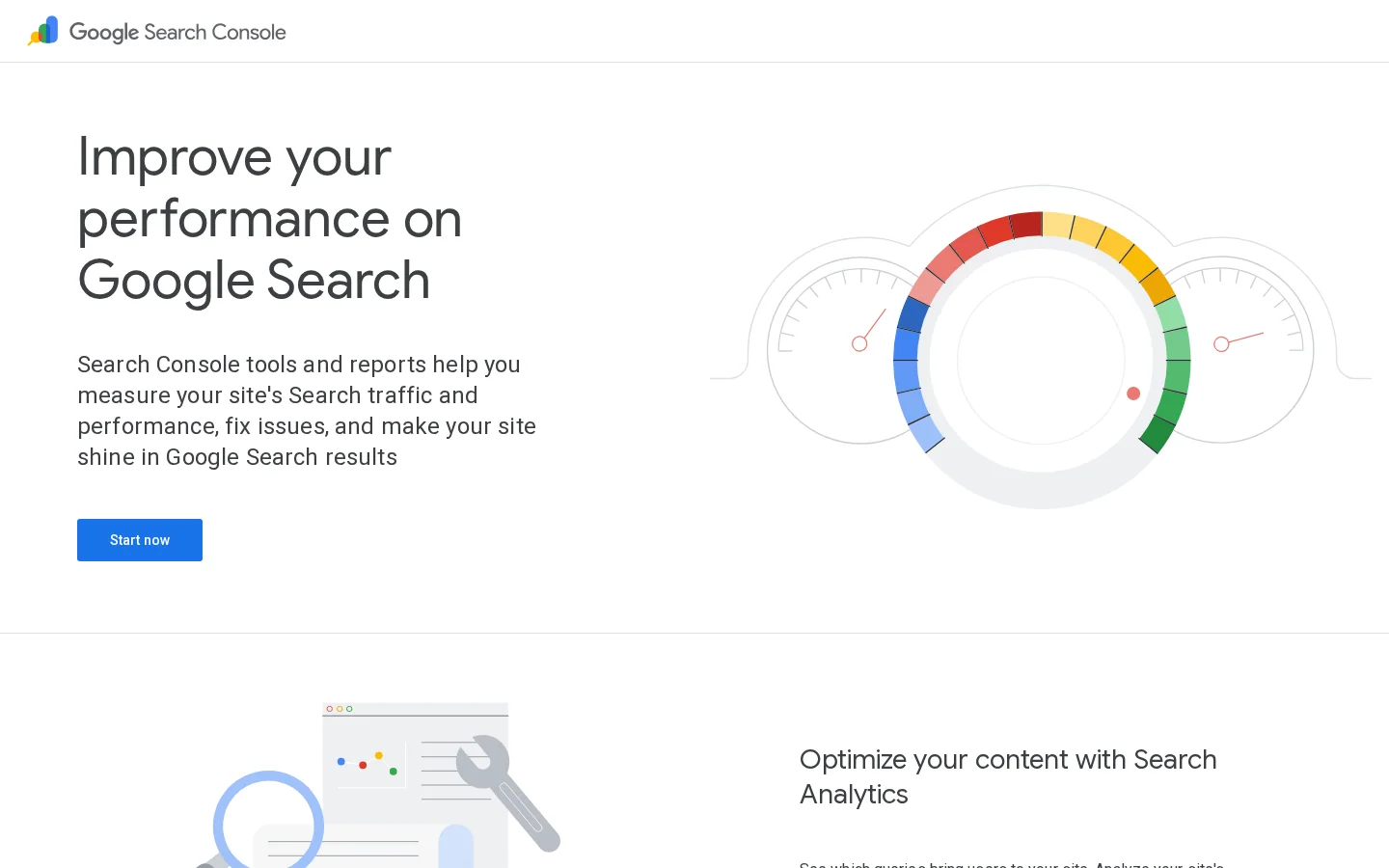
Export your queries from Google Search Console, then add competitor names and "alternative" terms from your sales calls. Score each query from 1 to 5 for buying intent and from 1 to 5 for business value. Work on the high scores first. A query that scores 5 on intent but 1 on value is a support page, not a sales page.
To find comparison and pricing queries in the Performance report, use the custom regex filter with a pattern like this one:
(alternative|alternatives|vs|versus|pricing|price|cost|for (agencies|teams|startups))Expect some noise. Read the results, because a match on "price" can also be a support question about billing.
Each commercial query needs one main page. Two pages that target the same intent compete with each other, and Google may choose the weaker one. Give each intent one main page, then link the supporting guides to it. The rules for structuring these links are covered in the internal linking strategy guide.
If you publish many intent pages, a topic cluster keeps them organized. The topic cluster generator in Sorank builds the cluster and checks for overlap between pages before you publish.
Buyers now ask ChatGPT, Gemini, Claude and Perplexity for shortlists. A recommendation in an AI answer can shape a buyer's choice before any click happens. Clicks still matter, but they are shrinking on some queries.
Ahrefs measured the average click-through rate for position one on keywords that show an AI Overview. It fell from 7.3% in December 2023 to 1.6% in December 2025, according to Ahrefs' study of February 4, 2026. The article's wording moves between "correlates with" and "reduces", so read the figure as a strong signal rather than an exact cause. The size of the change is still hard to ignore.
Position one, AI Overview keywords
Source: Ahrefs, February 4, 2026
AI systems pull short, clear passages. Put the direct answer in the first paragraph under each heading. Use a comparison table when you compare options, and show your price on the page when you publish one. Vague claims are hard to quote, so name the feature, the limit and the audience.
You cannot judge AI visibility by clicks alone. Track the prompts your buyers use and check which brands appear in the answers. The AI mention tracking feature in Sorank shows when ChatGPT cites your brand. For a one-time check, the AI visibility audit guide explains the manual method.
For the wider picture of how GEO and SaaS fit together, read GEO for SaaS.
This is the method we recommend when you start from scratch. Each step has a clear output, so you know when to move on.
The six-step lead engine
Write a short profile for each segment. Include the job title, the company size, the industry, the event that makes them look for a tool, and the person who signs the budget. Then choose one offer per segment. A finance lead and a marketing lead need different pages, even if they buy the same product.
Search Console shows the queries that already bring you clicks. Your sales calls show the words prospects use when they describe the problem. Write both lists down. The gap between them is often where your best pages are.
Pick one channel that gives fast signal, such as paid search or LinkedIn. Pick one that compounds, such as SEO or a free plan. Set a 90-day test with a budget cap, and decide in advance what result would make you stop.
Answer the question in the first 100 words. Show one primary button above the fold and repeat it after the proof section. Put answers to objections next to the form, such as "Can I cancel?" or "Does it connect to our CRM?" The page should make one decision easy.
Add UTM tags to every link you control, so each lead keeps its source. A clean link looks like this:
https://example.com/pricing?utm_source=linkedin&utm_medium=paid_social&utm_campaign=q1_demoBuild the links with the free UTM link builder so the naming stays consistent. Then set a reply deadline. A lead who waits two days for an answer has often already talked to a competitor.
Each quarter, sort your pages by leads, trials and customers, not by visits. Pages that rank for buying queries but produce nothing usually have a weak next step. Pages that get visits but no buying queries usually belong to the top of the funnel and need a different goal.
Traffic does nothing until a visitor takes the next step. Most lead losses happen on the page itself, not in the ad or the search result. The fixes are small, but they add up.
A landing page before and after the fix
Choose one primary action and show it above the fold. Repeat it once after the proof, and once at the end. Other links can exist, but make them quieter. When a page has three equal buttons, visitors pick none of them.
Every extra field lowers the completion rate. For a trial, ask for an email and a password. Ask for company size and role after signup, or on the first sales email. This approach is called progressive profiling, and most form tools can do it.
A template, a calculator or an audit gives the reader something useful at once. A generic ebook asks for trust before it gives anything back. Free tools work the same way, because the answer appears as soon as the visitor enters their data.
Before you publish a lead page
Tip
Free calculators work as lead magnets when they answer a question buyers ask before they fund a project. The SaaS SEO ROI Calculator projects the recurring revenue that organic traffic could bring, which is the question most SaaS founders ask before they pay for content.
A sequence that sends the same email every Tuesday ignores what the lead did. Trigger emails from actions instead. A visitor who viewed pricing twice gets a comparison email. A trial user who has not invited a teammate gets a message about collaboration. Retargeting works the same way: show ads only to people who visited a bottom-funnel page, and cap how often they see them.
Backlinks help a lead page rank, and a page that ranks needs fewer paid clicks. But links are also where SaaS teams get into trouble, so this section covers both sides.
Earned links or swapped links
Three assets earn links without much effort. Original data, such as a survey of your users or a benchmark from your product, gives journalists a reason to cite you. Free tools give people a reason to bookmark you. Integration guides get linked by the companies you connect with. The natural backlink acquisition feature in Sorank finds contextual link opportunities in your niche, and the SaaS link building guide covers the outreach side.
Google's spam policies page lists "excessive link exchanges ('Link to me and I'll link to you') or partner pages exclusively for the sake of cross-linking" as link spam. Buying or selling links to manipulate rankings is also a violation. Paid placements are fine when the link carries a sponsored or nofollow attribute.
A few reciprocal links between real partners are normal. A sudden pattern of swapped links from unrelated sites is not. If you already have one, read the backlink exchange guide and then run a backlink audit to see which links to remove or disavow.
Link from your guides to the page that makes the offer. A guide on churn that links only to the homepage wastes its authority. Link to the pricing, integration or trial page where the next step lives, and use descriptive anchor text such as "free trial for reporting teams", not "click here".
A lead program that you cannot measure will get more budget than it deserves. Start with the metrics below. Each one answers one question, and you need all of them to see the full path from visit to revenue.
| Metric | What it tells you | How to calculate it |
|---|---|---|
| Lead conversion rate | How many visitors become leads | Leads divided by visitors |
| Lead-to-trial rate | How many leads start a trial | Trials divided by leads |
| Activation rate | How many trials reach the first real result | Activated trials divided by trials |
| CAC | What one paying customer cost you | Acquisition spend divided by new customers |
| Payback period | How long it takes to earn back CAC | CAC divided by monthly gross profit per customer |
| LTV to CAC | Whether a channel is worth scaling | LTV divided by CAC, with 3 to 1 as a rule of thumb |
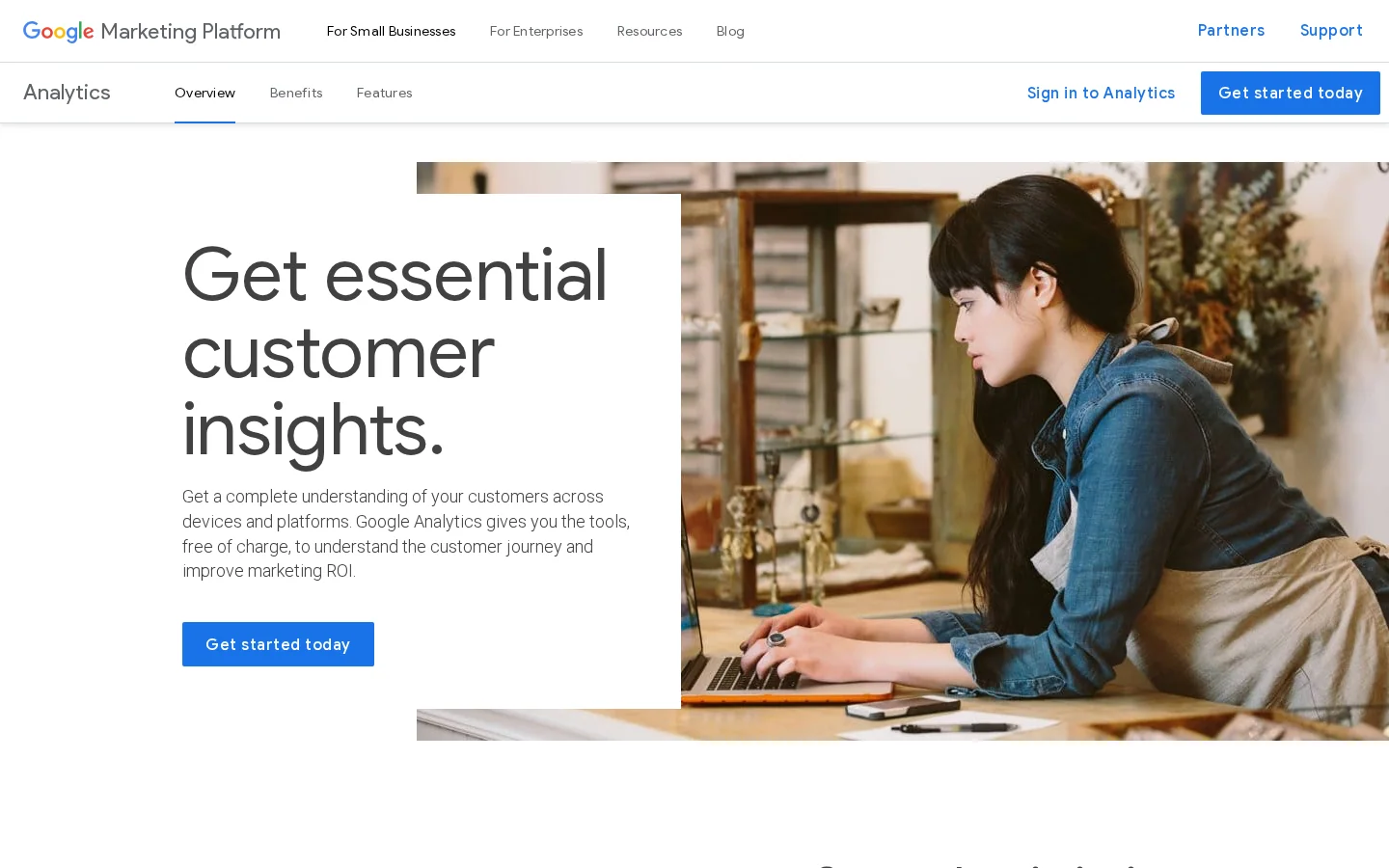
Google Analytics 4 has a recommended event called generate_lead. Google describes it as measuring "when a lead has been generated (for example, through a form)", according to its GA4 event reference. Send it on every successful form submit:
gtag('event', 'generate_lead', {
  currency: 'USD',
  value: 50.00,
  lead_source: 'pricing_demo_form'
});
Set the value to the lead budget you calculated in the first sections, not to your product price. A value that matches reality lets you compare channels in revenue terms. Google requires the currency when you send a value.
Warning
Count a person once. Someone who fills two forms is one lead, so deduplicate by email before you calculate lead volume. Otherwise your conversion rate looks better than it is.
Tip
Check your unit economics before you scale a channel. The LTV to CAC Ratio Calculator shows whether the numbers from your channel support more spend.
First-touch attribution gives all the credit to the channel that brought the visitor in. Last-touch gives it all to the final click before the signup. Both lie in different ways. Look at both views, and compare the channels for the trial users who became paying customers. The cohort tells you more than either model.
These mistakes show up in most SaaS lead programs. Use the checklist as a quick audit, then read the detail for each one.
Lead generation audit: fix these first
What it is: The team reports more MQLs every month, but pipeline and trials stay flat.
How to spot it: Sales says the leads do not answer, and the trial start rate does not move when lead volume rises.
How to fix it: Report lead-to-trial and lead-to-customer rates next to lead volume. Score each lead on fit and on action. Send the high scores to sales first, and send the low scores to a nurture sequence.
What it is: A good guide that ends with a summary and nothing else. The reader leaves with an answer and no way to continue.
How to spot it: Users spend time on the page, but clicks on the button or link events are close to zero in analytics.
How to fix it: Add the primary action after the first screen and once in the middle of the page. End the article with one clear next step that matches the search intent, such as a trial for a "how to" guide or a comparison page for an "alternatives" query.
What it is: Every asset asks for an email, including the basic guides that would attract search traffic.
How to spot it: Organic traffic is low, few pages get shared or linked, and visitors leave at the form.
How to fix it: Keep the top-of-funnel guides open. Gate only the deeper asset, such as a full template pack, a detailed report or a live audit. Readers who trust the guide will give their email for the next one.
What it is: Traffic rises on "what is" and "how to" queries, but no visitor ever asks for a demo.
How to spot it: The queries in Search Console are mostly definitions, and the pages that rank for them have a high bounce rate and no conversions.
How to fix it: Run the intent regex on your queries, score them, and move effort toward the commercial pages. Keep the definitions, but link them to the pages that carry the next step.
What it is: A quick way to add links that brings risk, from link exchanges, paid links without a sponsored attribute, or automated link tools.
How to spot it: A sudden jump in links from unrelated sites, partner pages that link only to each other, or anchor text that repeats your target keyword exactly.
How to fix it: Stop the activity, run an audit, remove the links you can, and use a disavow file for the ones you cannot remove. Then build links through useful assets, as described above.
What it is: A lead fills a form and waits days for a reply. By then the buyer has moved on.
How to spot it: Measure the time between form submit and first reply. If the answer is measured in days, the leads are going cold.
How to fix it: Route each lead to an owner automatically, send a confirmation with the next step, and set a reply target that the team can meet. A booking link in the confirmation email lets the buyer choose the time.
The goal is a process that keeps producing trials after the first campaign ends. Use this 90-day plan as the first version, then adjust it with the data you collect.
| Period | Focus | Result |
|---|---|---|
| Days 1 to 30 | Define the buyer, calculate the lead budget, set up lead and trial events | Working tracking and one offer per segment |
| Days 31 to 60 | Launch two channels, publish three intent pages, add one lead magnet | First leads and first conversion data |
| Days 61 to 90 | Cut weak pages and channels, expand what converts, set a quarterly review | A repeatable lead process |
If you publish a lot of intent pages, tools can take the repetitive work. Sorank automates keyword research, article writing and AI mention tracking for SEO and GEO, so one person can run the content side. For the commercial pages, the keyword research feature and the GEO optimization feature are the places to start. Review every article before you publish it, because the offer and the claims must be yours.
A good SaaS lead is a person at a company that fits your ideal customer profile. They have a problem your product solves and are close to a buying decision. The share of leads who start a trial or book a demo tells you more than the number of leads.
Pick the channel your buyers already use, and one you can test within weeks. Paid search or LinkedIn gives fast signal. SEO and a free trial take longer to build, but their results keep arriving after you publish.
Start from customer lifetime value and divide it by your target ratio, usually 3 to 1 as a rule of thumb. That gives the most you can spend to win one customer. Multiply that figure by your lead-to-customer rate to get the most you can pay for one lead.
A good SaaS lead is a person at a company that fits your ideal customer profile. They have a problem your product solves and are close to a buying decision. The share of leads who start a trial or book a demo tells you more than the number of leads.
Pick the channel your buyers already use, and one you can test within weeks. Paid search or LinkedIn gives fast signal. SEO and a free trial take longer to build, but their results keep arriving after you publish.
Start from customer lifetime value and divide it by your target ratio, usually 3 to 1 as a rule of thumb. That gives the most you can spend to win one customer. Multiply that figure by your lead-to-customer rate to get the most you can pay for one lead.
We analyse your competitors, your website and your AI visibility to create a tailored content plan for free.
 AI Content Brief Generator
 FAQ Schema Generator
 AI Blog Post Ideas Generator
 Structured Data Validator (Schema Validator)
 Alt Text Checker
 Internal Link Analyzer
 Backlink Challenge
 AI Meta Description Generator
 AI Blog Title Generator
 Google Indexability Checker
 AI Blog Outline Generator
 UTM Link Builder
 Keyword Clustering Tool
 Canonical Tag Checker
 XML Sitemap Generator
 Broken Link Checker
 AI SEO Title Generator
 Headline Analyzer
 SERP Preview Tool
 Redirect Checker
 Hreflang Tag Generator
 Heading Structure Analyzer
 HTTP Headers Checker
 Favicon Extractor
 SERP CTR Calculator
 SEO vs Paid Search Savings Calculator
 SEO Share of Voice Calculator
 SEO ROI Calculator
 SEO Traffic and Revenue Forecast Calculator
 SEO Budget Calculator
 SEO Break-Even Calculator
 SaaS SEO ROI Calculator
 ROAS Calculator
 Reading Time Calculator
 Ranking Gain Simulator
 Organic Traffic Value Calculator
 Organic Traffic Estimator and Website Traffic Checker
 LTV to CAC Ratio Calculator
 Local SEO ROI Calculator
 Link Building Cost Calculator
 Keyword Value Calculator
 Keyword Opportunity Score Calculator
 Keyword Density Calculator
 GEO ROI Calculator
 GEO Content Investment Calculator
 Ecommerce SEO ROI Calculator
 Customer Lifetime Value Calculator
 Customer Acquisition Cost Calculator
 CTR Calculator
 Cost Per Article Calculator
 Conversion Rate Calculator
 Content Marketing ROI Calculator
 ChatGPT Referral Traffic Estimator
 Bounce Rate Calculator
 Backlink ROI Calculator
 AI Visibility Score Calculator
 AI Traffic Value Calculator
 AI Share of Voice Calculator
 Cost of AI Invisibility Calculator
 AI Citation Rate Calculator
 llms.txt Validator
 AI Overview Checker and AI Overviews Rank Checker
 Robots.txt Checker
 AI SEO Audit
 LLM Readability Checker
 SearchGPT Readiness Checker
 Structured Data LLM Audit
 Website Crawlability AI Audit
 Why ChatGPT Is Not Recommending My Website
 Gemini Ranking Tool
 Perplexity Ranking Checker
 LLM Citation Checker
 Answer Engine Optimization Audit
 GEO Audit
 AI Search Visibility Test
 ChatGPT Visibility Checker
 llms.txt Generator
 URL Extractor
 Webpage to Markdown
 Sitemap Checker
 SERP Volatility Sensor
 Page Size Checker
 Word Counter
 Slug Generator
 Schema Generator
 Robots Generator
 OG Preview
 Meta Tags Generator
 Image Compressor
 Favicon Generator
 On-Page SEO Audit: SEO Checker and SEO Analyzer
 Backlink Analysis Tool
 Keyword Research Tool
 Domain Authority Checker
 “I tested Sorank on a real client site and it's insane. It does everything an agency would bill you $1500 a month for. It's going into production on that client now.”

 Guillaume Guersanguersanguillaume.com“We are an Ads agency and we wanted to get our SEO back on track once and for all. Sorank gave us a clear view of our site, helped us prioritize optimizations, and properly structure our content. The tool is easy to use, well designed for a team, and very practical for centralizing tracking without having to juggle multiple platforms. A very solid foundation to start fresh with our SEO.”
 Gaspard MadouiAds Agency
 “I just let the Sorank software do its thing, and now my DR is 25 and my page is ranking higher.”
 Lucas Flandrefoundertrace.fr“I specialized in GEO thanks to Sorank. The GEO Leaderboard allows me to show my clients their position vs competitors on ChatGPT. It’s a real commercial differentiator.”
 MélanieSEO Freelance“Great service, works well for our website and helps us understand how to improve it to rank better on Google and elsewhere. Congrats, keep going, I recommend it.”
 Hugo T.E-commerce merchant