Preferences
Privacy is important to us, so you have the option of disabling certain types of storage that may not be necessary for the basic functioning of the website. Blocking categories may impact your experience on the website. More information
Privacy is important to us, so you have the option of disabling certain types of storage that may not be necessary for the basic functioning of the website. Blocking categories may impact your experience on the website. More information

Learn how to build a resource hub: pick the topic, map the spokes, link both ways and avoid orphan pages, so Google and AI answers can find your content.
In short
A resource hub is one main page that gathers your in-depth content on a single topic and links to every related article, guide and tool. Google uses those links to find and rank your pages, and AI answer engines get one clear place to read what you know. Build it around a topic your buyers search for, link every spoke back to the hub, and link the hub to every spoke.
Want to go further? Ask
Quick quiz
Which way of finding customers online fits you best?
Sorank matches your answers


Test it for 3 days on your own site and see where you stand on Google, ChatGPT and the other AIs.
Start 3-day free trial3 days free, then stop whenever you want. 90-day results guarantee, conditions apply.
A resource hub is a set of pages built around one topic. The hub is the main page. The spokes are the articles, guides, glossary entries and tools that go deeper on one part of that topic. Each spoke links back to the hub, and the hub links to each spoke.
You will hear other names for the same structure: content hub, resource center, knowledge base. The names change, the structure stays. If you already know content clusters, the resource hub is the page you actually publish and wire. The cluster explains the network. This article explains the page, its links and the checks that keep it working.
A resource hub is not a blog archive. A blog feed lists posts by date. A hub groups them by topic, so a reader who lands on one page sees the whole subject, and a crawler sees how the pages relate.
Blog feed vs resource hub
A hub has three jobs. It answers the broad question in one place. It sends readers to the right detail page. It tells search engines which pages belong together and which one carries the topic. Google's SEO Starter Guide says the same in plain words: organizing your content "can help search engines and users understand how your pages relate to the rest of your site" (Google Search Central, SEO Starter Guide).
The hub is not a list of links with a title on top. It has real text. For a broad topic, plan 800 to 1500 words of useful summary, then one short block per spoke: a heading, two or three sentences on what the reader gets, and the link. Put the answer to the main question on the first screen. A reader who only wants the overview should be able to stop there.
A sitemap is a file that lists URLs for crawlers. A hub is written for people and crawlers at once: it has text, it reads well, and its links carry context. A tag page is different again. Tag pages collect posts that share a word, often with thin text, and they multiply quickly. A hub is written once, on purpose, and then maintained.
The word "structure" hides four different methods. Each one works, and each one costs a different amount of planning. Most sites pick one by accident. Pick on purpose, based on how many pages you will publish and how much control you want over who links to what.
Principle. One hub links to every spoke. Each spoke links back to the hub and, where it helps the reader, to one or two sibling spokes.
Use it when the topic has a clear center and roughly 8 to 40 pieces that belong together. This is the default for most resource hubs.
Advantages. Easy to explain to a writer, easy to audit, and the hub collects the most internal links, which tells Google where the main page of the topic is.
Limits. The hub becomes a bottleneck. If it links to 200 spokes in one flat list, the page is hard to scan and each link carries less weight. When the list no longer fits one screen of scanning, split the topic into a second hub.
Example. A hub called "Local SEO" with spokes for business profile setup, citations, review requests, local keywords and local rank tracking. Each spoke says what it covers and links back to the hub.
Principle. Pages sit in folders that match the topic, for example /resources/local-seo/citations. Pages in one folder link to each other and to the folder's main page, and they rarely link to pages in other folders.
Use it when you control the URL structure and the site has several topics that must not mix, such as a software company with product, pricing and support sections.
Advantages. The architecture is visible in the address bar. Google's guide notes that using directories "to group similar topics" helps on larger sites (Google Search Central, SEO Starter Guide). A folder is also easy to audit as one unit.
Limits. Strict silos block useful cross-links. A reader on the citations page who needs the review guide has to go back through the hub. Renaming a folder breaks every link and needs a redirect for each page.
Example. /resources/local-seo/ as the hub, every spoke under it, and one general link to /resources/paid-ads/ instead of many.
Principle. Every page links to every page it is related to, with no clear hierarchy. Wikipedia works this way. A reader can start anywhere and reach any article in a few clicks.
Use it when the content is a reference library of many small entries of similar weight, such as a glossary.
Advantages. Maximum connection. No page is far from another, and readers who browse find more.
Limits. Without a clear center, Google has no strong signal for which page owns the topic. Maintenance is heavy: each new page means editing several others. Links added for their own sake become noise.
Example. A glossary where each term links to the three or four terms it depends on, and no term is treated as the main one.
Principle. The cocoon is a set of pages around one theme, arranged in rings. A broad page sits in the middle. Mid-level pages sit around it, and detailed pages sit on the outside. Links point inward to the center, and pages in the same ring link to each other within a narrow sub-theme.
Use it when the theme has several levels of depth, such as "SEO for B2B", then "B2B keyword research", then "B2B keyword research for software companies".
Advantages. It forces the writer to decide where each page sits before writing it. That prevents two pages from answering the same question.
Limits. The term has no official definition and no Google documentation behind it. Treat it as a planning method, not a ranking rule. It takes the most planning of the four.
Example. A cocoon on email deliverability: a broad guide at the center, then pages on sender authentication, then one page per DNS record with its own checks.
| Method | Center | Who links to whom | Best for | Main risk |
|---|---|---|---|---|
| Hub-and-spoke | One hub page | Hub to all spokes, spokes back to hub | A focused topic with 8 to 40 pages | Hub becomes a long, flat list |
| Silo by folder | Folder main page | Inside the folder, little outside | Sites with several separate topics | Blocks useful cross-links |
| Flat, Wikipedia-style | None, or many equal pages | Every related page to every other | Reference libraries and glossaries | No clear page owns the topic |
| Semantic cocoon | Broad central page | Inward to the center, rings linked within | Deep themes with several levels | Heavy planning, no official rule |
For most resource hubs, use hub-and-spoke. Add a folder silo when your URL structure already supports it. Use the cocoon only when the theme needs several levels of depth.

A link is a path. Google finds a page by following links, and it sees a page as more important when more pages point to it. Google's crawlability guide says Google "can only crawl your link if it's an <a> HTML element with an href attribute" (Google Search Central, link crawlability guide). A hub that loads spokes through a script that runs only after a click, or that hides them behind a search box, hides them from crawlers too.
The same guide says that "every page you care about should have a link from at least one other page on your site." That is the first rule of a resource hub. Every spoke needs at least one inbound link from another page on the site, and the hub should link to every spoke with a normal link in the HTML.
Warning
Do not put spokes behind tabs, accordions or search boxes that load their links only with JavaScript. Use plain <a href> links in the page, so a crawler reads them without interacting with anything.
An orphan is a page that no other page links to. Orphans appear when you publish a spoke and forget to add it to the hub, or when you rename a hub section and the old links disappear. An orphan can still get indexed, but it gets little help from the rest of the site, and few readers ever find it. Orphans are the most common silent failure of a resource hub.
There is no fixed number of links per page. Keep the hub's links readable: one link per spoke on the hub, and two or three sibling links from each spoke where a reader would want them. A spoke that links to ten other pages is usually asking the reader to choose, not guiding them.
Depth is about clicks from the hub. Google's documentation sets no maximum click depth. As a working rule, keep the important spokes within two or three clicks of the hub, so they are linked from the hub or from a close neighbor.
Note
Google's documentation does not set a click-depth limit. Two or three clicks is a planning rule for your own audit, not a ranking factor.
The block below shows one hub before and after a link fix. The content did not change. Only the links did.
One hub, before and after the link fix
This method works for a site with roughly 20 to 80 articles already published. Start with the topic and finish with the links. Do not skip step two. Most hubs fail because the team writes the hub before it knows which spokes exist.
The six-step build
A hub should match a topic people search for or ask AI tools about. Start with a seed list of 20 to 40 terms your customers use. Group them by intent: people who want a definition, people who compare tools, people who want a method. The group with the most buying intent becomes the hub. The other groups become spokes. For the grouping itself, see keyword clustering.
Check the hub's main term against your own pages before you commit. If a page already ranks for it, the hub should be that page's new home, not a second competitor for the same query.
Export every URL in the topic from your CMS or from a crawler. For each page, note the title, the main query it gets impressions for, and whether it ranks. Mark the duplicates. Two pages that answer the same question compete with each other. Decide for each pair whether to keep one, merge them, or redirect the weaker page. If you are not sure which redirect to use when you move a page, 301 vs 302 redirect explains the difference and when each one applies.
A spoke answers one question well. Write its job in one sentence before you write the page: "This page shows how to set up X for Y." If you cannot write that sentence, the page is either too broad or too thin. Keep a table with five columns: spoke URL, job, main query, hub section and status. That table becomes your list of links for step five and your audit list later. To turn a flat list of pages into groups, read content clustering, which explains the process from start to finish.
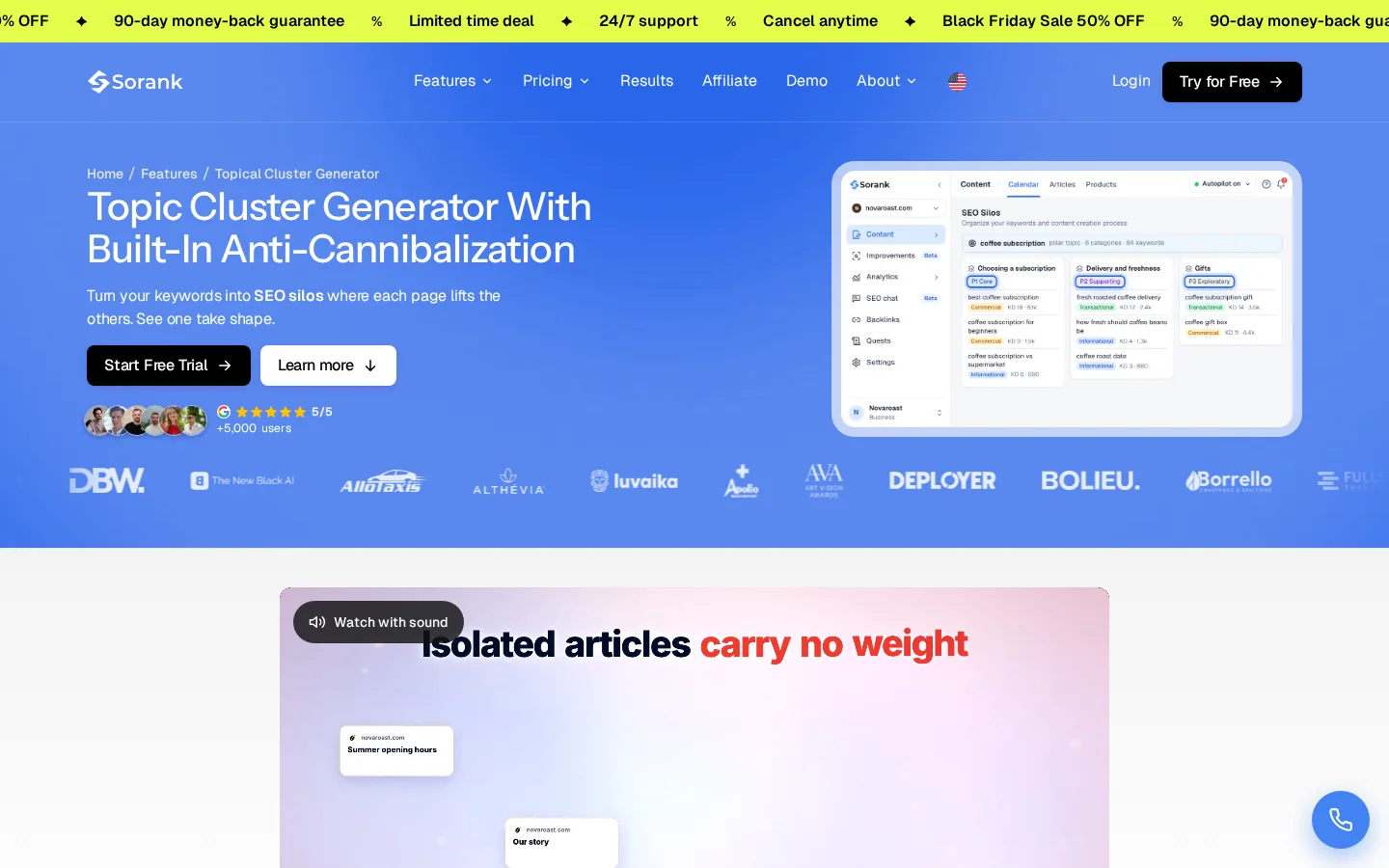
If you want the grouping done for you, the topic cluster generator from Sorank builds the spoke groups around a topic, with anti-cannibalization built in, so overlaps show up before you write.
Open with a direct answer to the broad question in two or three sentences, the same way a good article opens. Then give the reader the map: a short section per spoke with a heading, two or three sentences on what the reader will learn, and a link. Keep the hub at a length a reader can finish. A hub that reads like a directory gets skipped. A hub that reads like a short course gets bookmarked.
Example
For a hub called "Local SEO", the opening answer names the three things that move local rankings. Then one block each for business profile setup, citations, review requests, local keywords and local rank tracking. Each block ends with its link, and the spoke ends with a link back to the hub.
Link from the hub to each spoke, and from each spoke back to the hub. Add two or three sibling links where a reader would want them, and no more. Use the anchor text a reader would search for. Section 6 covers anchors in detail. For the wider picture of how links connect a site, see internal linking.
Once the hub and the spokes are live, add them to your XML sitemap, check that the hub is reachable from the main navigation or the footer, and crawl the site once to confirm that no spoke is an orphan. Repeat the check after every new article. Hubs decay quickly. A new spoke that is not linked from the hub is an orphan from the day it goes live.
Your URL structure should show the hub. Use short, descriptive paths, and keep the hub one level above its spokes, for example /resources/local-seo/ and /resources/local-seo/citations. Google's guide advises to "include words in the URL that may be useful for users" (Google Search Central, SEO Starter Guide). The same guide notes that breadcrumbs in search results can come from the URL, because "Google learns breadcrumbs automatically based on the words in the URL" (same guide).
Do not change the URLs of a live hub unless you have to. Every change needs a redirect for each page, and a redirect is not free. If you do change a hub's address, redirect the old one to the new one in the same release, and update the links from the spokes at the same time.
A sitemap is a list of URLs for crawlers. It helps Google find your spokes sooner, but it does not replace the links on your pages. Google's sitemap guide says: "All formats limit a single sitemap to 50MB (uncompressed) or 50000 URLs" (Google Search Central, Build and submit a sitemap). A resource hub is far below that limit. What matters is that every spoke is in the file and that the file changes when the hub changes.
Limits for one sitemap file
Source: Google Search Central, Build and submit a sitemap
Here is the minimum entry for one spoke. Add one url block per spoke, and keep the hub in the same file.
<?xml version="1.0" encoding="UTF-8"?>
<urlset xmlns="http://www.sitemaps.org/schemas/sitemap/0.9">
  <url>
    <loc>https://www.example.com/resources/local-seo/citations</loc>
    <lastmod>2026-11-01</lastmod>
  </url>
</urlset>
Use the real last modification date of the page in the lastmod tag, and change it only when the content changes. A date that changes on every build tells crawlers nothing useful.
The anchor is the text a reader sees on a link. Google's guide says good anchor text is "descriptive, reasonably concise, and relevant to the page that it's on" (Google Search Central, link crawlability guide). The same guide adds that "the words before and after links matter, so pay attention to the sentence as a whole."
Use the spoke's topic as the anchor: "citation audit" or "review request email". Avoid "read more", "click here" and "this guide". The anchor must match what the reader gets on the other side. If the target page answers a different question, change the anchor or change the target.
Do not use the same exact anchor for every link to the same spoke, but do not vary it so much that the topic becomes unclear. Use the main term once or twice, then a close variant. Full anchor rules are in anchor text optimization.
A link inside an explanation carries more context than a link in a list of "related posts". Write the sentence first, then place the link where the reader needs it. Keep lists for the hub's map, where the list itself is the content.
Tip
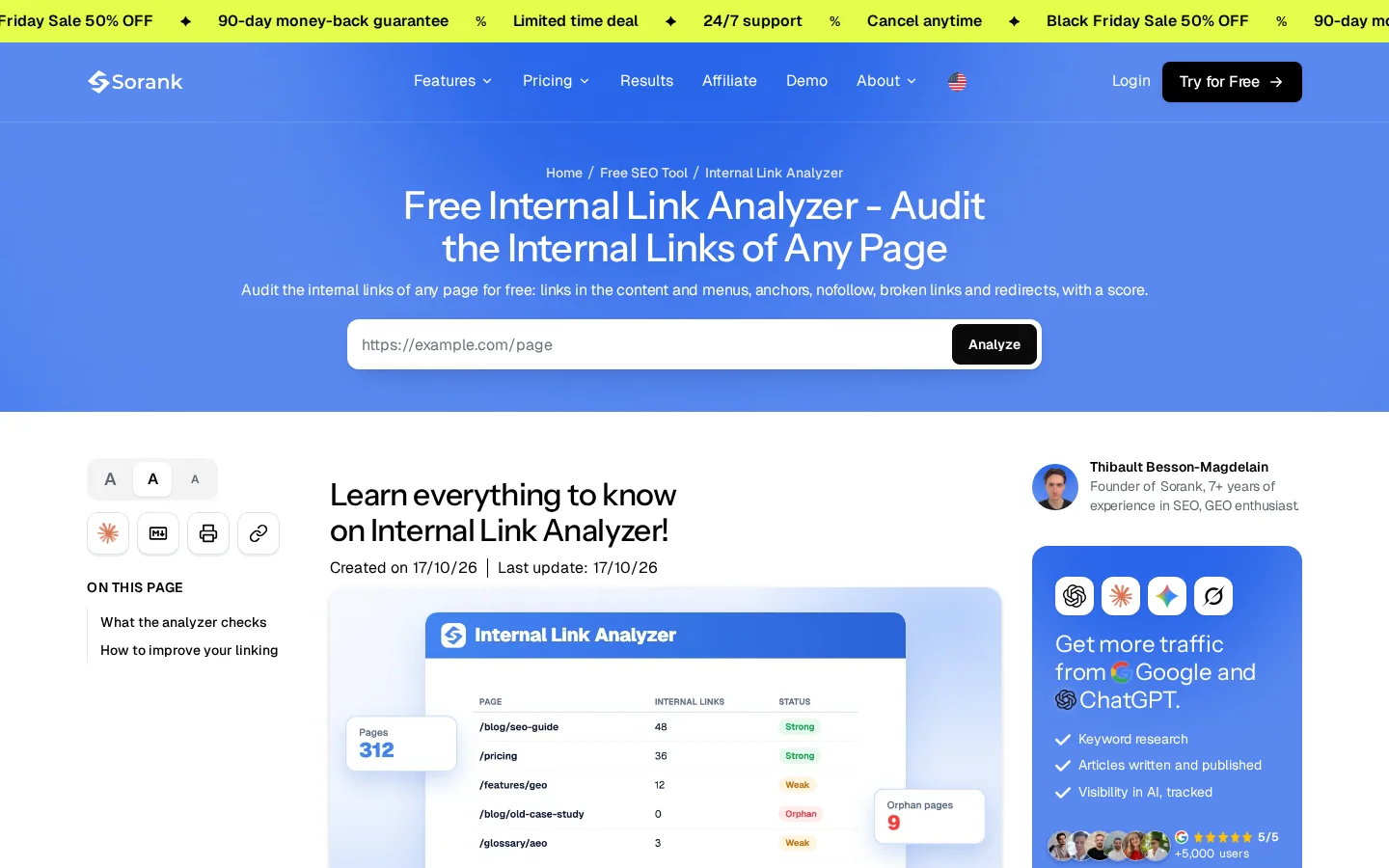
Run the Internal Link Analyzer on the hub and on three spokes. It audits the internal links of any page, which helps you check the link back from each spoke.
Most hub problems are visible in the links before they show up in rankings. Check for each mistake below in this order: what it is, how to spot it, and how to fix it.
What it is. The hub is a column of titles and links with no prose. It looks complete, but it gives the reader and Google almost nothing to read.
How to spot it. Count the prose on the page. A hub with a few sentences around a long list is a list. Look at engagement too: readers who land on the hub and leave within seconds did not find the overview they came for.
How to fix it. Write the direct answer at the top, then one short block per spoke with a sentence of context. Keep the list, but let the text explain why each spoke matters.
What it is. A spoke with no inbound link from any other page on the site.
How to spot it. Crawl the site and filter for pages that have zero internal links pointing to them. Do this after every publishing batch, not once a year.
How to fix it. Add the link from the hub first. Then add one sibling link from a related spoke, so the page has a second path in.
What it is. Two pages compete for the same query. Google may show one, then the other, and neither ranks as strongly as one good page would.
How to spot it. Check which of your URLs get impressions for the same query in your search performance data. Also search the query yourself and see whether two of your pages appear.
How to fix it. Merge the two pages into the stronger one. Redirect the weaker URL with a 301, then update the hub and every spoke that linked to the weaker page.
What it is. A spoke links to a page that is only loosely related, just to add a link.
How to spot it. Read the sentence around each link. If the anchor promises one thing and the target delivers another, the link is wrong.
How to fix it. Link to the page that answers the question in the sentence, or remove the link. A reader who clicks and finds nothing relevant learns not to click again.
What it is. The hub or a spoke links to 150 pages in one block. The page turns into a directory that nobody reads.
How to spot it. If a reader cannot scan the list in one screen, the list is too long. Look at how the list is grouped. Ungrouped lists are the first sign.
How to fix it. Group the spokes under sub-headings. When one group grows past what a reader can scan, create a second hub for it and link the two hubs.
What it is. The hub lists old tools, old dates and pages that no longer exist. It still ranks, but it sends readers to dead ends.
How to spot it. Look for dates older than your last major update, for links that return an error, and for spokes that have been merged or renamed.
How to fix it. Review the hub once a month. Add the new spokes, remove the dead ones, fix the broken links with a broken link checker, and update the summary when the topic has moved.
Audit list for each hub
A hub is working when the spokes get more visits and the topic gets more mentions over time. Measure a few things, and read the trend over 8 to 12 weeks. A hub change takes time to be recrawled, so a single day tells you little.
| Metric | What it tells you | Where to read it | Expected direction |
|---|---|---|---|
| Impressions on the hub's main query | Whether the hub is seen in search | Your search performance data | Up over time |
| Clicks from the hub to the spokes | Whether the map of links is used | Analytics events on hub links | Up after each update |
| Spokes with zero inbound links | How many orphans you have | Your site crawl | Down to zero |
| Spokes that get any impressions | Whether the spokes rank at all | Your search performance data | Up over time |
| Brand mentions in AI answers on the topic | Whether AI engines name you | An AI visibility tracker | Up over time |
Keep a simple log. Each time you change the hub, write the date, the change and the metric you expect to move. After eight to twelve weeks, compare the log with the numbers. That habit tells you which changes worked, and it saves you from repeating the ones that did not.
AI answer engines such as ChatGPT, Gemini, Claude and Perplexity pick sources that answer a question clearly. No engine publishes its exact rules, and they change often. What holds up is the basics: one page per topic, a direct answer at the top, sub-pages that go deeper, and links that make the structure readable. A hub gives an engine one entry point, and then a clear path to each detail.
| Hub element | Why it helps | Example |
|---|---|---|
| Direct answer at the top | Easy to quote and easy to check | A two-sentence answer before any heading |
| One H2 per spoke | Each heading maps a question to an answer | "How to set up citations" |
| Dated, specific sentences | Facts can be verified against a source | "Google's limit is 50000 URLs per sitemap file" |
| Plain links to each spoke | The path from hub to detail is readable | Normal anchor links, not scripts |
| Author and last update shown | Shows the page is maintained | A byline and a visible date |
Write the hub so that a reader, a crawler and an AI engine all get the same answer. If the summary on the hub says one thing and a spoke says another, both lose trust. Keep the numbers and definitions identical across the hub and every spoke.
Start this week. Pick one topic, list its pages, and build the hub with the six steps above. Then run the audit list. A resource hub that is linked well and kept up to date does more for your pages than another article on its own.
A resource hub is one main page that gathers your in-depth content on a single topic and links to every related article, guide and tool. The hub is the entry point, and each linked page goes deeper on one part of the topic.
A topic cluster is the network of pages around a theme, and the pillar is its central page. A resource hub is that central page built as a real destination, with a direct summary, a map of spokes and a link back from every spoke.
There is no fixed number. Start with the pages that truly answer parts of the topic, often 8 to 40. When the list is too long to scan on one screen, split the topic into a second hub.
We analyse your competitors, your website and your AI visibility to create a tailored content plan for free.
 AI Content Brief Generator
 FAQ Schema Generator
 AI Blog Post Ideas Generator
 Structured Data Validator (Schema Validator)
 Alt Text Checker
 Internal Link Analyzer
 Backlink Challenge
 AI Meta Description Generator
 AI Blog Title Generator
 Google Indexability Checker
 AI Blog Outline Generator
 UTM Link Builder
 Keyword Clustering Tool
 Canonical Tag Checker
 XML Sitemap Generator
 Broken Link Checker
 AI SEO Title Generator
 Headline Analyzer
 SERP Preview Tool
 Redirect Checker
 Hreflang Tag Generator
 Heading Structure Analyzer
 HTTP Headers Checker
 Favicon Extractor
 SERP CTR Calculator
 SEO vs Paid Search Savings Calculator
 SEO Share of Voice Calculator
 SEO ROI Calculator
 SEO Traffic and Revenue Forecast Calculator
 SEO Budget Calculator
 SEO Break-Even Calculator
 SaaS SEO ROI Calculator
 ROAS Calculator
 Reading Time Calculator
 Ranking Gain Simulator
 Organic Traffic Value Calculator
 Organic Traffic Estimator and Website Traffic Checker
 LTV to CAC Ratio Calculator
 Local SEO ROI Calculator
 Link Building Cost Calculator
 Keyword Value Calculator
 Keyword Opportunity Score Calculator
 Keyword Density Calculator
 GEO ROI Calculator
 GEO Content Investment Calculator
 Ecommerce SEO ROI Calculator
 Customer Lifetime Value Calculator
 Customer Acquisition Cost Calculator
 CTR Calculator
 Cost Per Article Calculator
 Conversion Rate Calculator
 Content Marketing ROI Calculator
 ChatGPT Referral Traffic Estimator
 Bounce Rate Calculator
 Backlink ROI Calculator
 AI Visibility Score Calculator
 AI Traffic Value Calculator
 AI Share of Voice Calculator
 Cost of AI Invisibility Calculator
 AI Citation Rate Calculator
 llms.txt Validator
 AI Overview Checker and AI Overviews Rank Checker
 Robots.txt Checker
 AI SEO Audit
 LLM Readability Checker
 SearchGPT Readiness Checker
 Structured Data LLM Audit
 Website Crawlability AI Audit
 Why ChatGPT Is Not Recommending My Website
 Gemini Ranking Tool
 Perplexity Ranking Checker
 LLM Citation Checker
 Answer Engine Optimization Audit
 GEO Audit
 AI Search Visibility Test
 ChatGPT Visibility Checker
 llms.txt Generator
 URL Extractor
 Webpage to Markdown
 Sitemap Checker
 SERP Volatility Sensor
 Page Size Checker
 Word Counter
 Slug Generator
 Schema Generator
 Robots Generator
 OG Preview
 Meta Tags Generator
 Image Compressor
 Favicon Generator
 On-Page SEO Audit: SEO Checker and SEO Analyzer
 Backlink Analysis Tool
 Keyword Research Tool
 Domain Authority Checker
 “I tested Sorank on a real client site and it's insane. It does everything an agency would bill you $1500 a month for. It's going into production on that client now.”

 Guillaume Guersanguersanguillaume.com“We are an Ads agency and we wanted to get our SEO back on track once and for all. Sorank gave us a clear view of our site, helped us prioritize optimizations, and properly structure our content. The tool is easy to use, well designed for a team, and very practical for centralizing tracking without having to juggle multiple platforms. A very solid foundation to start fresh with our SEO.”
 Gaspard MadouiAds Agency
 “I just let the Sorank software do its thing, and now my DR is 25 and my page is ranking higher.”
 Lucas Flandrefoundertrace.fr“I specialized in GEO thanks to Sorank. The GEO Leaderboard allows me to show my clients their position vs competitors on ChatGPT. It’s a real commercial differentiator.”
 MélanieSEO Freelance“Great service, works well for our website and helps us understand how to improve it to rank better on Google and elsewhere. Congrats, keep going, I recommend it.”
 Hugo T.E-commerce merchant