Preferences
Privacy is important to us, so you have the option of disabling certain types of storage that may not be necessary for the basic functioning of the website. Blocking categories may impact your experience on the website. More information
Privacy is important to us, so you have the option of disabling certain types of storage that may not be necessary for the basic functioning of the website. Blocking categories may impact your experience on the website. More information

Learn 8 headline formulas, when each one works, how to write titles in 5 steps, and how to test which one gets more clicks on your own pages.

In short
A headline formula is a sentence pattern with blanks, such as "How to [outcome] without [problem]", that you fill with your own topic. Formulas speed up drafting, but they win clicks only when the title matches what the searcher wants and the page keeps the promise. Write ten variants from the search query, keep three, and test the best one on your own pages.
Want to go further? Ask
Quick quiz
Which way of finding customers online fits you best?
Sorank matches your answers


Test it for 3 days on your own site and see where you stand on Google, ChatGPT and the other AIs.
Start 3-day free trial3 days free, then stop whenever you want. 90-day results guarantee, conditions apply.
A headline formula is a reusable pattern. You keep the frame and change the words. "How to [outcome] without [problem]" is a formula. "How to Rewrite a Title Without Losing Your Keyword" is the same frame filled with a real topic. Formulas are useful for drafting, but first you need to know which title Google shows, because you do not control all of it.
Most pages carry three titles, and each one has a different job:
The Google Search Central documentation on title links says Google generates them automatically. It draws on the title element, the main visual title, heading elements such as the H1, the og:title tag, the anchor text of links that point to the page, and other prominent text on the page. Google also says it cannot change title links by hand for individual sites. A change to your page can take a few days to a few weeks to appear, because Google has to recrawl and reprocess the page.
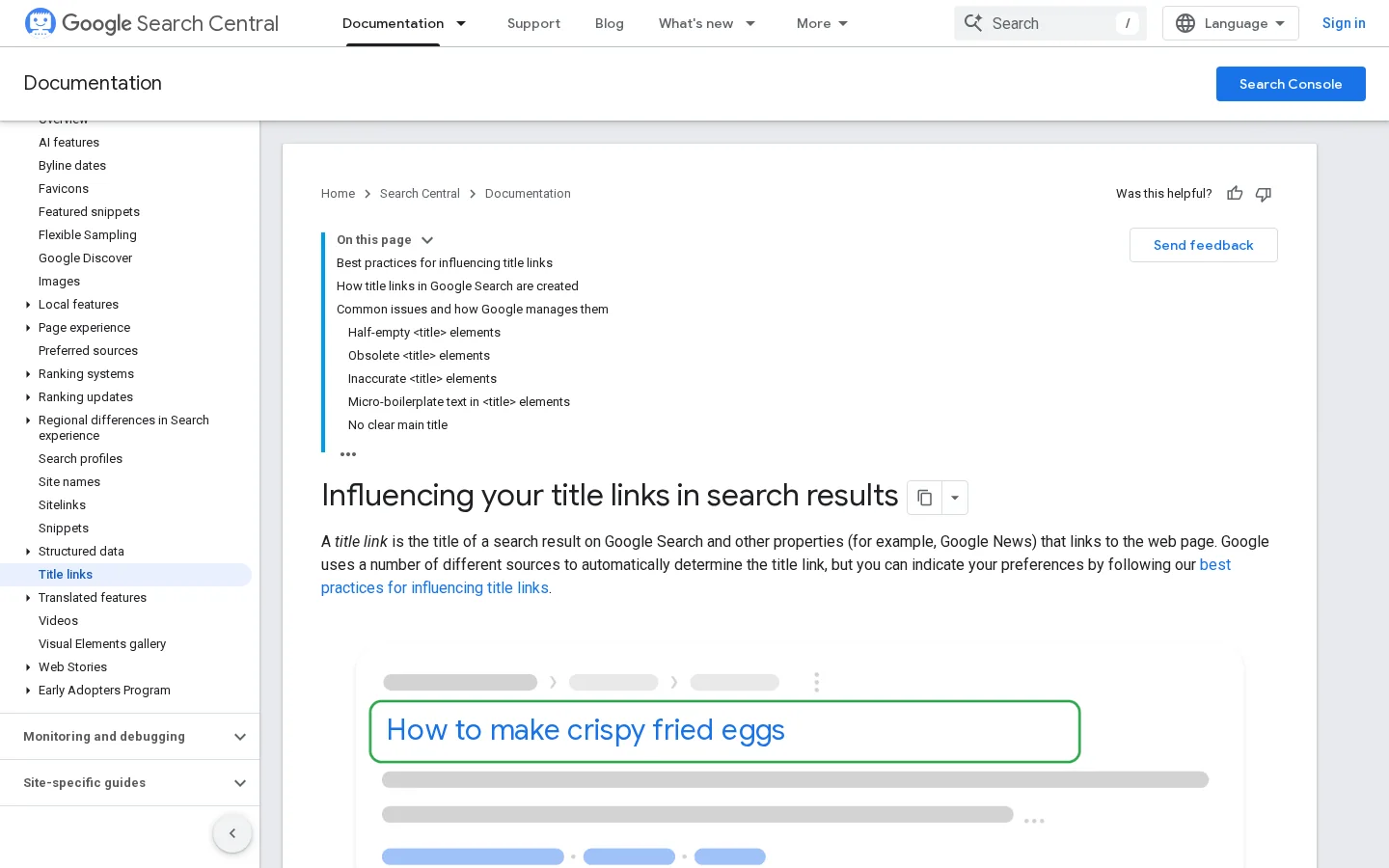
The practical lesson is simple. Keep your title tag and your H1 close in meaning, so Google gets the same signal from both. The documentation also warns against vague titles, repeated words and keyword stuffing, and says that titles with missing parts may be replaced with text from headings or other prominent content.
A formula saves you from the blank page. It gives you a shape to fill, which makes the first draft faster and makes your options easier to compare. But a formula cannot tell you what the reader wants. A how-to title over a page that only lists tools will get clicks, then lose the visitor in the first paragraph. Use the formula to write, and use the query to decide. For the wider craft of writing for search, see our guide to SEO copywriting.
Most headline formulas belong to one of eight families. Each family makes a different promise to the reader, so each one suits a different query and a different page. The sections below cover the principle, the right moment, the strengths, the limits and an example for each family. The table at the end compares them side by side.
How to [outcome] without [problem]Principle. The title promises a method. The reader expects steps they can follow.
Use it when the query starts with "how to", "how do I" or describes a task. The searcher wants to do something, so the title should name the task.
Strengths. It matches task intent directly, and readers know what they will get before they click.
Limits. A vague outcome makes a weak how-to. "How to Do SEO" promises far too much. Narrow the outcome until one page can deliver it in full.
Example. "How to Rewrite a Title Without Losing Your Keyword"
[Number] [things] that [outcome]Principle. The number sets the scope. The reader knows how long the piece is and how many points to expect.
Use it when you can deliver every item with real detail. Roundups, checklists and lists of options suit this family.
Strengths. Specific numbers stand out in a results list, and they make the promise easy to check.
Limits. The number must match the content. A "50 tips" title over a page with six tips makes the reader leave within seconds, and the page never gets the attention it earned. Count the points before you write the number.
Example. "9 Title Patterns Worth Testing on Your Blog"
How do you [outcome] when [situation]?Principle. The title mirrors a question the reader already has, sometimes in their exact words.
Use it when the query is informational and the page answers it near the top. FAQs, diagnoses and "why" pages suit this family.
Strengths. It matches conversational queries well. People also phrase requests to AI assistants as questions, so the format fits that habit too.
Limits. If the answer fits in one line, the reader gets it from the result itself and has no reason to click. Promise the reasoning or the steps behind the answer, not only the answer.
Example. "Why Does Your Page Rank but Get Few Clicks?"
[Option A] vs [Option B]: which gets more [result]?Principle. The reader is choosing between two options, and the title promises to settle the choice.
Use it when the query compares two real options, such as two formats, two methods or two tools. You must be able to give a clear answer and a reason for it.
Strengths. It fits the research intent behind "vs" queries, and a comparison table in the article rewards the click.
Limits. A comparison with no verdict frustrates readers. If the honest answer is "it depends", say on what, in the title or in the first paragraph.
Example. "Question Titles vs Number Titles: Which Gets More Clicks, and When?"
[Number] mistakes that [negative result]Principle. The title plays on a fear of error. Readers who suspect they are doing something wrong want to check.
Use it when the mistakes are common, specific and easy to recognize, and your audience is already doing the thing.
Strengths. It attracts people who doubt their current work, and the list of errors gives them a checklist to use right away.
Limits. It loses force when overused, and it feels manipulative when the mistakes are obvious. Name errors your reader would not spot alone.
Example. "5 Title Mistakes That Keep Good Articles Unread"
[Visible problem]? Start with [solution].Principle. The title names a visible pain and offers a path out of it.
Use it when the problem can be measured. In Search Console, a page with many impressions and a low click-through rate is a clear case.
Strengths. It speaks to a specific problem the reader already feels, so they recognize their own situation in the first words.
Limits. If the real problem is ranking and not clicks, the promise will fail. Check the average position before you write this kind of title.
Example. "Ranking but Few Clicks? Start With the Title"
How I [result] with [method]Principle. The title shows a result from someone who did the work. A first-person account makes the promise personal.
Use it when you have real before and after numbers and you can show them, with dates and the size of the sample.
Strengths. A real case is hard to fake and easy to trust.
Limits. Without numbers, it becomes a story with nothing to back it. Results are also hard to attribute to one change, because season, position and competitors move too.
Example (only with your own data): "How I Rewrote 12 Titles and Tracked the Clicks for 28 Days"
[Outcome] for [audience]Principle. The title names the reader. People click faster when they see their job or their situation in the title.
Use it when a segment has its own vocabulary and problems, such as a sector, a job or a stage of company growth.
Strengths. The fit with the reader is high, and the click rate can be strong inside that segment.
Limits. It narrows the audience. A title written for B2B content teams will not attract a solo blogger, which is fine only if the solo blogger is not your goal.
Example. "Title Formulas for B2B Content Teams"
| Family | Promise | Best query type | Main risk |
|---|---|---|---|
| How-to | A method you can follow | Task queries | Outcome too vague |
| List | A bounded set of points | Roundups and checklists | Number does not match the content |
| Question | An answer to a real question | Informational and FAQ queries | Answer fits in one line |
| Comparison | A decision between two options | "vs" queries | No clear verdict |
| Mistake | Errors to avoid | Problems the reader already suspects | Overused, feels manipulative |
| Problem and solution | A way out of a visible problem | Pages with many impressions and few clicks | The real problem is ranking, not clicks |
| Proof | A result from real work | Case studies and experiments | Numbers missing or not attributable |
| Audience | A promise for one segment | Sector or job-specific queries | Too narrow for the goal |
Note
Pick the family from the query, not from your favorite. If the query starts with "how to", a how-to title usually fits best. If the query compares two things, the comparison family is the honest choice.

This method takes about an hour for one article. It works for a new post and for a rewrite. Each step depends on the one before, so do not skip any of them.
The 5-step method
Type the exact query into a private browser window. A private window reduces the effect of your own search history, though results still vary by location. Note the first ten titles, the format they use and the promise each one makes. Look at the intent first. If nine results are guides and one is a product page, a guide-style title fits. If all ten are lists, a list title is expected, and a question title may stand out. Note the title lengths too, because you will need them in step 4.
Pick the five families that fit your query and write two titles in each. Ten variants are enough to find a strong option and few enough to read in one sitting. Keep the main keyword near the start, and keep each title to one clear promise. Write the frames first, so you can see the structure before you fill it:
How to [outcome] without [problem]
[Number] [things] that [outcome]
[Outcome] for [audience]
[Option A] vs [Option B]: which gets more [result]?
If you want raw ideas before you start, the free Blog Title Generator gives you ten candidates for a topic. Use the steps in this guide to choose among them, because the generator does not tell you which one fits your query best.
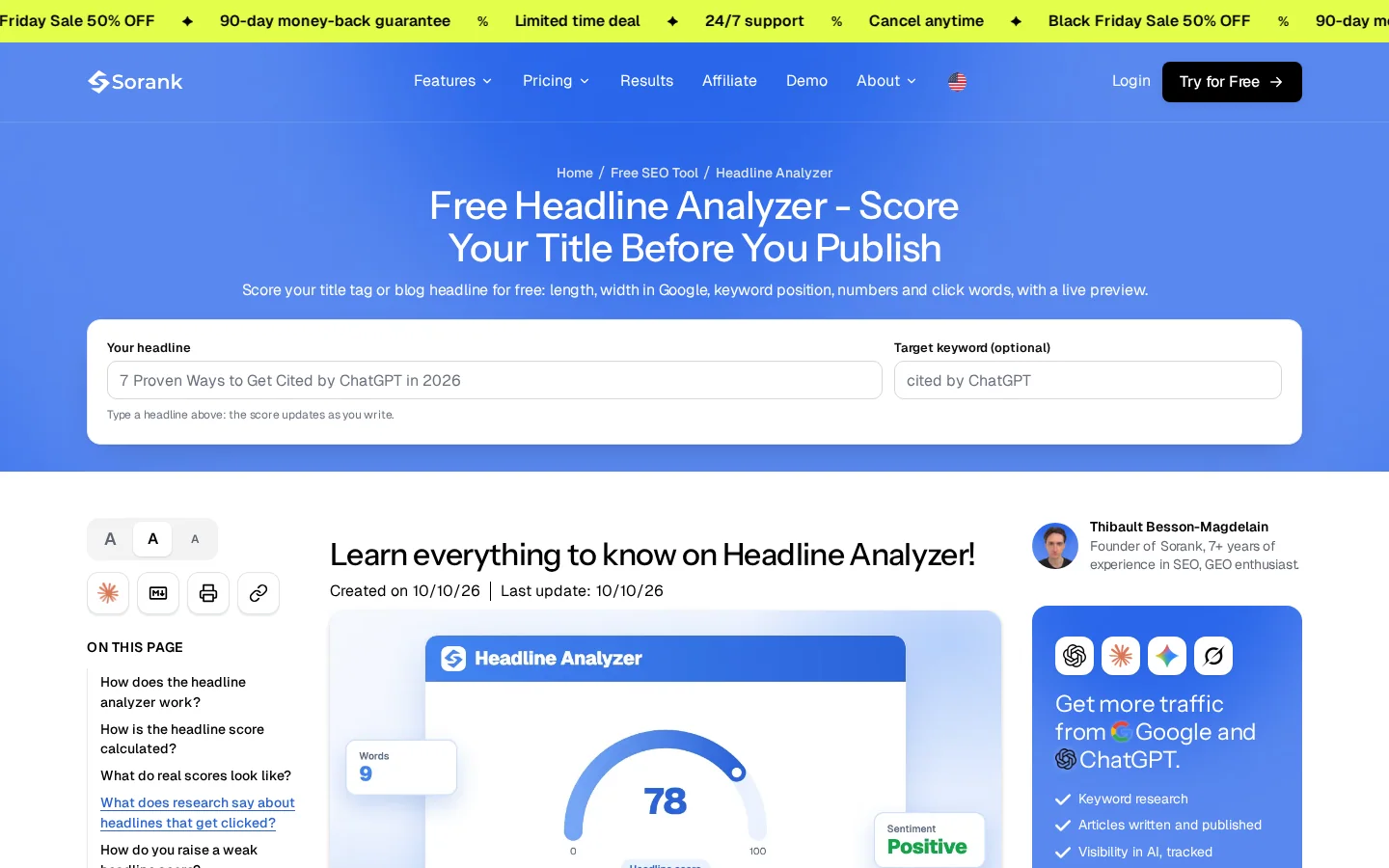
Paste each candidate into a scorer and keep the three with the best results. The free Headline Analyzer on Sorank scores a title out of 100 with eight criteria:
Tip
Run your three finalists through the free Headline Analyzer before you publish. It takes about two minutes, and it shows the weak points in the title and not only the score.
Warning
A score measures the form of a title, not whether the promise is true. The tool itself notes that a clickbait headline can still reach 75. Use the score to remove weak titles, then choose by the promise and the query.
Google cuts long titles in the results, and the cut point depends on the device. Open the candidate in the SERP Preview tool to see the snippet before you publish. For the desktop and mobile widths, the Headline Analyzer estimates pixel width letter by letter, because characters are a poor proxy for space. A title with many wide letters takes more room than one with narrow letters, even when both have the same number of characters. The next section goes deeper into this.
Put the finalist in the H1 and use the same core words in the title tag. The tag can be a little shorter or more precise, but it should make the same promise. In HTML, the tag looks like this:
<title>Headline Formulas: 8 Patterns, Examples and How to Test Them</title>Most content management systems have a separate field for the SEO title. Fill it in, even if the H1 is already good. If the field is empty, the system may build a title from the H1 or from the site name, and you lose control of the first line the reader sees.
Google's documentation says title length is not capped, but titles are cut off in results, typically to fit the width of the device. That means one title can look complete on a desktop and truncated on a phone. It also means character counts are only a rough guide. The table below lists the checks that matter in practice, with the targets the Headline Analyzer uses.
| Check | Target | Why it matters |
|---|---|---|
| Characters | 40 to 60 | Fits most results without a cut, and leaves room for the promise |
| Pixel width | 580 or less | Estimate of the room available before the title is cut |
| Words | 6 to 12 | Short enough to scan, long enough to name the topic |
| Keyword position | First half | The reader and the search engine see it before the cut |
When a title is too long, do not shorten it at random. Remove filler first, such as "the complete guide to", "in 2026" or repeated brand words. Then check whether the keyword still sits in the first half. If the title still runs long, drop the weakest of the two promises, not the keyword.
Note
Google can show a title that is not yours when it judges your title vague, repeated or missing important parts. A clear title, matched by the H1, reduces that risk. It does not remove it.
Formula lists often claim that one pattern beats another, sometimes with a precise percentage. Most of those claims have no source, and controlled tests are rare. The best public figure on how the search page changes clicks comes from Pew Research Center, July 22, 2025.
Pew tracked the browsing of 900 US adults in March 2025 and analyzed 68879 Google searches. When a Google results page showed an AI summary, users clicked a traditional result in 8% of visits. Without a summary, they clicked one in 15% of visits. Clicks on links inside the summary were rare, at 1% of visits.
What the Pew study measured
Source: Pew Research Center, July 22, 2025
What does this mean for your headline? A title cannot bring back a click that the results page no longer sends you. But when clicks are scarce, the title matters more, because the reader chooses among fewer results. That is a reasoned expectation, not an effect that Pew measured.
Google Search Console reports clicks, impressions and click-through rate for each page and each query. It does not run a split test on your titles, so you run one yourself. Use the click-through rate as your measure, and follow these steps:
One test on one page is a signal, not proof. Seasonality, a new competitor or a site update can move the numbers at the same time. Repeat the test on three or four pages before you change the whole site.
The Pew figures show what many publishers now see. The summary sits above the results, and fewer visitors reach the links below it. Your title still matters for three reasons. Many queries still show traditional results. The title is one of the signals Google uses to understand and label your page. And a reader who still clicks after seeing a summary usually wants something the summary did not give them.
The reader who clicks after an AI answer wants depth, a method or a detail that the summary left out. That favors the how-to, comparison and list families, with a promise the summary cannot fully hold. A title such as "9 Title Patterns Worth Testing on Your Blog" promises a set of concrete patterns, not a short answer. For the traffic side of this shift, see the guide on AI Overviews traffic drop, and for the newer search surface, read Google AI Mode SEO.
Clear headings help the reader, and they also help any system that extracts answers from your page. Use an H1 that names the topic in the same words the query uses, then use H2 headings that answer the sub-questions one by one. Do not hide the answer in a long opening story, because the summary and the reader will both move past it.
Most title problems fall into seven patterns. For each one, you will find what it is, how to spot it and how to fix it.
What it is. The title promises something the page does not deliver, or delivers it only after a long detour.
How to spot it. In your analytics, look for pages with a good click-through rate and a short visit. The reader clicked, saw that the page was not what they expected, and left.
How to fix it. Either rewrite the title to the exact result the page delivers, or expand the page so that its first screen delivers the promise.
What it is. The same phrase repeated in the title, usually with filler words around it. Google's documentation discourages repeating the same words or phrases.
How to spot it. Read the title out loud. If it sounds like a list of search terms, it is stuffed. A quick check with the free Keyword Density Calculator will show how often the phrase repeats in the text, which is a different but related problem.
How to fix it. Keep the keyword once, near the start, and write the rest of the title for the reader.
Keyword stuffing, fixed
What it is. Titles such as "Home", "Blog" or "Our Services" that name no topic. Google's documentation says generic titles are discouraged, and that titles with missing parts may be replaced with text from headings or other prominent content.
How to spot it. Export the titles of your site and sort them. Any title that could describe ten other pages is generic.
How to fix it. Name the specific thing the page covers, in the words your reader uses.
What it is. A title cut off in the results, so the most useful words sit in the part the reader never sees.
How to spot it. Open the title in the SERP Preview tool, on both desktop and mobile widths, and watch where the cut falls.
How to fix it. Move the keyword and the promise to the front, and remove filler such as "complete guide", a year that will age, or a repeated brand name.
What it is. Several pages share one title, often because a template sets it. Google's documentation notes that identical titles across pages make it hard for users to tell the pages apart.
How to spot it. Sort the title tags in a crawl export. Any title that appears more than once needs a new one. Check the title tag entry if you need to explain the field to your team.
How to fix it. Give each page a title tied to its own query. If the template is the cause, change the template, not each page.
What it is. The title tag makes one promise and the H1 makes another, or they use different words for the same topic.
How to spot it. Put the two side by side in the editor. If a reader would not see them as the same page, they disagree.
How to fix it. Keep the same core words in both. The tag can be shorter, but it should not promise something new.
What it is. Every title starts with a number, or every title is a question. Readers stop noticing the pattern, and the titles lose their edge.
How to spot it. List your last 20 titles and tag each with its family. If three families cover most of them, you are repeating yourself.
How to fix it. Choose the family from the query each time. A comparison query gets a comparison title, even if your last five posts were lists.
Example
The query is "headline formulas". A weak draft is "Headline Formulas Guide", which names the topic but promises nothing. A stronger version is "Headline Formulas: 8 Patterns, Examples and How to Test Them". It puts the keyword first, names the number of patterns, promises a test method and carries no year that will age.
You do not need many tools to test a title. You need one scorer, one preview and one data source. The table lists the four that cover this workflow, and what each one does not tell you.
| Tool | What it tells you | What it does not tell you |
|---|---|---|
| Headline Analyzer (Sorank, free) | A score out of 100 for form: keyword, length, width, numbers and click words | Whether the promise is true, or whether the title will get clicks |
| SERP Preview (Sorank, free) | How your title and description look in a Google result | Your position, or the click-through rate |
| Blog Title Generator (Sorank, free) | Ten raw headline ideas for a topic | Which idea fits your query best, so steps 1 and 3 still matter |
| Search Console (Google, free) | Clicks, impressions and click-through rate per page and per query | Why a change happened, since position and season move too |
The free Headline Analyzer runs in your browser and needs no account. It stores nothing you type on a server, according to its own page, so you can test drafts you do not want to share.
On a site with many older pages, checking titles one by one takes too long. Sorank's Content Optimization checks the title tag of each page you connect, flags titles that are missing, too short or too long, and lists the errors page by page. That gives you the list of pages to work through with the steps above.
Use this list each time you publish or rewrite a title. Whether you write by hand or with an AI writer such as the AI Blog Article Generator, the same checks apply before the page goes live.
Before you publish
Open Search Console, filter for pages with many impressions and a low click-through rate, and pick one page. Rewrite its title with a formula family you have not used on that site yet. Put the same core words in the H1, record the baseline and leave the page alone for 28 days. Then compare the numbers and decide the next page to test.
A headline formula is a reusable sentence pattern, such as "How to [outcome] without [problem]", that you fill with your own topic. It speeds up drafting and gives your title a clear shape. It does not replace matching the search intent or keeping the promise on the page.
Not on their own. The match with the query matters more than the format, and the search results around your title change clicks a lot. Test two or three variants on your own pages before you decide, and compare the click-through rate and the average position together.
Most titles work between 40 and 60 characters, the range the free Headline Analyzer rewards. Google does not cap title length, but it cuts long titles in the results, and the cut point depends on the device. Check the preview before you publish.
A headline formula is a reusable sentence pattern, such as How to [outcome] without [problem], that you fill with your own topic. It speeds up drafting and gives your title a clear shape. It does not replace matching the search intent or keeping the promise on the page.
Not on their own. The match with the query matters more than the format, and the results around your title change clicks a lot. Test two or three variants on your own pages before you decide, and compare the click-through rate and the average position together.
Most titles work between 40 and 60 characters, the range the free Headline Analyzer rewards. Google does not cap title length, but it cuts long titles in the results, and the cut point depends on the device.
We analyse your competitors, your website and your AI visibility to create a tailored content plan for free.
 AI Content Brief Generator
 FAQ Schema Generator
 AI Blog Post Ideas Generator
 Structured Data Validator (Schema Validator)
 Alt Text Checker
 Internal Link Analyzer
 Backlink Challenge
 AI Meta Description Generator
 AI Blog Title Generator
 Google Indexability Checker
 AI Blog Outline Generator
 UTM Link Builder
 Keyword Clustering Tool
 Canonical Tag Checker
 XML Sitemap Generator
 Broken Link Checker
 AI SEO Title Generator
 Headline Analyzer
 SERP Preview Tool
 Redirect Checker
 Hreflang Tag Generator
 Heading Structure Analyzer
 HTTP Headers Checker
 Favicon Extractor
 SERP CTR Calculator
 SEO vs Paid Search Savings Calculator
 SEO Share of Voice Calculator
 SEO ROI Calculator
 SEO Traffic and Revenue Forecast Calculator
 SEO Budget Calculator
 SEO Break-Even Calculator
 SaaS SEO ROI Calculator
 ROAS Calculator
 Reading Time Calculator
 Ranking Gain Simulator
 Organic Traffic Value Calculator
 Organic Traffic Estimator and Website Traffic Checker
 LTV to CAC Ratio Calculator
 Local SEO ROI Calculator
 Link Building Cost Calculator
 Keyword Value Calculator
 Keyword Opportunity Score Calculator
 Keyword Density Calculator
 GEO ROI Calculator
 GEO Content Investment Calculator
 Ecommerce SEO ROI Calculator
 Customer Lifetime Value Calculator
 Customer Acquisition Cost Calculator
 CTR Calculator
 Cost Per Article Calculator
 Conversion Rate Calculator
 Content Marketing ROI Calculator
 ChatGPT Referral Traffic Estimator
 Bounce Rate Calculator
 Backlink ROI Calculator
 AI Visibility Score Calculator
 AI Traffic Value Calculator
 AI Share of Voice Calculator
 Cost of AI Invisibility Calculator
 AI Citation Rate Calculator
 llms.txt Validator
 AI Overview Checker and AI Overviews Rank Checker
 Robots.txt Checker
 AI SEO Audit
 LLM Readability Checker
 SearchGPT Readiness Checker
 Structured Data LLM Audit
 Website Crawlability AI Audit
 Why ChatGPT Is Not Recommending My Website
 Gemini Ranking Tool
 Perplexity Ranking Checker
 LLM Citation Checker
 Answer Engine Optimization Audit
 GEO Audit
 AI Search Visibility Test
 ChatGPT Visibility Checker
 llms.txt Generator
 URL Extractor
 Webpage to Markdown
 Sitemap Checker
 SERP Volatility Sensor
 Page Size Checker
 Word Counter
 Slug Generator
 Schema Generator
 Robots Generator
 OG Preview
 Meta Tags Generator
 Image Compressor
 Favicon Generator
 On-Page SEO Audit: SEO Checker and SEO Analyzer
 Backlink Analysis Tool
 Keyword Research Tool
 Domain Authority Checker
 “I tested Sorank on a real client site and it's insane. It does everything an agency would bill you $1500 a month for. It's going into production on that client now.”

 Guillaume Guersanguersanguillaume.com“We are an Ads agency and we wanted to get our SEO back on track once and for all. Sorank gave us a clear view of our site, helped us prioritize optimizations, and properly structure our content. The tool is easy to use, well designed for a team, and very practical for centralizing tracking without having to juggle multiple platforms. A very solid foundation to start fresh with our SEO.”
 Gaspard MadouiAds Agency
 “I just let the Sorank software do its thing, and now my DR is 25 and my page is ranking higher.”
 Lucas Flandrefoundertrace.fr“I specialized in GEO thanks to Sorank. The GEO Leaderboard allows me to show my clients their position vs competitors on ChatGPT. It’s a real commercial differentiator.”
 MélanieSEO Freelance“Great service, works well for our website and helps us understand how to improve it to rank better on Google and elsewhere. Congrats, keep going, I recommend it.”
 Hugo T.E-commerce merchant