Preferences
Privacy is important to us, so you have the option of disabling certain types of storage that may not be necessary for the basic functioning of the website. Blocking categories may impact your experience on the website. More information

Privacy is important to us, so you have the option of disabling certain types of storage that may not be necessary for the basic functioning of the website. Blocking categories may impact your experience on the website. More information

Shopify vs Squarespace for selling and SEO: verified 2026 prices, transaction fees, URL and robots.txt control, blogging, AI crawlers and which to pick.
Tools

In short
Shopify is the stronger choice when selling is the core of the business: deeper catalog and checkout tools, an editable robots.txt, thousands of SEO apps and lower card rates on higher plans. Squarespace is the better fit for a design-led brand site with a small catalog, a strong blog and minimal maintenance, at a lower entry price ($19 a month billed yearly against $29 for Shopify Basic). Both handle the SEO basics (sitemaps, canonicals, editable titles, HTTPS) and both can be cited by AI assistants; content and catalog quality decide rankings more than the platform.
Want to go further? Ask
Quick quiz
Where should your online shop find its next customers?
Sorank matches your answers


Test it for 3 days on your own site and see where you stand on Google, ChatGPT and the other AIs.
Start 3-day free trial3 days free, then stop whenever you want. 90-day results-or-refund guarantee.
The Shopify vs Squarespace choice comes down to what the site is for. According to W3Techs (data of 25 October 2026), Shopify runs 5.3% of all websites and Squarespace 2.4%. This comparison looks at what decides whether a store is found and chosen: costs, catalog and checkout, URL and crawl control, structured data, blogging and AI visibility. Prices below were checked on both official pricing pages, US versions, in October 2026.
| Criterion | Shopify | Squarespace |
|---|---|---|
| Built for | Online stores of any size | Design-led websites that also sell |
| Entry price (billed yearly) | $29 per month (Basic) | $19 per month (Basic) |
| Entry price (billed monthly) | $39 per month | $25 per month |
| Platform fee on sales | None with Shopify Payments; 2% to 0.2% with a third-party provider | 2% on Basic, 0% from Core |
| Online card rate (US, entry plan) | 2.9% + 30 cents | 2.9% + 30 cents |
| URL structure | Fixed prefixes: /products/, /collections/, /blogs/ | Page slug plus a /p/ segment for products |
| robots.txt | Editable through a robots.txt.liquid template | Shared file, not editable; checkboxes for search and AI crawlers |
| App ecosystem | Thousands of apps, including SEO and reviews | Smaller set of extensions |
| Blog | Built in, basic | Built in, more polished |
| llms.txt | Through a theme file or an app | Built-in field in SEO settings |
List prices from the official pricing pages (US, October 2026):
| Plan | Billed yearly (per month) | Billed monthly |
|---|---|---|
| Shopify Basic | $29 | $39 |
| Shopify Grow | $89 | $105 |
| Shopify Advanced | $359 | $399 |
| Shopify Plus | From $2,300 | From $2,300 |
| Squarespace Basic | $19 | $25 |
| Squarespace Core | $29 | $39 |
| Squarespace Plus | $49 | $65 |
| Squarespace Advanced | $99 | $139 |
The subscription is only part of the bill. Shopify charges third-party transaction fees of 2% on Basic, 1% on Grow, 0.6% on Advanced and 0.2% on Plus when you use a payment provider other than Shopify Payments. Squarespace's transaction fee documentation lists a 2% commerce fee on Basic and 0% on Core, Plus and Advanced, with US card processing from 2.9% + $0.30 down to 2.5% + $0.30 on Advanced. Add paid apps on Shopify and premium extensions on Squarespace before comparing totals. Prices outside the US are shown in local currency and include VAT where applicable.
Note
For a catalog under a few dozen products and a few orders a week, Squarespace Core usually costs less in total. Once order volume grows, Shopify's lower card rates on Grow and Advanced, and its inventory and shipping tools, close the gap quickly.
Shopify was built for commerce. Every plan sells unlimited products, with variants, inventory across locations, abandoned checkout recovery, point of sale, marketplaces and social channels, and a mature, fast checkout. Its app store covers almost any need, from subscriptions to product reviews to B2B pricing.
Squarespace sells well when commerce supports a brand rather than drives it: a designer with a shop, a restaurant with gift cards, a coach with digital products. Its store pages are beautiful out of the box, but advanced inventory, complex discounts and integrations are thinner. Our guide to the best ecommerce platform for SEO compares the wider field, including WooCommerce and BigCommerce.
Shopify imposes fixed prefixes (/products/, /collections/, /pages/, /blogs/news/) and creates a second URL for a product reached through a collection, which it canonicalizes back to the main product URL. Squarespace URLs are short and editable, with a /p/ segment for products. Neither prefix hurts rankings; what matters is clean category pages, as explained in our guide to ecommerce category page SEO.
On Shopify, the default robots.txt is suited to most stores, and Shopify's documentation on editing robots.txt explains how to customize it with a robots.txt.liquid template, for example to block filter or search parameters. On Squarespace, every site shares the same robots.txt and you cannot edit it, only switch on checkboxes that block search engines or AI crawlers.
Both let you edit titles, meta descriptions, slugs and image alt text, and both generate an XML sitemap automatically. Shopify themes output Product markup and apps can extend it (reviews, FAQ, breadcrumbs); our list of the best Shopify SEO apps covers the options. Squarespace adds basic structured data itself, with less room to extend it without code injection. For product pages on either platform, the content checklist in our guide to the ecommerce product page applies.
Squarespace's blog editor is more pleasant and its templates read better. Shopify's blog is functional but basic, which is why many merchants publish through an app or an external tool. Content drives most non-branded traffic for a store, so the blog deserves weight in the decision.
Both platforms host your site on a global content delivery network with HTTPS included, so raw hosting speed is rarely the problem. What slows a store down is what you add: on Shopify, each app can inject scripts into every page, and a heavy theme with sliders and pop-ups hurts Core Web Vitals on mobile; on Squarespace, oversized images, video backgrounds and custom code blocks do the same. Audit apps and scripts every quarter on Shopify, and compress images before upload on Squarespace.
For selling abroad, Shopify's plans include selling in local currencies and translating the storefront, with separate URLs per market, which lets search engines index each language version. If international organic traffic is part of the plan, check how each platform handles translated URLs and hreflang before committing, since changing platforms later means a full migration.
AI assistants such as ChatGPT, Gemini and Perplexity recommend products from pages they can read and from sources they trust. Three platform details matter.
Our study of Shopify stores in AI citations shows how often store pages are cited compared with marketplaces and review sites.
Tip
Whatever the platform, write product descriptions in your own words, with materials, sizes, use cases and a short FAQ in plain text. Copied manufacturer text gives Google and AI assistants no reason to choose your page over the hundreds that carry the same words.
| Your situation | Better fit |
|---|---|
| More than about 50 products, several sales channels, growth plans | Shopify |
| Brand site or portfolio with a small shop | Squarespace |
| Need to control robots.txt, filters and structured data | Shopify |
| Content-first site with a strong blog and little maintenance | Squarespace |
| Physical store plus online sales | Shopify (mature point of sale) |
If you are also weighing a marketplace, see our comparison of Etsy vs Shopify; for a site that mainly needs a builder, our Squarespace vs Wix comparison goes further. Platform guides for Shopify and Squarespace list the settings to check after launch.
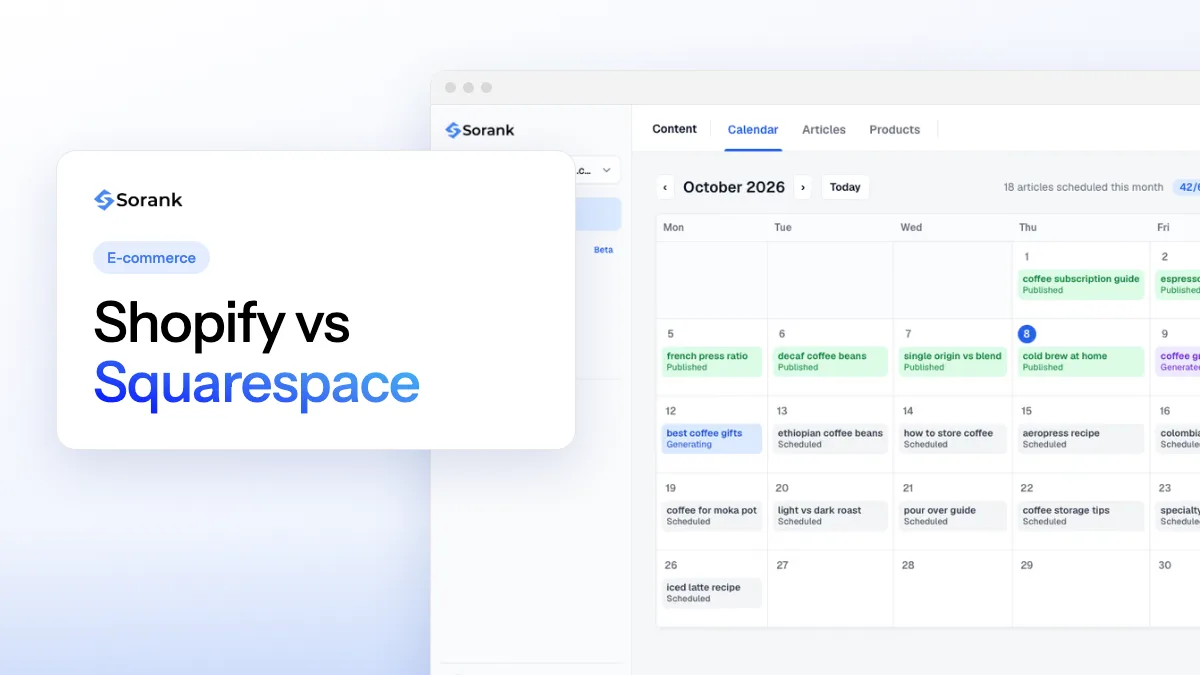
Sorank is our product: an autopilot SEO and GEO software. It connects to Shopify in a few minutes (as well as WordPress, Webflow, Wix or any site through a webhook) and Squarespace is not among its integrations, which is worth knowing before you choose. On a Shopify store, its content planner schedules articles around the keywords your buyers search, and the blog article generator writes and publishes them with sources and internal links to your products.
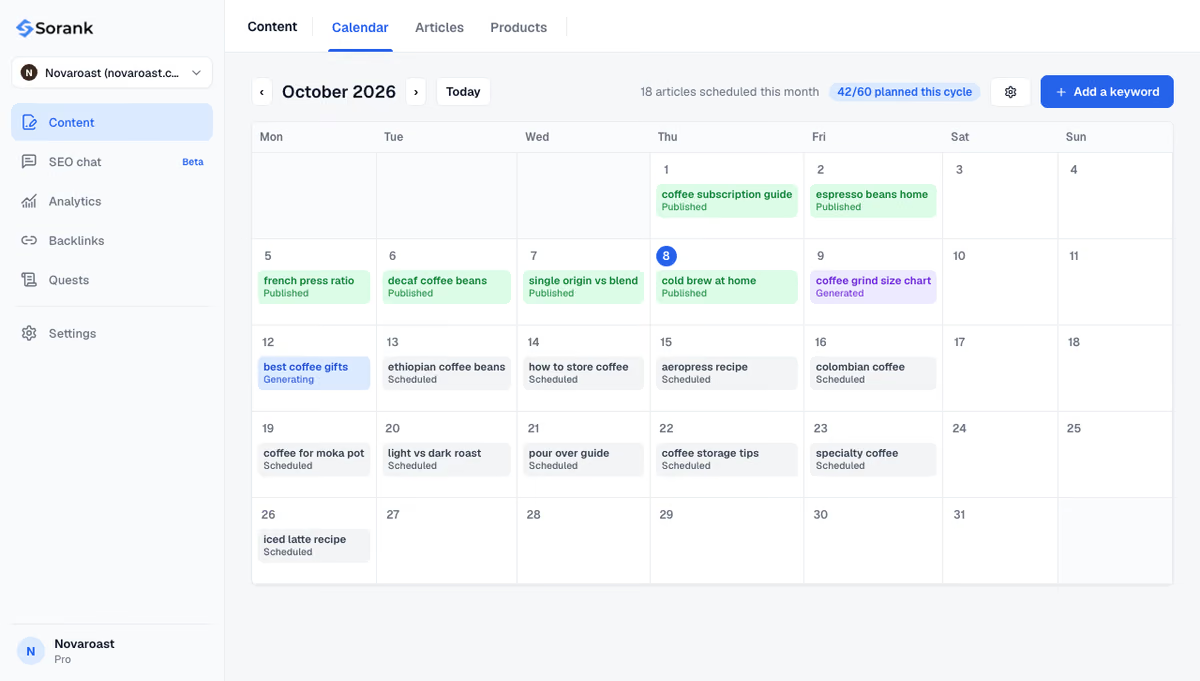
The short version: choose Shopify to run a store, Squarespace to run a brand site that sells, then invest in product pages and content, which decide rankings on both. To keep a Shopify blog publishing every week, see Sorank's plans, from $49 per month with a 3-day free trial.

Squarespace has the lower entry price: $19 per month billed yearly for Basic, against $29 for Shopify Basic (US prices, October 2026). Squarespace Basic adds a 2% fee on sales, removed from Core at $29 per month. For growing order volumes, Shopify's lower card rates on higher plans can make it cheaper overall.
Yes, if you map every old URL to its new equivalent and set up 301 redirects in Shopify, which has a built-in URL redirect tool. Keep titles, descriptions and product content, resubmit the sitemap in Google Search Console and monitor the Pages report for a few weeks after the move.
Neither platform ranks better by itself: both produce crawlable HTML, sitemaps and canonical tags. Rankings depend on the quality of product and category pages, content, links and site speed. Shopify gives more technical control for large catalogs, while Squarespace is simpler to keep clean on small sites.
We analyse your competitors, your website and your AI visibility to create a tailored content plan for free.
 AI Content Brief Generator
 FAQ Schema Generator
 AI Blog Post Ideas Generator
 Structured Data Validator (Schema Validator)
 Alt Text Checker
 Internal Link Analyzer
 Backlink Challenge
 AI Meta Description Generator
 AI Blog Title Generator
 Google Indexability Checker
 AI Blog Outline Generator
 UTM Link Builder
 Keyword Clustering Tool
 Canonical Tag Checker
 XML Sitemap Generator
 Broken Link Checker
 AI SEO Title Generator
 Headline Analyzer
 SERP Preview Tool
 Redirect Checker
 Hreflang Tag Generator
 Heading Structure Analyzer
 HTTP Headers Checker
 Favicon Extractor
 SERP CTR Calculator
 SEO vs Paid Search Savings Calculator
 SEO Share of Voice Calculator
 SEO ROI Calculator
 SEO Traffic and Revenue Forecast Calculator
 SEO Budget Calculator
 SEO Break-Even Calculator
 SaaS SEO ROI Calculator
 ROAS Calculator
 Reading Time Calculator
 Ranking Gain Simulator
 Organic Traffic Value Calculator
 Organic Traffic Estimator and Website Traffic Checker
 LTV to CAC Ratio Calculator
 Local SEO ROI Calculator
 Link Building Cost Calculator
 Keyword Value Calculator
 Keyword Opportunity Score Calculator
 Keyword Density Calculator
 GEO ROI Calculator
 GEO Content Investment Calculator
 Ecommerce SEO ROI Calculator
 Customer Lifetime Value Calculator
 Customer Acquisition Cost Calculator
 CTR Calculator
 Cost Per Article Calculator
 Conversion Rate Calculator
 Content Marketing ROI Calculator
 ChatGPT Referral Traffic Estimator
 Bounce Rate Calculator
 Backlink ROI Calculator
 AI Visibility Score Calculator
 AI Traffic Value Calculator
 AI Share of Voice Calculator
 Cost of AI Invisibility Calculator
 AI Citation Rate Calculator
 llms.txt Validator
 AI Overview Checker and AI Overviews Rank Checker
 Robots.txt Checker
 AI SEO Audit
 LLM Readability Checker
 SearchGPT Readiness Checker
 Structured Data LLM Audit
 Website Crawlability AI Audit
 Why ChatGPT Is Not Recommending My Website
 Gemini Ranking Tool
 Perplexity Ranking Checker
 LLM Citation Checker
 Answer Engine Optimization Audit
 GEO Audit
 AI Search Visibility Test
 ChatGPT Visibility Checker
 llms.txt Generator
 URL Extractor
 Webpage to Markdown
 Sitemap Checker
 SERP Volatility Sensor
 Page Size Checker
 Word Counter
 Slug Generator
 Schema Generator
 Robots Generator
 OG Preview
 Meta Tags Generator
 Image Compressor
 Favicon Generator
 On-Page SEO Audit: SEO Checker and SEO Analyzer
 Backlink Analysis Tool
 Keyword Research Tool
 Domain Authority Checker
THEY TRIED SORANK BEFORE YOU
 “I tested Sorank on a real client site and it's insane. It does everything an agency would bill you $1500 a month for. It's going into production on that client now.”
 Guillaume Guersanguersanguillaume.com“We are an Ads agency and we wanted to get our SEO back on track once and for all. Sorank gave us a clear view of our site, helped us prioritize optimizations, and properly structure our content. The tool is easy to use, well designed for a team, and very practical for centralizing tracking without having to juggle multiple platforms. A very solid foundation to start fresh with our SEO.”
 Gaspard MadouiAds Agency
 “I just let the Sorank software do its thing, and now my DR is 25 and my page is ranking higher.”
 Lucas Flandrefoundertrace.fr“I specialized in GEO thanks to Sorank. The GEO Leaderboard allows me to show my clients their position vs competitors on ChatGPT. It’s a real commercial differentiator.”
 MélanieSEO Freelance“Great service, works well for our website and helps us understand how to improve it to rank better on Google and elsewhere. Congrats, keep going, I recommend it.”
 Hugo T.E-commerce merchant