Preferences
Privacy is important to us, so you have the option of disabling certain types of storage that may not be necessary for the basic functioning of the website. Blocking categories may impact your experience on the website. More information
Privacy is important to us, so you have the option of disabling certain types of storage that may not be necessary for the basic functioning of the website. Blocking categories may impact your experience on the website. More information

Jasper AI vs Rytr compared on price, long-form quality, brand voice and SEO fit, with a 7-day test to help you pick the right writer for your blog.
In short
Jasper is a paid platform for teams that need brand control and long drafts. Rytr is a simpler writer with a free plan and paid plans from $9 a month, and it suits short copy better. For an SEO blog, test both on the same keyword brief, because neither vendor publishes an article quality benchmark.
Want to go further? Ask
Quick quiz
How should you use AI in your marketing?
Sorank matches your answers


Test it for 3 days on your own site and see where you stand on Google, ChatGPT and the other AIs.
Start 3-day free trial3 days free, then stop whenever you want. 90-day results guarantee, conditions apply.
For a blog that publishes long articles, keeps a brand voice and works with more than one writer, Jasper is the stronger product on paper. For a solo writer on a small budget, or someone who mostly needs short pieces, Rytr costs less and has a free plan to start with. The pricing and feature pages tell you what each tool can do. They do not tell you how good its articles are, so the decision needs your own test.
The price gap is large. According to Jasper's pricing page, Jasper Pro costs $69 per seat a month on monthly billing, and the cheapest Rytr paid plan costs $9 a month. A one-person blog can compare the two on price alone. A team cannot, because Jasper's price is per seat and you have to count the people who need one.
Four numbers to start from (November 2026)
Sources: Jasper pricing page and Rytr pricing page, checked November 22, 2026
Jasper is built around a brand and a team: brand voices, knowledge assets that the tool reuses, audiences, and a chat interface for working on a draft. Rytr is built around a simpler editor and a long list of writing use cases, and its free plan is enough to try it on real work. Both can draft a blog post. They differ in how much structure you have to build around the draft yourself.
Jasper's Pro plan includes two brand voices, five knowledge assets and three audiences, according to the pricing page. Business removes those caps, adds a style guide, an API and single sign-on, and is priced on request. If your articles must sound like one company written by several people, those features are the reason to pay. If you write alone, most of that structure may sit unused.
Rytr's pricing page lists more than 40 writing use cases and support for more than 30 languages on its free plan. The current page does not mention brand voice, tone settings or team seats, so check the plan details before you assume a feature is there. The free plan gives you 10000 characters a month, which is a real test but not a production budget.
A blog post needs a structure, facts, links and a voice that stays the same across many posts. Jasper spends its features on keeping that consistency across people and projects. Rytr spends its features on getting a usable draft quickly and cheaply. Pick the tool that fits the problem you actually have: a voice that drifts between writers, or a backlog of posts that nobody has time to draft.
Where each tool starts for a blog

According to Jasper's pricing page, checked on November 22, 2026, Jasper Pro costs $69 per seat a month on monthly billing, or $59 a month billed yearly on a 12-month commitment. Business is quoted by sales. Rytr's pricing page, checked the same day, lists a free plan with 10000 characters a month, then Lite at $9, Personal at $19 and Pro at $49 a month. The cheapest honest comparison is cost per usable article, not the sticker price.
The table below lists what each plan includes. Jasper has no free plan, only a 7-day trial of Pro. Rytr's free plan is the only way to use either product without paying.
| Plan | Price (USD) | Trial or free | What the pricing page lists |
|---|---|---|---|
| Jasper Pro | $69 per seat a month, or $59 billed yearly | 7-day trial | 2 brand voices, 5 knowledge assets, 3 audiences, 30+ languages |
| Jasper Business | Quoted by sales | None listed | Unlimited brand voices and knowledge, style guide, API, single sign-on |
| Rytr Free | $0 | Free forever | 10000 characters a month, 30+ languages, 40+ writing use cases |
| Rytr Lite | $9 a month | Not listed | Unlimited characters, 30+ languages |
| Rytr Personal | $19 a month | Not listed | Unlimited characters, 2 connected sources, relationship and research limits |
| Rytr Pro | $49 a month | Not listed | Unlimited characters, all connected sources, higher relationship and research limits |
Warning
Many reviews still quote Rytr's Unlimited and Premium plans, which the current pricing page no longer lists. A number from an old review can be wrong even when the tool name is right, so write down the date of every price you use.
Rytr's allowance is measured in characters, which is hard to picture. A rough rule for English is one word per 6 characters, counting the space after it. That makes the free plan about 1600 words a month. This is my estimate, not a figure from Rytr, and if the allowance counts only generated text, a full article plus two rounds of revisions can use up most of it.
approximate words = characters / 6
10000 / 6 = about 1600 words a month on Rytr Free
The trial and the free plan also play different roles. Jasper's 7-day trial lets you use the Pro features that a paying team would use, so it is the better way to test the collaboration side. Rytr's free plan lets you test the writing itself at no cost, but its limit is too small to judge a whole series of posts. Use the trial to test the tool you would buy, and the free plan to test whether you will write with AI at all.
Two points on Rytr's page deserve attention. Its current plan list includes relationship and research limits that do not appear in older, writing-only reviews. And the plan that matters for a blog is the one that gives you enough characters to draft, edit and re-draft a month of posts, not the one with the lowest number. If you also want Copy.ai in the picture, our Copy.ai vs Rytr comparison covers that pair, with Copy.ai in place of Jasper.
Neither pricing page says how good its articles are, so you have to measure the quality of a long draft yourself. Judge four things: whether the opening answers the question, whether every fact is correct and sourced, whether the sections stay consistent from start to finish, and how much editing the draft needs before it can be published.
A short piece can be fluent and still be correct, because there is little room for it to go wrong. A 3000-word article has many more places for an error: a number that changes between sections, a claim that contradicts the introduction, or a source that does not say what the draft says it does. This is the failure that the AI hallucination entry explains: a model writes a confident sentence that nothing supports. The longer the draft, the more of these sentences you have to find.
A model only sees what fits in its context window at one time. When your brief, your sources and your earlier sections are too long for that window, the tool can drop or compress material, and the later sections drift. You see it as a conclusion that forgets the point of section 2, or a table that uses different terms from the text. Shorter briefs, one section at a time, and a fixed list of terms reduce the drift.
Score each criterion from 1 to 5 for each draft and write the scores down next to the draft. A tool that wins on fluency and loses on facts has lost the comparison for a blog that has to rank.
| Criterion | What good looks like | How to check | Typical failure |
|---|---|---|---|
| Answer first | The opening answers the question in two or three sentences | Read only the first paragraph and ask whether it answers the query | A long preamble before any answer |
| Structure | H2 and H3 headings follow the search intent in a logical order | List the headings and check their order and overlap | Two sections that cover the same point |
| Facts | Every figure has a source that states it | Open each link and find the figure on the page | An invented number, or a source about another topic |
| Consistency | Names, prices and claims stay the same from start to finish | Read the whole draft end to end with a pen | The conclusion contradicts the introduction |
| Editing time | The draft is publishable after a short, bounded edit | Time the edit for each draft | Most of the draft has to be rewritten |
Neither vendor's pricing page gives a benchmark for any of these five criteria. That is why the test in the seventh section is the only reliable way to compare the two tools for your work.
Both tools list 30+ languages on their pricing pages, so language count will not separate them. The real difference is how each tool keeps your voice steady across many articles and many writers. Jasper's paid plans sell that consistency directly, through brand voices, knowledge assets and audiences. Rytr's current pricing page does not list brand voice or tone settings, so confirm them before you plan a team workflow around them.
Voice and team limits on the pricing pages
Sources: Jasper pricing page and Rytr pricing page, checked November 22, 2026
Whatever tool you pick, write your voice down on one page before you write the first brief. Include five paragraphs you like, five words or phrases you never use, the reader you write for, and the level of technical detail that reader expects. Paste that page into every brief. A tool with a brand voice feature still needs this page, because the feature only stores what you give it.
A team needs one more thing: an agreed owner for each step. Decide who writes the brief, who checks the facts, who edits the voice and who publishes. A tool with seats for everyone does not help if nobody owns the review, and the drafts that go wrong are usually the ones nobody read twice. Put those four names in the same document as the brand voice page.
Sorank's brand voice feature applies the same idea to every article it writes: articles in your tone, with your words. If you use any writer, the page you write is the part that carries over from one tool to the next.
Google does not ban AI-written pages as such. Its Search Central guidance on generative AI content says the risk comes from generating many pages without adding value for users, which can violate its spam policy. So the tool matters less than the process around it: a brief with real sources, a human check of every claim, and a page that adds something the current top results do not.
Read Google's Search Central documentation on generative AI content as a rule about pages, not about tools. A thin page from Jasper is no safer than a thin page from Rytr, and a well-sourced page from either one can rank. For the wider picture, see our guide on AI content for SEO.
Use this four-step pass on every draft, whichever tool wrote it. It turns a fluent draft into a page with a reason to exist.
Four checks before a draft goes live
Unless the tool has the list of your pages, it can only guess which ones to link to, and a guess is how you end up with links to the wrong service page or a link whose anchor says nothing about the page it opens. Put the five to ten pages you want to link to in the brief, with the anchor text you want for each. After the draft, check that every link goes to a page that exists and that the anchors differ from one another. This takes about ten minutes and matters more on a long article than any feature on a pricing page.
Older reviews describe an SEO mode inside Jasper that uses a third-party content scoring integration. The current pricing page does not list that feature, so ask Jasper directly before you buy for it. Rytr's pricing page does not list SEO features either. Do not pay for a feature because a review named it. Pay for the features you can see in the plan details on the day you buy.
Run the same brief through both tools on the same day, then score both drafts on the same five criteria from the table above. Jasper's trial covers Pro for 7 days, and Rytr's free plan lets you test without paying, although its 10000 character allowance may not cover a full article and its revisions. Plan about two hours per tool, including the edit, and write the timings down.
A seven-day test plan
Example
A scoring sheet for one keyword might read: Draft A, opening answer 4 out of 5, sources 2 out of 5 because two figures had no link, editing time 45 minutes. Draft B, opening answer 3 out of 5, sources 5 out of 5, editing time 25 minutes. These numbers are invented for the example. The method is what carries over to your own test.
Keep the brief identical between the two tools. If you rewrite the brief for one of them, you are comparing briefs, not tools.
Most bad comparisons come from four habits: comparing sticker prices instead of cost per usable article, trusting old price lists, judging the whole draft by its first paragraph, and forgetting that a trial shows how a tool handles your brief, not its average output. Each mistake below has a sign you can spot and a fix you can apply during the test.
| Mistake | Sign you are making it | Fix |
|---|---|---|
| Comparing sticker prices | You compare one price per tool with no seat count | Multiply by the seats you need, then divide by the articles you publish |
| Trusting old price lists | The review is undated or names a plan missing from the vendor page | Check the vendor pricing page on the day you buy |
| Judging by the opening | You stop reading after the introduction | Score every section, with the last one scored separately |
| Ignoring the character cap | The free draft stops before the article does | Estimate the words first, then price the paid plan you need |
| Keeping numbers you cannot open | Figures appear with no link, or the link does not contain them | Delete the claim or replace it with a source you have read |
What it is: Jasper's Pro price is per seat, while a Rytr plan is priced per plan. Comparing one Jasper seat with one Rytr plan looks fair, but it hides the cost of the people who need access.
How to spot it: Your comparison has one number per tool and no count of the people who will use it.
How to fix it: List every person who needs a seat, multiply the seat price by that number, and check how the plan counts users before you do the sum. Then divide the monthly cost by the number of articles you publish. That is the figure to compare.
What it is: Reviews keep showing plans that are gone. Rytr's Unlimited and Premium plans are still quoted in many places, although its current pricing page no longer lists them.
How to spot it: The review has no date, or it names a plan you cannot find on the vendor's own site.
How to fix it: Open the vendor pricing page on the day you buy, and write the date next to every number in your notes. If a review disagrees with the vendor, trust the vendor and note the difference.
What it is: The opening is the part you read first and edit most, so it tells you little about the rest of the article.
How to spot it: Section 6 repeats section 2, or uses different figures from the introduction.
How to fix it: Read every section, count the claims that repeat, and score the last section on its own. A draft that is strong at the top and weak at the bottom is a weak draft for a long article.
What it is: Rytr's free allowance counts characters, not articles. A long post plus several rounds of revisions can use it up before the test is over.
How to spot it: The free draft stops mid-article, or you start rationing your revisions.
How to fix it: Use the rough rule from the pricing section, about 1600 words for 10000 characters, to estimate the cost of one article. If the test needs more, price the Lite plan for one month and test with that.
What it is: AI drafts state figures with no link, or with a link to a page that does not contain the figure. Both look finished, and neither is supported.
How to spot it: Click every link in the draft. A dead link, or a page that does not mention the figure, means the claim is unsupported.
How to fix it: Delete the claim, or replace it with a source you have opened and read. The fact-check routine for AI content gives a full checklist for this step.
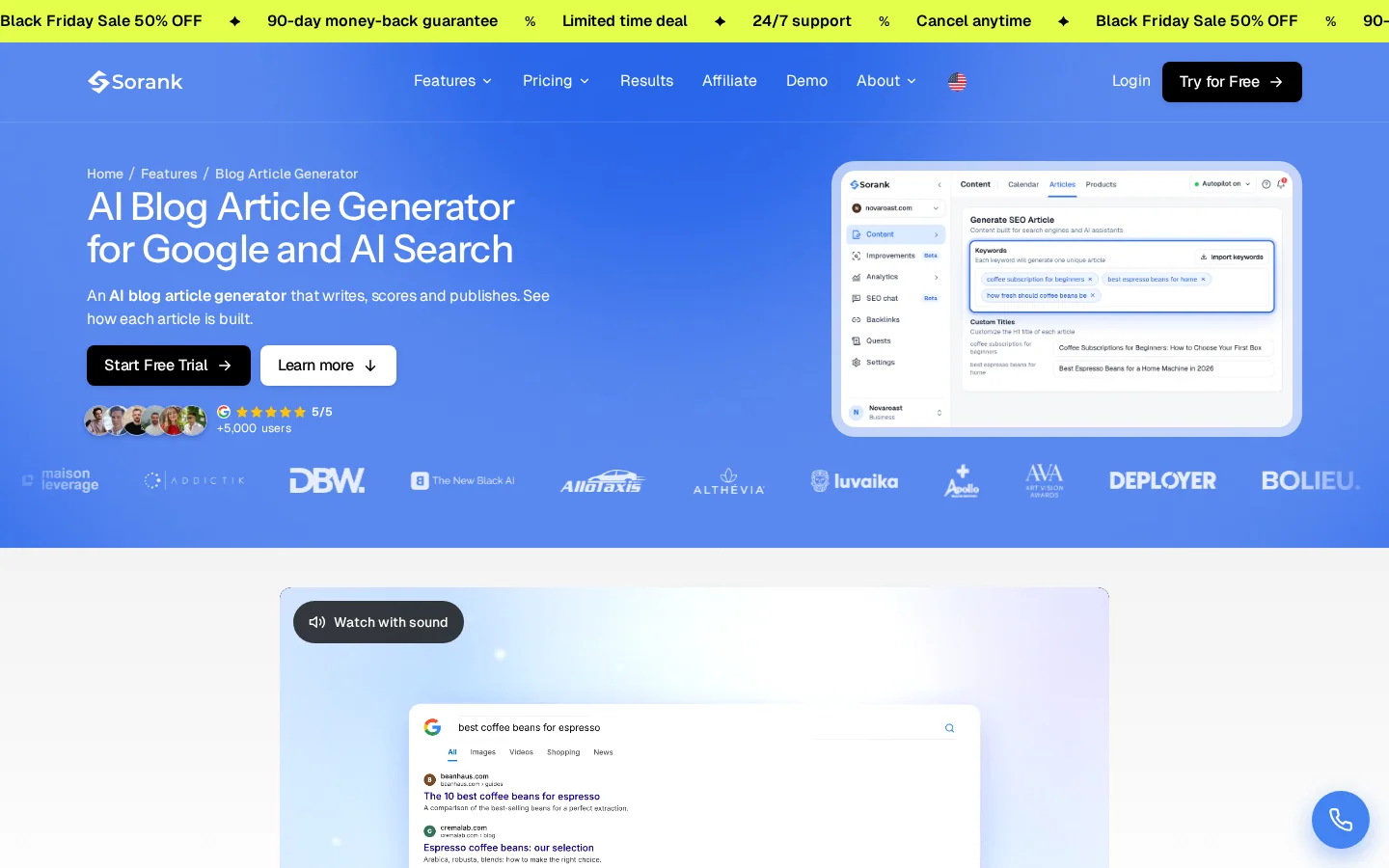
If you want a draft that arrives with sources, internal links and a score before you edit, Sorank's blog article generator is built for that job. It does not replace your review of the facts, and the factors it checks are listed on its page, so you can judge them yourself.
The generator starts from the competing articles on your keyword, then builds an article with a summary, an H2 and H3 structure, cited sources, internal links and image alt texts. Each article gets a score out of 100, and you can publish to WordPress, Shopify, Webflow or Wix, or send the article to your CMS as a draft.
Tip
After any draft, paste it into the free Heading Structure Analyzer to check the H1 to H6 outline before you publish.
Pick Jasper if several writers need shared brand voices and knowledge, and your budget covers $69 a seat a month, or $59 billed yearly. Pick Rytr if one person drafts most of the content, the pieces are mostly short, or you want a free plan to start with. For a blog that has to rank, choose the tool that passes your own seven-day test, not the one with the longer feature list.
| Choose Jasper if | Choose Rytr if |
|---|---|
| Several writers must share one brand voice | One person drafts most of the content |
| You want knowledge assets and audiences in the workflow | You want to test on a free plan first |
| A seat at $69 a month, or $59 billed yearly, fits your budget | Your budget is between $9 and $49 a month |
| Your articles are long and must stay consistent | Your pieces are short or mixed |
Before you buy
If you cannot decide after the test, buy the cheaper plan that covers your real workload for one month, then review the scoring sheet again. The scoring sheet shows which problem you actually had, so you can fix it with the right plan.
Jasper is built for longer, brand-controlled work, and it costs more per seat. Rytr is cheaper and simpler, and it suits shorter pieces better. Neither is better in general. The one that passes the same test on your keyword is the better tool for you.
Yes. Rytr's pricing page lists a free plan with 10000 characters a month and support for 30+ languages. Jasper has no free plan, only a 7-day trial of Pro.
Google's Search Central guidance says that AI use is not the problem by itself. Pages generated in bulk without added value can break its spam policy, so the risk depends on the page and not on the tool that wrote it.
Jasper is built for longer, brand-controlled work, and it costs more per seat. Rytr is cheaper and simpler, and it suits shorter pieces better. The better tool for you is the one that passes the same test on your own keyword.
Yes. Rytr's pricing page lists a free plan with 10000 characters a month and support for 30+ languages. Jasper has no free plan, only a 7-day trial of Pro.
Google's Search Central guidance says AI use is not the problem by itself. Pages generated in bulk without added value can break its spam policy, so the risk depends on the page, not on the tool that wrote it.
We analyse your competitors, your website and your AI visibility to create a tailored content plan for free.
 AI Content Brief Generator
 FAQ Schema Generator
 AI Blog Post Ideas Generator
 Structured Data Validator (Schema Validator)
 Alt Text Checker
 Internal Link Analyzer
 Backlink Challenge
 AI Meta Description Generator
 AI Blog Title Generator
 Google Indexability Checker
 AI Blog Outline Generator
 UTM Link Builder
 Keyword Clustering Tool
 Canonical Tag Checker
 XML Sitemap Generator
 Broken Link Checker
 AI SEO Title Generator
 Headline Analyzer
 SERP Preview Tool
 Redirect Checker
 Hreflang Tag Generator
 Heading Structure Analyzer
 HTTP Headers Checker
 Favicon Extractor
 SERP CTR Calculator
 SEO vs Paid Search Savings Calculator
 SEO Share of Voice Calculator
 SEO ROI Calculator
 SEO Traffic and Revenue Forecast Calculator
 SEO Budget Calculator
 SEO Break-Even Calculator
 SaaS SEO ROI Calculator
 ROAS Calculator
 Reading Time Calculator
 Ranking Gain Simulator
 Organic Traffic Value Calculator
 Organic Traffic Estimator and Website Traffic Checker
 LTV to CAC Ratio Calculator
 Local SEO ROI Calculator
 Link Building Cost Calculator
 Keyword Value Calculator
 Keyword Opportunity Score Calculator
 Keyword Density Calculator
 GEO ROI Calculator
 GEO Content Investment Calculator
 Ecommerce SEO ROI Calculator
 Customer Lifetime Value Calculator
 Customer Acquisition Cost Calculator
 CTR Calculator
 Cost Per Article Calculator
 Conversion Rate Calculator
 Content Marketing ROI Calculator
 ChatGPT Referral Traffic Estimator
 Bounce Rate Calculator
 Backlink ROI Calculator
 AI Visibility Score Calculator
 AI Traffic Value Calculator
 AI Share of Voice Calculator
 Cost of AI Invisibility Calculator
 AI Citation Rate Calculator
 llms.txt Validator
 AI Overview Checker and AI Overviews Rank Checker
 Robots.txt Checker
 AI SEO Audit
 LLM Readability Checker
 SearchGPT Readiness Checker
 Structured Data LLM Audit
 Website Crawlability AI Audit
 Why ChatGPT Is Not Recommending My Website
 Gemini Ranking Tool
 Perplexity Ranking Checker
 LLM Citation Checker
 Answer Engine Optimization Audit
 GEO Audit
 AI Search Visibility Test
 ChatGPT Visibility Checker
 llms.txt Generator
 URL Extractor
 Webpage to Markdown
 Sitemap Checker
 SERP Volatility Sensor
 Page Size Checker
 Word Counter
 Slug Generator
 Schema Generator
 Robots Generator
 OG Preview
 Meta Tags Generator
 Image Compressor
 Favicon Generator
 On-Page SEO Audit: SEO Checker and SEO Analyzer
 Backlink Analysis Tool
 Keyword Research Tool
 Domain Authority Checker
 “I tested Sorank on a real client site and it's insane. It does everything an agency would bill you $1500 a month for. It's going into production on that client now.”

 Guillaume Guersanguersanguillaume.com“We are an Ads agency and we wanted to get our SEO back on track once and for all. Sorank gave us a clear view of our site, helped us prioritize optimizations, and properly structure our content. The tool is easy to use, well designed for a team, and very practical for centralizing tracking without having to juggle multiple platforms. A very solid foundation to start fresh with our SEO.”
 Gaspard MadouiAds Agency
 “I just let the Sorank software do its thing, and now my DR is 25 and my page is ranking higher.”
 Lucas Flandrefoundertrace.fr“I specialized in GEO thanks to Sorank. The GEO Leaderboard allows me to show my clients their position vs competitors on ChatGPT. It’s a real commercial differentiator.”
 MélanieSEO Freelance“Great service, works well for our website and helps us understand how to improve it to rank better on Google and elsewhere. Congrats, keep going, I recommend it.”
 Hugo T.E-commerce merchant