Preferences
Privacy is important to us, so you have the option of disabling certain types of storage that may not be necessary for the basic functioning of the website. Blocking categories may impact your experience on the website. More information
Privacy is important to us, so you have the option of disabling certain types of storage that may not be necessary for the basic functioning of the website. Blocking categories may impact your experience on the website. More information

Learn how to pick a list format, build the items and write a listicle that ranks on Google and gets cited by AI, with a checklist to use before publishing.

Tools

In short
A listicle is an article built as a list, where each item gets its own heading and a complete explanation. It ranks when the results for your keyword are lists too, when each item stands on its own, and when the title promises exactly what the body delivers. Check the search results first, pick one of four list formats, then write every item as a small, complete answer.
Want to go further? Ask
Quick quiz
How should you run your blog?
Sorank matches your answers


Test it for 3 days on your own site and see where you stand on Google, ChatGPT and the other AIs.
Start 3-day free trial3 days free, then stop whenever you want. 90-day results guarantee, conditions apply.
A listicle is an article organized as a list. Each item has a heading, a short explanation, and often an example or a link. The word joins "article" and "list," and the format has been used in magazines and blogs for a long time. It works because people skim. A reader scans the headings, finds the item they need, and leaves with an answer.
The format is not a shortcut. A list works only when the content is made of separate parts. "10 tools for technical audits" is a list, because each tool stands on its own. "How Google crawls a site" is not, because each step depends on the one before it. Cut that topic into bullets and the logic disappears. Most weak listicles fail this way. The author wanted a catchy headline, but the topic did not split into items.
Listicle or guide: which shape fits the topic
Use a list when the topic has comparable things: tools, ideas, examples, common mistakes, or several ways to solve one problem. Use a guide when the reader has to follow an order. Many topics mix both. This article is a guide with a list inside its mistakes section, because those mistakes are separate and can be read one at a time.
Google shows the format people expect for a query. Your page has to match it, or it will struggle no matter how well it is written. Spend thirty minutes on the results before you outline anything.
Open the first ten results in a private browser window. For each one, write down three things: whether the title contains a number, whether the page is a list, and whether it is a guide, a product page or a category page. Put the results in a sheet with one row per result. The pattern usually shows quickly. A query like "best CRM software" returns product roundups. A query like "how to write a listicle" returns guides that contain a list.
If most results are lists, a list is the right shape. If most are guides, a list has a harder fight. You can still win with a list, but only if it is more useful than the guides for that exact query. Plan for that from the start.
Some words in a query tell you what the searcher wants. "Best," "top," "tools," "examples," "ideas" and "types of" usually want a list. "How to," "steps," "setup" and "guide" usually want an ordered explanation. "Price" and "buy" want product pages. A list of products can still fit, but only if it compares prices and limits clearly.
Plural nouns matter too. "Email subject line examples" wants a set of examples. "Email subject line" alone may want an explanation of what makes a subject line work, with examples inside it. Read the query again after you have checked the results. If the words and the results disagree, trust the results.
The questions in the People Also Ask box are free item ideas. Each question that can be answered in one or two solid paragraphs can become an item. If three questions point to the same answer, that answer is one item, not three. This also shows you the gaps. A question that the top results answer badly is an item worth writing.
Before you commit to a list format

A list can take four shapes. They look alike on the page, but each one makes a different promise to the reader. Pick the one that matches the query and the things you can actually prove. The format sets the reader's expectations, so a mismatch shows quickly in how people behave on the page.
Principle: each item is an option, such as a tool, a service or a method, placed in order or grouped by use case.
When to use it: when the searcher compares options and wants to choose one.
Advantages: the structure is clear, it matches comparison queries well, and you can update a single item without rewriting the whole page.
Limits: thin reviews sink it. If you have not tested the options, the ranking is an opinion with a number on it, and readers notice.
Example: "The 10 best CRM software for small sales teams, grouped by team size." Each item names one ideal user and one reason not to buy.
Principle: each item is one piece of advice from someone who has done the work.
When to use it: when the query asks how to do something well, and you have first-hand experience to show.
Advantages: it shows expertise and is easy to share. Each tip can be read and used on its own.
Limits: most tip lists are generic. Readers have seen "write good content" many times. A tip is useful only when it names the situation, the action and the expected result.
Example: "12 technical SEO mistakes that keep good pages out of Google." Each item names one mistake, how to spot it in a crawl, and the fix.
Principle: each item is a step, a method or a fix that the reader can apply without the others.
When to use it: when the query asks how to fix or solve something, and the solutions are independent of each other, such as several ways to fix one problem.
Advantages: quick to follow, with a clear finish line, and each fix can be tested alone.
Limits: if step 4 needs step 2 to be done first, the list breaks. Then you need a guide, with one section per step and the order stated in the text.
Example: "7 ways to fix a page that Google has not indexed." Each item is a separate cause with its own check.
Principle: each item is an example or an idea, with enough context to use it.
When to use it: when the searcher wants inspiration: names, titles, formats or patterns to copy.
Advantages: many items, fast to scan, and easy to adapt to a specific audience.
Limits: a bare name is not useful. Every example needs a reason it works and a note on when it does not.
Example: "40 headlines for B2B case studies, with the reason each one works." Each headline comes with a two-sentence explanation.
| Format | Best for | Main advantage | Main risk | Title pattern |
|---|---|---|---|---|
| Ranked roundup | Buyers comparing options | Clear choices and a strong fit with comparison queries | Untested or thin reviews | The 10 best ... for ... |
| Expert tips | How-to queries where you have first-hand experience | Shows expertise and is easy to share | Generic advice anyone could write | 12 mistakes that ... |
| Step-by-step list | Fix or solve queries with independent solutions | Quick to follow, and each fix can be tested alone | Breaks when steps depend on each other | 7 ways to fix ... |
| Examples and ideas | Inspiration queries | Many items, fast to scan | Bare examples with no reason | 40 headlines for ... |
Most listicles fail before the first sentence, because the list was never planned. The writer picked a number, then filled it with whatever came to mind. Build the list first. You need a promise, a set of candidates and an order. For a good topic this takes an hour, and it saves days of rewriting.
Build the list in six steps
Write one sentence that starts with the reader's job, not with the format. "Help a marketing lead choose a listicle format for their next post" is a promise. "Ten listicle tips" is a format. If the promise cannot be written in one sentence, the topic is probably too broad for one list. Split it into two articles.
Take candidates from three places. First, the headings of the top five results, looking for what they skip. Second, the questions in the People Also Ask box and the related searches. Third, real conversations: support tickets, sales calls and comments on your posts. A question a customer asked this month is worth more than a generic idea. If you need topics rather than a list structure, our guide on blog post ideas shows where to find them.
For each candidate, answer three questions. Can a reader use this item without reading the others? Do you have a specific example, a tested method or a real number to back it? Would a reader miss it if it were gone? Keep the items that pass all three. If an item fails the second question, it is an idea for a later article, not an item for this one.
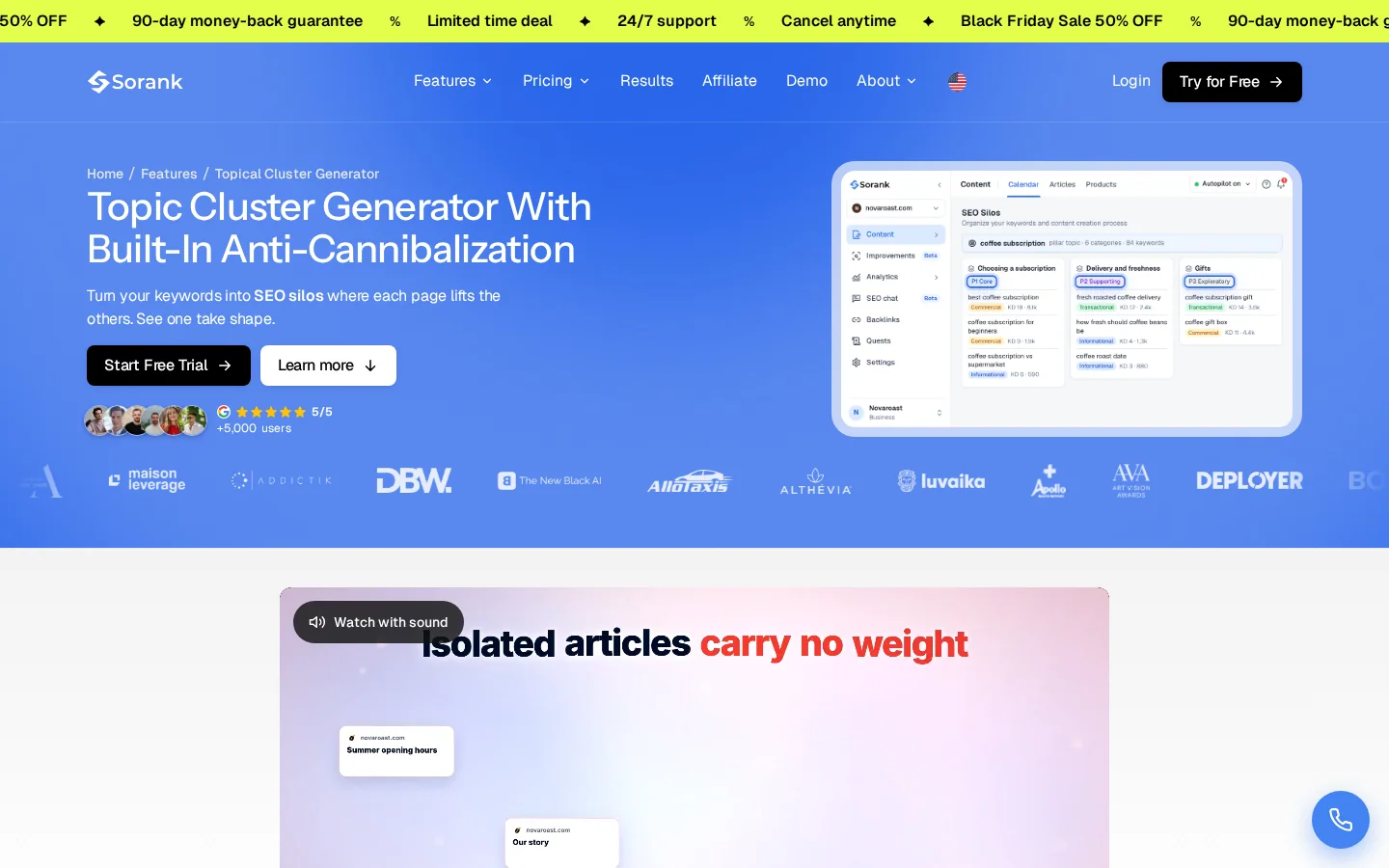
Merge items that give the same answer in two wordings. Then check the whole set against the rest of your site. Two list posts that target the same keyword will compete with each other, and a cluster view shows the overlap before you publish. Sorank's topical cluster generator groups keywords into clusters and flags pages that overlap.
Choose the order that matches the reader's situation. Use simple to advanced for a learning list, the order of the work for a process list, and use case for a roundup. In a ranked roundup, put the best fit first, not the most expensive option. Readers who scan will read the first two or three items most closely, so give them the strongest ones.
A heading is the item's whole promise for a reader who only scans. "Tip 4: Internal links" tells nothing. "Link each new post to two older posts on the same topic" tells the reader what to do. Write every heading as an action or a result, and make sure each one still makes sense read alone.
Each item is a small article that someone may land on directly. Google's featured snippet documentation says that a click on a snippet takes the user to the matching section of the page. A reader can arrive at item 6 from a search without reading items 1 to 5, so the item has to work on its own. Google's guidance on creating helpful content asks whether content clearly shows first-hand expertise and a depth of knowledge, and whether a reader leaves feeling they learned enough to reach their goal. Each item should pass that test.
Use the same structure for every item, so the reader knows what to expect and you can check each one quickly.
The difference is rarely length. It is specificity. The weak version could be pasted into any article on the topic. The strong version tells the reader what to do and what to watch for.
A weak item and a strong item
An uneven list looks careless. One item of forty words next to one of six hundred tells the reader that the writer ran out of time. Aim for items that are close in length. When one item needs more room, move the extra detail into a subheading or split the item in two. The rule is simple: if an item grows well past its neighbours, split it or cut it.
The title is the first promise. If it says seven and the body delivers five, the reader feels misled, and the page sends a weaker signal about what it covers. Set the title last, once the list is final.
Numbers in titles catch the eye, which is why so many listicles use them. The risk is a number that does not match the page. Before you publish, count the H2 headings that are items and compare the total with the title. If the count changes during editing, change the title too. Do not put "ultimate," "secret" or "you will not believe" in front of a list. The promise is the list itself.
Four patterns cover most listicle titles. Choose the one that matches the query and the number of items you can defend.
| Pattern | Example | Use when | Watch out for |
|---|---|---|---|
| Number and noun | 7 ways to fix a page Google has not indexed | The query asks for a set of options | The count must match the body |
| Number and audience | 5 headline formats for B2B case studies | The reader has a clear role or situation | The audience must be specific, not "businesses" |
| Question | Which list format fits your topic? | The query is a question and the answer is a set of options | A question the body never answers disappoints |
| Plain promise | How to write a listicle that ranks | The page is a guide with a list inside | The title must still name the result |
Tip
Before you publish, score the title with our free headline analyzer. Then check that the number in the title matches the number of items in the body.
AI answers quote clear, self-contained passages, and a list with one answer under each heading gives them exactly that. Google's guidance on AI features says there are no additional requirements to appear in AI Overviews or AI Mode, and no special optimizations are needed beyond standard SEO practice. It also says no special schema.org structured data is required, and that any structured data should match the visible text on the page.
In practice, a list that works for AI answers does four things. It names each item in plain words in the heading. It gives the answer in the first sentence under the heading. It keeps the same structure for every item. And it backs its claims with sources the reader can check. Vague wording such as "this approach" or "the method above" breaks the passage when a tool lifts it out of the page, so name the thing every time.
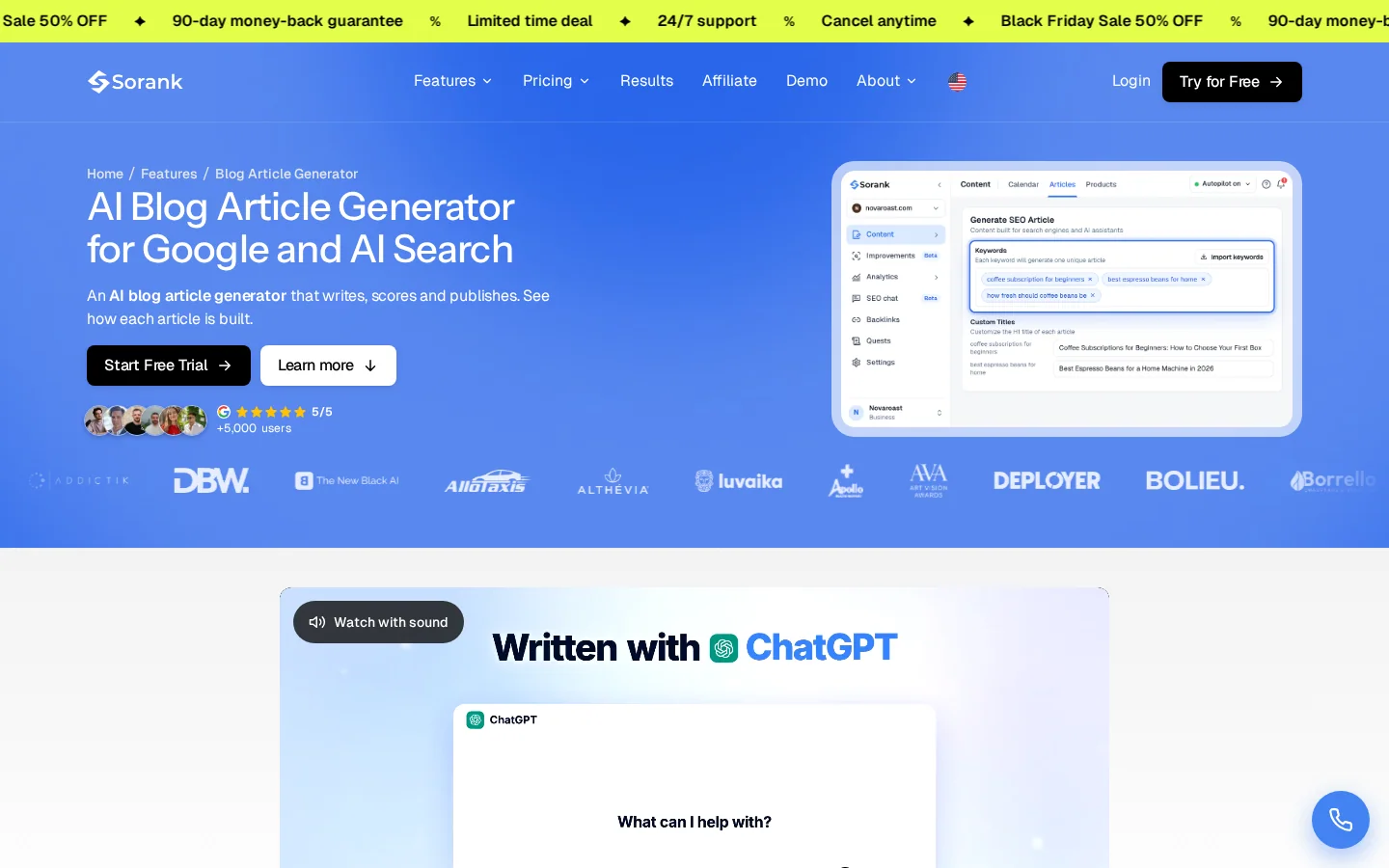
If you publish many lists, a tool takes over the repetitive work. Sorank's blog article generator writes sourced SEO articles that are ready to publish. Review every item against the template above before it goes live. A generator that produces thin items gives you thin lists faster, so the checks in this article still apply.
Tracking whether AI tools name your items is a different job from tracking rankings. Our guide on AI visibility optimization explains what to measure. Whether AI helped write the list matters less than whether every claim is accurate and useful. Our guide on AI content for SEO covers that question in more depth.
Most weak listicles repeat the same few errors. Each one below has three parts: what the error is, how to spot it, and how to fix it. Check your draft against this list before you send it to an editor.
| Mistake | How to spot it | Fix |
|---|---|---|
| Forcing a story into a list | Each item needs the one before it | Rewrite the piece as a guide |
| Thin items | Two sentences or less, no example | Add an example, a step and a caveat |
| Uneven items | One item is several times longer than the others | Trim it, or split it in two |
| Title and count disagree | The title number differs from the body | Match them and recheck after each edit |
| Headings that name categories | Headings read as labels, not results | Rewrite each heading as a result |
| Claims without sources | A figure with no link or date | Source it, or remove it |
| One format for every query | You cannot name the top three results | Run the check in this article before outlining |
What it is: a narrative or a process split into bullets, so the logic is hidden. How to spot it: each item needs the one before it to make sense, or the items begin with "then," "next" or "after that." How to fix it: rewrite the piece as a guide with an H2 for each stage and the order stated in the text. Keep the list for the one part that is genuinely made of separate items.
What it is: an item that names an idea and says little else, usually two sentences with no example. How to spot it: read each item alone and ask what the reader can do after it. If the answer is nothing, the item is thin. How to fix it: add the missing parts of the item template: an example, a step and a caveat. If you cannot, cut the item and merge it into a stronger one.
What it is: one item of a few sentences next to another of several paragraphs. How to spot it: count the words under each heading in your editor, or paste the text into a word counter. How to fix it: trim the long item to its core, or split it into two items if it covers two results. Keep the lengths close so the list reads as one set.
What it is: the title promises a number the body does not deliver, or the body has more items than the title says. How to spot it: count the H2 headings that are items. How to fix it: change the title or the list, and recheck after every edit, because the count changes when you merge or split items.
What it is: headings such as "Tip 4" or "Internal links" that label a topic without saying what to do. A related problem is a list that uses bold text where headings belong, which search engines and parsers read as plain text rather than structure. How to spot it: print the H2 headings of the published page. The command below does that from the live URL, so you can read the structure without opening the editor.
curl -s https://example.com/your-listicle | grep -oP '<h2[^>]*>\K[^<]+'The command prints the text of each H2 that has plain text directly inside it. A heading with inline tags such as bold or links may print partly or not at all, so check those by eye. How to fix it: read the printed list out loud. If a heading does not tell you the result, rewrite it. You can also paste the URL into our heading analyzer, which shows the full H1 to H6 structure.
What it is: a figure, a "study shows" or a percentage with no link and no date. Many listicles repeat these from one blog to the next. How to spot it: every number in the draft needs a link to the primary source, and that link must open the page where the number appears. How to fix it: find the original source and quote it with its date or author, or remove the claim. If your only source is your own experience, say so and describe the test you ran.
What it is: writing a list because the last one worked, without checking the results for the new query. How to spot it: you cannot name the first three results for your keyword. How to fix it: run the check in the first section of this article before you outline. If the results are guides, write a guide and keep one list inside a single section, not the whole article.
Run this list on the final draft. Each line takes a few minutes to check, and each one fixes a mistake described above.
Final check
Start today with one list you already have. Count its items, check the title against the count, and rewrite the weakest item using the template in this article. One item done well will teach you more than a new list written fast.
A listicle template is a fixed outline that you fill in for each new list. Keep the same parts, in the same order, and change only the content. Readers learn where to look, and you can check any draft against the outline in a few minutes.
What changes from list to list is the content: the number, the audience, the items and the closing step. What stays the same is the order and the length of each part, so a series of lists feels like one series and a reader who knows one list knows how the next one works.
| Part | What to write | Length |
|---|---|---|
| Intro | The promise, the number of items and who the list is for | 80 to 120 words |
| Items | One H2 per item, built with the item template above | 150 to 300 words each |
| Closing | One step the reader can take first, and a link to a deeper guide | 60 to 100 words |
| Title | The number, the noun and the result, set last once the count is final | Short |
Copy this outline into your editor before you write. Replace each bracket with your own content.
Title: [number] [noun] for [reader], [result]
Intro: the promise, the item count, who the list is for
H2 item 1: [heading that states the result]
  (the parts of the item template above)
H2 item 2: [heading that states the result]
  (the same parts)
...
H2 last item: [heading that states the result]
Closing: the first step to take, plus one link to a deeper guide
Before you publish, count the items against the title and compare their lengths. If one item needs its own outline, split it in two or move the detail into a subheading. If the items depend on each other, the list is a guide in disguise, so rewrite it with the structure described in the mistakes section above.
To choose the topics for your items, read our guide on blogging for SEO. For more ways to make each post stronger, see our blogging tips.
A listicle is an article organized as a list, where each item has its own heading and a short explanation. It works because readers can skim the headings and go straight to the item they need.
There is no fixed number. Use the number your topic supports, and make every item useful on its own. Three thin items usually help less than seven solid ones, and the title must match the count.
They do when the results for your keyword are lists too. Check the first ten results before you write. If they are mostly guides, write a guide and keep one list inside it.
We analyse your competitors, your website and your AI visibility to create a tailored content plan for free.
 AI Content Brief Generator
 FAQ Schema Generator
 AI Blog Post Ideas Generator
 Structured Data Validator (Schema Validator)
 Alt Text Checker
 Internal Link Analyzer
 Backlink Challenge
 AI Meta Description Generator
 AI Blog Title Generator
 Google Indexability Checker
 AI Blog Outline Generator
 UTM Link Builder
 Keyword Clustering Tool
 Canonical Tag Checker
 XML Sitemap Generator
 Broken Link Checker
 AI SEO Title Generator
 Headline Analyzer
 SERP Preview Tool
 Redirect Checker
 Hreflang Tag Generator
 Heading Structure Analyzer
 HTTP Headers Checker
 Favicon Extractor
 SERP CTR Calculator
 SEO vs Paid Search Savings Calculator
 SEO Share of Voice Calculator
 SEO ROI Calculator
 SEO Traffic and Revenue Forecast Calculator
 SEO Budget Calculator
 SEO Break-Even Calculator
 SaaS SEO ROI Calculator
 ROAS Calculator
 Reading Time Calculator
 Ranking Gain Simulator
 Organic Traffic Value Calculator
 Organic Traffic Estimator and Website Traffic Checker
 LTV to CAC Ratio Calculator
 Local SEO ROI Calculator
 Link Building Cost Calculator
 Keyword Value Calculator
 Keyword Opportunity Score Calculator
 Keyword Density Calculator
 GEO ROI Calculator
 GEO Content Investment Calculator
 Ecommerce SEO ROI Calculator
 Customer Lifetime Value Calculator
 Customer Acquisition Cost Calculator
 CTR Calculator
 Cost Per Article Calculator
 Conversion Rate Calculator
 Content Marketing ROI Calculator
 ChatGPT Referral Traffic Estimator
 Bounce Rate Calculator
 Backlink ROI Calculator
 AI Visibility Score Calculator
 AI Traffic Value Calculator
 AI Share of Voice Calculator
 Cost of AI Invisibility Calculator
 AI Citation Rate Calculator
 llms.txt Validator
 AI Overview Checker and AI Overviews Rank Checker
 Robots.txt Checker
 AI SEO Audit
 LLM Readability Checker
 SearchGPT Readiness Checker
 Structured Data LLM Audit
 Website Crawlability AI Audit
 Why ChatGPT Is Not Recommending My Website
 Gemini Ranking Tool
 Perplexity Ranking Checker
 LLM Citation Checker
 Answer Engine Optimization Audit
 GEO Audit
 AI Search Visibility Test
 ChatGPT Visibility Checker
 llms.txt Generator
 URL Extractor
 Webpage to Markdown
 Sitemap Checker
 SERP Volatility Sensor
 Page Size Checker
 Word Counter
 Slug Generator
 Schema Generator
 Robots Generator
 OG Preview
 Meta Tags Generator
 Image Compressor
 Favicon Generator
 On-Page SEO Audit: SEO Checker and SEO Analyzer
 Backlink Analysis Tool
 Keyword Research Tool
 Domain Authority Checker
 “I tested Sorank on a real client site and it's insane. It does everything an agency would bill you $1500 a month for. It's going into production on that client now.”

 Guillaume Guersanguersanguillaume.com“We are an Ads agency and we wanted to get our SEO back on track once and for all. Sorank gave us a clear view of our site, helped us prioritize optimizations, and properly structure our content. The tool is easy to use, well designed for a team, and very practical for centralizing tracking without having to juggle multiple platforms. A very solid foundation to start fresh with our SEO.”
 Gaspard MadouiAds Agency
 “I just let the Sorank software do its thing, and now my DR is 25 and my page is ranking higher.”
 Lucas Flandrefoundertrace.fr“I specialized in GEO thanks to Sorank. The GEO Leaderboard allows me to show my clients their position vs competitors on ChatGPT. It’s a real commercial differentiator.”
 MélanieSEO Freelance“Great service, works well for our website and helps us understand how to improve it to rank better on Google and elsewhere. Congrats, keep going, I recommend it.”
 Hugo T.E-commerce merchant