Preferences
Privacy is important to us, so you have the option of disabling certain types of storage that may not be necessary for the basic functioning of the website. Blocking categories may impact your experience on the website. More information

Privacy is important to us, so you have the option of disabling certain types of storage that may not be necessary for the basic functioning of the website. Blocking categories may impact your experience on the website. More information

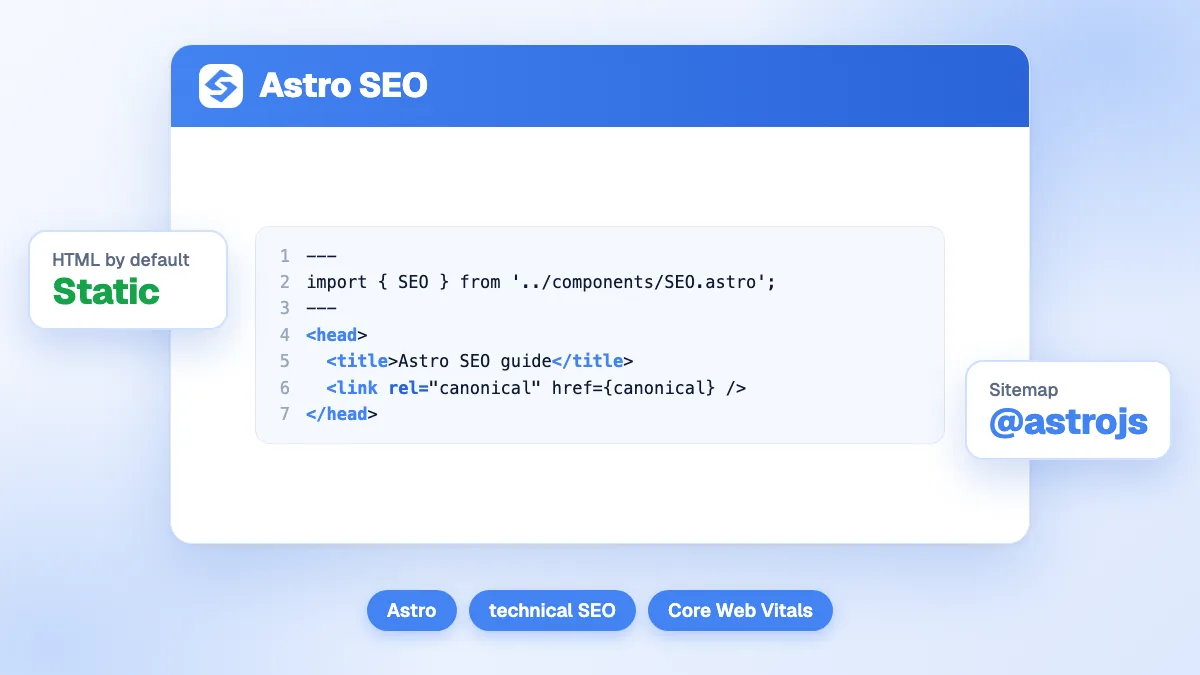
Astro SEO step by step: static or server rendering, head tags, sitemap, hreflang, images, JSON-LD and redirects, checked against the official docs.

Tools

In short
Astro is one of the most search-friendly web frameworks because it prerenders pages to plain HTML and ships no client-side JavaScript unless you ask for it. That gives Google and AI crawlers complete content on the first request. Astro does not write your SEO for you, though: titles, meta descriptions, canonicals, hreflang, structured data and redirects are yours to add, mostly in one shared head component plus the official sitemap integration.
Want to go further? Ask
Quick quiz
Is SEO right for you, and how should you start?
Sorank matches your answers


Test it for 3 days on your own site and see where you stand on Google, ChatGPT and the other AIs.
Start 3-day free trial3 days free, then stop whenever you want. 90-day results-or-refund guarantee.
Astro SEO is the work of turning that clean HTML into pages that rank. Google's own guide to JavaScript SEO basics explains that it processes JavaScript sites in three phases (crawling, rendering, indexing) and states that "server-side or pre-rendering is still a great idea" because not all bots can run JavaScript. Astro starts from that position by default. This guide covers the rest, setting by setting, with every behavior checked against the official Astro documentation. For context, the sorank.com site you are reading runs on Astro.
Yes, on the technical side. Astro renders components to HTML at build time and removes the JavaScript that frameworks such as React or Vue would normally send to the browser. The result avoids the classic problems described in our guide to JavaScript SEO: empty HTML shells, content that only appears after rendering, links that are not real anchor tags. It also avoids the routing traps of a single-page application, since every Astro route is a real URL with its own HTML file.
What Astro does not do is just as important. There is no built-in SEO plugin, no automatic meta description, no automatic canonical tag and no structured data. The table below separates what you get for free from what you must build.
| SEO element | What Astro gives you | What you add |
|---|---|---|
| Crawlable HTML | Prerendered HTML by default | Nothing, unless you render content only on the client |
| Title and meta description | A head you control in each layout | A shared SEO component fed by each page |
| Canonical tag | Astro.site and Astro.url to build absolute URLs | The link tag itself, with a consistent trailing slash |
| XML sitemap | The official @astrojs/sitemap integration | Install it, set the site option, filter private pages |
| hreflang | i18n routing and a sitemap i18n option | Alternate links in the head of each page |
| Images | Image and Picture components that optimize files | Descriptive alt text, sensible sizes |
| Structured data | Nothing specific | JSON-LD scripts per page type |
| Redirects | A redirects option in the config | Real 301s at the host level for static builds |
The Astro documentation on on-demand rendering is clear: by default, pages, routes and API endpoints are prerendered at build time as static pages. For SEO, static output is the safest default: each URL is a finished HTML file served from a CDN, fast and identical for every visitor and every bot.
On-demand (server) rendering requires an adapter for your host (Node, Netlify, Vercel or Cloudflare, for example). You then opt a single route out of prerendering with export const prerender = false, or switch the whole project with output: 'server' and opt static pages back in. Both modes produce full HTML, so Google sees the same thing. The differences are elsewhere:
The practical rule: keep marketing pages, blog posts and documentation static, and render on demand only the routes that need live data. Astro's docs make the same recommendation, advising to keep the default static mode until most of your pages need on-demand rendering.
Create one SEO component (often called BaseHead or Seo) and include it in the head of every layout. It receives a title, a description, an optional image and an optional noindex flag, and outputs:
Set the site option in astro.config.mjs first: the canonical, the sitemap and the social tags all depend on it. Then choose a trailingSlash policy ('always' or 'never') and stick to it, so that /blog/post and /blog/post/ never compete as two versions of the same page. Query strings should be stripped from the canonical so that tracking parameters do not create duplicates.
Tip
If your articles live in content collections, make title and description required fields in the collection schema. The build then fails when an author forgets a meta description, instead of shipping an empty snippet to Google.
Use the official integration documented on the @astrojs/sitemap page. Running npx astro add sitemap installs it and adds it to your config. It requires the site option and, at build time, writes a sitemap-index.xml file that points to numbered files (sitemap-0.xml, then more on large sites). Each file holds up to 45,000 entries by default, set by the entryLimit option. If you are new to the format, our glossary entry on the XML sitemap explains what Google does with it.
Three settings matter for SEO:
Watch out
The documentation states that the integration cannot generate sitemap entries for dynamic routes in SSR mode. If your product or article pages are rendered on demand, they will be missing from the sitemap unless you prerender them or add them yourself.
For robots.txt, a static file in the public folder is enough on most sites. If the content differs between staging and production, generate it from an endpoint (src/pages/robots.txt.ts) instead. In both cases, add a Sitemap line pointing to sitemap-index.xml, and test the result with a robots.txt checker before launch. The same endpoint technique produces an llms.txt file; our guide on how to install an llms.txt file covers its content.
Astro's built-in i18n routing handles the URL side. In the config you declare a defaultLocale and a list of locales, and choose whether the default language also gets a prefix (prefixDefaultLocale). Helpers such as getRelativeLocaleUrl build localized links, and Astro.currentLocale tells each page which language it is in.
The routing guide does not cover hreflang tags in the head, so plan to write them yourself in the SEO component: for each page, one alternate link per language version, plus an x-default, all as absolute URLs, and every version must list all the others (return links). Generating them from the same locale list as your routing avoids the most common error, an alternate pointing to a page that does not exist. To check the logic on a few URLs, our hreflang generator outputs the full set of tags for a page. Then enable the sitemap i18n option as a second signal.
Speed is where Astro gains the most ground, and it shows in Core Web Vitals. The Astro images guide describes the Image component from astro:assets: it optimizes local images, converts their format, outputs lazy loading and async decoding, and infers image dimensions to avoid Cumulative Layout Shift. The alt attribute is mandatory on it, which enforces a basic rule of image SEO. The Picture component goes further and serves AVIF or WebP with a fallback.
Two habits complete the picture. Keep images that need optimizing in src (files in public are served as they are, with no processing). And do not lazy-load the main image at the top of the page: give it eager loading so it does not delay Largest Contentful Paint.
The islands architecture keeps JavaScript under control. A component is static HTML until you add a client directive: client:load hydrates it immediately, client:idle when the browser is free, client:visible only once it enters the viewport. Reserving client:load for what must react at once (a menu, a cart) is the simplest way to protect Interaction to Next Paint. Server islands (server:defer) let a personalized block load after the cached page, without slowing down the main content.
Note
An island only hides its interactivity, not its text, as long as the component renders on the server first. Content fetched in the browser after load is a different case: crawlers that do not run JavaScript, which includes many AI crawlers, will not see it.
Astro has no schema feature, which leaves you full control. Build a JavaScript object for each page type (Article, Product, Organization, BreadcrumbList, FAQPage) and output it in a script tag of type application/ld+json, using the set:html directive with JSON.stringify so the JSON is not escaped. Feed it from the same frontmatter or collection data as the visible page, so the markup always matches what users see, which is a requirement of Google's guidelines on schema markup.
To draft the JSON for a new page type, our free schema generator gives you a valid starting block that you then turn into a template. Validate a sample of built pages with Google's Rich Results Test after each change to the template.
Migrations from WordPress or Next.js are the riskiest moment for an Astro site. Keep every URL that has traffic or backlinks, and map the others one by one to their closest equivalent with permanent redirects, as explained in our guide to SEO redirects.
Astro's config accepts a redirects object that maps old paths to new ones. With a server adapter, these become real HTTP redirects. On a purely static build, Astro writes an HTML page with a meta refresh instead, which Google follows but treats as a weaker signal than a server-side 301. For a static site, declare the redirects in your host's own format (a _redirects file on Netlify or Cloudflare Pages, a vercel.json file on Vercel) so that crawlers receive a true 301.
Being cited by ChatGPT, Perplexity or Gemini starts with being readable. Many AI crawlers fetch the raw HTML and do not execute JavaScript, so a site that ships its full text in the first response, as Astro does by default, removes a barrier that client-rendered sites still have. Clean headings, answer-first paragraphs, structured data and an llms.txt file then make each page easier to quote.
After launch, measure instead of guessing. The Sorank GEO and SEO dashboard brings your Search Console data and your visits from AI assistants together, so you can see whether the new site holds its positions.
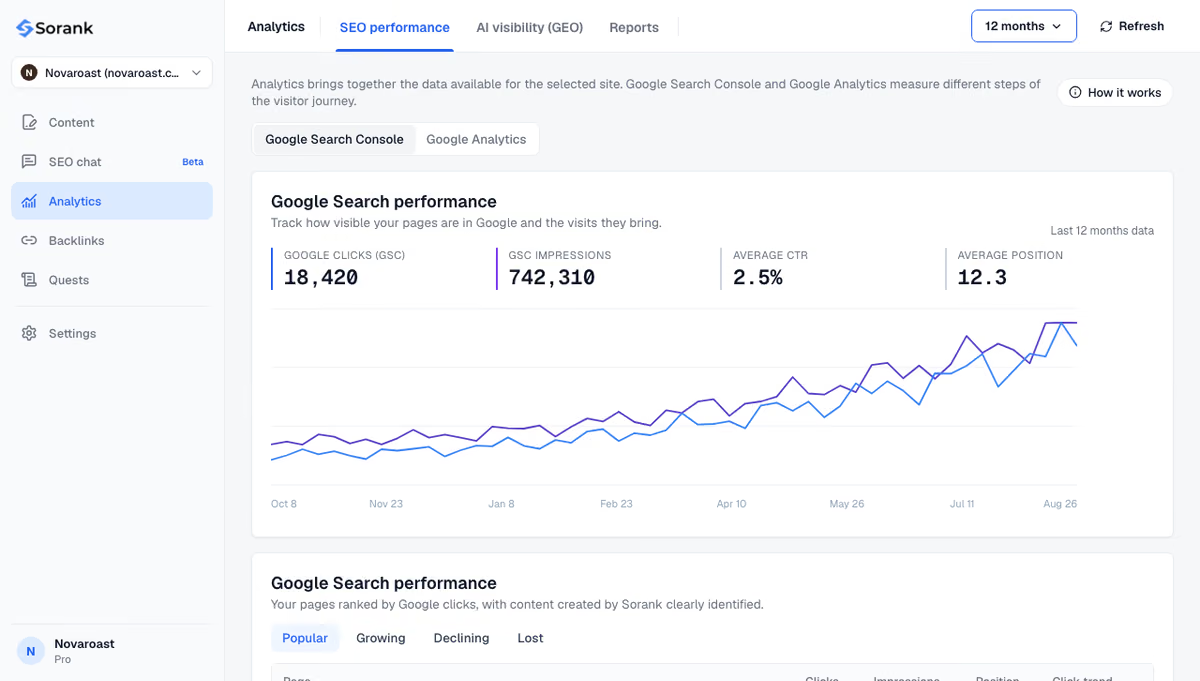
Technical quality only pays off with content to rank. Sorank's AI blog article generator writes and publishes articles optimized for Google and AI assistants, and connects to a custom site such as an Astro project by webhook.
Astro gives you crawlable, fast HTML by default; ranking still depends on the head tags, sitemap, hreflang, structured data and redirects you add on top. Set up the shared SEO component and the sitemap first, then work through the table above before launch.

No. Astro has no official all-in-one SEO plugin: you write the title, meta description, canonical and social tags in a shared head component. The official @astrojs/sitemap integration covers the sitemap. Community packages exist, but a small component of your own is easy to maintain and fully under your control.
Both can produce fully rendered HTML, so Google can index either one well. Astro sends far less JavaScript by default, which usually makes content sites faster and helps Core Web Vitals. Next.js is a better fit for highly interactive applications; for blogs, marketing sites and documentation, Astro is the simpler choice for SEO.
Yes. A page rendered on demand still returns complete HTML to Googlebot, exactly like a prerendered page. The points to watch are server response time, which affects loading speed, and the sitemap integration, which cannot list dynamic routes rendered in server mode unless you add them yourself.
We analyse your competitors, your website and your AI visibility to create a tailored content plan for free.
 AI Content Brief Generator
 FAQ Schema Generator
 AI Blog Post Ideas Generator
 Structured Data Validator (Schema Validator)
 Alt Text Checker
 Internal Link Analyzer
 Backlink Challenge
 AI Meta Description Generator
 AI Blog Title Generator
 Google Indexability Checker
 AI Blog Outline Generator
 UTM Link Builder
 Keyword Clustering Tool
 Canonical Tag Checker
 XML Sitemap Generator
 Broken Link Checker
 AI SEO Title Generator
 Headline Analyzer
 SERP Preview Tool
 Redirect Checker
 Hreflang Tag Generator
 Heading Structure Analyzer
 HTTP Headers Checker
 Favicon Extractor
 SERP CTR Calculator
 SEO vs Paid Search Savings Calculator
 SEO Share of Voice Calculator
 SEO ROI Calculator
 SEO Traffic and Revenue Forecast Calculator
 SEO Budget Calculator
 SEO Break-Even Calculator
 SaaS SEO ROI Calculator
 ROAS Calculator
 Reading Time Calculator
 Ranking Gain Simulator
 Organic Traffic Value Calculator
 Organic Traffic Estimator and Website Traffic Checker
 LTV to CAC Ratio Calculator
 Local SEO ROI Calculator
 Link Building Cost Calculator
 Keyword Value Calculator
 Keyword Opportunity Score Calculator
 Keyword Density Calculator
 GEO ROI Calculator
 GEO Content Investment Calculator
 Ecommerce SEO ROI Calculator
 Customer Lifetime Value Calculator
 Customer Acquisition Cost Calculator
 CTR Calculator
 Cost Per Article Calculator
 Conversion Rate Calculator
 Content Marketing ROI Calculator
 ChatGPT Referral Traffic Estimator
 Bounce Rate Calculator
 Backlink ROI Calculator
 AI Visibility Score Calculator
 AI Traffic Value Calculator
 AI Share of Voice Calculator
 Cost of AI Invisibility Calculator
 AI Citation Rate Calculator
 llms.txt Validator
 AI Overview Checker and AI Overviews Rank Checker
 Robots.txt Checker
 AI SEO Audit
 LLM Readability Checker
 SearchGPT Readiness Checker
 Structured Data LLM Audit
 Website Crawlability AI Audit
 Why ChatGPT Is Not Recommending My Website
 Gemini Ranking Tool
 Perplexity Ranking Checker
 LLM Citation Checker
 Answer Engine Optimization Audit
 GEO Audit
 AI Search Visibility Test
 ChatGPT Visibility Checker
 llms.txt Generator
 URL Extractor
 Webpage to Markdown
 Sitemap Checker
 SERP Volatility Sensor
 Page Size Checker
 Word Counter
 Slug Generator
 Schema Generator
 Robots Generator
 OG Preview
 Meta Tags Generator
 Image Compressor
 Favicon Generator
 On-Page SEO Audit: SEO Checker and SEO Analyzer
 Backlink Analysis Tool
 Keyword Research Tool
 Domain Authority Checker
THEY TRIED SORANK BEFORE YOU
 “I tested Sorank on a real client site and it's insane. It does everything an agency would bill you $1500 a month for. It's going into production on that client now.”

 Guillaume Guersanguersanguillaume.com“We are an Ads agency and we wanted to get our SEO back on track once and for all. Sorank gave us a clear view of our site, helped us prioritize optimizations, and properly structure our content. The tool is easy to use, well designed for a team, and very practical for centralizing tracking without having to juggle multiple platforms. A very solid foundation to start fresh with our SEO.”
 Gaspard MadouiAds Agency
 “I just let the Sorank software do its thing, and now my DR is 25 and my page is ranking higher.”
 Lucas Flandrefoundertrace.fr“I specialized in GEO thanks to Sorank. The GEO Leaderboard allows me to show my clients their position vs competitors on ChatGPT. It’s a real commercial differentiator.”
 MélanieSEO Freelance“Great service, works well for our website and helps us understand how to improve it to rank better on Google and elsewhere. Congrats, keep going, I recommend it.”
 Hugo T.E-commerce merchant