Preferences
Privacy is important to us, so you have the option of disabling certain types of storage that may not be necessary for the basic functioning of the website. Blocking categories may impact your experience on the website. More information

Privacy is important to us, so you have the option of disabling certain types of storage that may not be necessary for the basic functioning of the website. Blocking categories may impact your experience on the website. More information

What makes a website SEO-friendly in 2026: a 20-point checklist on crawling, speed, structure, content and AI readability, with Google's own thresholds.
Tools

In short
an SEO-friendly website is a site that search engines and AI assistants can crawl, render, understand and trust without effort. In practice that means pages served as readable HTML, a clear structure with descriptive URLs, one topic per page with a unique title, fast loading on mobile (Google's Core Web Vitals thresholds), HTTPS, and content that answers real questions. The 20 checks below cover all of it, in the order a site is built.
Want to go further? Ask
Quick quiz
Is SEO right for you, and how should you start?
Sorank matches your answers


Test it for 3 days on your own site and see where you stand on Google, ChatGPT and the other AIs.
Start 3-day free trial3 days free, then stop whenever you want. 90-day money-back guarantee.
An SEO-friendly website does not rank by itself: it removes the obstacles that stop good content from ranking. Google's own SEO Starter Guide puts it simply: the goal is to help search engines crawl, index and understand your content. In 2026 the same work also decides whether ChatGPT, Perplexity or Gemini can read and quote your pages. If you are starting from a blank page, our free wireframe for SEO and GEO friendly websites gives you the page layout; this article is the checklist that goes with it.
A site is SEO-friendly when four conditions are met, and each one depends on the previous:
Most ranking problems on small sites come from the first two conditions, which are invisible to the visitor. A page can look perfect in a browser and still be empty for a crawler.
Google renders JavaScript, but with a delay, and most AI crawlers do not render it at all. Titles, body text, internal links and structured data should be present in the source HTML. Our guide to JavaScript SEO explains how to check it.
A single wrong line can block a whole site. Check that Googlebot and Bingbot are allowed, then decide which AI crawlers you accept: our article on robots.txt for AI crawlers lists them.
An XML sitemap lists the URLs you want indexed, with their last modification date. Submit it in Google Search Console and reference it in robots.txt.
Every page, image and script on HTTPS, with the HTTP version redirected in one 301 hop.
200 for live pages, 301 for moved pages, 404 or 410 for removed ones. Redirect chains and "soft 404" pages (an error message served with a 200 code) waste crawling. See our guide to SEO redirects.
The same content reachable at several addresses (with and without a trailing slash, with tracking parameters, with uppercase letters) splits signals. A self-referencing canonical tag tells Google which address is the official one.
Watch out
A site migration or a theme change is the moment when most of these checks break at once: a staging robots.txt left in place, canonicals pointing to the old domain, redirects missing. Run the checklist again the day after any launch.
Every important page should be reachable in three clicks from the home page, grouped by topic: home, category or hub, then detail pages. Our guide to site architecture for SEO shows the common models.
Google recommends descriptive words in the language of your audience and hyphens instead of underscores to separate them, and advises trimming unnecessary parameters (URL structure best practices). /blog/seo-friendly-website beats /index.php?id=4821.
Internal linking is how robots discover pages and how authority flows between them. Link related pages to each other with anchors that say what the target is about, and make sure no important page is an orphan.
Breadcrumbs show the place of each page in the hierarchy, for visitors and for Google, which can display them in results.
| Element | Rule | Common mistake |
|---|---|---|
| 11. Title tag | Unique, main keyword first, about 50 to 60 characters | Same title on every page |
| 12. Meta description | Unique summary of 120 to 160 characters with a benefit | Left empty or duplicated |
| 13. Headings | One H1, then H2 and H3 that follow the outline | Headings used only for styling |
| 14. Images | Descriptive file names, alt text, compressed formats (WebP, AVIF) | Text written inside images |
| 15. Structured data | JSON-LD for the page type (Article, Product, Organization, FAQ) | Markup that does not match the visible content |
A schema generator writes valid JSON-LD for the common page types.
Tip
Check one page of each template (home, category, article, product) rather than every page: an error in a template repeats on hundreds of URLs, and fixing the template fixes them all.
Google's thresholds for a good experience, measured at the 75th percentile of real visits, are LCP of 2.5 seconds or less, INP of 200 milliseconds or less and CLS of 0.1 or less (web.dev, Core Web Vitals). Our glossary entry on Core Web Vitals explains each metric.
Google completed the switch to mobile-first indexing in October 2023, as its Search Central blog announced: the mobile version of your pages is the one that gets indexed. Content hidden or missing on mobile does not count.
Compress images, load fonts and third-party scripts carefully, and avoid pop-ups that cover the content on arrival.
Each page targets one main question or keyword. Two pages on the same intent compete with each other; merge them into the stronger one.
Start each page or section with a direct answer, then give the details, figures and sources. This structure helps readers, earns featured snippets and makes passages easy for AI assistants to quote.
ChatGPT, Perplexity, Claude and Gemini build their answers from pages they can fetch and parse quickly. The checklist above is the base of generative engine optimization: HTML content, clean structure, answer-first passages and structured data. Two additions are specific to AI: an llms.txt file that points assistants to your key pages, and regular checks that your pages are readable by AI crawlers, which the AI crawlability audit does in one pass.
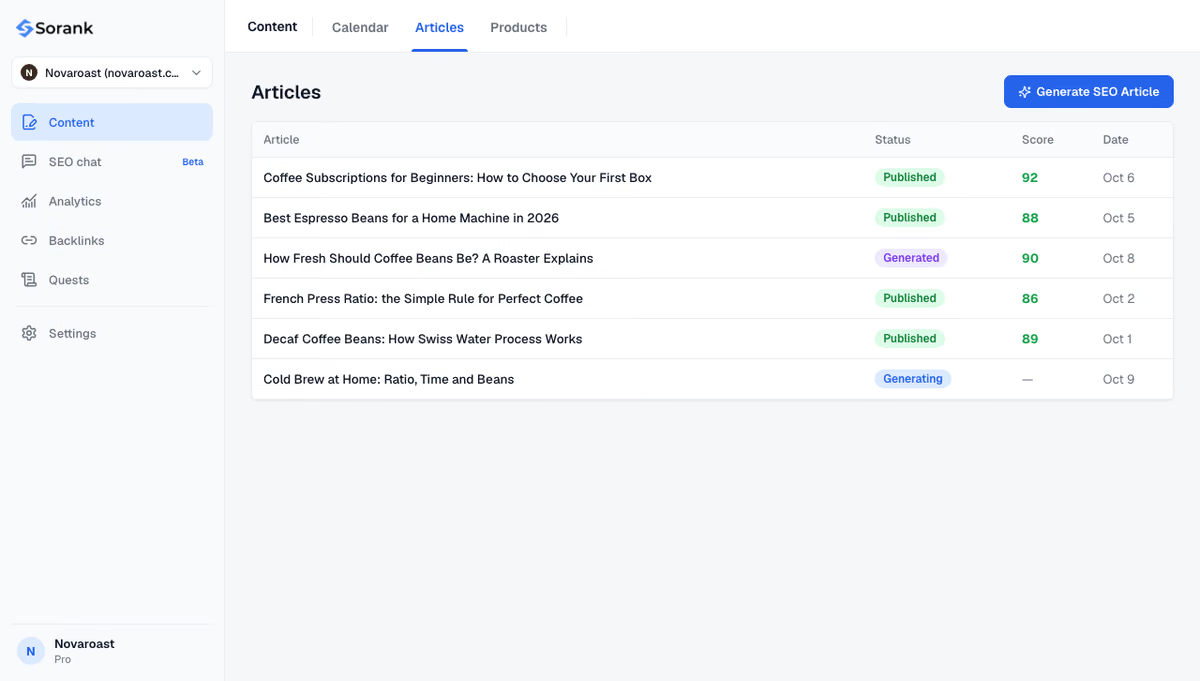
Sorank is our product: once the foundations are in place, its blog article generator finds the keywords your site can win and publishes optimized articles on autopilot, with internal links and sources, on WordPress, Shopify, Webflow, Wix or by webhook.
An SEO-friendly website is the condition, content is the engine. Fix the 20 points once, re-check them after every redesign, then publish steadily. To see what that costs, look at Sorank's plans, with a 3-day free trial.

Yes, WordPress produces clean HTML and lets you control titles, URLs, redirects and sitemaps, often through a plugin such as Yoast or Rank Math. A slow or hard-to-crawl WordPress site usually comes from a heavy theme or too many plugins.
A page can rank despite technical flaws if its content is much better than the competition, but every flaw reduces its chances. Blocked pages, missing titles or very slow loading can stop a page from being indexed at all, which no content can compensate for.
On a small site, the checks in this list take one to two days to review and fix, most of it in the templates. Results in Google usually follow within a few weeks, once the corrected pages have been crawled again.
We analyse your competitors, your website and your AI visibility to create a tailored content plan for free.
 AI Content Brief Generator
 FAQ Schema Generator
 AI Blog Post Ideas Generator
 Structured Data Validator (Schema Validator)
 Alt Text Checker
 Internal Link Analyzer
 Backlink Challenge
 AI Meta Description Generator
 AI Blog Title Generator
 Google Indexability Checker
 AI Blog Outline Generator
 UTM Link Builder
 Keyword Clustering Tool
 Canonical Tag Checker
 XML Sitemap Generator
 Broken Link Checker
 AI SEO Title Generator
 Headline Analyzer
 SERP Preview Tool
 Redirect Checker
 Hreflang Tag Generator
 Heading Structure Analyzer
 HTTP Headers Checker
 Favicon Extractor
 SERP CTR Calculator
 SEO vs Paid Search Savings Calculator
 SEO Share of Voice Calculator
 SEO ROI Calculator
 SEO Traffic and Revenue Forecast Calculator
 SEO Budget Calculator
 SEO Break-Even Calculator
 SaaS SEO ROI Calculator
 ROAS Calculator
 Reading Time Calculator
 Ranking Gain Simulator
 Organic Traffic Value Calculator
 Organic Traffic Estimator and Website Traffic Checker
 LTV to CAC Ratio Calculator
 Local SEO ROI Calculator
 Link Building Cost Calculator
 Keyword Value Calculator
 Keyword Opportunity Score Calculator
 Keyword Density Calculator
 GEO ROI Calculator
 GEO Content Investment Calculator
 Ecommerce SEO ROI Calculator
 Customer Lifetime Value Calculator
 Customer Acquisition Cost Calculator
 CTR Calculator
 Cost Per Article Calculator
 Conversion Rate Calculator
 Content Marketing ROI Calculator
 ChatGPT Referral Traffic Estimator
 Bounce Rate Calculator
 Backlink ROI Calculator
 AI Visibility Score Calculator
 AI Traffic Value Calculator
 AI Share of Voice Calculator
 Cost of AI Invisibility Calculator
 AI Citation Rate Calculator
 llms.txt Validator
 AI Overview Checker and AI Overviews Rank Checker
 Robots.txt Checker
 AI SEO Audit
 LLM Readability Checker
 SearchGPT Readiness Checker
 Structured Data LLM Audit
 Website Crawlability AI Audit
 Why ChatGPT Is Not Recommending My Website
 Gemini Ranking Tool
 Perplexity Ranking Checker
 LLM Citation Checker
 Answer Engine Optimization Audit
 GEO Audit
 AI Search Visibility Test
 ChatGPT Visibility Checker
 llms.txt Generator
 URL Extractor
 Webpage to Markdown
 Sitemap Checker
 SERP Volatility Sensor
 Page Size Checker
 Word Counter
 Slug Generator
 Schema Generator
 Robots Generator
 OG Preview
 Meta Tags Generator
 Image Compressor
 Favicon Generator
 On-Page SEO Audit: SEO Checker and SEO Analyzer
 Backlink Analysis Tool
 Keyword Research Tool
 Domain Authority Checker
THEY TRIED SORANK BEFORE YOU
 “I tested Sorank on a real client site and it's insane. It does everything an agency would bill you $1500 a month for. It's going into production on that client now.”
 Guillaume Guersanguersanguillaume.com“We are an Ads agency and we wanted to get our SEO back on track once and for all. Sorank gave us a clear view of our site, helped us prioritize optimizations, and properly structure our content. The tool is easy to use, well designed for a team, and very practical for centralizing tracking without having to juggle multiple platforms. A very solid foundation to start fresh with our SEO.”
 Gaspard MadouiAds Agency
 “I just let the Sorank software do its thing, and now my DR is 25 and my page is ranking higher.”
 Lucas Flandrefoundertrace.fr“I specialized in GEO thanks to Sorank. The GEO Leaderboard allows me to show my clients their position vs competitors on ChatGPT. It’s a real commercial differentiator.”
 MélanieSEO Freelance“Great service, works well for our website and helps us understand how to improve it to rank better on Google and elsewhere. Congrats, keep going, I recommend it.”
 Hugo T.E-commerce merchant