Preferences
Privacy is important to us, so you have the option of disabling certain types of storage that may not be necessary for the basic functioning of the website. Blocking categories may impact your experience on the website. More information
Privacy is important to us, so you have the option of disabling certain types of storage that may not be necessary for the basic functioning of the website. Blocking categories may impact your experience on the website. More information

Step by step, learn how to claim or submit your G2 profile, collect reviews within G2's rules, and reach the 10-review threshold for a Grid report.

Tools

In short
Search G2 for your product first. If the profile exists, claim it with a work email. If it does not, submit the product form and wait for G2's research team to verify it, usually within about 3 to 5 business days. Then complete the profile and collect reviews from real customers under G2's rules, because you need at least 10 verified reviews in a category to appear on a Grid report.
Want to go further? Ask
Quick quiz
What should you work on first for your brand?
Sorank matches your answers


Test it for 3 days on your own site and see where you stand on Google, ChatGPT and the other AIs.
Start 3-day free trial3 days free, then stop whenever you want. 90-day results guarantee, conditions apply.
A G2 listing is a product profile on G2.com. Buyers use it to compare software, read reviews, and build a shortlist. The profile holds your description, category, features, pricing, screenshots, and every review left by a customer. G2's own sales page says you can claim a free profile at no cost, and the free profile is enough to be listed and to gather reviews.
Reviews are the part that matters most, and they are the part you cannot shortcut. You need a plan to earn reviews from real users, and you need to know the rules before you ask anyone for one.
This guide covers the full path: checking your current status, submitting or claiming, completing the profile, collecting reviews the right way, reaching the Grid, and fixing the mistakes that cost vendors their listing. For how review sites shape what AI tools recommend, read Review Sites and AI Recommendations. This article stays on how to get listed.
| State | What it means | Your next step |
|---|---|---|
| Not listed | G2 has no profile for the product | Submit the product form |
| Unclaimed | A profile exists, but nobody on your team manages it | Claim it with a work email |
| Claimed | Your team edits the profile and can collect reviews | Complete the profile, then ask for reviews |
Many vendors skip this step, then create a second profile by mistake. Search before you submit anything.
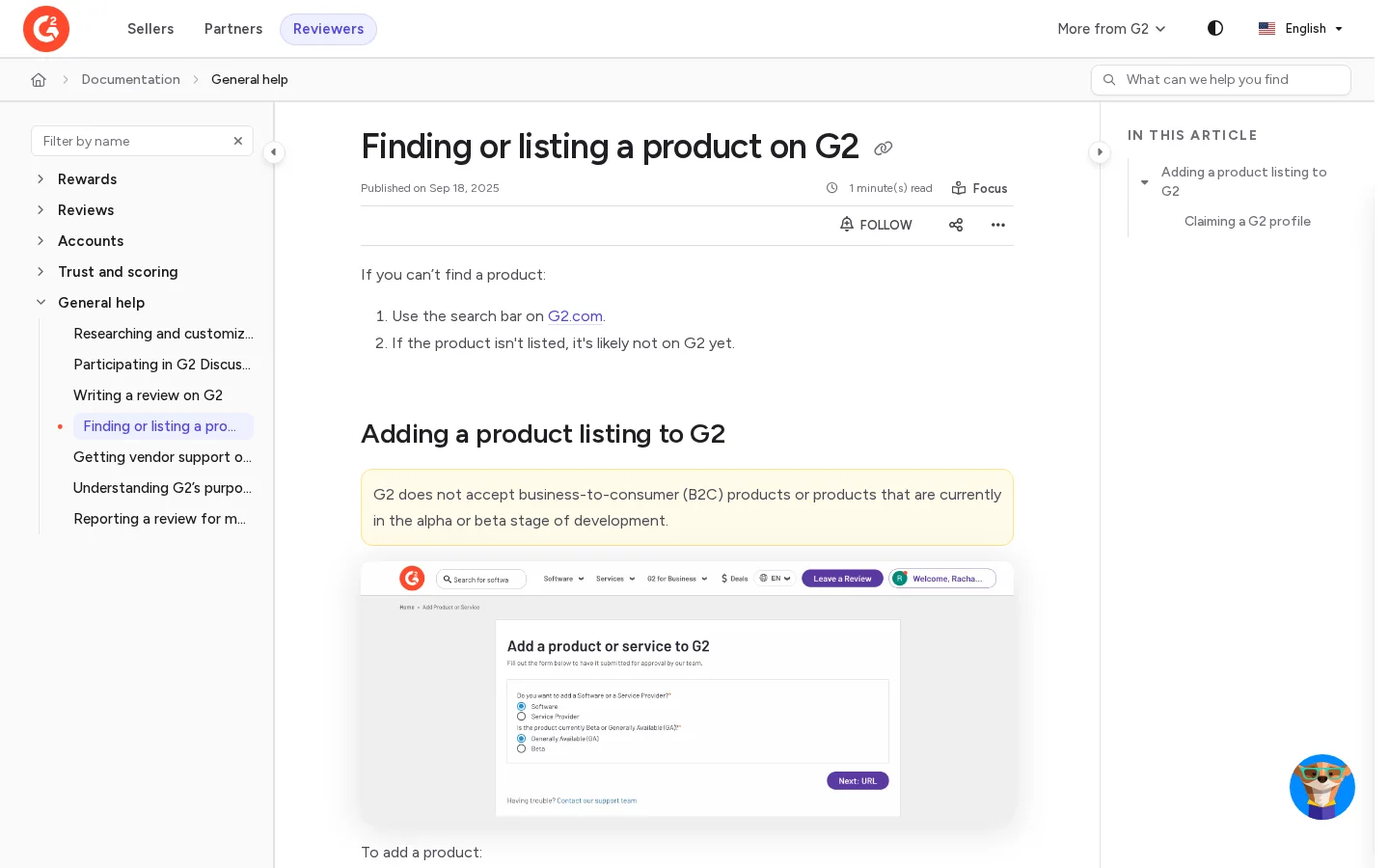
Search the G2 search bar with the product name, the company name, and the old name if you changed it. G2's documentation says that if a product does not appear in search, it is likely not on G2 yet. Also try spelling variants, such as a product name with a version number or a different capitalization of the brand.
If you find two profiles, or a profile under an old name, do not submit a third one. Claim the profile that already holds your reviews, or the one with the fuller history. G2's documentation says to contact G2 Support for help with a claim, and that is the right route for a duplicate too.
G2 does not accept business-to-consumer products, and it does not accept products still in alpha or beta. If you sell to consumers, or your product is still in testing, the submission will not pass yet. Wait until the product is generally available, or pick a review platform that serves your buyers.
Before you submit
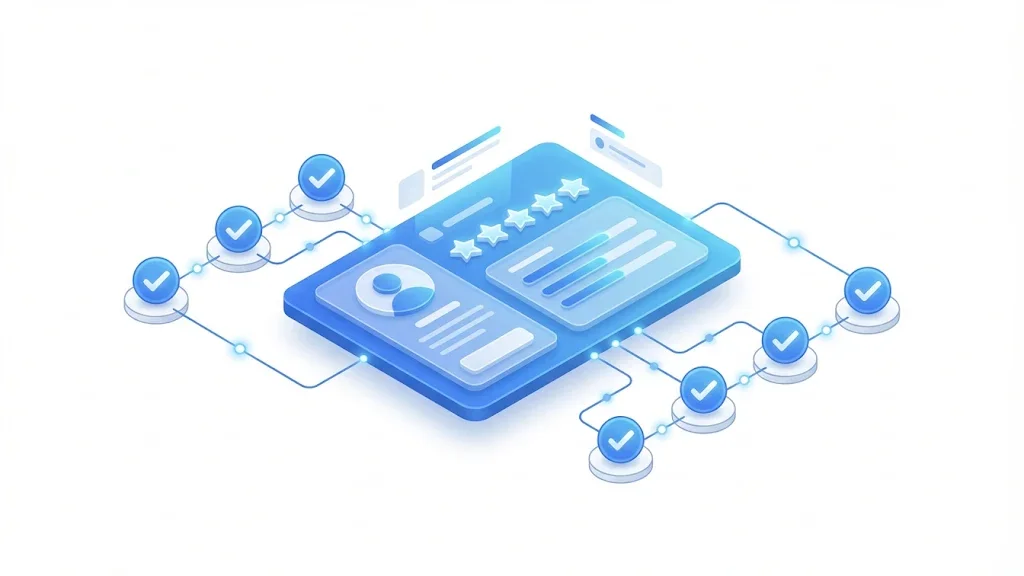
This is the path. Follow the order, because G2 checks a new product before it lets you claim and edit it. If your product already has a profile, skip straight to the claim.
Submit or claim: the path
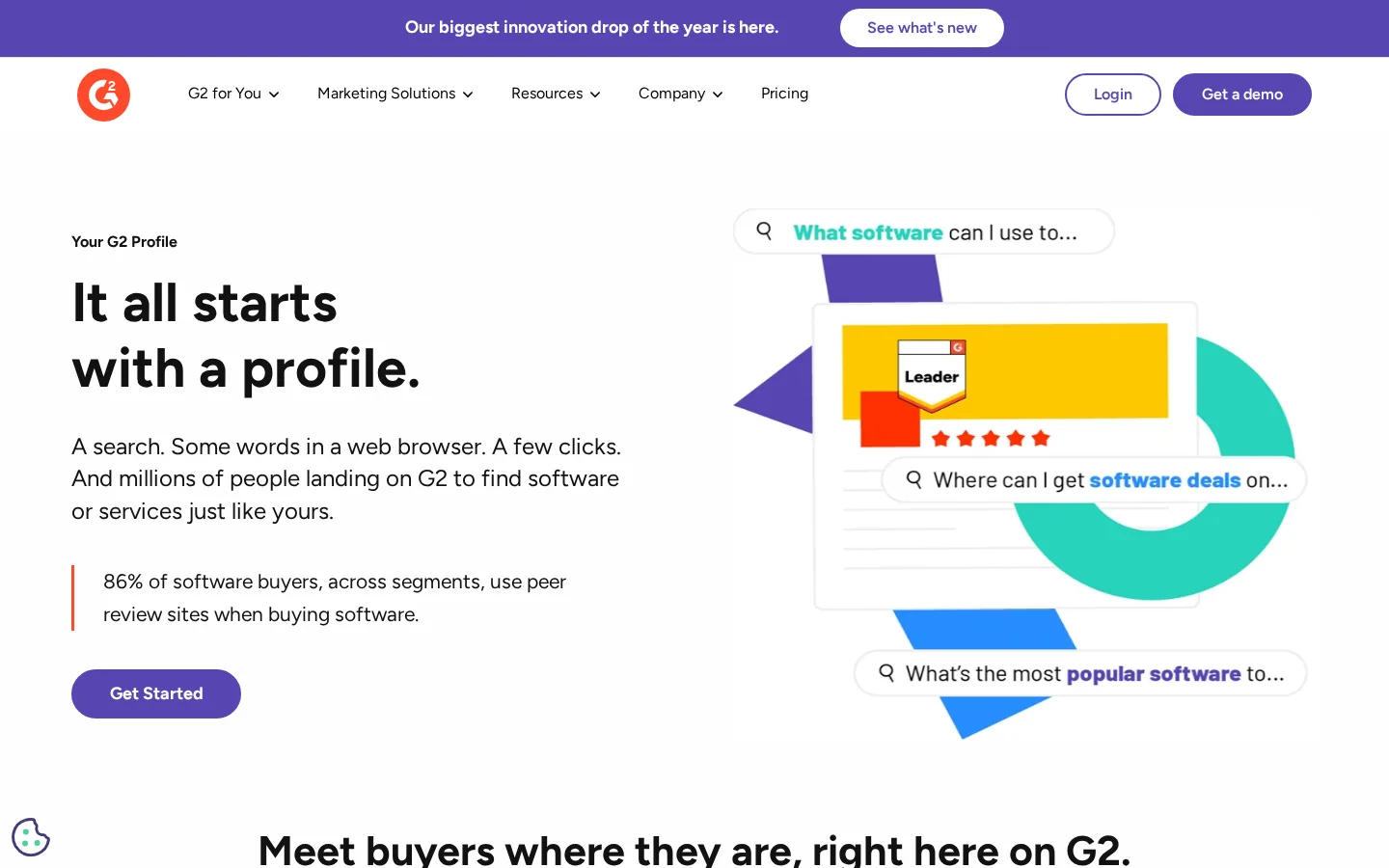
G2's public page for creating a free profile lays out the same path, so you can check each step against G2's own wording.
Plan for one to two weeks from submission to a live, claimed profile. Those are typical times from G2's own pages, not guarantees, and they can change.
Typical timing, from submission to a claimed profile
Sources: G2 Sell and G2 documentation
The form asks what the product does and who uses it. Write the way a buyer searches: the job the tool does, the team that uses it, and the category words your customers type. Skip the mission statement. A clear answer here makes the category choice easier for G2's team.
A half-filled profile is the most common reason a listing looks weak. Fill every field you can, and write for a buyer who has never heard of you.
Pick the category your buyers search, even if it has more competitors. Then write two or three sentences: who the product is for, what job it does, and one outcome you can back up with a customer quote. Leave out superlatives such as "the best" or "revolutionary". They add nothing a buyer can check.
List features with the names buyers type, such as "keyword research" or "rank tracking", not internal product names. Copy the pricing tiers exactly from your website. A mismatch between your site and your profile is the fastest way to lose a buyer's trust. List only the integrations you support today.
Upload real screenshots of the product with realistic data, not mockups. Keep the logo identical to the one on your site. Logo changes are made in my.G2 under the Product Profile section. G2's free service terms list two profile admins, so decide now who needs edit access, and remove access for people who leave the company.
Thin profile or complete profile
You cannot shortcut a Grid, and you cannot ask staff to fill it in. Reviews come from people who used the product and got a result. The methods below are the ones that work under G2's rules, with the limits of each. The same principles apply to Google reviews, covered in How to Get More Google Reviews.
The principle: send a short, personal message with a direct link to a customer who had a clear win. When to use it: after a result, at renewal, or after you solve a support problem well. Advantages: it is free, personal, and fully within G2's rules. Limits: it is slow, and it only works if you keep asking every month. Example:
Example
"Hi Maya, you set up the weekly report in March, and your team now spends a morning less on it. Would you share a short review on G2? Here is the link: [your G2 review link]. It takes a few minutes."
The principle: add the link to a message that already happens, such as an onboarding email sent after the first useful output, or a slide in a quarterly business review. When to use it: once a customer has used the product for a while and has a result to talk about. Advantages: it reaches many customers without much effort. Limits: asking before the customer has any value produces weak reviews, and a generic prompt is easy to ignore. Example: a review slide at the end of your quarterly business review, with three customer outcomes and one link at the bottom.
The principle: offer a reward for every approved review, whatever the opinion. G2 caps the value of any incentive at $100 USD, and it labels the review as incentivized. When to use it: in a new category where you need volume fast, or right after a launch. Advantages: faster volume, and it is allowed if you follow the rules. Limits: the review carries a label, the incentive must be disclosed to G2, and some campaigns cap how many gift cards they give out. Example: a $50 gift card for every approved review, offered to all customers, with the incentive disclosed to G2 before the campaign starts.
The principle: there is none. G2 says employees of the product's company, and employees of a direct competitor, may not leave reviews. Why it fails: reviews from staff or investors break the rules, and G2 can remove them and restrict the vendor. Do not ask for them, even informally.
| Method | Best for | Speed | Main risk |
|---|---|---|---|
| Direct request | Quality reviews from happy customers | Slow and steady | Low volume if you stop asking |
| Onboarding or check-in prompt | Customers who already have a result | Medium | Asking too early gives weak reviews |
| Incentivized reviews | Fast volume in a new category | Fast | Labeled, capped at $100 USD, must be disclosed to G2 |
| Staff or investor reviews | Nothing | Not allowed | Removal, and possible restrictions on the vendor |
G2 publishes its reviewer and vendor rules in its community guidelines. The reviewer rules apply to reviews submitted through the unified review flow from 4 November 2026. If you send review links, check that they lead to that flow, and that your request wording matches the rules below.
What G2 allows and what it does not
Source: G2 Community Guidelines, legal.g2.com
Warning
Reviews can be removed during moderation or after they are published. G2 can also stop a vendor from submitting new reviews, remove existing ones, or ban the vendor or the product. Treat the rules as a condition of keeping your listing.
Gift cards are issued once per review. Editing an existing review does not qualify for a new gift card unless the customer receives an official invitation to update it. This matters when a customer comes back to improve a review because they heard about a reward. Tell them the review stands as written, and let G2 handle any update request.
G2 uses its Grid to show how products compare inside a category. To appear on a Grid, a product needs at least 10 verified reviews within that specific category. Total reviews across your profile are not enough, so count reviews per category.
Reviews also age. G2 says a review keeps its full weight for the first 90 days, and its influence fades after that. A steady flow of new reviews therefore beats a one-time push.
The numbers that matter for the Grid
Sources: G2 Sell, G2 Community Guidelines, G2 documentation
Count the verified reviews in your category on your profile. Say you have 4. You need 6 more before the Grid can include you. Spread those over three months, which is two reviews a month. Because not every request turns into a review, you will need to send more than two requests a month, so plan for about two requests a week. That is a rhythm most B2B teams can keep.
Each mistake below has the same three parts: what it is, how to spot it, and how to fix it. Run your listing through this list once a month.
What it is: creating a new product when one already exists under another name. How to spot it: a search returns two profiles, or your reviews are split between two pages. How to fix it: claim the profile that holds the reviews, and contact G2 Support about the duplicate. Do not submit a third one.
What it is: sending one request to your whole customer list at once. How to spot it: a spike of requests, followed by weeks of silence. How to fix it: split the list into batches, and spread the requests over several weeks. A steady pace looks like a team with customers, not a campaign.
What it is: asking staff, partners who never used the product, or investors to post reviews. How to spot it: reviewers with your company's email domain, or a cluster of reviews from one team in a short window. How to fix it: stop, and never ask staff again. If a review breaks the rules, tell G2 Support.
What it is: a reward that depends on the rating or the opinion. How to spot it: your request email says "5 stars earns a gift card", or only happy reviewers ever get a reward. How to fix it: reward every approved review the same way, whatever the opinion, and disclose the incentive to G2.
What it is: a customer updates an old review to claim a new gift card. How to spot it: an edited review, followed by a request for a reward. How to fix it: say before the customer asks that edits do not qualify unless G2 invites an update. Then let G2 decide.
What it is: the same thank-you under every review. How to spot it: replies that could fit any review ever written. How to fix it: name the feature the reviewer mentioned, say what you changed or will change after a complaint, and offer a direct contact. Aim for a reply within a few days. The method is the same one covered in How to Respond to Google Reviews.
What it is: no new reviews after the first wave from the launch. How to spot it: no new reviews in 90 days, which is when reviews start to lose weight. How to fix it: keep a monthly request routine, and count reviews per category each month.
What it is: a one-line description, blank pricing, and no screenshots. How to spot it: the checklist in the profile section has empty fields. How to fix it: fill the fields in one afternoon, then reread the profile as a buyer who has never heard of you.
Before and after the fixes
Your G2 profile does two jobs. It helps buyers who search G2 directly, and it gives AI tools a public page they can read about your product. Keep that page accurate, then check the results instead of guessing. The AI Visibility Audit guide shows how to check your brand in ChatGPT, Gemini, and Perplexity by hand.
Use a tracked link wherever your profile points to your site, so your analytics show visits from G2. Build the link with the UTM builder. A tracked link looks like this:
https://www.example.com/?utm_source=g2&utm_medium=profile&utm_campaign=g2-listingTip
Run the free AI Search Visibility Test before you start and again after your G2 work. You will see whether AI answers mention your brand at all, and whether that changes.
Sorank tracks whether ChatGPT, Gemini, Claude, and Perplexity mention your brand, and it shows the change over time. Use AI mention tracking to follow the same question every month, or read the GEO optimization page for the wider approach. Tracking does not replace the G2 work. It only shows whether that work reaches AI answers.
Use this plan if you have never worked on your G2 profile. It assumes one person owns the work for a few hours each week.
Your first 30 days
Start with the search. It takes a few minutes and tells you whether you are claiming, submitting, or fixing a duplicate. Everything else in this guide depends on that first answer.
Yes. G2 offers a free product profile that you can claim at no cost, and it includes a way to gather reviews. Check the current free plan terms when you sign up, because they set the number of profile admins.
A profile can exist with zero reviews, but G2's Grid needs at least 10 verified reviews within the specific category. Reviews keep their full weight for 90 days, so a steady flow matters more than a one-time push.
For a new product, G2 usually verifies the submission within about 3 to 5 business days. A claim of an existing profile gets final approval within 1 to 3 business days, according to G2's documentation.
We analyse your competitors, your website and your AI visibility to create a tailored content plan for free.
 AI Content Brief Generator
 FAQ Schema Generator
 AI Blog Post Ideas Generator
 Structured Data Validator (Schema Validator)
 Alt Text Checker
 Internal Link Analyzer
 Backlink Challenge
 AI Meta Description Generator
 AI Blog Title Generator
 Google Indexability Checker
 AI Blog Outline Generator
 UTM Link Builder
 Keyword Clustering Tool
 Canonical Tag Checker
 XML Sitemap Generator
 Broken Link Checker
 AI SEO Title Generator
 Headline Analyzer
 SERP Preview Tool
 Redirect Checker
 Hreflang Tag Generator
 Heading Structure Analyzer
 HTTP Headers Checker
 Favicon Extractor
 SERP CTR Calculator
 SEO vs Paid Search Savings Calculator
 SEO Share of Voice Calculator
 SEO ROI Calculator
 SEO Traffic and Revenue Forecast Calculator
 SEO Budget Calculator
 SEO Break-Even Calculator
 SaaS SEO ROI Calculator
 ROAS Calculator
 Reading Time Calculator
 Ranking Gain Simulator
 Organic Traffic Value Calculator
 Organic Traffic Estimator and Website Traffic Checker
 LTV to CAC Ratio Calculator
 Local SEO ROI Calculator
 Link Building Cost Calculator
 Keyword Value Calculator
 Keyword Opportunity Score Calculator
 Keyword Density Calculator
 GEO ROI Calculator
 GEO Content Investment Calculator
 Ecommerce SEO ROI Calculator
 Customer Lifetime Value Calculator
 Customer Acquisition Cost Calculator
 CTR Calculator
 Cost Per Article Calculator
 Conversion Rate Calculator
 Content Marketing ROI Calculator
 ChatGPT Referral Traffic Estimator
 Bounce Rate Calculator
 Backlink ROI Calculator
 AI Visibility Score Calculator
 AI Traffic Value Calculator
 AI Share of Voice Calculator
 Cost of AI Invisibility Calculator
 AI Citation Rate Calculator
 llms.txt Validator
 AI Overview Checker and AI Overviews Rank Checker
 Robots.txt Checker
 AI SEO Audit
 LLM Readability Checker
 SearchGPT Readiness Checker
 Structured Data LLM Audit
 Website Crawlability AI Audit
 Why ChatGPT Is Not Recommending My Website
 Gemini Ranking Tool
 Perplexity Ranking Checker
 LLM Citation Checker
 Answer Engine Optimization Audit
 GEO Audit
 AI Search Visibility Test
 ChatGPT Visibility Checker
 llms.txt Generator
 URL Extractor
 Webpage to Markdown
 Sitemap Checker
 SERP Volatility Sensor
 Page Size Checker
 Word Counter
 Slug Generator
 Schema Generator
 Robots Generator
 OG Preview
 Meta Tags Generator
 Image Compressor
 Favicon Generator
 On-Page SEO Audit: SEO Checker and SEO Analyzer
 Backlink Analysis Tool
 Keyword Research Tool
 Domain Authority Checker
 “I tested Sorank on a real client site and it's insane. It does everything an agency would bill you $1500 a month for. It's going into production on that client now.”

 Guillaume Guersanguersanguillaume.com“We are an Ads agency and we wanted to get our SEO back on track once and for all. Sorank gave us a clear view of our site, helped us prioritize optimizations, and properly structure our content. The tool is easy to use, well designed for a team, and very practical for centralizing tracking without having to juggle multiple platforms. A very solid foundation to start fresh with our SEO.”
 Gaspard MadouiAds Agency
 “I just let the Sorank software do its thing, and now my DR is 25 and my page is ranking higher.”
 Lucas Flandrefoundertrace.fr“I specialized in GEO thanks to Sorank. The GEO Leaderboard allows me to show my clients their position vs competitors on ChatGPT. It’s a real commercial differentiator.”
 MélanieSEO Freelance“Great service, works well for our website and helps us understand how to improve it to rank better on Google and elsewhere. Congrats, keep going, I recommend it.”
 Hugo T.E-commerce merchant