Preferences
Privacy is important to us, so you have the option of disabling certain types of storage that may not be necessary for the basic functioning of the website. Blocking categories may impact your experience on the website. More information

Privacy is important to us, so you have the option of disabling certain types of storage that may not be necessary for the basic functioning of the website. Blocking categories may impact your experience on the website. More information

An HTML sitemap is a page of links for visitors. See how it differs from an XML sitemap, when it still helps SEO in 2026, and an example to copy.

Tools

In short
an HTML sitemap is a normal web page that lists links to the main sections and pages of a site, grouped by theme, for visitors first. It does not replace an XML sitemap, which is the file search engines read and the only one you can submit in Search Console. It still earns its place on large sites, online stores (at category level), documentation hubs and sites where accessibility matters; on a small, well-linked site you can skip it.
Want to go further? Ask
Quick quiz
Who should fix the technical side of your site?
Our advice for you
Map the sections first is the right solution for you
Number 1 in this ranking, the best match for your answers.
Our advice for you
Choose a generation method is the right solution for you
Number 2 in this ranking, the best match for your answers.
Our advice for you
Publish, link and maintain is the right solution for you
Number 3 in this ranking, the best match for your answers.
An HTML sitemap is one of the oldest pages on the web, and one of the most debated in SEO. Some guides still sell it as a ranking lever, others call it useless. The truth sits in between and comes from how Google discovers pages: through links. As the Google Search Central documentation on crawlable links puts it, every page you care about should have a link from at least one other page on your site. An HTML sitemap is one way to guarantee that, and a fallback when the rest of your navigation does not. This guide explains what it is, how it differs from the XML format, what Google said about it in 2022 and again in October 2026, and how to build one that helps people and crawlers.
An HTML sitemap is a page, usually at an address such as /sitemap or /site-map, that shows the structure of a website as clickable lists of links. It is written in plain HTML (standard link tags inside headings and lists), it has the same design as the rest of the site, and it is usually linked from the footer of every page.
A good example is Apple's site map: a few hundred links grouped under headings (Mac, iPad, iPhone, Support, About Apple...), each heading split into sub-groups such as "Shop and Learn" or "Accessories". It does not list every product variant or every support article, only the doors that lead to them. Sorank uses the same principle on its own site map page, which groups features, free tools, guides and integrations.
The important point is the audience: an HTML sitemap is built for humans who are lost, and crawlers benefit as a side effect because they follow the same links.
The two share a name and little else. An XML sitemap is a machine file that lists URLs with optional data (last modification date, images, videos, languages). An HTML sitemap is a page for people.
| Criterion | HTML sitemap | XML sitemap |
|---|---|---|
| Main audience | Visitors (and crawlers following links) | Search engine crawlers |
| Format | Web page with links, headings and lists | XML file following the sitemaps.org protocol |
| Typical address | /sitemap or /site-map | /sitemap.xml or a sitemap index |
| Content | Main sections and categories, selected by hand or by rule | Every indexable URL you want crawled |
| Extra data | Anchor text, grouping, short descriptions | lastmod, images, videos, hreflang |
| Submittable in Search Console | No | Yes |
| Passes internal links | Yes, like any page | No |
| Limits | Readability (no official cap) | 50,000 URLs or 50 MB per file |
So the choice is rarely "one or the other". Every site that wants to be indexed should have an XML file (a free XML sitemap generator builds one in a minute), and you then submit that sitemap to Google. The HTML page is an optional layer on top.
Google's position has been consistent for years. In December 2022, John Mueller wrote on Mastodon, as reported by Search Engine Roundtable: "I changed my mind on HTML sitemaps over the years, they should never be needed." His reasoning: if a site needs a separate page for visitors to find its content, its navigation is the real problem.
In October 2026, he came back to the subject with Martin Splitt in Google's Search Off the Record podcast, as summarised by Search Engine Journal. His points: an HTML sitemap is "not something that replaces an XML sitemap file", it cannot be processed like one, crawlers can still follow its links, and on an online store "you wouldn't list all of your products" but rather the categories, "so that people can go to the right place".
From this, the real SEO effects are easy to list:
What it does not do: it does not make Google index a page it judged low quality, it does not replace contextual links from your articles, and a link from a page holding 400 other links carries little weight on its own.
Note
If your analytics show many visits to the HTML sitemap, read it as a signal: visitors cannot find what they want through the menu or the search box. Fix the navigation first; the sitemap is a fallback.
Google's own guide to sitemaps says a site of about 500 pages or fewer that is well linked internally may not even need an XML file (Google Search Central, Learn about sitemaps). The same logic applies, even more strongly, to an HTML sitemap. Here is where it pays off and where it does not.
| Situation | HTML sitemap? | Why |
|---|---|---|
| Small brochure site (under 30 pages) | Not needed | The menu and footer already link everything |
| Blog with a few hundred articles | Optional | Category pages and internal links usually do the job |
| Online store with many categories | Useful | Lists categories and sub-categories, never every product |
| Large corporate or multi-brand site | Useful | Gives an overview across departments, countries and products |
| Documentation, help centre, public sector | Recommended | Visitors arrive with a precise task and accessibility rules apply |
| Site with JavaScript-only navigation | Useful as a stopgap | Offers plain links while the menu is being fixed |
Accessibility is the most solid argument. The W3C lists "providing a site map" as technique G63 of the Web Content Accessibility Guidelines, a way to meet success criteria 2.4.5 Multiple Ways and 2.4.8 Location. For sites that must follow accessibility rules (public bodies, large companies in many countries), a site map page, together with a search function, is a simple way to offer more than one path to each page.
A useful HTML sitemap is selective. Follow these rules:
A simple structure for a services company looks like this:
Tip
Keep the sitemap page indexable but do not expect it to rank. Its job is to pass links and help visitors; give it a plain title such as "Site map" and a one-line introduction.
Export your indexable URLs (from the XML file or a crawler such as Screaming Frog) and group them by section. This step often reveals orphan pages and sections that sit too deep. An internal link analyzer shows which pages receive few or no internal links.
On WordPress, several plugins and some themes output an HTML sitemap through a shortcode or a block. On Shopify and other hosted platforms, apps or a custom template can list collections and pages. On a custom or static site, generate the page at build time from the same data that produces the XML file and the menu, so all three stay aligned.
Place the page at a stable address, add it to the footer, and keep it crawlable: it should and appear in your XML file like any other page. Review it each time you add or remove a section, and watch crawl budget on very large sites, where a bloated sitemap page full of low-value URLs wastes crawler visits.
If a page still does not get indexed after all this, the sitemap is rarely the cause: our guide to Google indexing covers quality, duplication and rendering issues.
AI crawlers such as GPTBot, ClaudeBot or PerplexityBot discover pages the way Googlebot does: through links and files they can read without running scripts. A static list of plain links is one of the easiest structures for them to follow, which makes an HTML sitemap a modest help for sites whose navigation depends on JavaScript. For the AI side, the closer equivalent is an llms.txt file, a Markdown summary of your key pages written for language models.
The deeper lesson is structure. A site organised in clear topic clusters, where each hub page links to its sub-pages and back, needs little help from a sitemap page, and it is easier for Google and for ChatGPT, Gemini or Perplexity to understand. Sorank's topical cluster generator groups your keywords into silos with one page per topic, the same structure a good HTML sitemap reflects.
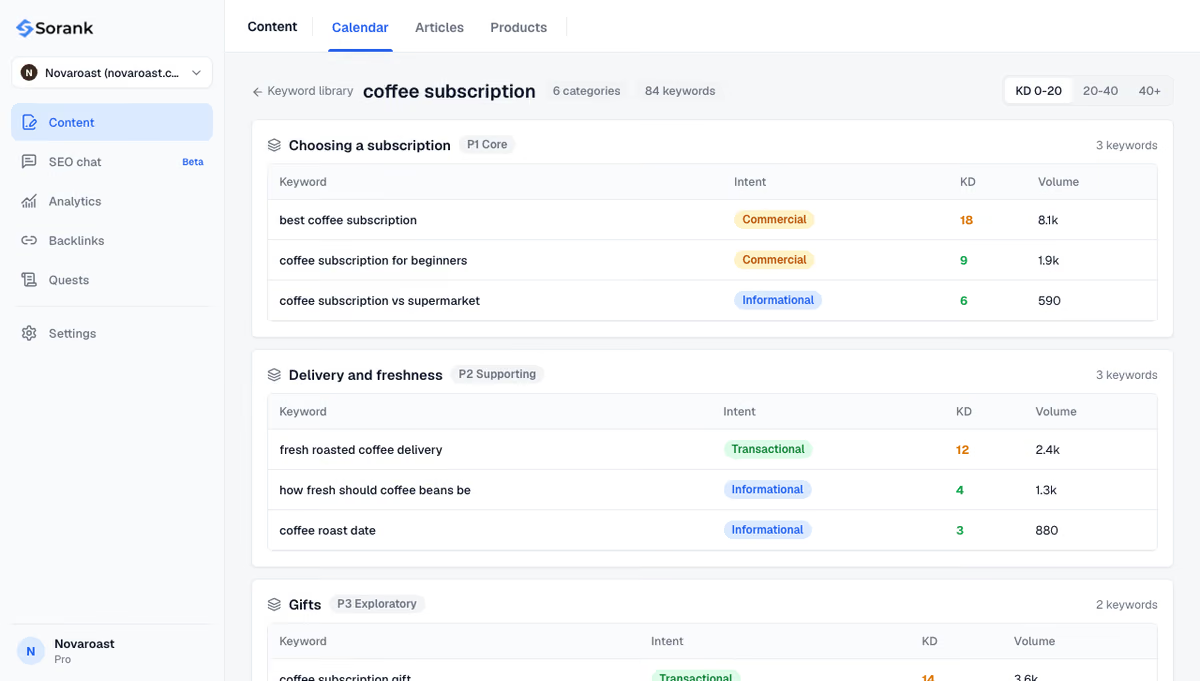
Sorank then writes and publishes the articles for each cluster with its blog article generator, with internal links added automatically, so new pages are linked from day one instead of waiting for a sitemap update.
An HTML sitemap is a navigation aid for people that crawlers can follow, never a substitute for an XML sitemap or for good internal linking. Build one if your site is large, sells across many categories or must meet accessibility rules; keep it selective, generated automatically and linked from the footer. If you want a site whose structure and internal links are planned from the start, see Sorank's plans, from $49 per month on annual billing, with a 3-day free trial.

There is no need. The page is useful for visitors who search for it and its links should be followed, so leave it indexable with followed links. It will rarely rank for anything, which is fine because its role is navigation, not traffic.
Google sets no official limit for HTML sitemaps. In practice, keep each page to a few hundred links so it stays readable. Larger sites should split it into one sitemap page per section, all linked from a main sitemap page.
No. The Sitemaps report accepts XML sitemaps, RSS or Atom feeds and plain text lists of URLs, not HTML pages. Google can still crawl an HTML sitemap like any other page, but you should submit an XML sitemap for discovery and reporting.
We analyse your competitors, your website and your AI visibility to create a tailored content plan for free.
 AI Content Brief Generator
 FAQ Schema Generator
 AI Blog Post Ideas Generator
 Structured Data Validator (Schema Validator)
 Alt Text Checker
 Internal Link Analyzer
 Backlink Challenge
 AI Meta Description Generator
 AI Blog Title Generator
 Google Indexability Checker
 AI Blog Outline Generator
 UTM Link Builder
 Keyword Clustering Tool
 Canonical Tag Checker
 XML Sitemap Generator
 Broken Link Checker
 AI SEO Title Generator
 Headline Analyzer
 SERP Preview Tool
 Redirect Checker
 Hreflang Tag Generator
 Heading Structure Analyzer
 HTTP Headers Checker
 Favicon Extractor
 SERP CTR Calculator
 SEO vs Paid Search Savings Calculator
 SEO Share of Voice Calculator
 SEO ROI Calculator
 SEO Traffic and Revenue Forecast Calculator
 SEO Budget Calculator
 SEO Break-Even Calculator
 SaaS SEO ROI Calculator
 ROAS Calculator
 Reading Time Calculator
 Ranking Gain Simulator
 Organic Traffic Value Calculator
 Organic Traffic Estimator and Website Traffic Checker
 LTV to CAC Ratio Calculator
 Local SEO ROI Calculator
 Link Building Cost Calculator
 Keyword Value Calculator
 Keyword Opportunity Score Calculator
 Keyword Density Calculator
 GEO ROI Calculator
 GEO Content Investment Calculator
 Ecommerce SEO ROI Calculator
 Customer Lifetime Value Calculator
 Customer Acquisition Cost Calculator
 CTR Calculator
 Cost Per Article Calculator
 Conversion Rate Calculator
 Content Marketing ROI Calculator
 ChatGPT Referral Traffic Estimator
 Bounce Rate Calculator
 Backlink ROI Calculator
 AI Visibility Score Calculator
 AI Traffic Value Calculator
 AI Share of Voice Calculator
 Cost of AI Invisibility Calculator
 AI Citation Rate Calculator
 llms.txt Validator
 AI Overview Checker and AI Overviews Rank Checker
 Robots.txt Checker
 AI SEO Audit
 LLM Readability Checker
 SearchGPT Readiness Checker
 Structured Data LLM Audit
 Website Crawlability AI Audit
 Why ChatGPT Is Not Recommending My Website
 Gemini Ranking Tool
 Perplexity Ranking Checker
 LLM Citation Checker
 Answer Engine Optimization Audit
 GEO Audit
 AI Search Visibility Test
 ChatGPT Visibility Checker
 llms.txt Generator
 URL Extractor
 Webpage to Markdown
 Sitemap Checker
 SERP Volatility Sensor
 Page Size Checker
 Word Counter
 Slug Generator
 Schema Generator
 Robots Generator
 OG Preview
 Meta Tags Generator
 Image Compressor
 Favicon Generator
 On-Page SEO Audit: SEO Checker and SEO Analyzer
 Backlink Analysis Tool
 Keyword Research Tool
 Domain Authority Checker
THEY TRIED SORANK BEFORE YOU
 “I tested Sorank on a real client site and it's insane. It does everything an agency would bill you $1500 a month for. It's going into production on that client now.”

 Guillaume Guersanguersanguillaume.com“We are an Ads agency and we wanted to get our SEO back on track once and for all. Sorank gave us a clear view of our site, helped us prioritize optimizations, and properly structure our content. The tool is easy to use, well designed for a team, and very practical for centralizing tracking without having to juggle multiple platforms. A very solid foundation to start fresh with our SEO.”
 Gaspard MadouiAds Agency
 “I just let the Sorank software do its thing, and now my DR is 25 and my page is ranking higher.”
 Lucas Flandrefoundertrace.fr“I specialized in GEO thanks to Sorank. The GEO Leaderboard allows me to show my clients their position vs competitors on ChatGPT. It’s a real commercial differentiator.”
 MélanieSEO Freelance“Great service, works well for our website and helps us understand how to improve it to rank better on Google and elsewhere. Congrats, keep going, I recommend it.”
 Hugo T.E-commerce merchant