
Preferences
Privacy is important to us, so you have the option of disabling certain types of storage that may not be necessary for the basic functioning of the website. Blocking categories may impact your experience on the website. More information

Privacy is important to us, so you have the option of disabling certain types of storage that may not be necessary for the basic functioning of the website. Blocking categories may impact your experience on the website. More information

Mobile SEO explained: mobile-first indexing, responsive design, Core Web Vitals on mobile, content parity and a practical checklist to optimize your site.

Tools


In short
Mobile SEO is the set of practices that make a site crawlable, fast and easy to use on a smartphone. It matters for every site because Google uses mobile-first indexing: it crawls and ranks pages based on their mobile version. The essentials are a responsive design, the same content and links on mobile as on desktop, good Core Web Vitals measured on mobile (LCP, INP, CLS), readable text and tap targets, and no intrusive interstitials. A short checklist covers most of the work.
Want to go further? Ask
Most searches start on a phone, and Google has drawn the logical conclusion: the mobile version of your site is the version that counts. Mobile SEO has therefore become the baseline on which every other optimisation rests. This guide explains what changed, what Google measures and how to audit your own pages.
Mobile SEO is the optimisation of a website so that search engines can crawl and understand its mobile version, and so that smartphone users get a fast, stable and readable experience. It combines technical work (rendering, speed, structured data), content work (parity with desktop) and design work (layout, font size, tap targets).
The definition matters because many teams still design on a large monitor and check the phone version at the end. The search engine does the opposite: it looks at the phone version first. Any gap between the two versions is a gap in what Google knows about your page.
Mobile-first indexing means Google predominantly uses the mobile version of a page's content for indexing and ranking. Google completed the switch for the web as a whole and now crawls sites with Googlebot smartphone; its mobile-first indexing best practices describe what this requires.
The practical consequences are direct:
Our glossary entry on mobile-first indexing covers the history and edge cases in more detail.
Responsive design is the configuration Google recommends, because one URL and one HTML serve every device and nothing can drift out of sync. The alternatives still work but multiply the risk of errors.
| Configuration | How it works | SEO risk |
|---|---|---|
| Responsive design | Same URL, same HTML, layout adapts with CSS | Lowest: a single version to maintain |
| Dynamic serving | Same URL, different HTML depending on the device | Medium: mobile HTML can lose content or links |
| Separate mobile URLs (m.) | Different URLs for mobile and desktop | Highest: annotations, redirects and parity to manage on every page |
If you still run a separate mobile site, the safest long-term move is usually a migration to responsive design, planned like any other site migration with redirects and a before/after crawl.
Core Web Vitals measure loading, responsiveness and visual stability from real users, and Google evaluates mobile and desktop separately. Mobile scores are usually worse, because phones have less processing power and often slower networks.
| Metric | What it measures | "Good" threshold |
|---|---|---|
| LCP (Largest Contentful Paint) | Time to display the main content | 2.5 seconds or less |
| INP (Interaction to Next Paint) | Delay between a tap and the visual response | 200 milliseconds or less |
| CLS (Cumulative Layout Shift) | Unexpected movement of elements | 0.1 or less |
Google assesses these at the 75th percentile of page loads, so a page passes when most real visits meet the threshold. INP replaced FID as the responsiveness metric in March 2024. Our page on Core Web Vitals explains each metric, and the guide to PageSpeed Insights shows how to read the mobile report.
The most effective mobile fixes are rarely exotic: compress and size images correctly, load the main image with priority, reduce third-party scripts, reserve space for ads and embeds, and break up long JavaScript tasks.
Content parity means the mobile version contains the same primary content, headings, links, structured data and media as the desktop version. Because Google indexes the mobile version, parity is what decides whether your full page counts.
Collapsing text into accordions or tabs is fine for mobile usability, as long as the content is in the HTML on load. The problems come from content that is removed on small screens, loaded only after a user interaction, or replaced by a lighter "mobile" template. Compare the rendered mobile and desktop versions of your main templates at least once, and again after every redesign.
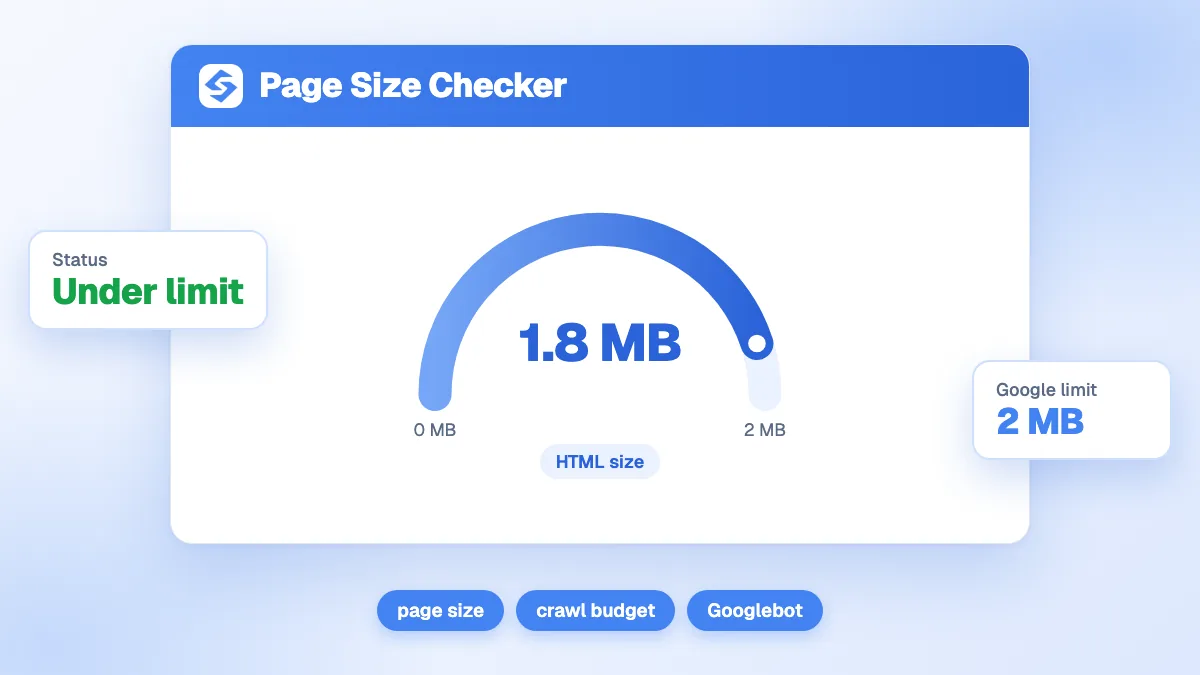
Page weight also matters for crawling. Google's documentation states that Googlebot fetches only the first 2 MB of an HTML file (uncompressed) for Search, and ignores what comes after. Very heavy pages, often bloated by inline code, can lose content that sits low in the HTML. Our free page size checker shows how close a page is to that limit.
Readable text, comfortable tap targets, a correct viewport and the absence of intrusive interstitials are the usability basics Google and users both expect. None of them is complicated, and all of them are easy to break.
Indirectly, yes: the AIs rely on content they can fetch and parse, and Google's AI Overviews draw on the same index built from the mobile version of pages. A page whose mobile version hides content, or that is too heavy to render properly, gives both Google and AI assistants less material to quote.
The habits that help mobile users also help ChatGPT, Gemini, Perplexity and Claude extract answers: short sections that open with a direct answer, real HTML text rather than text inside images, and tables that remain readable on a narrow screen.
Run this list on your main templates (home, category, article, product) rather than on individual URLs. Fixing a template fixes every page built on it.
For a quick on-page check while browsing your pages, our free SEO Chrome extension runs a technical audit of the page you are on.
Mobile SEO is now simply SEO seen from the device Google uses as its reference. Keep one responsive version, make sure it carries all your content and links, watch your mobile Core Web Vitals and keep pages light and readable. Once the technical base is solid, growth comes from publishing useful content regularly; Sorank writes and publishes it for you in autopilot, with a 3-day free trial.

Mobile SEO is the work of making a website easy to crawl, fast and comfortable to use on a smartphone, so that it ranks well in search. Since Google indexes the mobile version of pages, mobile SEO covers almost all of SEO: the content, links and structured data Google sees are the ones present on the mobile version of your site.
The principles are the same, but the reference version is now the mobile one. Google uses the smartphone version of a page for indexing and ranking, so content or links that exist only on desktop are effectively invisible. What differs in practice is the constraint: smaller screens, touch interaction and slower connections make speed, layout stability and readability more decisive.
Open your key pages on a real smartphone and on a slow connection, then run them through PageSpeed Insights to see the mobile Core Web Vitals and the lab diagnostics. In Google Search Console, the Core Web Vitals report shows which groups of mobile URLs are poor, and the URL Inspection tool shows how Googlebot smartphone renders a given page.
 AI Content Brief Generator
 FAQ Schema Generator
 AI Blog Post Ideas Generator
 Structured Data Validator
 Alt Text Checker
 Internal Link Analyzer
 Backlink Challenge
 AI Meta Description Generator
 AI Blog Title Generator
 Google Indexability Checker
 AI Blog Outline Generator
 UTM Link Builder
 Keyword Clustering Tool
 Canonical Tag Checker
 XML Sitemap Generator
 Broken Link Checker
 AI SEO Title Generator
 Headline Analyzer
 SERP Preview Tool
 Redirect Checker
 Hreflang Tag Generator
 Heading Structure Analyzer
 HTTP Headers Checker
 Favicon Extractor
 SERP CTR Calculator
 SEO vs Paid Search Savings Calculator
 SEO Share of Voice Calculator
 SEO ROI Calculator
 SEO Traffic and Revenue Forecast Calculator
 SEO Budget Calculator
 SEO Break-Even Calculator
 SaaS SEO ROI Calculator
 ROAS Calculator
 Reading Time Calculator
 Ranking Gain Simulator
 Organic Traffic Value Calculator
 Organic Traffic Estimator
 LTV to CAC Ratio Calculator
 Local SEO ROI Calculator
 Link Building Cost Calculator
 Keyword Value Calculator
 Keyword Opportunity Score Calculator
 Keyword Density Calculator
 GEO ROI Calculator
 GEO Content Investment Calculator
 Ecommerce SEO ROI Calculator
 Customer Lifetime Value Calculator
 Customer Acquisition Cost Calculator
 CTR Calculator
 Cost Per Article Calculator
 Conversion Rate Calculator
 Content Marketing ROI Calculator
 ChatGPT Referral Traffic Estimator
 Bounce Rate Calculator
 Backlink ROI Calculator
 AI Visibility Score Calculator
 AI Traffic Value Calculator
 AI Share of Voice Calculator
 Cost of AI Invisibility Calculator
 AI Citation Rate Calculator
 llms.txt Validator
 AI Overview Checker
 Robots.txt Checker
 AI SEO Audit
 LLM Readability Checker
 SearchGPT Readiness Checker
 Structured Data LLM Audit
 Website Crawlability AI Audit
 Why ChatGPT Is Not Recommending My Website
 Gemini Ranking Tool
 Perplexity Ranking Checker
 LLM Citation Checker
 Answer Engine Optimization Audit
 GEO Audit
 AI Search Visibility Test
 ChatGPT Visibility Checker
 llms.txt Generator
 URL Extractor
 Webpage to Markdown
 Sitemap Checker
 SERP Volatility Sensor
 Page Size Checker
 Word Counter
 Slug Generator
 Schema Generator
 Robots Generator
 OG Preview
 Meta Tags Generator
 Image Compressor
 Favicon Generator
 On-Page SEO Audit
 Backlink Analysis Tool
 Keyword Research Tool
 Domain Authority Checker
THEY TRIED SORANK BEFORE YOU
 “I tested Sorank on a real client site and it's insane. It does everything an agency would bill you $1500 a month for. It's going into production on that client now.”
 Guillaume Guersanguersanguillaume.com“We are an Ads agency and we wanted to get our SEO back on track once and for all. Sorank gave us a clear view of our site, helped us prioritize optimizations, and properly structure our content. The tool is easy to use, well designed for a team, and very practical for centralizing tracking without having to juggle multiple platforms. A very solid foundation to start fresh with our SEO.”
 Gaspard MadouiAds Agency
 “I just let the Sorank software do its thing, and now my DR is 25 and my page is ranking higher.”
 Lucas Flandrefoundertrace.fr“I specialized in GEO thanks to Sorank. The GEO Leaderboard allows me to show my clients their position vs competitors on ChatGPT. It’s a real commercial differentiator.”
 MélanieSEO Freelance“Great service, works well for our website and helps us understand how to improve it to rank better on Google and elsewhere. Congrats, keep going, I recommend it.”
 Hugo T.E-commerce merchant























