
Preferences
Privacy is important to us, so you have the option of disabling certain types of storage that may not be necessary for the basic functioning of the website. Blocking categories may impact your experience on the website. More information
Privacy is important to us, so you have the option of disabling certain types of storage that may not be necessary for the basic functioning of the website. Blocking categories may impact your experience on the website. More information

User signals are clicks, time on page and returns that show how people use your page. Learn if Google uses them and how to improve them.








Founder Sorank, 7+ years in SEO.
Summary
User signals are the traces that visitors leave on a search result and on your page: clicks, time spent, quick exits and returns to Google. Google has said that click-through rate does not drive rankings, but these signals still show whether your page answers the query.
Want to go further? Ask
User signals are behavior data from real visitors. They are the actions people take after they see your page in search: whether they click it, whether they read it, whether they leave at once, and whether they go back to the results to choose another link. Many SEOs believe these actions tell Google whether a page deserves to rank. How much weight they carry is the open question, and this guide walks through what is known.
There are four main user signals. Each one measures a different part of the visit, so you need all four to read a page correctly.
None of these signals works alone. A high CTR with a short dwell time tells a different story than a low CTR with a long one, so read them together.
Google has not confirmed that user signals rank pages the way many SEOs describe. Its public guide to ranking systems lists systems such as PageRank, RankBrain and neural matching, and it does not list clicks as an input.
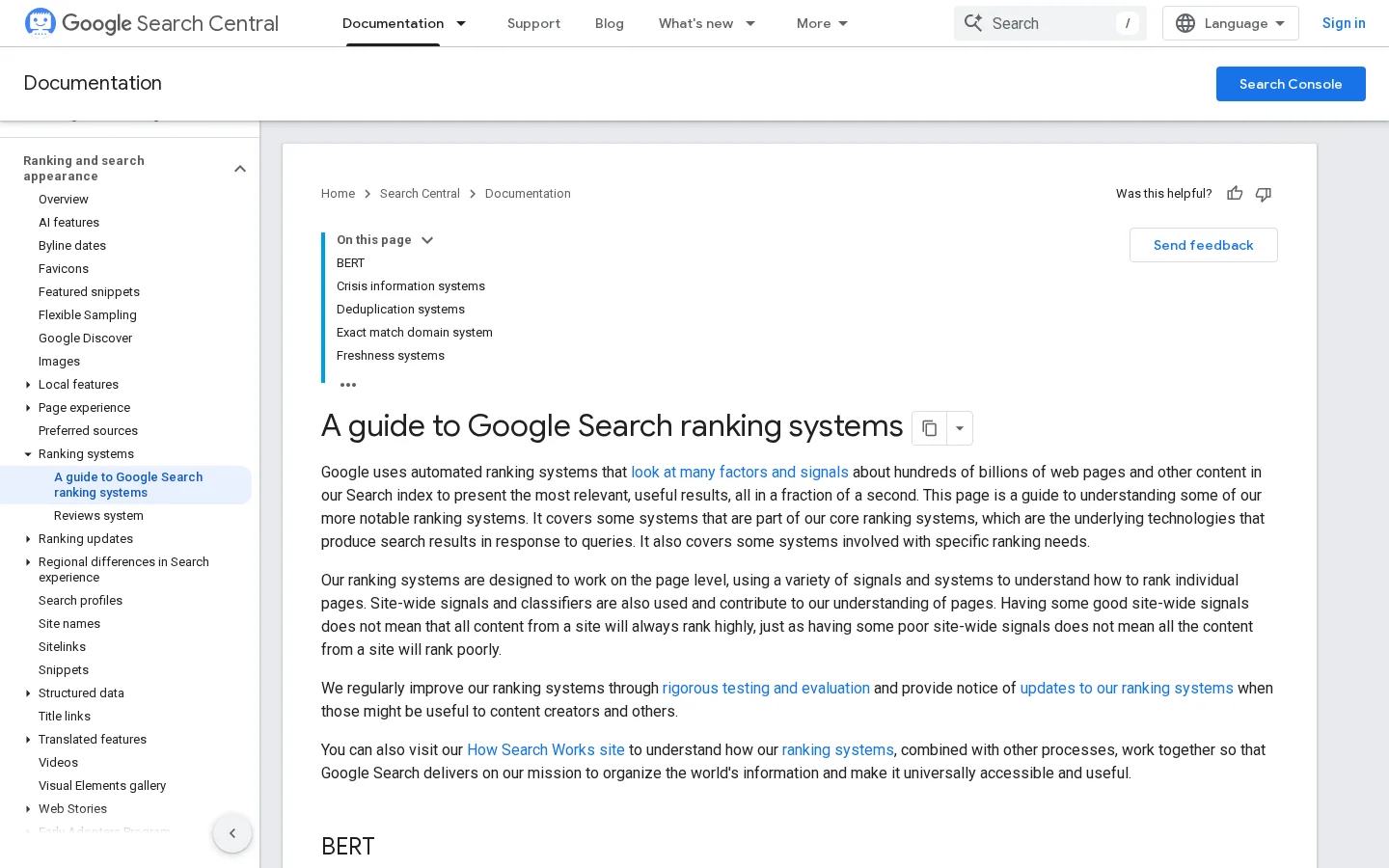
The reasoning behind the signal theory is simple. Google wants searchers to be satisfied, so a page that people reject should lose its place. Critics answer that clicks are noisy, easy to influence and do not prove satisfaction. A click can come from a catchy title that the page then fails to deliver.
Google has spoken on this more than once. In 2021, John Mueller of Google posted on Twitter: "If CTR were what drove search rankings, the results would be all click-bait. I don't see that happening." In 2023, Google's blog post on the antitrust trial said that "experts and our top engineers testified the DOJ overstates the value of click-and-query data." Google does not call click data useless. It says click data is not the whole story.
For you, the practical lesson is clear. Do not chase clicks with a title that promises more than the page gives. Aim for the outcome that clicks are supposed to reveal, which is a page that answers the query well enough that people stay and act.
CTR is the number of clicks divided by the number of impressions. You can read both values in Google Search Console for each page and each query.
CTR = clicks / impressions x 100A page with many impressions and few clicks has a low CTR. That usually means the title or the snippet does not match what the searcher wants, not that the page itself is bad. Check the title first. You can test titles with the free CTR calculator and the headline analyzer before you publish.
In Google Analytics 4, a session counts as engaged when it lasts longer than 10 seconds, has a key event, or has 2 or more screen or page views. Bounce rate is the percentage of sessions that were not engaged, so it is the opposite of engagement rate.
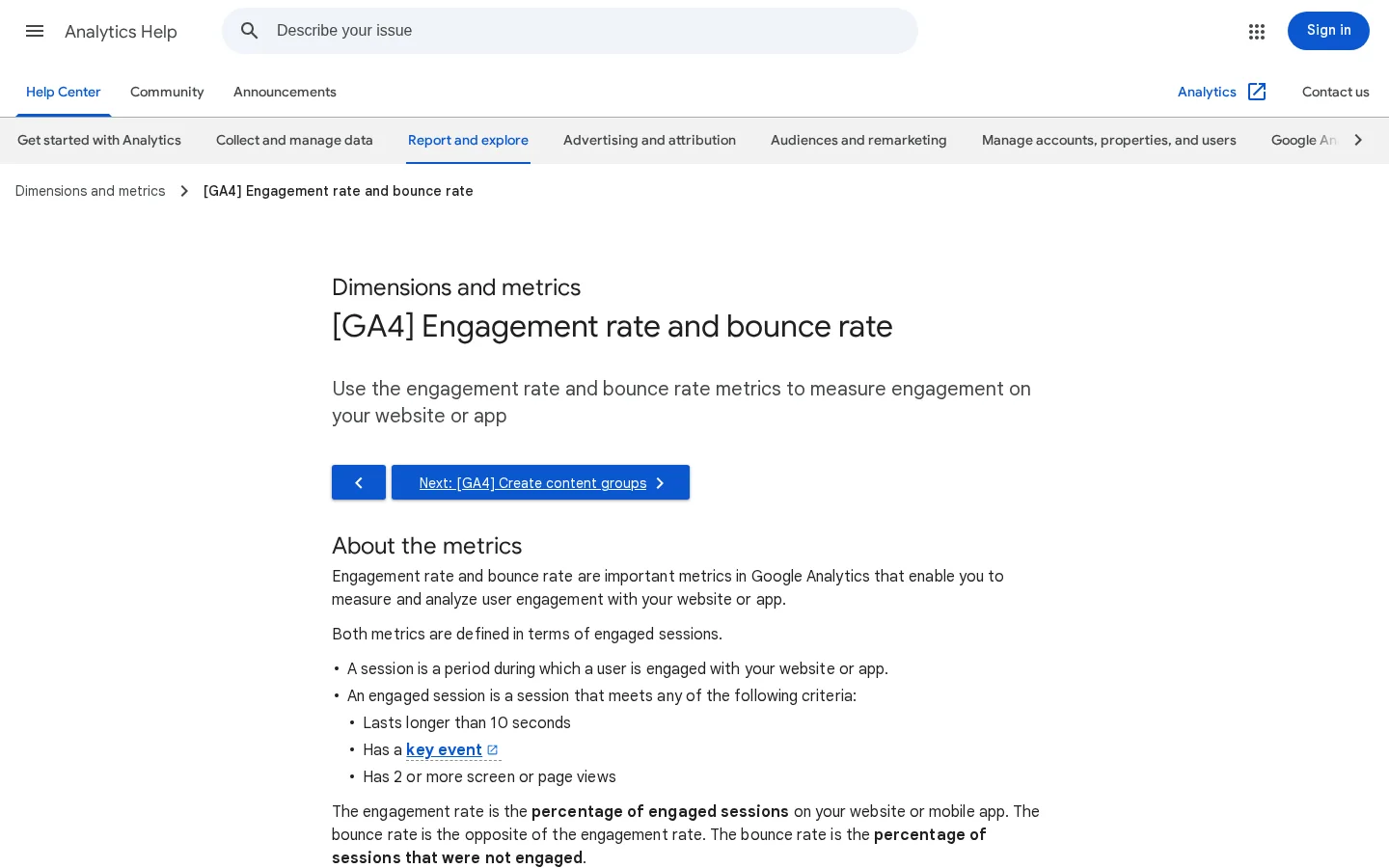
This definition matters because a short visit is not always a failed one. If someone reads a one-line answer to a definition query and leaves satisfied, the session may still count as a bounce. Judge the metric against the job of the page. A free bounce rate calculator can help you check the numbers from your own analytics.
Tip
Change one thing at a time. Compare the CTR and engagement of the page for a few weeks before and after the change, so you know what caused the result.
Start with the search intent. Look at the query, then check whether the first screen gives the answer the searcher is looking for. The search intent of a query decides what the first screen must show.
Measure the change, then repeat what works. Use the same metrics each time, so you can compare one month with the next.
Most mistakes come from reading one metric alone. These three appear most often.
Before you judge your own numbers, compare them with reference figures in SEO benchmarks, so you know whether a result is normal for your niche.
User signals show whether people find what they came for. That matters for Google, which wants results that satisfy searchers, and it matters for GEO, because a page that people quickly reject is usually a page that fails the query. Google's people-first standard asks the same question about the content itself.
For AI answers, the test is similar. A page that gives a clear answer at the top is easier for an AI model to quote than a page that hides the answer under a long introduction. The signals you can see in your own analytics are a good proxy for that clarity, even when they are not a ranking input.
Use user signals as a warning light, not as a target. Their job is to show you which pages fail. Then fix the content, not the number. Other ways to read how people use your site are in engagement metrics.
User signals are the clicks, time on page and returns that show how people use your page. Google has said that click-through rate does not drive rankings, and the debate about how much these signals count is still open. Treat them as a check on your content. If people leave fast, the page is probably not answering the query, and that is the thing to fix.
Sources
Google has said that click-through rate does not drive rankings, and its public guide to ranking systems does not list clicks as an input. The debate is still open, so treat user signals as a check on quality, not as a lever to pull.
Dwell time is how long a visitor stays on your page after a click from search results. Bounce rate is a Google Analytics metric: the share of sessions that were not engaged. It is measured in your own analytics, not published by Google as a ranking score.
Start with the search intent of the query and make the first screen answer it. Then fix titles that promise more than the page delivers, and link to the next useful page so readers do not have to search again.
 “I tested Sorank on a real client site and it's insane. It does everything an agency would bill you $1500 a month for. It's going into production on that client now.”

 Guillaume Guersanguersanguillaume.com“We are an Ads agency and we wanted to get our SEO back on track once and for all. Sorank gave us a clear view of our site, helped us prioritize optimizations, and properly structure our content. The tool is easy to use, well designed for a team, and very practical for centralizing tracking without having to juggle multiple platforms. A very solid foundation to start fresh with our SEO.”
 Gaspard MadouiAds Agency
 “I just let the Sorank software do its thing, and now my DR is 25 and my page is ranking higher.”
 Lucas Flandrefoundertrace.fr“I specialized in GEO thanks to Sorank. The GEO Leaderboard allows me to show my clients their position vs competitors on ChatGPT. It’s a real commercial differentiator.”
 MélanieSEO Freelance“Great service, works well for our website and helps us understand how to improve it to rank better on Google and elsewhere. Congrats, keep going, I recommend it.”
 Hugo T.E-commerce merchant



















