Preferences
Privacy is important to us, so you have the option of disabling certain types of storage that may not be necessary for the basic functioning of the website. Blocking categories may impact your experience on the website. More information
Privacy is important to us, so you have the option of disabling certain types of storage that may not be necessary for the basic functioning of the website. Blocking categories may impact your experience on the website. More information

Social media optimization (SMO) makes your profiles and posts easier to find and share. Learn what it is and the steps to apply it to your accounts.








Founder Sorank, 7+ years in SEO.
Summary
Social media optimization (SMO) is the work of making your social media profiles and posts easy to find, understand, and share, so they bring more visitors to your website and more people to your brand. It covers your profile setup, your post format, your captions and hashtags, and how you measure results.
Want to go further? Ask
Social media optimization is the practice of getting more value from each social account you run. You prepare the account so that a visitor understands it at a glance. Then you publish posts that are easy to read, save, and share. The goal is simple: more clicks to your site, more followers who fit your customers, and more people who remember your name.
Social media optimization is the work of preparing your accounts and your posts so that the right people find them and act on them. Think of it as on-page SEO for social networks. Search engines reward pages that answer a query. Social platforms reward posts that hold attention and get shared.
SEO aims at rankings in search engines. Social media optimization aims at visibility and engagement inside social platforms, and at the visits that come from them. The two work together. A post that gets shared can bring visits, links, and searches for your name. But you do not need a search ranking to win on social media. You measure it by reach, saves, clicks, and replies.
The effect of social activity on rankings is still debated. Read the social signals entry for that question. This page covers the part you control today: your profiles and your posts.
Start with the profile. It is the first thing a visitor sees, and it decides in a few seconds whether they follow you, read on, or leave. Make it complete, consistent, and clear about what you offer and for whom.
Tip
Open your profile on your phone once a month. Check that the logo, the link, and the first line of the bio show without a tap.
Each post should do one job. Before you write it, decide what you want the reader to do: read, save, click, or reply. Then pick the format and the words that fit that choice. The first line matters most, because it is the only part many people read before they keep scrolling.
If you also run a blog, Sorank can plan and publish articles on a calendar, so your posts always have a fresh page to point to. See the AI content calendar for how it works.
When someone shares a link from your site, the platform builds a preview card from the page itself. The Open Graph protocol defines the tags that set this card. Facebook uses it, and the protocol's site lists the tools that read it. It names four required properties: og:title, og:type, og:image, and og:url. og:description is optional, but you should fill it in.
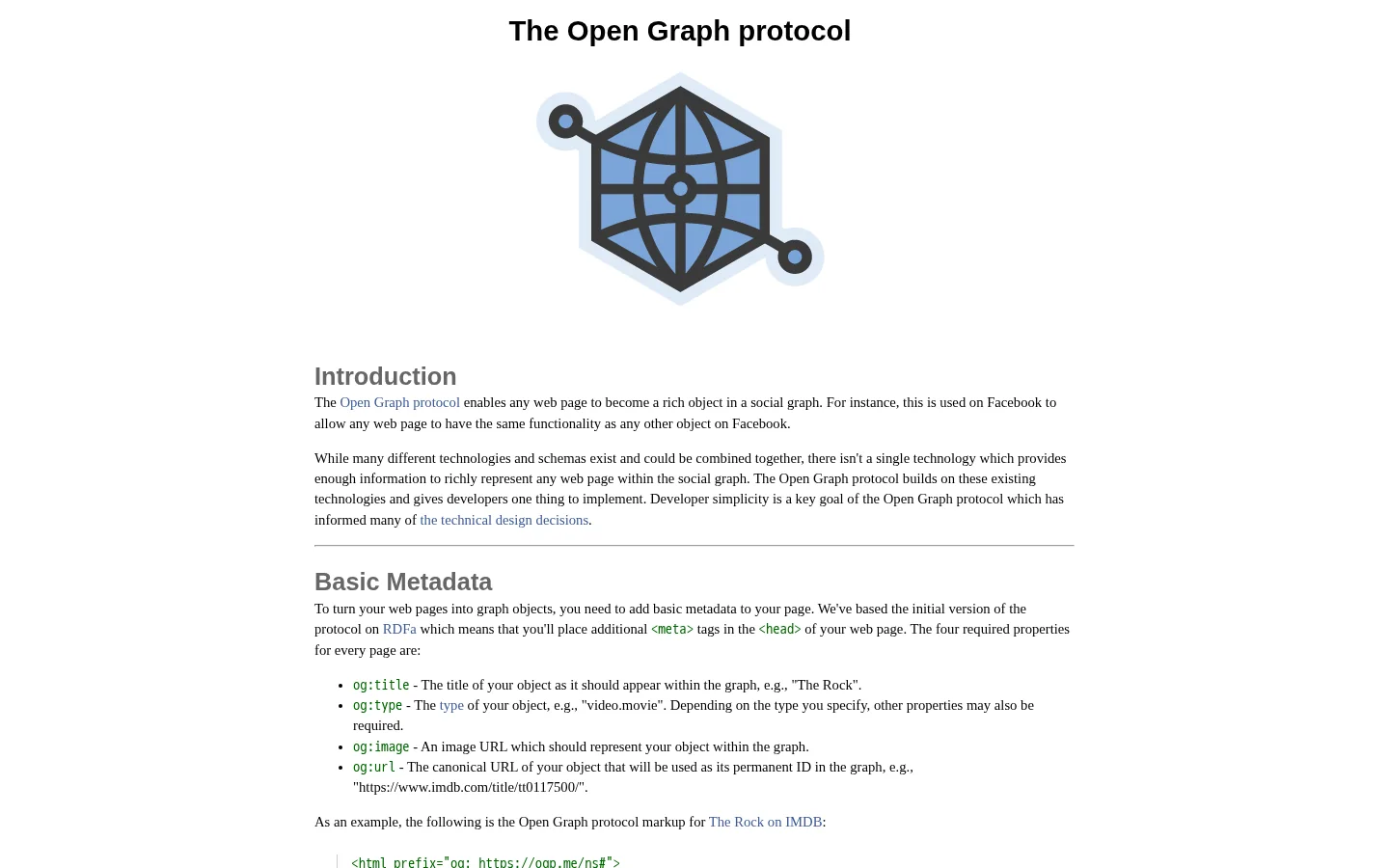
<meta property="og:title" content="Social Media Optimization (SMO): What It Is" />
<meta property="og:type" content="article" />
<meta property="og:image" content="https://example.com/images/smo.jpg" />
<meta property="og:url" content="https://example.com/social-media-optimization" />
<meta property="og:description" content="A short summary of the page in one or two sentences." />
Test the result before you publish. The Open Graph Preview Tool shows how a shared link will look.
Use this order for a new account or an old one that has drifted. Each step depends on the one before it.
It can help in indirect ways. More visits from social posts send people to your pages. More people who see your brand may link to your pages or search for your name. Those visits and links are what can help your rankings over time.
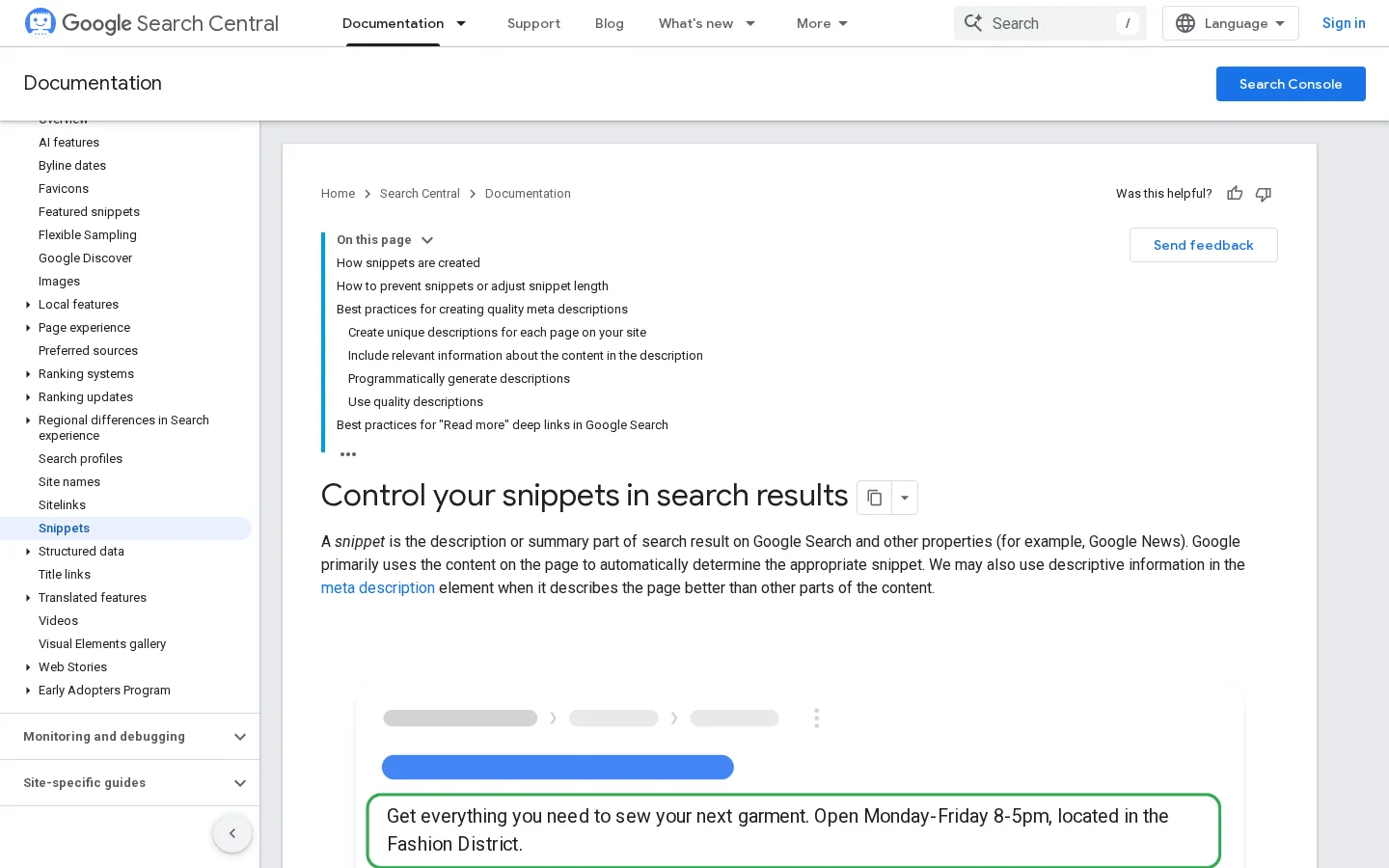
What is clear is how Google builds the text under a result. Google's snippet guidance says it builds snippets mainly from the page content, and that it sometimes uses the meta description when that gives a more accurate description than the page does. So write your meta description as a clear summary, the same way you would write a post summary.
Most accounts make the same few errors. Each one is easy to spot once you know what to check.
This is when your handle, logo, or bio changes from one network to the next. To spot it, open each profile side by side. To fix it, pick one name, one logo, and one bio, and copy them everywhere.
This is when a post has no clear reader action. You can spot it when the post gets views but no clicks, saves, or replies. To fix it, write the goal first, then the post.
This is when a post carries ten or more hashtags, most of them unrelated to the post. To spot it, read the post as a stranger would. To fix it, keep two or three hashtags that your audience already follows.
This is when questions sit unanswered for days. You can spot it in your inbox and in the comment count with no replies from you. To fix it, set a daily time to reply, and treat replies as part of the post.
GEO, or generative engine optimization, is the work of getting your brand named and cited in AI answers. AI models answer from the pages they can find and read. A clear profile and a clear post both lead to a page that explains your topic well. That makes it easier for search engines and AI models to find your brand and understand what it does. You can read more about how this works in the entry on AI citations.
Social media optimization means you prepare each account and each post so that people can understand, trust, and share them. Start with one network, fix the profile, then write each post for one clear reader action. Measure the results, change one thing at a time, and repeat. For a full plan across your channels, read the social media marketing plan guide.
Sources
No. Social media optimization is about making your profiles and posts easier to find, read, and share. Social media marketing is the wider work of planning, publishing, and paying to reach an audience on those networks.
No. Each network shows posts in its own format and with its own profile fields. Start with the one network where your customers already spend time, then adapt the same steps to the others.
It depends on the network and on how often you post. Track the same few numbers each month, such as profile visits and link clicks, so you see a trend instead of reacting to one good or bad week.
 “I tested Sorank on a real client site and it's insane. It does everything an agency would bill you $1500 a month for. It's going into production on that client now.”

 Guillaume Guersanguersanguillaume.com“We are an Ads agency and we wanted to get our SEO back on track once and for all. Sorank gave us a clear view of our site, helped us prioritize optimizations, and properly structure our content. The tool is easy to use, well designed for a team, and very practical for centralizing tracking without having to juggle multiple platforms. A very solid foundation to start fresh with our SEO.”
 Gaspard MadouiAds Agency
 “I just let the Sorank software do its thing, and now my DR is 25 and my page is ranking higher.”
 Lucas Flandrefoundertrace.fr“I specialized in GEO thanks to Sorank. The GEO Leaderboard allows me to show my clients their position vs competitors on ChatGPT. It’s a real commercial differentiator.”
 MélanieSEO Freelance“Great service, works well for our website and helps us understand how to improve it to rank better on Google and elsewhere. Congrats, keep going, I recommend it.”
 Hugo T.E-commerce merchant