
Preferences
Privacy is important to us, so you have the option of disabling certain types of storage that may not be necessary for the basic functioning of the website. Blocking categories may impact your experience on the website. More information
Privacy is important to us, so you have the option of disabling certain types of storage that may not be necessary for the basic functioning of the website. Blocking categories may impact your experience on the website. More information

The href attribute sets where an HTML link goes. Learn its values, the tags that use it, how Google reads it and the mistakes to fix.







Founder Sorank, 7+ years in SEO.
Summary
The href attribute is the HTML attribute that sets the destination of a link. Written inside an <a>, <area> or <link> tag, it holds a URL: another page, a section of the same page, a file, an email address or a phone number. Without href, an <a> tag is not a working link for browsers or search engines.
Want to go further? Ask
The href attribute (short for "hypertext reference") is the part of a link that tells the browser where to go. The visible words are the anchor text of the link; the href is the address behind them. For SEO, it matters for one simple reason: crawlers follow the href, not the text, the button style or the click handler. If the href is missing or wrong, the page behind it is harder to discover.
The href attribute gives a link its target URL. When you click, the browser loads the address written in href. When Googlebot reads the page, it extracts that same address and adds it to its list of pages to crawl.
The HTML standard states that hyperlinks are created by <a> and <area> elements with an href, and that without href "they do not create hyperlinks" (WHATWG HTML Living Standard, Links). The href value must be a valid URL. Here is the simplest form:
<a href="https://www.example.com/pricing">See our pricing</a>Three parts make up this link: the opening <a> tag, the href attribute with its URL, and the anchor text between the tags. Change the href and the link goes somewhere else; the text stays the same.
Four HTML tags accept href, and each uses it for a different job. Only two of them create clickable links.
| Tag | What href does | Example |
|---|---|---|
<a> | Creates a clickable hyperlink in the page body | <a href="/blog-geo-seo">Blog</a> |
<area> | Creates a clickable zone inside an image map | <area shape="rect" coords="0,0,80,80" href="https://www.example.com/paris" alt="Paris"> |
<link> | Points to a related resource in the head: stylesheet, canonical URL, alternate language version | <link rel="canonical" href="https://www.example.com/shoes"> |
<base> | Sets the base URL used to resolve every relative link on the page | <base href="https://www.example.com/"> |
The <link> tag is where href meets technical SEO. Your canonical tag and your hreflang annotations for language versions both carry their target URL in an href. A typo there sends Google to the wrong page, with no visible sign on the page itself.
An href accepts any URL the browser understands, not only web pages. MDN lists tel:, mailto:, sms: and javascript: URLs, plus document fragments that point to a section of a page (MDN, the <a> element).
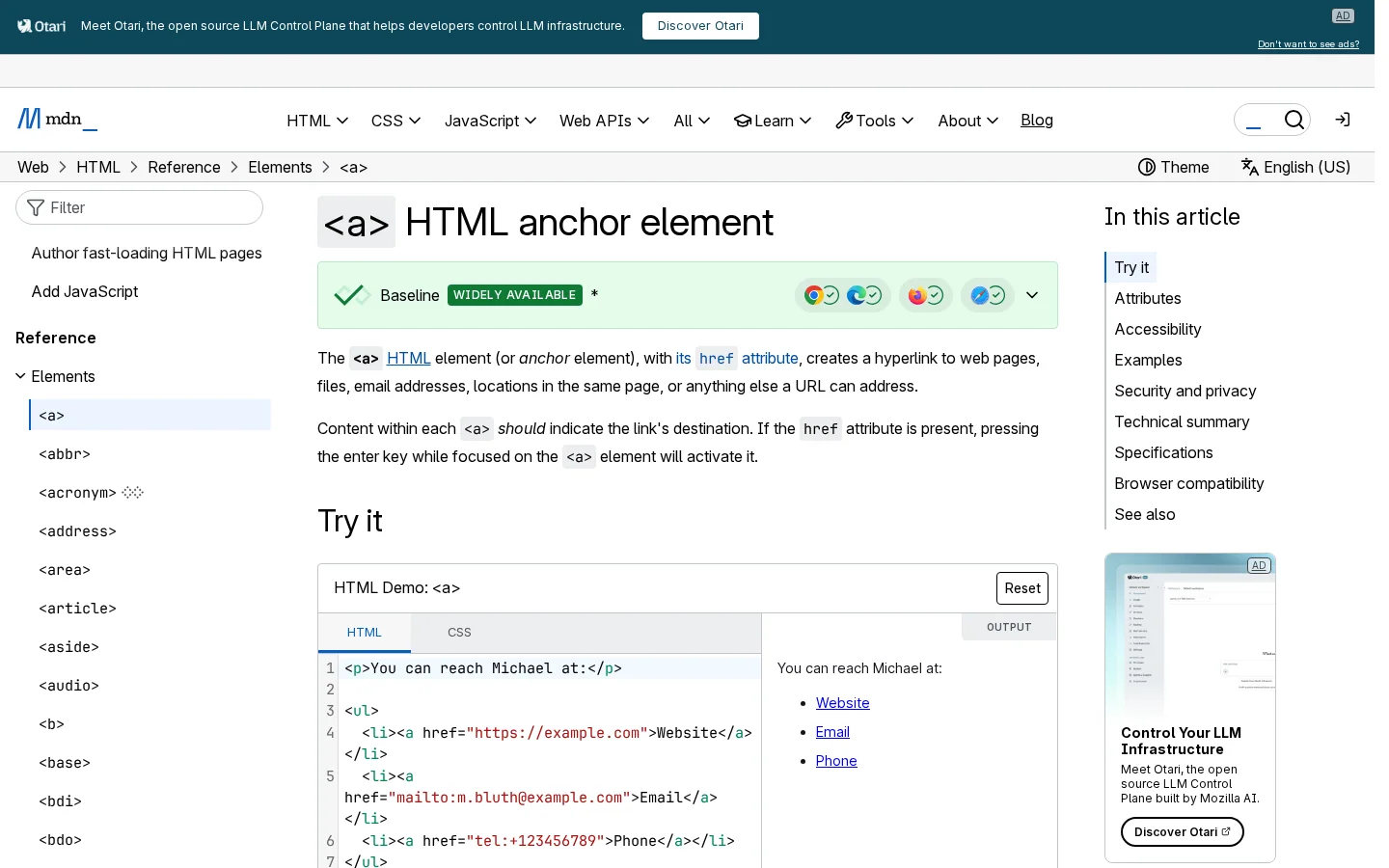
<!-- Absolute URL: full address, protocol and domain -->
<a href="https://www.example.com/guide">Full guide</a>

<!-- Root-relative URL: starts from the domain root -->
<a href="/pricing">Our pricing</a>

<!-- Relative URL: starts from the current folder -->
<a href="../contact">Contact us</a>

<!-- Fragment: jumps to the element with id="faq" -->
<a href="#faq">Go to the FAQ</a>

<!-- Email, phone and SMS -->
<a href="mailto:[email protected]">Email us</a>
<a href="tel:+33123456789">Call us</a>
<a href="sms:+33123456789">Text us</a>

<!-- File download -->
<a href="https://www.example.com/files/price-list.pdf" download>Download the price list</a>
Fragment links are what people call jump links: they scroll to a heading with a matching id. Our article on creating jump links in HTML and your CMS covers them in detail.
Both work for users and for Google, so the choice is about maintenance. Google lists absolute URLs (https://example.com), root-relative paths (starting with /) and relative paths (starting with ./) as formats it can parse.
https://www.example.com/page): required for links to other sites, and the safest choice in canonical and hreflang tags, in emails and in RSS feeds, where there is no page to resolve from./page): good for internal links. They survive a move from a staging domain to the live domain without edits.../page): short, but fragile. Move the page to another folder and every one of them may break.Whatever you pick, the destination must be one clean, final URL with a consistent structure: same protocol, same www choice, same trailing slash rule. An internal href that points to a redirected address costs a hop on every crawl.
Google crawls a link only if it is an <a> element with an href that resolves to a real web address. Its documentation says it can "only crawl your link if it's an <a> HTML element" with an href attribute (Google Search Central, SEO link best practices).
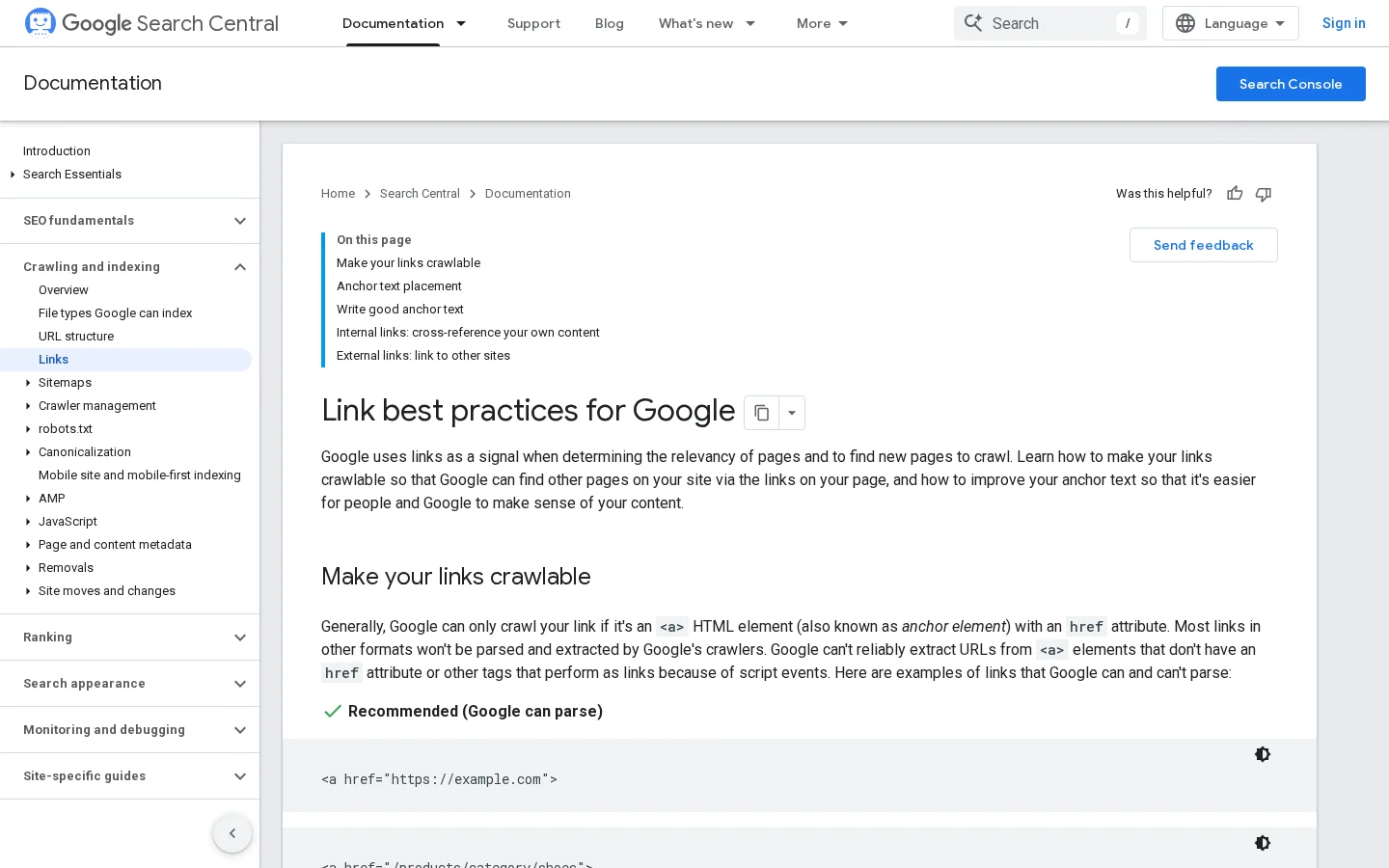
Here are examples adapted from the same page, with what works and what to avoid:
<!-- Crawlable -->
<a href="/pricing">Pricing</a>
<a href="/pricing" onclick="javascript:goTo('pricing')">Pricing</a>

<!-- Not recommended -->
<a onclick="goto('https://example.com')">Shoes</a>
<span href="https://example.com">Shoes</span>
<a href="javascript:goTo('products')">Products</a>
The rule is easy to remember: keep your JavaScript if you need it, but always put the real URL in href. Google also notes that links inserted with JavaScript are crawlable, as long as they end up as proper <a href> elements in the rendered HTML. Our guide to JavaScript SEO and rendering explains how to check that. This is the base of crawlability: a page that no crawlable href points to may never be found.
Tip
Google also uses what surrounds the href. The anchor text should describe the target page, and for an image link, Google reads the image's alt attribute as anchor text.
The href sets where a link goes; rel and target change how it behaves. They sit on the same <a> tag.
rel="noopener" behaviour to it by default, and that you should tell users when a link opens a new tab.<a href="https://partner.example.com" rel="sponsored" target="_blank">Partner offer (opens in a new tab)</a>Most href problems are invisible on screen: the link looks fine and still fails for crawlers or some users.
<a>Shop</a> or <a href="">. How to spot it: a site audit flags "missing href", or a link that works only with a click handler. How to fix it: add the real destination URL.href="#". How to fix it: use a <button> for actions and keep <a href> for navigation to a real URL.htps://, a missing slash, or http:// on an https site. How to spot it: extract every URL of the page and read the list. How to fix it: correct the value, ideally in the template so it stays fixed.To see every href of a page in one list, split into internal and external links, paste the address into the Sorank URL extractor. It reads the HTML source, follows redirects and gives you lists you can copy into a spreadsheet.
The href is how search engines and AI crawlers move from one page to the next. Every internal linking structure you plan, every backlink you earn, only counts if the href is clean and crawlable.
In practice, a site with plain, correct <a href> links and descriptive anchors is easier to crawl, easier to understand and easier to cite.
The href attribute is a few characters, but it decides whether a link works for people, for Google and for the AI assistants that read your pages. Use <a href> with a real, final URL for every navigation link, keep buttons for actions, and check your pages regularly for empty, broken or redirected hrefs. For the bigger picture, read our definition of a link and how it shapes search visibility.
Sources
Href stands for hypertext reference. It is the attribute that holds the URL a link points to, on tags like <a>, <area>, <link> and <base>.
No, not reliably. Google says it can only crawl a link if it is an <a> element with an href attribute that resolves to a real web address. Links built only with onclick or javascript: values may not be followed.
No. MDN warns that href="#" and javascript:void(0) break behaviours like opening in a new tab and give wrong information to screen readers. Use a <button> for actions and keep <a href> for navigation to a real URL.
 “I tested Sorank on a real client site and it's insane. It does everything an agency would bill you $1500 a month for. It's going into production on that client now.”

 Guillaume Guersanguersanguillaume.com“We are an Ads agency and we wanted to get our SEO back on track once and for all. Sorank gave us a clear view of our site, helped us prioritize optimizations, and properly structure our content. The tool is easy to use, well designed for a team, and very practical for centralizing tracking without having to juggle multiple platforms. A very solid foundation to start fresh with our SEO.”
 Gaspard MadouiAds Agency
 “I just let the Sorank software do its thing, and now my DR is 25 and my page is ranking higher.”
 Lucas Flandrefoundertrace.fr“I specialized in GEO thanks to Sorank. The GEO Leaderboard allows me to show my clients their position vs competitors on ChatGPT. It’s a real commercial differentiator.”
 MélanieSEO Freelance“Great service, works well for our website and helps us understand how to improve it to rank better on Google and elsewhere. Congrats, keep going, I recommend it.”
 Hugo T.E-commerce merchant



















