
Preferences
Privacy is important to us, so you have the option of disabling certain types of storage that may not be necessary for the basic functioning of the website. Blocking categories may impact your experience on the website. More information
Privacy is important to us, so you have the option of disabling certain types of storage that may not be necessary for the basic functioning of the website. Blocking categories may impact your experience on the website. More information

Breadcrumb navigation is the trail of links that shows where a page sits in your site. Learn how to build it, mark it up for Google and avoid mistakes.








Founder Sorank, 7+ years in SEO.
Summary
Breadcrumb navigation is a trail of internal links, usually placed above the content, that shows users where the current page sits in a site's hierarchy, for example Home / Blog / SEO / Current page. It helps visitors go back up a level in one click and gives search engines a clear view of your site structure.
Want to go further? Ask
Breadcrumb navigation is the short line of links you often see at the top of a page. Each crumb links to a higher level of the site, and the last crumb is the page you are on. Visitors use it to move up one level at a time, without going back through the main menu. For you, it is a simple way to add internal links that follow how your pages are organized, and it keeps visitors from getting lost on deep pages.
A breadcrumb trail answers one question: where am I on this site? It starts at the top level, usually the home page, and goes down one step at a time to the current page. Read from left to right, it goes from the broadest section to the most specific one. You usually leave the current page unlinked, because the visitor is already there.
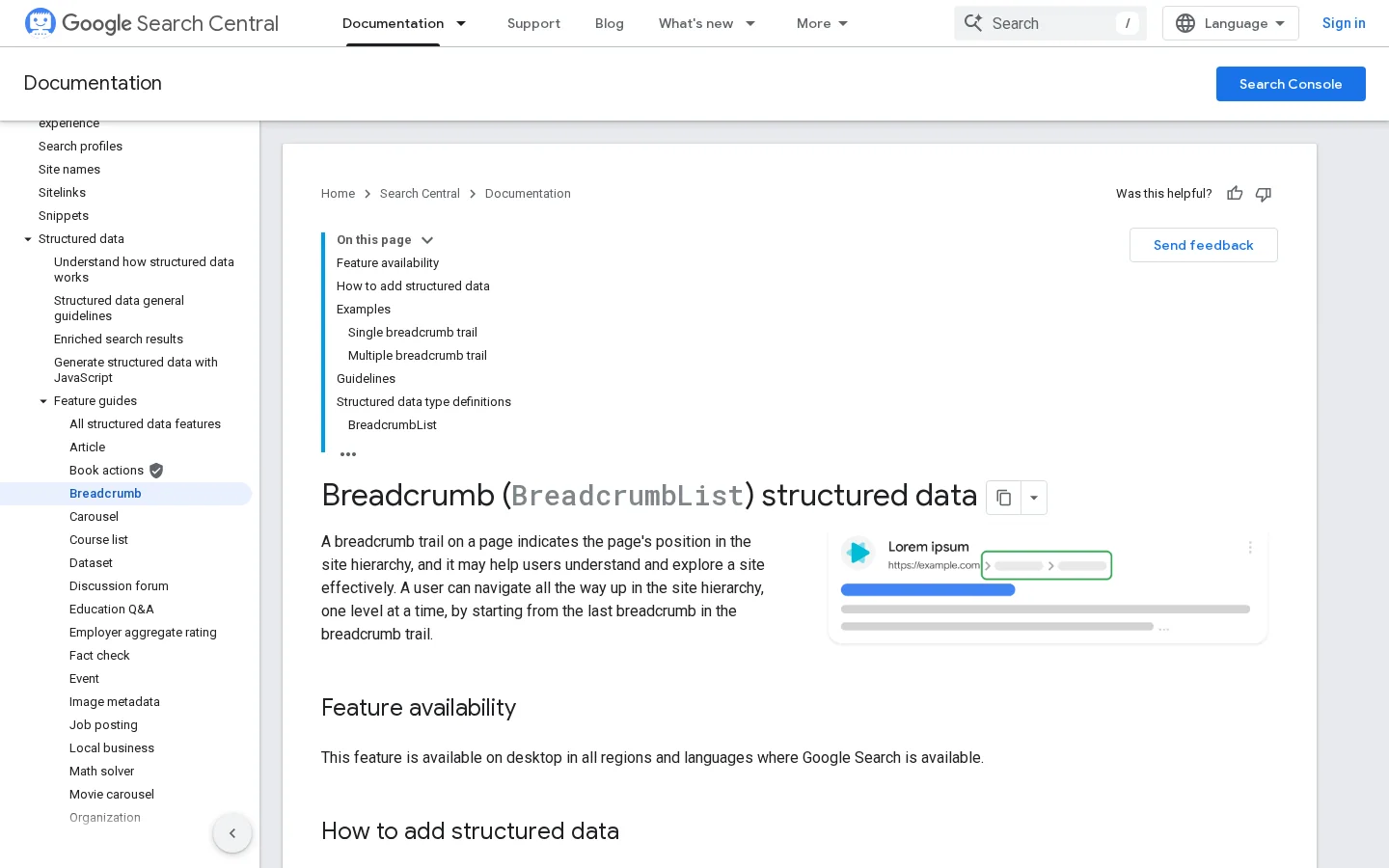
Google's breadcrumb guide uses a trail of Books, Science Fiction, Award Winners as its example. The same pattern works on any site: a few levels, and each one is a real page the visitor could open.
There are three common types, and each one answers a different question about the page.
| Type | What it shows | Where you see it |
|---|---|---|
| Hierarchy-based | Where the page sits in the site structure | Blogs, documentation and corporate sites |
| Attribute-based | The categories, filters or tags the visitor selected | Ecommerce category and product pages |
| History-based | The steps the visitor took to reach the page | Sites where visitors browse several pages in one session |
Hierarchy-based trails are the default for most content sites. Attribute-based trails suit stores with many filters, because a product can sit in several categories at once. History-based trails follow the visitor's path, so they can change from one visit to the next. For SEO, the hierarchy type is the one that matches your site structure, which is why it is the one to get right first.
Breadcrumbs help in two ways. They add internal links from deep pages back to the sections above them, and they show search engines how your pages relate to each other. Google's SEO Starter Guide says that Google "learns breadcrumbs automatically based on the words in the URL," so the wording of your URLs matters too. Before you change a URL, read about clean URL slugs.
A trail is one small part of your link structure, not a replacement for it. For the bigger picture, see internal linking. To check which links a page already has, run it through the Internal Link Analyzer.
Google reads the trail through schema markup. Google's breadcrumb guide asks you to define a BreadcrumbList that contains at least two ListItem entries. The BreadcrumbList type comes from schema.org, the shared vocabulary for structured data. Each ListItem has a position, a name that visitors see, and an item URL. Position 1 is the start of the trail, and the numbers go up by one from there.
<script type="application/ld+json">
{
  "@context": "https://schema.org",
  "@type": "BreadcrumbList",
  "itemListElement": [
    {
      "@type": "ListItem",
      "position": 1,
      "name": "Home",
      "item": "https://www.example.com/"
    },
    {
      "@type": "ListItem",
      "position": 2,
      "name": "Blog",
      "item": "https://www.example.com/blog/"
    },
    {
      "@type": "ListItem",
      "position": 3,
      "name": "Breadcrumb Navigation"
    }
  ]
}
</script>
The last item can leave out its item URL. Google's guide says that if the breadcrumb is the last item in the trail, item is not required. Keep the visible trail and the markup in sync, so the path visitors see is the path Google reads. Before you publish, test the JSON-LD with the Structured Data Validator.
Tip
Build the visible trail first, then add the markup that describes it. Checking the two side by side is the fastest way to catch errors.
Sometimes, and never by promise. Google uses breadcrumb markup to categorize the information from the page in search results. Breadcrumbs are one of several features that rely on structured data, like other rich snippets. Google does not guarantee that features that consume structured data will show up in search results, so use the markup for clarity and let the results follow.
Most breadcrumb problems come from building the trail from the wrong source. These four show up the most.
What it is: the trail lists every folder in the URL, even folders no visitor would open, such as a date folder or a technical path. How to spot it: a crumb names a folder that does not correspond to any page a visitor can reach. How to fix it: build the trail from the real navigation path. Google recommends breadcrumbs that represent a typical user path to a page, instead of mirroring the URL structure.
What it is: crumbs labeled "Click here", "Page 2" or an internal code name instead of the page's real name. How to spot it: read the trail out loud and check whether a visitor would know where each crumb leads. How to fix it: use the same descriptive name as the page title or menu label, with the same care you give to anchor text.
What it is: the position values start at 0 or skip numbers, so the order of the trail is unclear. How to spot it: check each position in the JSON-LD, or run the page through the validator. How to fix it: number the items 1, 2, 3 in order. Google's guide says that Position 1 signifies the beginning of the trail.
What it is: the markup holds only the current page, so there is no trail at all. How to spot it: the JSON-LD contains a single ListItem. How to fix it: Google's guide asks for at least two ListItems, so add the parent level above the current page and keep the current page as the last item.
What it is: the JSON-LD describes one path while the page shows another, often because the theme and a plugin each build their own trail. How to spot it: compare the visible links with the markup on three or four page types, such as a post, a category and a product. How to fix it: generate both from the same data in your CMS, and retest after every template change.
For SEO, a clear trail gives visitors a way up the site, and it gives search engines a clear map of how pages relate. It is one small part of a wider internal linking strategy, and it works best next to good navigation and useful content. For GEO, the logic carries over: an AI tool reading your page can place it in a topic more easily when the page sits in a clear structured content hierarchy. This is reasoning from how structure works, not a measured effect, so check it on your own pages before you rely on it.
Breadcrumb navigation is a short trail that shows where a page sits in your site. Build it from the path visitors take, keep it visible, and add BreadcrumbList markup with at least two items, numbered from 1. Then test the result, because Google does not guarantee that the trail will appear in search results.
Sources
Breadcrumbs add internal links and show visitors where they are on your site. Google uses breadcrumb markup to categorize the information from a page in search results, but it does not guarantee that the markup will show up there.
The visible trail works with plain HTML links, so markup is optional for the page to work. To describe the trail to Google, use a BreadcrumbList with at least two ListItem entries, numbered from position 1.
Google does not require a ListItem for the top-level path, which is your domain. Many sites keep Home as the first crumb anyway, because it gives visitors a way back to the top of the site.
 “I tested Sorank on a real client site and it's insane. It does everything an agency would bill you $1500 a month for. It's going into production on that client now.”

 Guillaume Guersanguersanguillaume.com“We are an Ads agency and we wanted to get our SEO back on track once and for all. Sorank gave us a clear view of our site, helped us prioritize optimizations, and properly structure our content. The tool is easy to use, well designed for a team, and very practical for centralizing tracking without having to juggle multiple platforms. A very solid foundation to start fresh with our SEO.”
 Gaspard MadouiAds Agency
 “I just let the Sorank software do its thing, and now my DR is 25 and my page is ranking higher.”
 Lucas Flandrefoundertrace.fr“I specialized in GEO thanks to Sorank. The GEO Leaderboard allows me to show my clients their position vs competitors on ChatGPT. It’s a real commercial differentiator.”
 MélanieSEO Freelance“Great service, works well for our website and helps us understand how to improve it to rank better on Google and elsewhere. Congrats, keep going, I recommend it.”
 Hugo T.E-commerce merchant



















