
Preferences
Privacy is important to us, so you have the option of disabling certain types of storage that may not be necessary for the basic functioning of the website. Blocking categories may impact your experience on the website. More information
Privacy is important to us, so you have the option of disabling certain types of storage that may not be necessary for the basic functioning of the website. Blocking categories may impact your experience on the website. More information

Function calling lets an LLM choose a tool and return structured arguments your app executes. How it works, the tool_choice modes and why it powers AI agents.








Founder Sorank, 7+ years in SEO.
Summary
Function calling, also called tool calling, is a capability that lets a language model decide when an external tool is needed and return a structured JSON object naming the function and its arguments. The application then runs the function, so the model only proposes the action.
Want to go further? Ask
Function calling is the ability of a large language model to reach beyond its training data. Instead of answering only with text, the model reads the functions you have described, decides whether one of them fits the request, and fills in the arguments it needs. Your software then does the real work. This is what lets an assistant check live prices, read a calendar, or create a record in a business system.
Function calling gives a model a menu of actions. You describe each function with a name, a purpose, and a set of parameters, usually written as a JSON schema. When a user asks something that needs one of these actions, the model can answer with a function call instead of a sentence. The output is structured, which means your code can read it without guessing what the model meant.
A point that is often misunderstood: despite the name, the model does not run anything itself. Anthropic's tool use documentation describes it plainly: Claude returns a structured call, and the application runs it. The model proposes the action, and your system decides whether and how to carry it out. That split is the reason function calling is safe to build on, since your code can check permissions, validate arguments, and refuse a call that makes no sense.
The workflow follows a short loop. First, you define each function with its name, its purpose, and the parameters it accepts. Second, you send the user's message together with those definitions to the model. Third, the model either answers directly or returns a call naming one function and its arguments. Fourth, your application parses that call, runs the real function, and sends the result back to the model, which uses it to write the final answer.
The loop can repeat. If the first result is not enough, the model can call another function, and so on until the task is done. This is what turns a single question into a short chain of actions, such as looking up an order and then starting a refund.
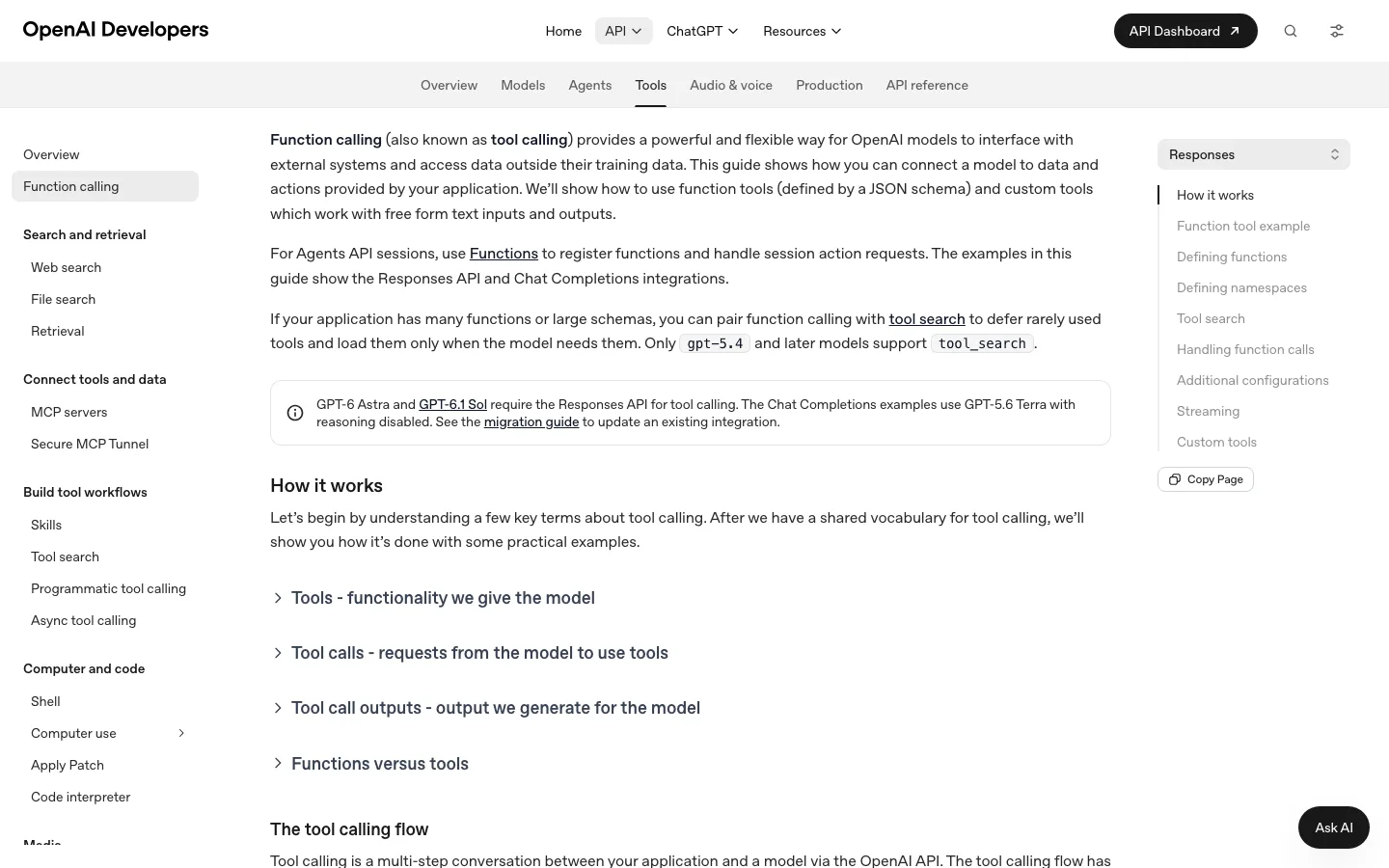
The capture above shows the OpenAI developer guide on function calling, which walks through the same loop in its own words. Read it when you want the provider's exact field names, since each provider uses slightly different ones.
You are not limited to letting the model decide everything. Most providers offer a setting that controls when a function must be used. OpenAI's function calling guide describes the tool_choice field: the default lets the model call zero, one, or several functions, required forces at least one call, and a forced choice makes the model call one named function. Google's function calling documentation uses a similar set of modes.
| Mode | What the model does |
|---|---|
| Auto (OpenAI default) | Decides whether to call zero, one, or several functions |
| Required (OpenAI) | Must call at least one function |
| Forced (OpenAI) | Must call one named function |
| AUTO (Google) | Decides whether to call a function or answer directly |
| ANY (Google) | Must always predict a function call |
| NONE (Google) | Is not allowed to call functions |
OpenAI's documentation also notes that the model may issue several calls in a single turn, and that you can turn this off with parallel_tool_calls set to false. Each option trades flexibility for predictability. A forced call is reliable for a fixed step, while automatic selection suits open-ended requests.
A typical call is a small JSON object. Here is an example of what your application might receive for a weather question:
{"name": "get_weather", "arguments": {"location": "Paris, FR", "unit": "celsius"}}Your code then checks that the function exists, that the arguments match the schema, and that the user is allowed to run it before anything happens.
Function calling is closely related to structured outputs, and the two are often confused. Both use JSON schemas to force a consistent format. The difference is the goal. Structured outputs make the model's answer match a required shape, such as a list of product names with prices. Function calling uses schemas to describe actions the model may take and the parameters each action needs.
The two are frequently combined. Function calling decides which action to take, and a structured schema defines the exact shape of the data that comes back. If you want to organize the data that these calls read and write, the same discipline applies to your pages, which is why structured content is easier for tools and assistants to use.
Function calling is the main way autonomous AI agents use tools. An agent receives a goal in plain language, chooses the functions it needs, fills in their parameters, and chains the calls together. An invoice agent might read vendor details through one function call, then trigger a payment function with those details, then log the result. Each step depends on the output of the previous one.
This is why function calling sits underneath the broader move toward agentic search, where an assistant does not stop at a list of links but gathers information from several tools before it answers. For marketers, the practical result is that assistants increasingly pull fresh data and cite the sources they used. Teams that want to understand this shift can start with what agentic SEO changes in practice.
The most frequent mistake is a vague schema. If the description of a function does not say when to use it, the model guesses, and it guesses wrong more often when several functions have similar names. Give each function one clear purpose, describe each parameter in plain words, and mark which parameters are required.
A second mistake is trusting the arguments blindly. The model can produce a value that looks valid but is wrong, such as a date in the past or an identifier that does not exist. Validate every argument in your own code, and ask for confirmation before any action that changes money or data. A third mistake is assuming that function calling runs the code for you. It does not. If your application forgets to execute the call or to return the result, the assistant will answer without the information it needed.
Finally, teams often forget that prompt-based imitations are less dependable than native function calling. Asking a model in plain text to output JSON can work for a demo, but it breaks more easily across model updates. Use the provider's native mechanism when reliability matters.
Function calling is a major reason AI assistants can answer with current information instead of only what they memorized during training. When an assistant fetches live data through a tool, the sources it reads and cites become the visible result. That is the ground where AI search visibility is won or lost: pages that are clear, well organized, and easy to read are the ones an assistant can use.
The effect on traffic is already measurable on real projects. The LV3D case study reports organic traffic multiplied by 4 over 5 months, with daily Google clicks rising from about 240 to over 1000. These figures come from the project's search performance data. The case study does not link them to function calling, so read them as an example of organic results, not as proof of a specific technique.
Looking ahead, emerging standards such as the model context protocol build on the same idea: they expose capabilities to models in a consistent, callable way. As more assistants take actions for users, from research to purchases, information that tools can read in defined shapes becomes more valuable than information that only reads well to a person.
Function calling lets a language model decide when a tool is needed and return a structured JSON object that describes the function and its arguments. Your application runs the function, checks the arguments, and sends the result back. It is the basis of tool use in AI agents, and a key reason assistants can act on live data. Sorank's MCP connection gives AI assistants read access to your Search Console data, your traffic from AI assistants, and your AI visibility analyses, so the assistant works from the same figures you do.
Sources
Function calling, or tool calling, is a capability that lets a language model interface with external systems. The model decides whether a tool is needed for a request, picks the right function, and returns a structured JSON object with the arguments to use. Your application runs the function, since the model only describes the call.
Both rely on JSON schemas to enforce a consistent format, but they serve different goals. Structured outputs make the response match a required shape, while function calling uses schemas to define callable actions and their parameters. The two are often combined in the same application.
Function calling is the main way AI agents use tools. An agent reads a natural-language request, decides which functions to invoke, generates their parameters, and chains the calls together to complete a task. This is what turns a text generator into a system that can fetch data and take real actions.
 “I tested Sorank on a real client site and it's insane. It does everything an agency would bill you $1500 a month for. It's going into production on that client now.”

 Guillaume Guersanguersanguillaume.com“We are an Ads agency and we wanted to get our SEO back on track once and for all. Sorank gave us a clear view of our site, helped us prioritize optimizations, and properly structure our content. The tool is easy to use, well designed for a team, and very practical for centralizing tracking without having to juggle multiple platforms. A very solid foundation to start fresh with our SEO.”
 Gaspard MadouiAds Agency
 “I just let the Sorank software do its thing, and now my DR is 25 and my page is ranking higher.”
 Lucas Flandrefoundertrace.fr“I specialized in GEO thanks to Sorank. The GEO Leaderboard allows me to show my clients their position vs competitors on ChatGPT. It’s a real commercial differentiator.”
 MélanieSEO Freelance“Great service, works well for our website and helps us understand how to improve it to rank better on Google and elsewhere. Congrats, keep going, I recommend it.”
 Hugo T.E-commerce merchant



















