Preferences
Privacy is important to us, so you have the option of disabling certain types of storage that may not be necessary for the basic functioning of the website. Blocking categories may impact your experience on the website. More information
Privacy is important to us, so you have the option of disabling certain types of storage that may not be necessary for the basic functioning of the website. Blocking categories may impact your experience on the website. More information

A user agent is the text your browser sends to a website to say which browser, version and system it uses. Learn what it reveals and why it can be faked.







Founder Sorank, 7+ years in SEO.
Summary
A user agent is the piece of text that a browser or other client sends with every request to tell a website what software is asking for the page. It usually names the browser, its version and the operating system, such as Windows or macOS. It is self-declared, so it can be faked.
Want to go further? Ask
User agent is a text header that your browser sends each time it asks a website for something. Before the site sends back a page, it reads who is asking. The MDN Web Docs glossary defines a user agent as "a computer program representing a person, for example, a browser in a Web context." It adds that besides a browser, a user agent could be a bot, a download manager, or another app accessing the Web.
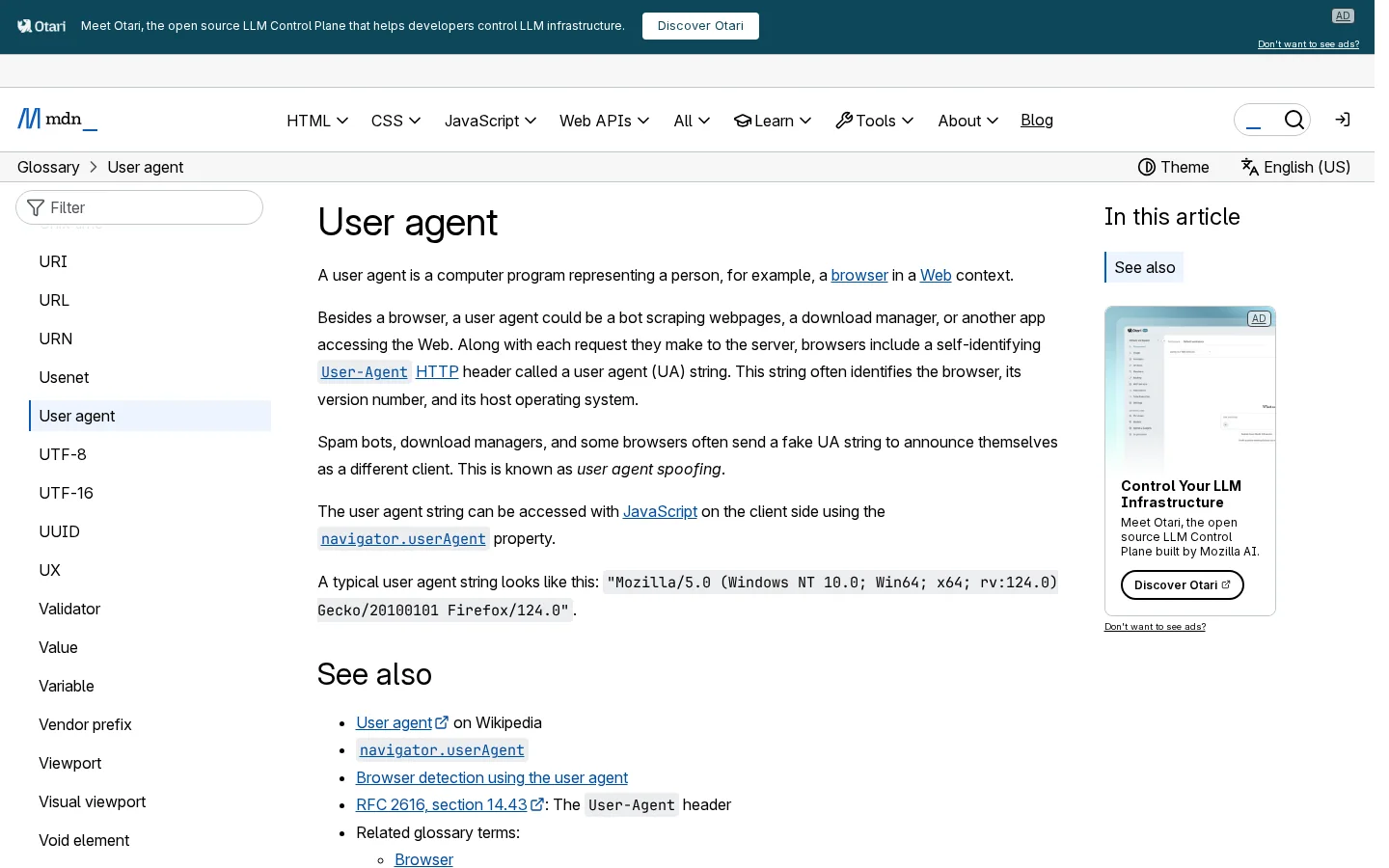
The user agent string is one line of text. Here is an example from Firefox 124 running on 64-bit Windows 10:
Mozilla/5.0 (Windows NT 10.0; Win64; x64; rv:124.0) Gecko/20100101 Firefox/124.0Read it piece by piece:
MDN notes that the string "often identifies the browser, its version number, and its host operating system." The word "often" matters. The string is a hint, not a guaranteed report of what the visitor runs.
In most cases, a website learns three things from the string: the browser, its version and the operating system. A site can use this to send a layout that fits a phone or a desktop, or to show the download link for the right system.
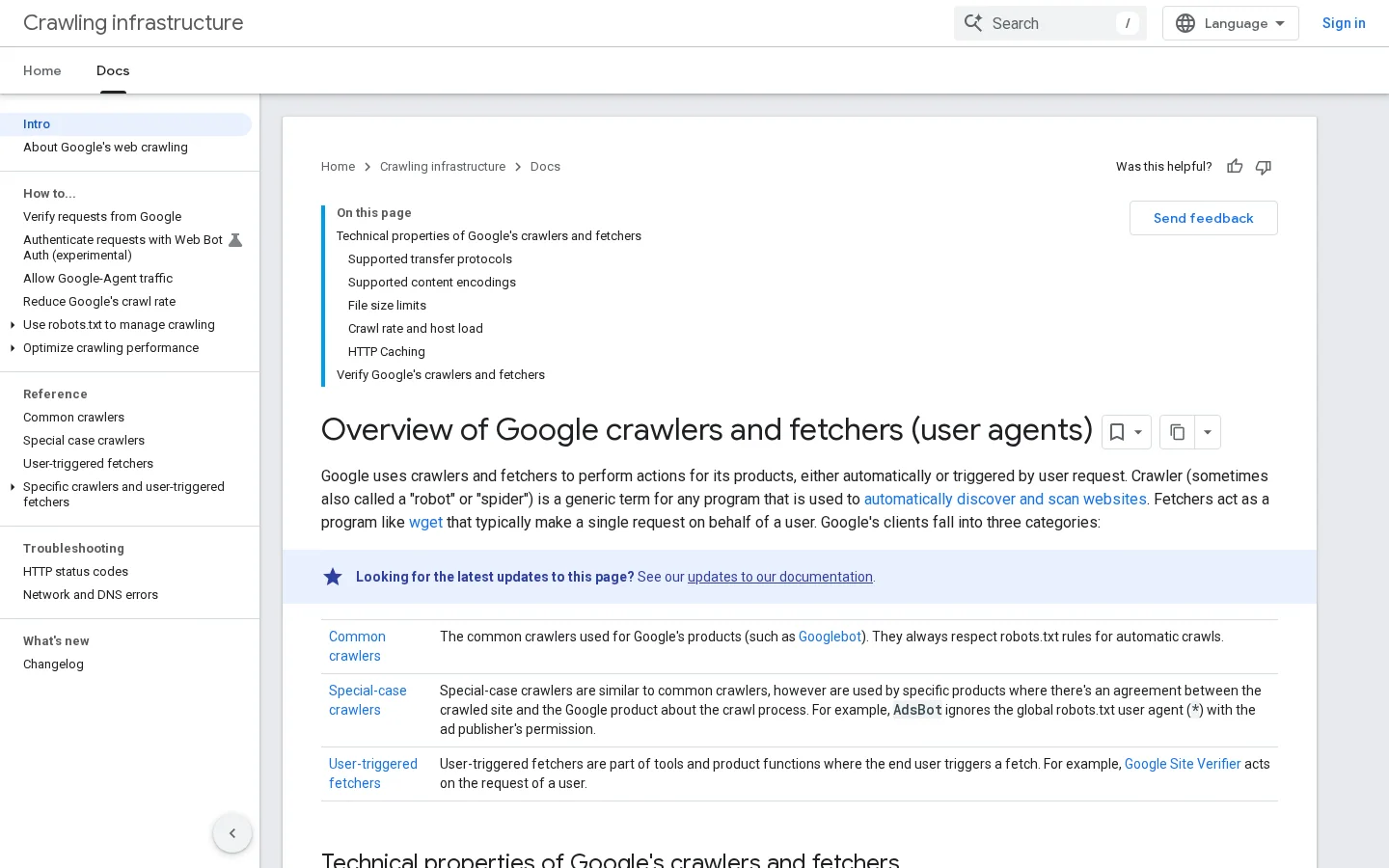
The same idea applies to bots. A crawler announces its own name, so the site knows which program is reading. Google's overview of its crawlers says that Google's crawlers identify themselves in three ways: the HTTP user-agent request header, the source IP address of the request, and the reverse DNS hostname of that IP address.
The browser adds the string to the request headers. Headers are the short labels that travel with a request before the page comes back. MDN describes it this way: browsers include a self-identifying User-Agent HTTP header, called a user agent (UA) string, along with each request they make to the server.
Scripts on the page can read the same value. MDN explains that JavaScript reads it through the navigator.userAgent property, as in this line:
console.log(navigator.userAgent);Open the browser console on any page and run the line above. It prints the string your browser sends with its requests. You can also open the network panel of your browser's developer tools, click any request, and find the User-Agent line in the request headers.
Yes. MDN warns that spam bots, download managers, and some browsers often send a fake UA string to announce themselves as a different client. This is known as user agent spoofing. A bot can copy the name of a well-known crawler, so a site that trusts the name alone can let a fake visitor in.
That is why the string works best as one signal among several. Combine it with the IP address, the behavior of the visitor and the rules you set on your server.
Not every client sends the same kind of information. This table shows the three common cases:
| Client | What it sends | What the site learns |
|---|---|---|
| Browser used by a person | Browser name, version and operating system | Which browser and system the visitor uses |
| Search engine crawler | Its own bot name, with the IP address of the request | Which crawler is reading the page |
| Script or download manager | A name chosen by its author, often a generic one | That an automated program is asking for the page |
Site owners write rules that name the bots they mean. In a robots.txt file, each rule group starts with a User-agent line. For example:
User-agent: GPTBot
Disallow: /drafts/
This rule asks the crawler that identifies itself as GPTBot to stay out of the drafts folder. The crawler has to send that exact name for the rule to apply. Our guide on which AI crawlers to allow in robots.txt explains how to choose these names, and our entry on AI crawlers explains who sends them.
Each crawler has its own name. Our guide to AhrefsBot shows how one SEO crawler identifies itself and how to block, slow or allow it. For the wider idea of a program that reads pages, see our entry on crawler bot. Some of these programs also collect pages for research or training, which is the web scraping side of the same story.
To check a live file, Sorank's free robots.txt checker reads the robots.txt file of a domain and shows whether the main AI crawlers are allowed or blocked.
Search engines and AI systems announce themselves with a user agent, so your site can tell them apart. For SEO, a wrong rule can stop Googlebot from reading the pages you want ranked. For GEO, a rule that blocks an AI crawler can keep your content out of the material that AI models use to write their answers.
Your server logs also record the user agent of each visit. Reading them tells you which bots read your pages and how often. That gives you a base for deciding what to allow and what to block.
A user agent is the text a browser or a bot sends to say who it is. It often names the browser, its version and the operating system, but it is self-declared, so it can be faked. Use it as a hint, check it against other signals, and write your robots.txt rules with the exact names that crawlers send.
Sources
A user agent is the text a browser or other client sends with each request to say what software it runs. It usually shows the browser, its version and the operating system.
Run navigator.userAgent in the browser console on any page. You can also open the network panel of your developer tools and read the User-Agent line in a request's headers.
Yes. Spam bots and some browsers send a fake user agent string to pose as another client, which is called user agent spoofing. Treat the string as a hint, not as proof of who is visiting.
 “I tested Sorank on a real client site and it's insane. It does everything an agency would bill you $1500 a month for. It's going into production on that client now.”

 Guillaume Guersanguersanguillaume.com“We are an Ads agency and we wanted to get our SEO back on track once and for all. Sorank gave us a clear view of our site, helped us prioritize optimizations, and properly structure our content. The tool is easy to use, well designed for a team, and very practical for centralizing tracking without having to juggle multiple platforms. A very solid foundation to start fresh with our SEO.”
 Gaspard MadouiAds Agency
 “I just let the Sorank software do its thing, and now my DR is 25 and my page is ranking higher.”
 Lucas Flandrefoundertrace.fr“I specialized in GEO thanks to Sorank. The GEO Leaderboard allows me to show my clients their position vs competitors on ChatGPT. It’s a real commercial differentiator.”
 MélanieSEO Freelance“Great service, works well for our website and helps us understand how to improve it to rank better on Google and elsewhere. Congrats, keep going, I recommend it.”
 Hugo T.E-commerce merchant