
Preferences
Privacy is important to us, so you have the option of disabling certain types of storage that may not be necessary for the basic functioning of the website. Blocking categories may impact your experience on the website. More information
Privacy is important to us, so you have the option of disabling certain types of storage that may not be necessary for the basic functioning of the website. Blocking categories may impact your experience on the website. More information

Taxonomy SEO is how you group pages into categories, subcategories and tags with clean URLs. Learn the steps, examples and common mistakes to avoid.







Founder Sorank, 7+ years in SEO.
Summary
Taxonomy SEO is the practice of organizing a website's pages into a clear hierarchy of categories, subcategories and tags, with URLs that reflect that hierarchy. It helps search engines crawl and index your pages and helps visitors find what they need in a few clicks.
Want to go further? Ask
Taxonomy SEO is the structure behind your navigation. Each page belongs to a group, each group sits inside a larger one, and the path from your homepage to a page tells both visitors and crawlers what that page is about. A clear taxonomy lets you add new pages without breaking the structure. A messy one puts the same topic in three places, so neither visitors nor Google know which page to trust. If you are planning the whole layout of your site, our site architecture guide covers the wider picture. This page focuses on the taxonomy layer: the categories, tags and URLs that sit inside it.
A site taxonomy has four parts. Categories are the main topics of your site. Subcategories narrow a category down. Tags are labels that cross categories. URLs make the path visible in the address bar.
| Element | Role | Example |
|---|---|---|
| Category | A main topic you want to rank and show in the menu | /running-shoes/ |
| Subcategory | A narrower topic inside one category | /running-shoes/trail/ |
| Tag | A label shared by pages in different categories | /tag/waterproof/ |
| URL | The address that shows the path to one page | /running-shoes/trail/model-x/ |
Each part does a different job, so it helps to decide the role of each one before you create any page. For the rules that apply to the address itself, read our URL anatomy and best practices guide.
Start from the topics your visitors search for, not from your internal org chart. Inventory the pages you already have, group them by the question they answer, and name each group with the words a visitor would type into a search box.
Google recommends readable URLs that use words in your audience's language, and it says URLs should be constructed logically and in a way that people can understand. A path like /running-shoes/trail/ tells a visitor where they are before the page loads. Long ID numbers do not. Google also advises trimming unnecessary parameters from URLs, because overly complex URLs with many parameters can cause problems for crawlers. See Google's URL structure best practices for the full list.
A category is a place: each page sits in one category path. A tag is a label, and many pages in many categories can share it. Use categories for the topics you want to rank. Use tags for filtering and for readers who browse by attribute. Avoid creating a tag for every keyword, because thin tag pages compete with your categories. Filters and tags also create extra URLs, so read our faceted navigation SEO guide to decide which ones to index, block or canonicalize.
A breadcrumb trail on a page indicates the page's position in the site hierarchy, and it may help users understand and explore a site effectively. Google's example is Books › Science Fiction › Award Winners, where each level sits one step below the previous one. Your breadcrumbs should follow the same logic as your categories, not a second, separate one. The Google breadcrumb structured data guide explains how to mark it up.
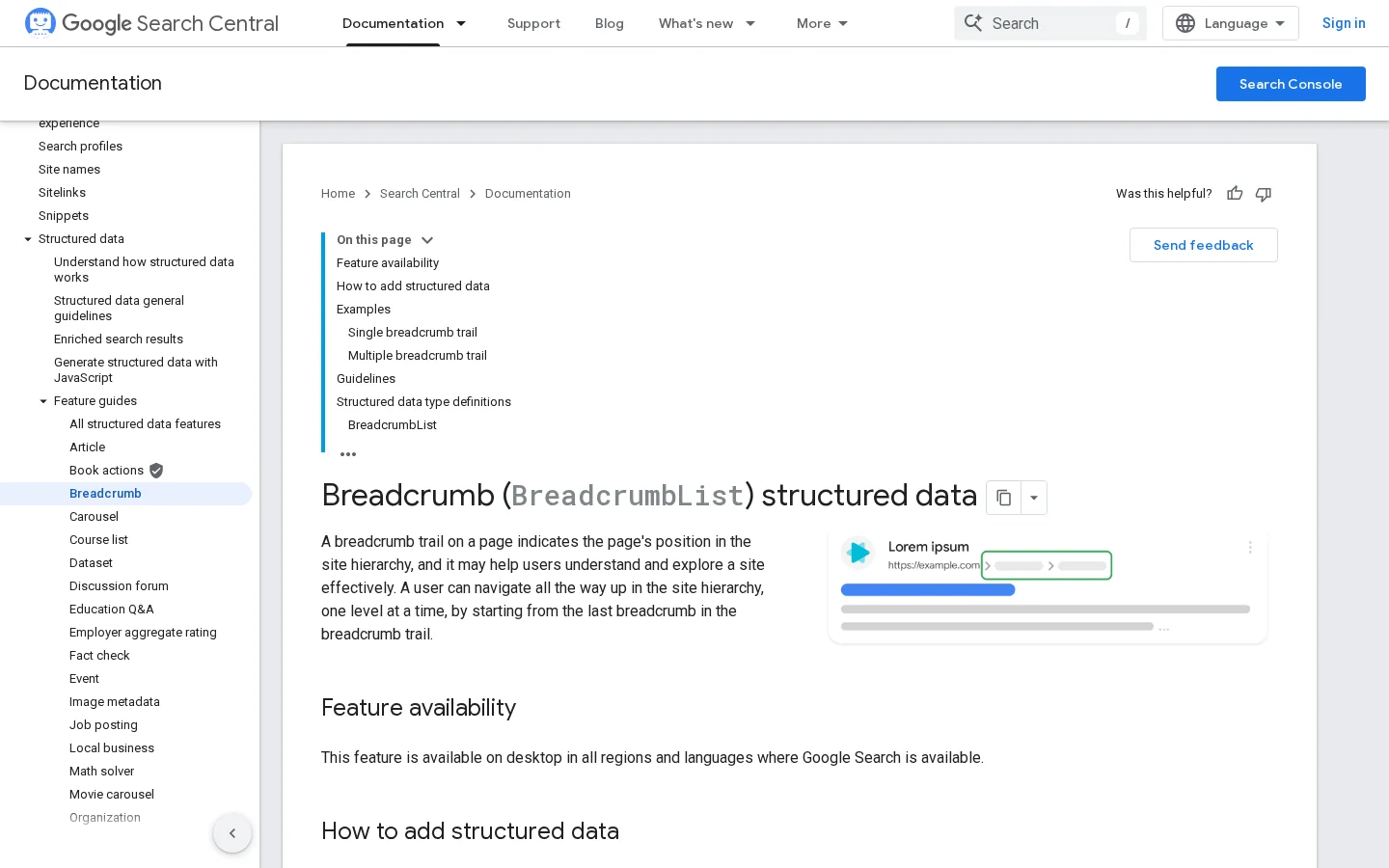
Mark up the trail with BreadcrumbList structured data so that search results can show the path. The JSON-LD for the example above looks like this:
{"@context": "https://schema.org", "@type": "BreadcrumbList", "itemListElement": [{"@type": "ListItem", "position": 1, "name": "Books", "item": "https://example.com/books/"}, {"@type": "ListItem", "position": 2, "name": "Science Fiction", "item": "https://example.com/books/science-fiction/"}, {"@type": "ListItem", "position": 3, "name": "Award Winners", "item": "https://example.com/books/science-fiction/award-winners/"}]}Breadcrumbs are only one part of the picture. Breadcrumb navigation covers the markup rules in more detail. Internal linking does the rest: link each page to its parent category and to related pages in the same group, using descriptive anchor text such as "trail running shoes" so that each link says where it goes.
Keep the path short enough that visitors reach any page quickly, and keep your most important category pages close to the homepage. Google's SEO Starter Guide says that organizing a site logically helps search engines and users understand how your pages relate to the rest of the site. It also suggests grouping similar topics in directories, or folders, because that helps Google learn how often the URLs in each directory change, so it can crawl them at different frequencies. On a large site this matters more, because a clear structure helps crawlers spend their visits well, which is the idea behind crawl budget. You do not need to reorganize a live site in a hurry, but when you move a category, redirect the old URL with a 301 redirect.
Most taxonomy problems come from four errors. Check your site for each one.
What it is: the same topic lives under two or three category paths, such as /shoes/trail/ and /outdoor/footwear/trail/. How to spot it: search your site for the topic and count how many URLs answer it. How to fix it: pick one category, point the others to it with a redirect or a canonical URL, and link to the chosen page.
What it is: a tag page for every keyword, many of them with one or two posts. How to spot it: a crawl export lists many tag URLs with thin content. How to fix it: merge overlapping tags, delete the ones readers never use, and add a noindex tag to the thin pages you want to keep but not index.
What it is: a URL such as /shop?id=4821&sort=price&ref=home instead of a readable path. How to spot it: the address contains ID numbers, session IDs or several parameters for one page. How to fix it: rebuild the path with readable words, trim the parameters you do not need, and use one version of each URL in your internal links and sitemap.
What it is: the menu says "Trail Shoes" but the URL is /products/item-88/. How to spot it: the breadcrumb, the menu and the URL disagree about where the page sits. How to fix it: rebuild the URL from the taxonomy and redirect the old address permanently, so that links and rankings move with the page.
Taxonomy gives search engines a map of your topics, and it gives AI systems a clear path to the page that answers a question. When categories are clean and URLs read well, a crawler can tell which page covers which topic, and so can a person checking where a citation comes from. Taxonomy is one part of crawlability, the ease with which search engines and AIs can reach your pages. Sorank can help with planning and checking: the Topic Cluster Generator groups related topics into clusters and is built to avoid two pages targeting the same query, and the Free Internal Link Analyzer audits the internal links of any page, so you can confirm that a category links to the pages it should.
Taxonomy SEO means giving every page one clear place in a hierarchy of categories, subcategories and tags, with a URL that shows that place. Start from the topics your visitors search for, keep one category per topic, and let your breadcrumbs and internal links repeat the same structure.
Sources
They overlap but are not the same. Site architecture covers the whole structure of a site, including navigation, depth and internal links. Taxonomy is the layer that groups pages into categories and tags and sets the URL paths.
Use categories for the main topics you want to rank and show in your menu. Use tags for labels that cut across topics, such as a format or a use case. Avoid creating a tag for every keyword, because thin tag pages compete with your categories.
Not always, but it helps. Google recommends readable words in the URL, in your audience's language, and a path such as /running-shoes/trail/ tells visitors and crawlers where a page sits. Keep paths short and avoid long ID numbers.
 “I tested Sorank on a real client site and it's insane. It does everything an agency would bill you $1500 a month for. It's going into production on that client now.”

 Guillaume Guersanguersanguillaume.com“We are an Ads agency and we wanted to get our SEO back on track once and for all. Sorank gave us a clear view of our site, helped us prioritize optimizations, and properly structure our content. The tool is easy to use, well designed for a team, and very practical for centralizing tracking without having to juggle multiple platforms. A very solid foundation to start fresh with our SEO.”
 Gaspard MadouiAds Agency
 “I just let the Sorank software do its thing, and now my DR is 25 and my page is ranking higher.”
 Lucas Flandrefoundertrace.fr“I specialized in GEO thanks to Sorank. The GEO Leaderboard allows me to show my clients their position vs competitors on ChatGPT. It’s a real commercial differentiator.”
 MélanieSEO Freelance“Great service, works well for our website and helps us understand how to improve it to rank better on Google and elsewhere. Congrats, keep going, I recommend it.”
 Hugo T.E-commerce merchant



















