
Preferences
Privacy is important to us, so you have the option of disabling certain types of storage that may not be necessary for the basic functioning of the website. Blocking categories may impact your experience on the website. More information
Privacy is important to us, so you have the option of disabling certain types of storage that may not be necessary for the basic functioning of the website. Blocking categories may impact your experience on the website. More information

Engaged sessions in GA4 are visits over 10 seconds, with 2 or more page views or a key event. See how the engagement rate is calculated.








Founder Sorank, 7+ years in SEO.
Summary
An engaged session is a GA4 visit that lasts longer than 10 seconds, has 2 or more page or screen views, or triggers a key event. Google uses these sessions to calculate your engagement rate, the percentage of your sessions that were engaged.
Want to go further? Ask
Engaged sessions are the base of two metrics that most people read in Google Analytics 4 (GA4): the engagement rate and the bounce rate. If you know what counts, you can read your reports with confidence. This page explains the rule, the formula, and where to find both numbers in GA4. If GA4 is new to you, start with our GA4 glossary entry.
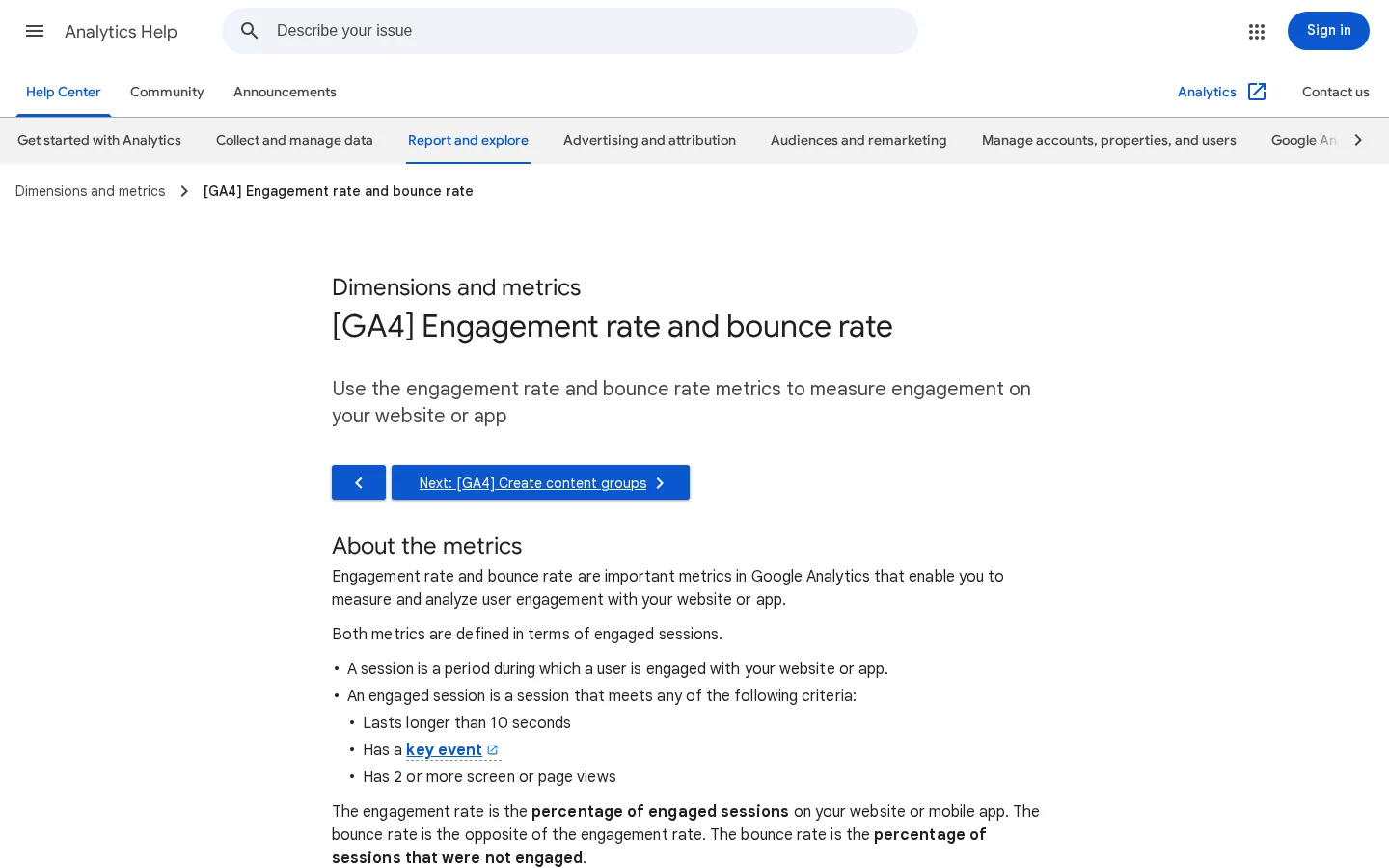
A session is engaged when it meets at least one of three criteria. Google lists them in its Google Analytics help page on dimensions and metrics. Each criterion is enough on its own.
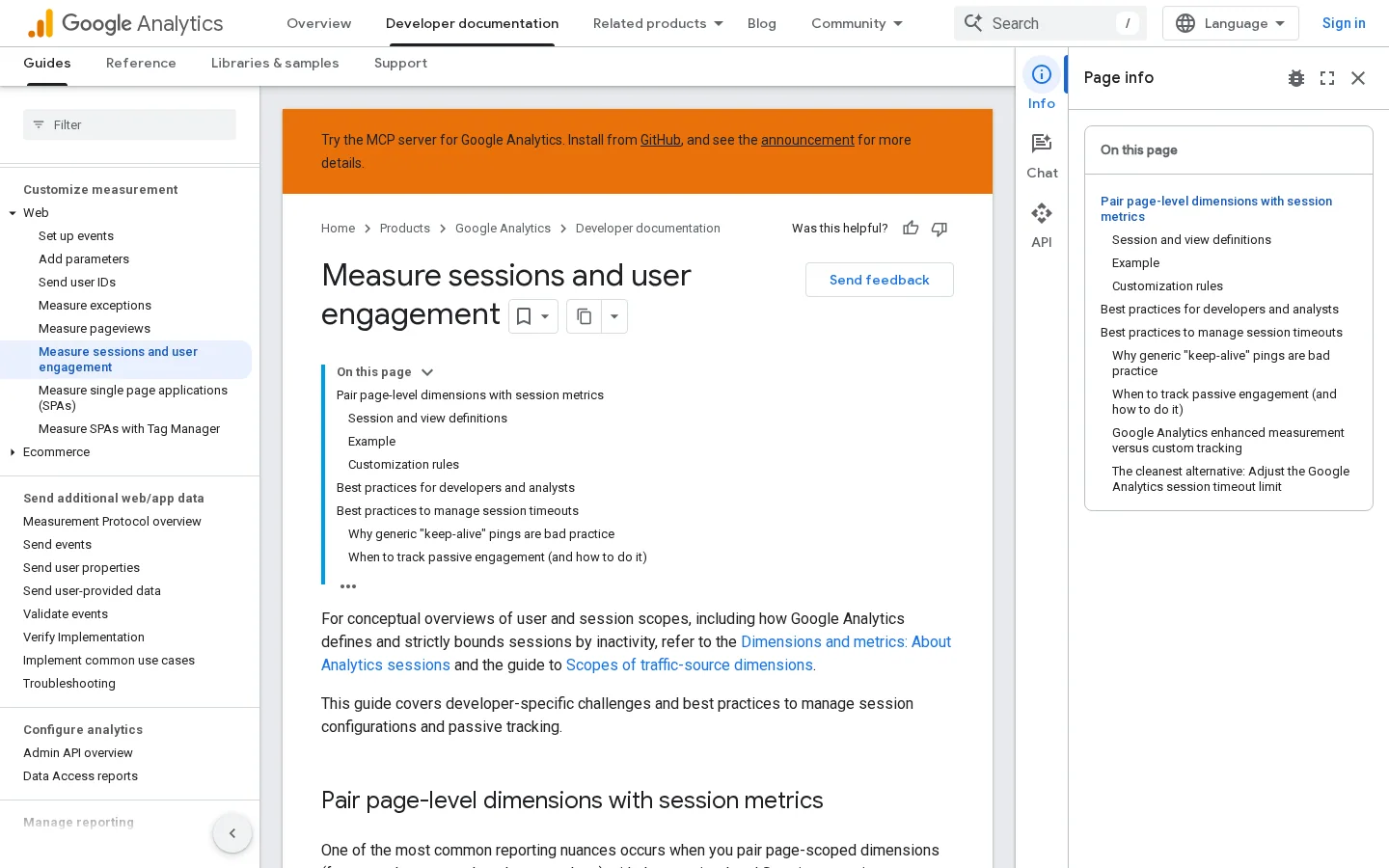
Google's developer documentation on GA4 sessions gives the same rule and adds that a key event was formerly called a conversion event. The 10 second rule uses the word "longer", so a visit of exactly 10 seconds does not count on its own.
| Criterion | What it means | Example |
|---|---|---|
| Duration | The session lasts longer than 10 seconds | A reader spends 40 seconds on one long guide and leaves |
| Page views | The session has 2 or more screen or page views | A visitor opens a product page, then a pricing page |
| Key event | The session triggers a key event that you have set up | A visitor submits a contact form on the first page they open |
The engagement rate is the percentage of engaged sessions on your website or mobile app, as Google's metrics help page defines it. The formula is:
Engagement rate = engaged sessions / total sessions x 100Take a site with 1000 sessions in a month, where 620 were engaged. The engagement rate is 620 / 1000 x 100, which gives 62%. These numbers are invented to show the formula. They are not a benchmark.
The bounce rate is the opposite. Google describes it as the percentage of sessions that were not engaged. In the same example, 380 sessions were not engaged, so the bounce rate is 38%. The two numbers always add up to 100%, so you can work out one from the other.
Most GA4 reports do not show the engagement rate or the bounce rate by default. Overview reports do not support these metrics at all. You add them to a detail report with these steps:
Once added, the columns show the rate for each page or screen. This tells you which pages keep readers and which ones send them away. Sorank's free bounce rate calculator helps you measure site engagement from your own numbers, so you can check a figure before you act on it.
Tip
Compare pages by engagement rate, not by total sessions alone. A page with few visits and a high engagement rate can be a better model for your next article than a busy page that loses readers.
A monthly review turns the rate into a list of pages to fix. Keep it short. Use the same steps every month, so that you can compare the results from one month to the next.
Changing one thing at a time tells you what worked. If you change five things, you will not know which one moved the rate.
Engaged sessions and average session duration both describe the quality of visits, but they answer different questions. Average session duration is the average length of all your sessions. An engaged session is a yes or no label on each session. A short session can be engaged if it has two page views. A long session on a single page is also engaged, because of its length alone.
People often read bounce rate as a score of failure. For many pages, that reading is wrong. A visitor who reads a short answer on one page and leaves may have found what they needed. GA4 still counts that session as not engaged, because it lasts 10 seconds or less, has one page view, and triggers no key event. Read the bounce rate next to the page type before you change anything.
These are the errors that come up most often when people read GA4 for the first time. Each one has a clear fix.
What it is: you think an engaged session means the visitor stayed on the site for a long time. How to spot it: a page has a high engagement rate, but its readers spend little time there, because one session just crossed the 10 second mark. How to fix it: read the average session duration and the other engagement columns next to the rate, never the rate alone.
What it is: your real goals, such as a contact form or a purchase, are not set as key events. How to spot it: a page converts well, but its engagement rate looks weak. A short visit that ends in a goal is then counted as not engaged. How to fix it: mark your real goals as key events in GA4, so that a completed goal always makes the session engaged.
What it is: you treat a higher bounce rate as a sign of better traffic. How to spot it: a report where the bounce rate goes up, and you celebrate. How to fix it: remember that a higher engagement rate is good, and a higher bounce rate is a warning. Both numbers come from the same sessions, read from opposite sides.
Engaged sessions show you whether the people who arrive from Google actually read your pages. An organic visit that leaves straight away tells you that the page did not match the question the visitor had. Fix the page, not the traffic.
The same reading applies to visits from AI tools. Sorank's GEO / SEO dashboard shows Google and AI traffic in one view, so you can compare how each source behaves on the same pages. To go further on how GA4 handles search and AI visits, read our guide to Google Analytics for SEO. To build reports that answer your own questions, see the GA4 dashboard guide.
An engaged session is a GA4 session that lasts longer than 10 seconds, has 2 or more page or screen views, or triggers a key event. The engagement rate is the share of your sessions that were engaged, and the bounce rate is its opposite. To see both in GA4, customize a detail report and add the two metrics. Then set up your key events, so that your real goals always count.
Sources
A bounce is a session that is not engaged. It lasts 10 seconds or less, has one page or screen view, and triggers no key event. Bounce rate is the share of your sessions that were not engaged.
No. Google's rule says longer than 10 seconds, so a visit of exactly 10 seconds does not count on duration alone. It can still be engaged if it has 2 or more page views or a key event.
No. Duration and page views also make a session engaged. Key events add one more way to count, and they matter most when your goal is a form submission or a purchase.
 “I tested Sorank on a real client site and it's insane. It does everything an agency would bill you $1500 a month for. It's going into production on that client now.”

 Guillaume Guersanguersanguillaume.com“We are an Ads agency and we wanted to get our SEO back on track once and for all. Sorank gave us a clear view of our site, helped us prioritize optimizations, and properly structure our content. The tool is easy to use, well designed for a team, and very practical for centralizing tracking without having to juggle multiple platforms. A very solid foundation to start fresh with our SEO.”
 Gaspard MadouiAds Agency
 “I just let the Sorank software do its thing, and now my DR is 25 and my page is ranking higher.”
 Lucas Flandrefoundertrace.fr“I specialized in GEO thanks to Sorank. The GEO Leaderboard allows me to show my clients their position vs competitors on ChatGPT. It’s a real commercial differentiator.”
 MélanieSEO Freelance“Great service, works well for our website and helps us understand how to improve it to rank better on Google and elsewhere. Congrats, keep going, I recommend it.”
 Hugo T.E-commerce merchant



















