
Preferences
Privacy is important to us, so you have the option of disabling certain types of storage that may not be necessary for the basic functioning of the website. Blocking categories may impact your experience on the website. More information
Privacy is important to us, so you have the option of disabling certain types of storage that may not be necessary for the basic functioning of the website. Blocking categories may impact your experience on the website. More information

Multimodal search optimization makes text, images, voice and video readable for search engines and AI assistants. Learn the steps that matter.








Founder Sorank, 7+ years in SEO.
Summary
Multimodal search optimization is the practice of making your text, images, audio, and video readable for search engines and AI assistants that accept more than typed keywords. A multimodal query can combine a photo, a spoken question, and a written request, so each media file needs clean metadata, descriptive text, and a page that explains what it shows.
Want to go further? Ask
Multimodal search optimization prepares your content for queries that are no longer only typed. People send photos, screenshots, spoken questions, and short videos, often in one interaction. Engines such as Google and the assistants behind multimodal AI read each of these inputs, so a page that is clear only in its images or only in its video is hard to understand and hard to cite.
It is the work of making every format on a page findable and understandable. Instead of a few keywords, a user might photograph a product and ask a follow-up by voice. The engine has to connect the picture, the words, and the context on your page to answer. Multimodal optimization means giving each of those signals a clear text anchor, so the engine does not have to guess what a file contains.
Search engines read media through the text around it. Google's documentation on Google image SEO best practices states that the alt text is the most important attribute for giving an image more metadata, that filenames should be short but descriptive, and that images should sit near the text they relate to, because Google takes the subject of an image from the content of the page. Keyword stuffing is discouraged, so the alt text should describe the image in plain words.
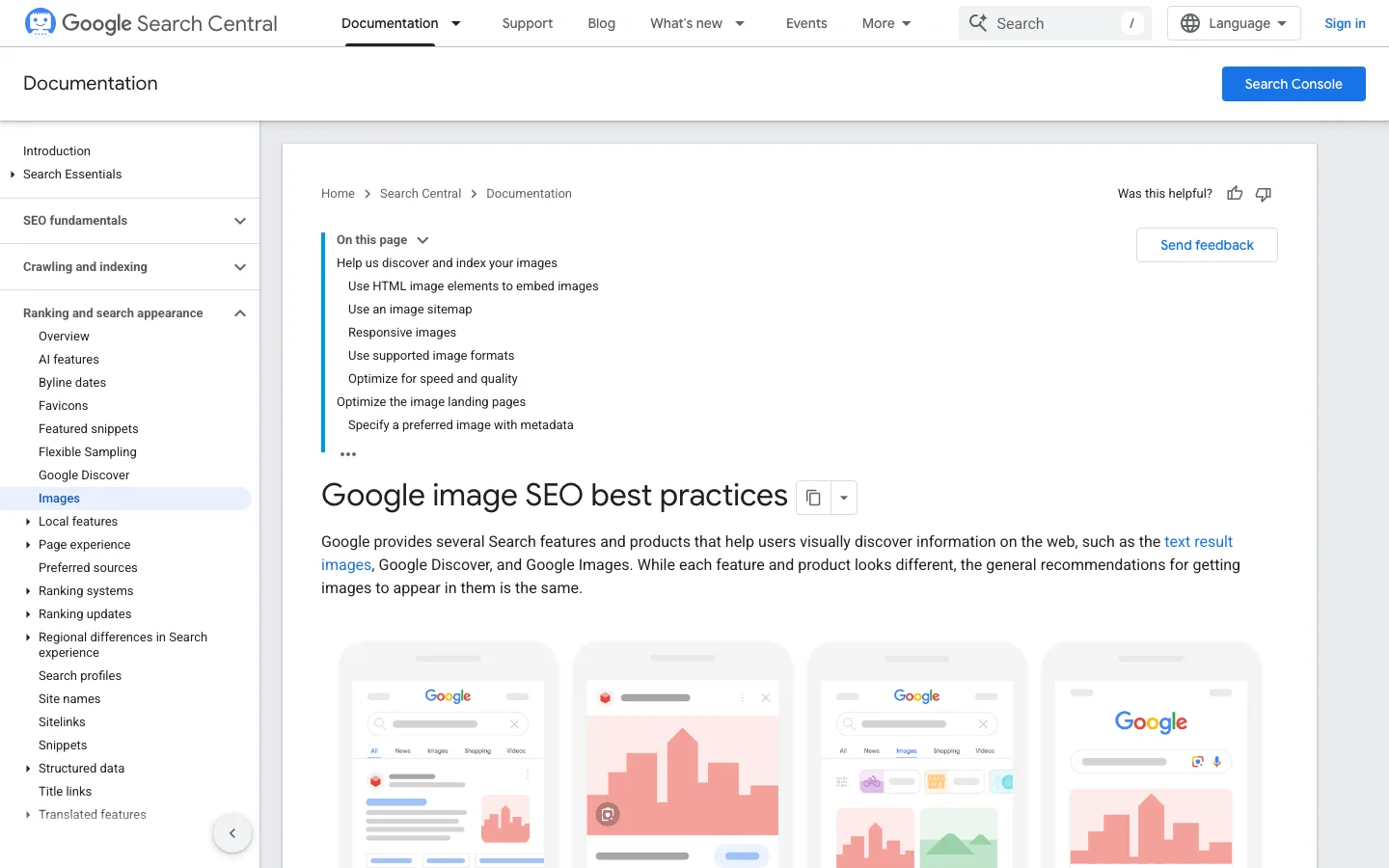
For video, Google's guidance on how video content is indexed says that the page hosting the video must be indexed, that the video must be embedded on a page whose main purpose is to show that video, and that each page needs a title and description unique to the video. Structured data must match the video itself, and each video needs a valid thumbnail.
Each format asks for a slightly different preparation. The table below lists what each one needs in practice.
| Format | What the engine reads | What you should publish |
|---|---|---|
| Text | Meaning, entities, and direct answers | Definitions in the first lines and question-led headings, as in this entry |
| Image | Alt text, filename, nearby text, image markup | Specific alt text, a descriptive filename, and a caption that names the subject, as covered in image search optimization |
| Voice | Spoken questions, usually longer than typed ones | Natural question headings and short answers, the focus of voice search optimization |
| Video | Page title, description, thumbnail, structured data, and the page around the player | One watch page per video with its own metadata, as explained in video SEO |
Start with the file itself. Use a short, descriptive filename, write alt text that says what is in the picture and why it matters to the page, and place the image beside the paragraph it illustrates. Compress the file so it loads quickly on a phone. Product and screenshot images are most useful when they show the real object, not a generic stock picture. For a wider checklist, read our guide on AI generated images for SEO, and check your descriptions with the alt text checker before publishing. Our notes on alt text explain the wording rules in more detail.
Give each video its own watch page. Write a title and description that are specific to that video, add structured data that matches what the video shows, and use one thumbnail URL everywhere it appears. Google's video documentation also accepts video sitemaps and Open Graph metadata as sources of information. Google's guidance does not mention transcripts, so do not count them as a documented ranking signal. A transcript still gives readers and text-based tools the words of the recording. Put it on the same page, under the player, so the text and the media describe the same thing.
Spoken questions are longer and more conversational than typed ones. Answer the questions your customers actually ask in plain language, put each question in a heading, and answer it in the first sentence under that heading. A short FAQ block with clear question and answer pairs gives an assistant a passage it can quote. Cover local wording too, such as near me questions, when your business serves a place.
It is the same discipline seen from another side. Visual search and voice answers reach the user through the same AI assistants that cite web pages. The assets that help a picture or a video get understood, such as clear text, schema, and descriptive metadata, are also the assets that help an assistant decide what to cite. Sorank's GEO optimization software covers the page side of this work, so the text that supports each media file can be reviewed with the rest of the page.
The most frequent mistake is treating media as decoration. A carousel of photos with empty alt text, a video embedded on a page that has no description, or a product image without a filename gives the engine nothing to work with. A second mistake is copying the same alt text or the same video description across many pages, which makes each page look like a duplicate. A third is publishing a transcript or FAQ that does not match the media, since the structured data and the text must describe the same content.
A last mistake is measuring only clicks. A visual or voice answer can resolve without a visit, so track the queries where your pages are cited as well as the visits they bring.
Search is no longer a box where people type. Users point cameras, speak, and share short videos, and the answers they receive are assembled from every format that a page offers. A brand whose images, audio, and video are described in plain text gives the engine more ways to understand it and more reasons to show it. That benefit reaches classic results, image and video results, and AI answers together, which is why the same preparation supports both SEO and GEO.
Multimodal search optimization means preparing each format on a page for the engines that read, see, and hear it. Write a direct definition at the top of the page, describe every image and video in specific words, give each video its own watch page, and answer spoken questions in plain language. Start with the pages that already carry the most media, and check that each file has the text it needs before you add new ones.
Sources
It is the practice of making every format on a page, text, images, audio and video, understandable to search engines and AI assistants. Each media file needs descriptive text, such as alt text, a filename and page context, so the engine knows what it shows.
Google's video documentation does not mention transcripts, so they are not a documented ranking signal. They still help readers and text-based tools, and they should sit on the same page as the video.
No. Smaller sites can compete by describing their images and videos clearly, giving each video its own page with accurate metadata, and answering common questions in plain language.
 “I tested Sorank on a real client site and it's insane. It does everything an agency would bill you $1500 a month for. It's going into production on that client now.”

 Guillaume Guersanguersanguillaume.com“We are an Ads agency and we wanted to get our SEO back on track once and for all. Sorank gave us a clear view of our site, helped us prioritize optimizations, and properly structure our content. The tool is easy to use, well designed for a team, and very practical for centralizing tracking without having to juggle multiple platforms. A very solid foundation to start fresh with our SEO.”
 Gaspard MadouiAds Agency
 “I just let the Sorank software do its thing, and now my DR is 25 and my page is ranking higher.”
 Lucas Flandrefoundertrace.fr“I specialized in GEO thanks to Sorank. The GEO Leaderboard allows me to show my clients their position vs competitors on ChatGPT. It’s a real commercial differentiator.”
 MélanieSEO Freelance“Great service, works well for our website and helps us understand how to improve it to rank better on Google and elsewhere. Congrats, keep going, I recommend it.”
 Hugo T.E-commerce merchant



















