

Where to find your products
Open Content in the main menu, then the Products tab.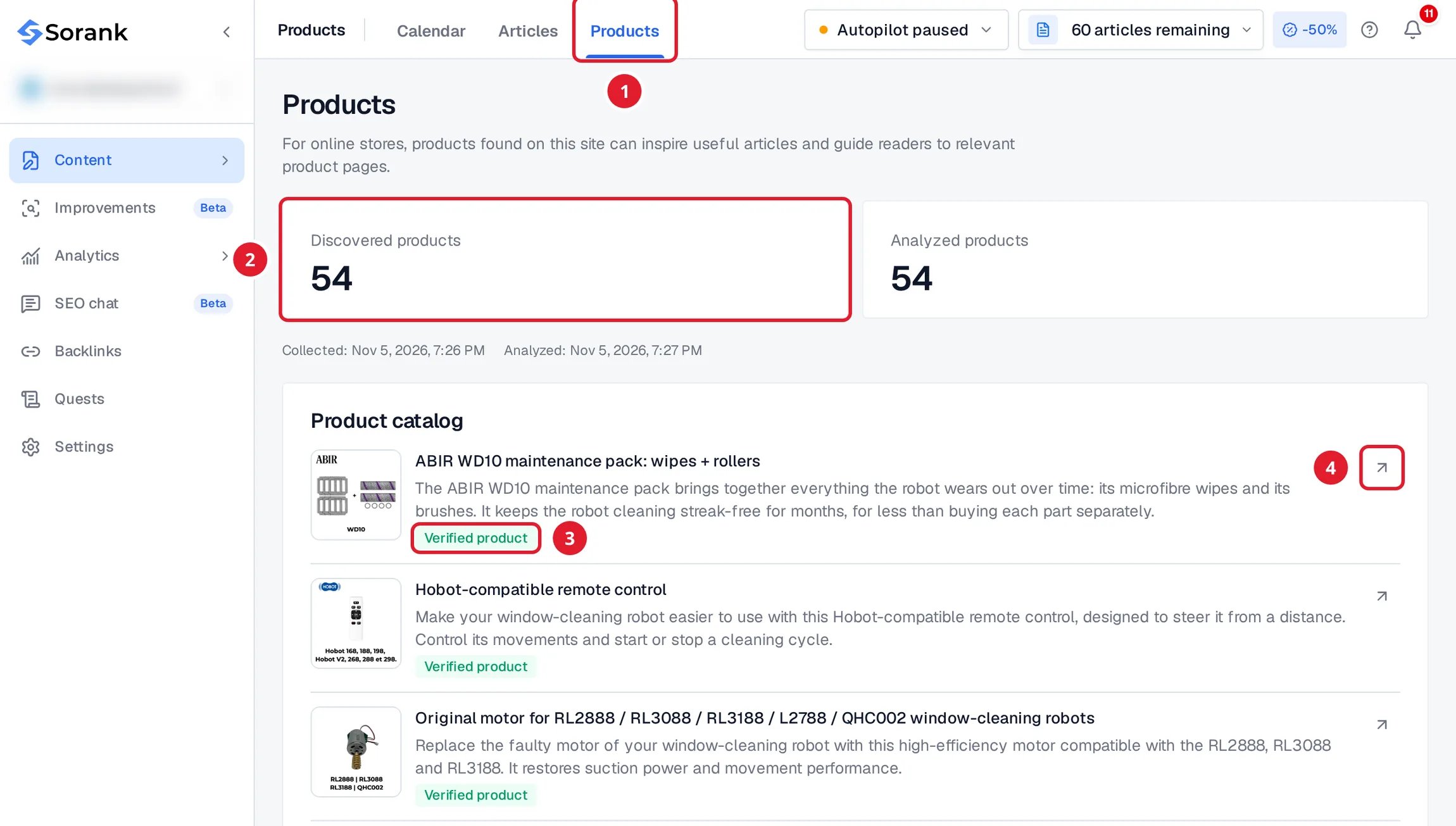
- The Products tab, in Content.
- Discovered products: the product pages Sorank found on your site. Analyzed products counts the pages Sorank has read.
- Verified product: Sorank confirmed that this page is a product. A Discovered link is not confirmed yet.
- Opens the product page on your site.
How the catalog is collected
- Automatic. Sorank finds your product pages through your sitemap while it analyzes your site, during onboarding, then refreshes the catalog regularly.
- Read from your store. For each product, Sorank reads the name, the description and the images from the product page.
- Follow the progress. While Sorank collects or reads your products, the page shows Collection in progress. If a collection fails, the last available catalog stays displayed.
- Read only. You cannot edit products in Sorank. Change them on your store: the next refresh picks up the change.
How your articles use your products
- When an article matches products of your catalog, for example a “best products” article, Sorank presents and links the relevant products. Only verified products are linked.
- With the image source My products, gallery, then AI, Sorank illustrates your articles with your product photos first. See the image gallery.
- Products are used in articles written in the same language as your store.
Your catalog stays empty
If the page shows Catalog not collected yet or Your products will appear here:- Check that your store has a public sitemap that lists your product pages, for example
yourdomain.com/sitemap.xml. - If your site does not sell products, this page stays empty. That is expected and changes nothing for your articles.
- If your store has a sitemap and the catalog still stays empty, contact support from the chat in the app.