
Preferences
Privacy is important to us, so you have the option of disabling certain types of storage that may not be necessary for the basic functioning of the website. Blocking categories may impact your experience on the website. More information

Privacy is important to us, so you have the option of disabling certain types of storage that may not be necessary for the basic functioning of the website. Blocking categories may impact your experience on the website. More information

Make your Salesforce Commerce Cloud store visible to Google and AI search. Use content assets, SFRA templates, JSON-LD, and llms.txt so ChatGPT, Perplexity, Claude, and Gemini cite your product and category pages.











































Want your Salesforce Commerce Cloud store to appear inside AI answers, not only in classic product searches? Salesforce Commerce Cloud (formerly Demandware) runs enterprise B2C and B2B commerce at scale, with rich catalogs, categories, and content assets. With the right setup it becomes a strong base for generative engine optimization (GEO). Start with a baseline geo seo audit and track every gain in a living geo seo dashboard. This guide shows how to structure, render, and annotate Commerce Cloud so Google and assistants like ChatGPT, Perplexity, Claude, and Gemini understand, trust, and cite your catalog.
Classic SEO still drives revenue, and AI assistants now summarize the web and surface a short list of cited sources before a shopper ever reaches a product page. Generative Engine Optimization is the practice of becoming one of those sources. Commerce Cloud gives you an advantage because your catalog is already structured: products, variants, categories, and attributes exist as clean entities. When you expose that structure clearly, models map your brand, products, and buying guides with confidence and cite them in shopping answers.
Begin with a benchmark. Ask the leading assistants the real questions shoppers ask about your category, then record whether you are cited, which Commerce Cloud URLs appear, and how competitors are referenced. Track brand mentions with ai mention tracking, review the sources you earn through ai cited backlinks, and run a baseline geo seo audit to map the entities already associated with your store.
In GEO, intent takes the shape of prompts. Collect the wording shoppers use in chat and voice, then group it by task: research a category, compare products, check fit or compatibility, and buy. Expand coverage with the query fan-out tool and prioritize topics with keyword research. For each group, choose one canonical page, a category, a product, or a buying guide, to be cited, and make it concise, quotable, and supported by clear specifications.
Treat your catalog as the entity backbone. Categories, products, variation attributes, and content assets in Content Slots already map to schema.org properties such as name, description, image, brand, and offers. Use content assets and content libraries to publish buying guides, comparisons, and frequently asked questions next to the catalog, and keep canonical product names and attributes consistent so every page reinforces the same entities across locales and sites.
Build the storefront on the Storefront Reference Architecture (SFRA), which renders server side and produces clean, crawlable HTML that both Google and AI crawlers parse reliably. Keep product and category pages reachable without login or a forced locale redirect, render core copy and specifications in the initial HTML rather than behind client only scripts, and keep one clear H1 per page so the main entity is unmistakable.
For every category and product, set a precise page title, a clear meta description, and a clean URL that includes the main entity. Use canonical tags to consolidate variant, sort, and refinement URLs, and apply meta robots to keep faceted or filtered combinations out of the index. Confirm that Open Graph and product metadata match the visible copy, the price, and the availability shown on the page.
Inject JSON-LD through your SFRA templates and the page head. Use Product with offers, price, availability, and AggregateRating on product pages, BreadcrumbList and WebPage on category pages, FAQPage for question blocks, and HowTo for setup or sizing guides. Add a site wide Organization schema with logo, contactPoint, foundingDate, and sameAs links to your verified profiles. Validate every block so assistants read a clean entity graph.
Create explicit question and answer blocks that mirror real prompts about fit, materials, shipping, and compatibility. Keep each answer between 50 and 120 words, link the relevant category or product URL, and cite one authoritative source such as a spec sheet. For setup or sizing, list the requirements, the ordered steps, and the time involved in HowTo format. These compact blocks are exactly what assistants lift into shopping summaries.
Keep clean product and category sitemaps and submit them in Google Search Console; Commerce Cloud can generate sitemaps for your storefront. In robots, allow the directories that hold citable content and disallow refinement and session noise. Add an llms.txt file at the root to signal preferred crawl rules for AI agents, the priority URLs to cite, and your reuse terms across each storefront domain.
Build topic hubs that group related categories, products, and guides, then connect them with descriptive anchors and clear breadcrumbs that express catalog hierarchy, accelerated with a topical cluster generator. If other parts of your stack run elsewhere, apply the same principles on salesforce experience cloud, commercetools, and bigcommerce.
GEO still runs on authority. Earn citations from credible publications, review sites, and specialized communities in your category. Publish buying guides under named experts, show real credentials, and keep an About page that strengthens E-E-A-T for the brand. Track progress with a domain authority tracker and study who assistants cite today with seo competitor spy.
Salesforce Commerce Cloud exposes a public API, but articles map to content assets rather than a real blog, and a reliable create-post route needs validation, so Sorank publishes and hosts your SEO articles on a Sorank-managed blog (your own subdomain or subfolder) that you link from your Commerce Cloud store, with full internal linking. You get a fully automated, indexable blog without fighting the platform's content model. Produce optimized drafts fast with the blog article generator, and link each guide to the matching category and product pages so authority flows into the catalog.
Track which prompts trigger your brand, which pages are cited, and where competitors win. Watch your rank on a geo leaderboard, and attribute conversions from assistants with tagged landing pages and unique UTMs. Connect AI driven visits to real orders, then prioritize the categories and guides that earn citations and revenue.
Salesforce Commerce Cloud gives you a structured enterprise catalog; GEO gives you the strategy. When your store exposes clear entities, precise metadata, and reliable specifications, assistants cite you with confidence. Set up SFRA templates, structured content assets, Product and Organization JSON-LD, and citable answers, then let Sorank drive audits, the hosted blog, and links.

Salesforce Commerce Cloud can perform well for GEO when you build the storefront on the Storefront Reference Architecture (SFRA), which renders server side and produces clean, crawlable HTML that AI crawlers parse reliably. Its biggest advantage is structure: catalogs, categories, variation attributes, and content assets already exist as clean entities. You expose them with precise titles, meta descriptions, canonical tags, and Product JSON-LD with offers and AggregateRating. Generate sitemaps, control faceted URLs with robots, and add an llms.txt file so assistants like ChatGPT, Perplexity, Claude, and Gemini can reach and cite your product and category pages.
Write answer-first content mapped to real shopping prompts. Open each category, product, or buying guide with a two-sentence summary, then scannable specifications, and keep paragraphs under 120 words. Use a strict heading hierarchy, explicit FAQ blocks with 50 to 120 word answers about fit, materials, and shipping, and a clear facts section. Anchor every claim to a spec or source and add JSON-LD (Product, FAQPage, HowTo, BreadcrumbList, Organization) through your SFRA templates. Publish supporting buying guides in content assets, link them to the matching catalog pages, and group them into topic hubs that signal topical depth.
Salesforce Commerce Cloud exposes a public API, but articles map to content assets rather than a real blog and a dependable create-post route needs validation, so Sorank uses its self-hosted blog: it publishes and hosts your SEO articles on a Sorank-managed blog (your own subdomain or subfolder) that you link from your store, with full internal linking into your catalog. You get a fully automated, indexable blog without fighting the platform's content model. Beyond publishing, Sorank runs GEO and SEO audits tailored to your store, tracks AI mentions across ChatGPT, Perplexity, and Gemini, monitors competitors, and suggests content optimizations from one dashboard.
THEY TRIED SORANK BEFORE YOU
 “I tested Sorank on a real client site and it's insane. It does everything an agency would bill you $1500 a month for. It's going into production on that client now.”
 Guillaume Guersanguersanguillaume.com“We are an Ads agency and we wanted to get our SEO back on track once and for all. Sorank gave us a clear view of our site, helped us prioritize optimizations, and properly structure our content. The tool is easy to use, well designed for a team, and very practical for centralizing tracking without having to juggle multiple platforms. A very solid foundation to start fresh with our SEO.”
 Gaspard MadouiAds Agency
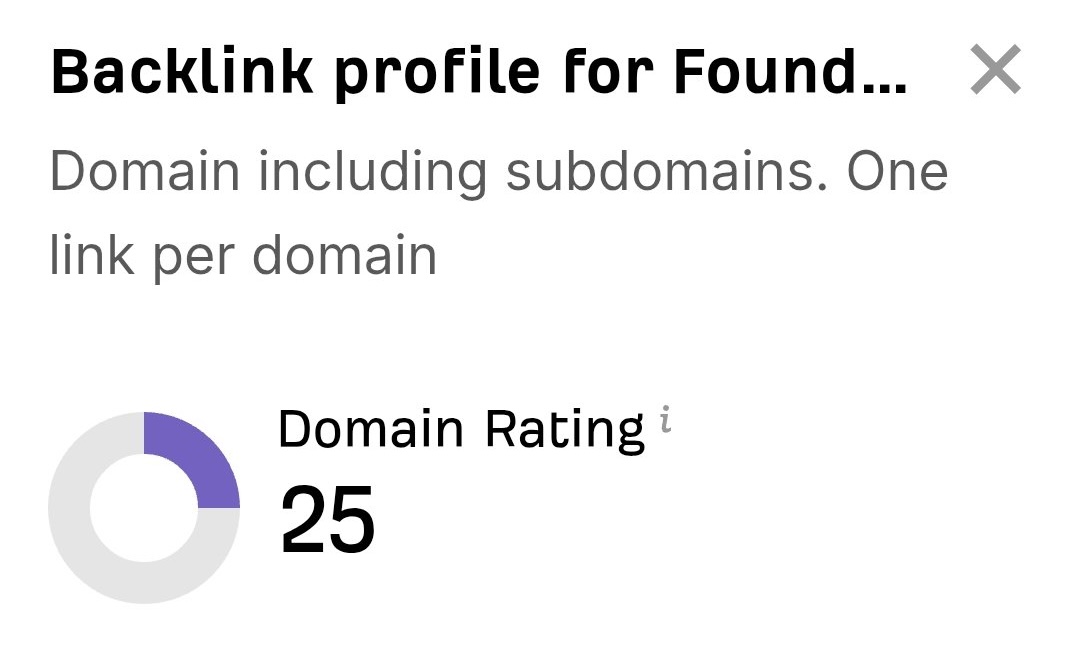 “I just let the Sorank software do its thing, and now my DR is 25 and my page is ranking higher.”
 Lucas FlandrePodcast Host“I specialized in GEO thanks to Sorank. The GEO Leaderboard allows me to show my clients their position vs competitors on ChatGPT. It’s a real commercial differentiator.”
 MélanieSEO Freelance“Great service, works well for our website and helps us understand how to improve it to rank better on Google and elsewhere. Congrats, keep going, I recommend it.”
 Hugo T.E-commerce merchant


















