
העדפות
הפרטיות חשובה לנו, ולכן יש לך אפשרות להשבית סוגים מסוימים של אחסון שייתכן שאינם נחוצים לתפקוד הבסיסי של האתר. חסימת קטגוריות עלולה להשפיע על חווית השימוש שלך באתר. מידע נוסף

הפרטיות חשובה לנו, ולכן יש לך אפשרות להשבית סוגים מסוימים של אחסון שייתכן שאינם נחוצים לתפקוד הבסיסי של האתר. חסימת קטגוריות עלולה להשפיע על חווית השימוש שלך באתר. מידע נוסף
למד איך לייעל את אתר הפורטפוליו שלך ב-Pixpa עבור GEO ו-SEO כדי שעוזרי AI כמו ChatGPT ו-Perplexity יגלו ויצטטו את התוכן שלך. נתונים מובנים וטיפים של Sorank כלולים.
.webp)
.webp)





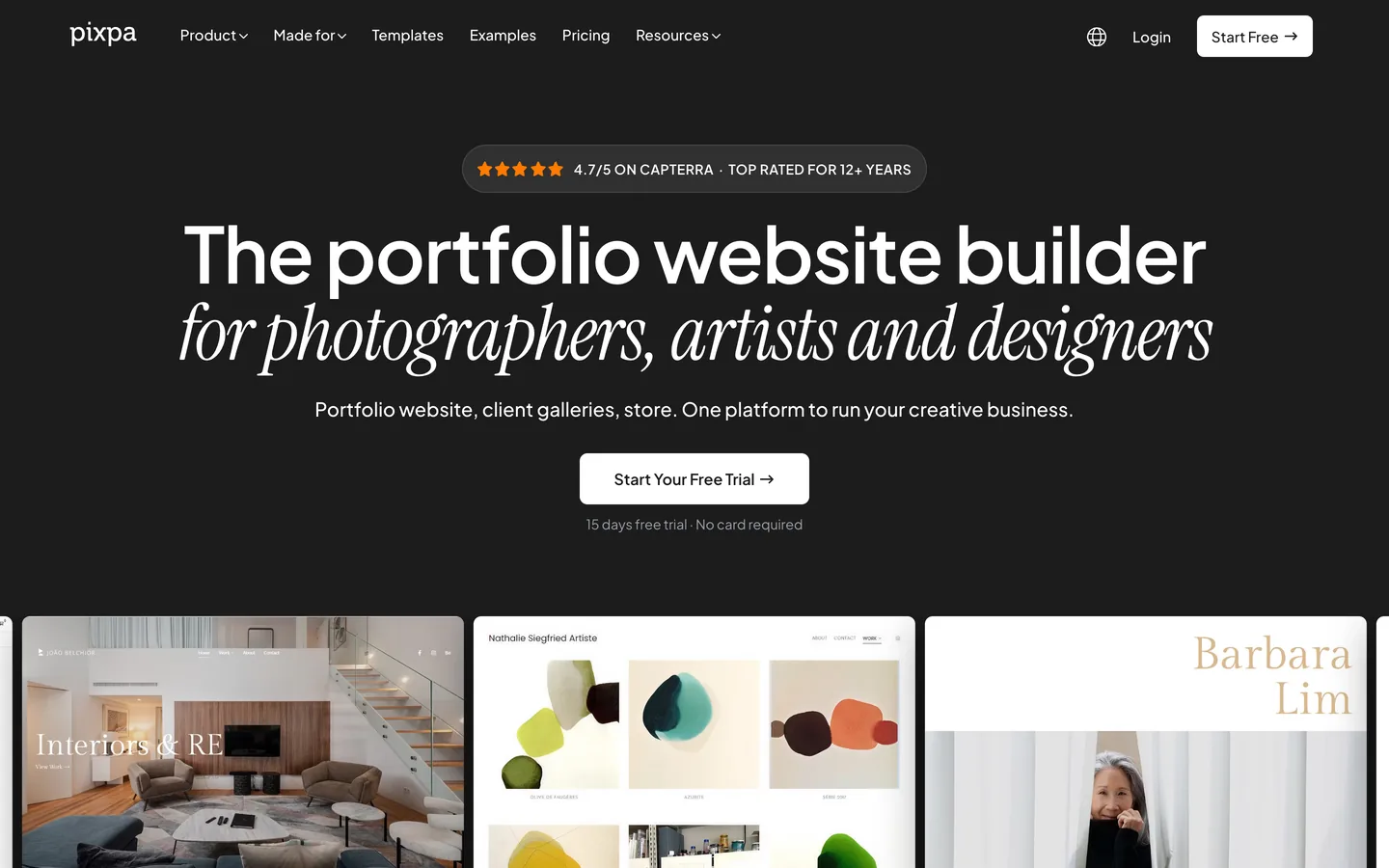


Pixpa היא בונה אתרים ו-CMS המיועדת לאנשי מקצוע יצירתיים: צלמים, מעצבים, אמנים וסטודיו קטנים שזקוקים לפורטפוליו נקי בשילוב עם גלריית הגהת לקוחות וחנות מקוונת אופציונלית. הפשטות שלה היא נקודת המכירה העיקרית שלה. אותה פשטות, עם זאת, אומרת שאתה צריך לעבוד בכוונה כדי להפוך את אתר ה-Pixpa שלך לגלוי לא רק ב-Google אלא בערוצי הגילוי המבוססים על AI שמשנים במהירות איך אנשים מוצאים שירותים יצירתיים.
מדריך זה מכסה את כל מה שאתה צריך כדי לייעל אתר Pixpa עבור GEO (Generative Engine Optimization) ו-SEO מסורתי, תוך שימוש רק בכלים הזמינים בתוך הפלטפורמה.
Generative Engine Optimization היא הפרקטיקה של הפיכת תוכן האינטרנט שלך לניתן לציטוט על ידי עוזרי AI כמו ChatGPT, Perplexity, Claude ו-Gemini. כשמישהו מבקש מאחד הכלים האלה להמליץ על צלם חתונות בברלין, מעצב מוצר בטורונטו או סטודיו מותג בלונדון, ה-AI מסנתז תשובה מתוכן אינטרנט מאונדקס. אתרים שמופיעים בתשובות האלה מקבלים תנועת הפניה ישירה וסמכות מותג ששום דירוג מילת מפתח מסורתי לא יכול לשכפל במלואו.
לאנשי מקצוע יצירתיים ב-Pixpa, זה חשוב מכיוון שלקוחות מתחילים יותר ויותר את תהליך החיפוש שלהם דרך עוזרי AI ולא Google. פורטפוליו שאינו מובנה לצורך ציטוט AI אינו נראה לערוץ גילוי שלם. הבשורה הטובה היא ש-Pixpa מספקת את הכלים הטכניים הדרושים: כותרות meta ותיאורים מותאמים אישית לכל דף, בלוג מובנה לפרסום תוכן טקסטואלי, וגישה להזרקת קוד כותרת HTML לנתונים מובנים.
הצעד הטכני בעל ההשפעה הגדולה ביותר הוא הוספת סימון JSON-LD של נתונים מובנים לדפים שלך. Pixpa מאפשרת לך להזריק קוד מותאם אישית לכותרת של דפים אינדיבידואליים דרך פאנל הגדרות הדף. זה המקום שבו אתה מציב את סימון ה-schema שלך.
סוגי schema של JSON-LD מומלצים לאתרי פורטפוליו של Pixpa:
אתר פורטפוליו הוא בעיקרו חזותי, אבל מערכות AI לא יכולות לקרוא תמונות. הטקסט באתר שלך הוא המשטח היחיד הזמין לאינדוקס וציטוט. זה אומר שאסטרטגיית התוכן הכתובה שלך חשובה באופן לא פרופורציונלי ביחס לאיכות החזותית של העבודה שלך.
כתוב כיתובים מפורטים ותיאורי פרויקט לעבודת הפורטפוליו שלך. תאר את התדריך של הלקוח, החלטות היצירה שקיבלת, הכלים והטכניקות בהם השתמשת, והתוצאה הניתנת למדידה במקום בו זה רלוונטי. טקסט תיאורי זה ממיר גלריה חזותית בלבד לתוכן מובנה וניתן לציטוט שעוזרי AI יכולים לחלץ ולהפנות אליו.
בדפי השירותים שלך, הימנע מתיאורים מעורפלים. במקום זאת, כתוב משפטים ספציפיים: הסטודיו מייצר מערכות זהות מותג עבור חברות מוצרי צריכה, כולל עיצוב לוגו, בחירת טיפוגרפיה, קווי מותג ועיצוב אריזה. תיאורי שירות ספציפיים ועובדתיים הם מה שעוזרי AI מוציאים כאשר הם עונים על שאילתות המלצה של לקוחות.
פרסם מקרי בוחן בבלוג שלך. מקרה בוחן שמתאר את הבעיה, הגישה, הפתרון והתוצאה מובנה בדיוק בדרך שעוזרי AI מעדיפים. שמור על כל מקרה בוחן בין 600 ל-1200 מילים, עם כותרות H2 ברורות לכל סעיף.
Pixpa תופסת נישה ממוקדת: היא בנויה במיוחד ליוצרים חזותיים, בניגוד לבוני אתרים כלליים. בהשוואה ל-Squarespace ו-Wix, Pixpa מציעה תכונות פורטפוליו והגהת לקוחות יותר מיוחדות אך פחות כלי אוטומציה של SEO מובנים. בהשוואה ל-Ghost ו-WordPress, Pixpa קלה יותר לשימוש באופן משמעותי אך מספקת פחות שליטה על נתונים מובנים בקנה מידה. בהשוואה ל-Mozello, ל-Pixpa יש יכולות גלריית פורטפוליו מתקדמות יותר ומיקוד חזק יותר על אנשי מקצוע יצירתיים.
עבור צלם יחיד או סטודיו עיצוב קטן שרוצה פורטפוליו נקי ללא מורכבות טכנית, Pixpa היא בחירה חזקה. שלבי ייעול ה-GEO המתוארים כאן יכולים להיות מיושמים ללא כל מעורבות של מפתח.
Pixpa לא מציעה API ציבורי ואין לה מודול אינטגרציה של Make.com. זה אומר ש-Sorank מתחבר ל-Pixpa דרך שיטת הבלוג המתארחת עצמית ולא דרך צינור תוכן אוטומטי.
התהליך עובד כך: Sorank מנתח את אתר Pixpa שלך ומזהה פערי GEO, כלומר נושאים בנישה שלך שעוזרי AI נשאלים עליהם אבל האתר שלך לא מכסה כרגע. Sorank מייצר טיוטות מאמר ממוטבות המכוונות לפערים האלה. אתה אז מפרסם את המאמרים האלה ידנית דרך עורך הבלוג של Pixpa, ומוסיף schema JSON-LD של Article לכל כותרת פוסט כפי שתואר לעיל.
למרות שתהליך זה יותר ידני מאשר אינטגרציות מונעות API, הוא יעיל לחלוטין לאתרי פורטפוליו שמפרסמים תוכן בקצב מדוד. Sorank מטפל באסטרטגיה וייצור התוכן; Pixpa מטפלת בפרסום. התוצאה היא אתר פורטפוליו עם גוף גדל של תוכן טקסטואלי ממוטב GEO שממקם אותך כסמכות ניתנת לציטוט בהתמחות היצירתית שלך. Sorank גם עוקב אחר אילו מהדפים המפורסמים שלך מצוטטים על ידי עוזרי AI לאורך זמן, ומאפשר לך לזהות אילו נושאים מייצרים את התנועה הכי מונעת-AI לאתר Pixpa שלך.

Pixpa יכולה להיות יעילה עבור GEO כאשר היא מוגדרת נכון. הפלטפורמה מאפשרת תגי meta מותאמים אישית והזרקת קוד כותרת לכל דף, מה שמאפשר לך להוסיף סימון JSON-LD של נתונים מובנים. הבלוג המובנה הוא המשטח העיקרי לפרסום תוכן טקסטואלי שעוזרי AI כמו ChatGPT ו-Perplexity יכולים לאנדקס ולצטט. המגבלה העיקרית היא של-Pixpa אין API ציבורי, כך שעבודת האופטימיזציה מתבצעת ידנית ולא דרך זרימות עבודה אוטומטיות.
שלושה צעדים מספקים את ההשפעה הגדולה ביותר: ראשית, הוסף schema JSON-LD של Person או Organization לדף הבית שלך דרך שדה Custom Header Code בהגדרות הדף; שנית, פרסם פוסטים מפורטים בבלוג ומקרי בוחן במבנה ברור של שאלה ותשובה, עם schema של Article בכל פוסט; שלישית, כתוב תיאורים ספציפיים ועובדתיים בכל דף שירות ולא סיסמאות גנריות. עוזרי AI מוציאים את האותות האלה של תשובה ישירה ונתונים מובנים כאשר מייצרים המלצות.
Sorank מתחבר ל-Pixpa דרך שיטת הבלוג המתארחת עצמית. Sorank מנתח את האתר שלך, מזהה פערי תוכן GEO בנישה שלך, ומייצר טיוטות מאמר ממוטבות. אתה מפרסם את הטיוטות האלה ידנית בעורך הבלוג של Pixpa ומוסיף schema JSON-LD של Article לכל כותרת פוסט. Sorank אז עוקב אחר אילו דפים מצוטטים על ידי עוזרי AI כך שתוכל למדוד את ההשפעה של כל מאמר מפורסם.










.svg)
.svg)


