
{{SITE_URL}} בכתובת האתר שלכם ואת {{LANGUAGE}} בשפת המאמרים.You are working on the codebase of my website {{SITE_URL}}. I use SORANK to write SEO blog articles in this language: {{LANGUAGE}}. SORANK publishes them by sending HTTPS POST requests to a webhook route on my site. SORANK also audits every page of my site and sends fixes for those existing pages to the same route. Build that route and the blog pages that display the articles, following the SORANK webhook contract version 2 below exactly.
Start by inspecting the project (framework, hosting, database, existing blog or routing) and reuse what already exists. Do not break any existing page. If something below cannot be done with my current stack, tell me before choosing a workaround.
## 1. Article pages must be server-rendered
Each article must be served as complete HTML by the server, for crawlers and for SORANK's verification. Viewing the page source of an article URL (not the rendered DOM) must show the title, the meta description, the canonical link and the full article body.
- Use the framework's server rendering (SSR) or static generation that is rebuilt or revalidated when an article is published or updated.
- If the site is a client-only single-page app (for example a Vite React app), an article page that fetches its content in the browser is NOT acceptable. Add server rendering for the blog routes instead: SSR, prerendering triggered by the webhook, or a server/edge function that returns the full HTML of `/blog/{slug}`. Pick the simplest option my hosting supports and explain your choice.
- Each article page contains: `<html lang>` set from `article.language`, `<title>` from `article.title`, `<meta name="description">` from `article.meta_description`, `<link rel="canonical">` with the exact public URL of the page, Open Graph tags (`og:title`, `og:description`, `og:image` from the featured image, `og:type` = `article`), one `<h1>` with `article.title`, the featured image, then `article.content`.
- Add the articles to the blog index page (create `/blog` if there is no blog yet).
- Use the site's existing layout, header, footer and styles. Article HTML must look good with headings, lists, tables, links, images and quotes.
## 2. Sitemap
Check whether the site already has a sitemap (`/sitemap.xml`, a sitemap index, or one declared in `robots.txt`). If it has none, create `/sitemap.xml`. Then make sure that:
- Every published article is listed, and appears there as soon as it is published, without a manual step (generate the sitemap dynamically, or regenerate it on every publication and update).
- Each `<loc>` is the exact canonical URL of the article (absolute HTTPS URL, same host, `www` and trailing slash as the `<link rel="canonical">`), and `<lastmod>` is the article's last update date in W3C format (for example `2026-01-31T10:00:00+00:00`), refreshed on every `article.updated`.
- The file follows the sitemaps.org protocol: UTF-8 XML, `<urlset xmlns="http://www.sitemaps.org/schemas/sitemap/0.9">` root, special characters escaped (`&`, `<`...), at most 50,000 URLs and 50 MB per file (switch to a sitemap index beyond that), served with HTTP 200 and an XML content type.
- It lists only indexable pages: no redirects, no 404, no `noindex` pages, no duplicate URLs, no URLs with query strings.
- The existing pages of the site stay in the sitemap.
- `robots.txt` contains a `Sitemap: https://.../sitemap.xml` line with the absolute URL, and does not block `/blog` or the sitemap.
## 3. Storage
Store articles in the project's database (create a table if needed) with at least:
- `sorank_article_id` (unique): the `article.id` received from SORANK. It is the only key used to find an article again.
- `slug` (unique), `title`, `meta_description`, `content_html`, `featured_image_url`, `featured_image_alt`, `language`, `published_at`, `updated_at`.
- `revision` (integer): the last applied `X-Sorank-Article-Revision` header value.
- A record of successfully applied `Idempotency-Key` values with the 2xx response that was returned, so a retried request returns the same response without being applied twice. Never store an error response: a retry after a failure must be processed again.
## 4. The webhook route
Create one route, for example `POST /api/sorank/webhook`. It must be publicly reachable over HTTPS on my production domain and must never be cached.
Request sent by SORANK:
- Headers: `Content-Type: application/json`, `User-Agent: SORANK-Webhook/1.0` and `Authorization: Bearer <secret>`. `article.published` and `article.updated` also carry `Idempotency-Key` and `X-Sorank-Article-Revision`. `article.audit_fix` carries `Idempotency-Key` only. `webhook.test` carries neither, so never require them for the test.
- JSON body of `article.published`, `article.updated` and `webhook.test`:
```json
{
"event": "article.published | article.updated | webhook.test",
"delivery_id": "uuid of this delivery attempt",
"timestamp": "2026-01-01T00:00:00Z",
"business": { "name": "...", "website": "..." },
"article": {
"id": "SORANK article id",
"title": "...",
"slug": "lowercase-hyphenated-slug",
"meta_description": "...",
"focus_keyphrase": "...",
"keyword": "...",
"content": "<h2>...</h2><p>...</p>",
"featured_image": { "url": "https://...", "alt": "...", "placement": "hero" },
"images": [{ "url": "https://...", "alt": "...", "placement": "body" }],
"homepage_screenshot": { "url": "https://...", "alt": "...", "placement": "homepage_screenshot" },
"word_count": 1500,
"language": "en-US"
}
}
```
`article.content` is the complete article body in HTML, without the H1. Render it as is after sanitizing it (keep headings, paragraphs, lists, tables, links, images, blockquotes; remove scripts, event handlers and iframes). `featured_image` and `homepage_screenshot` may be `null`; `images` is always an array, possibly empty. Accept all of these. Do not insert the images of `images` a second time if they already appear in `content`.
Security:
- Generate a long random secret, store it as a server-side environment variable (for example `SORANK_WEBHOOK_SECRET`) and never expose it in client code.
- Reject any request whose `Authorization` header is not exactly `Bearer <secret>` with HTTP 401 (use a constant-time comparison).
- Accept only JSON bodies and reject unknown `event` values with HTTP 400.
Behavior per event:
1. `webhook.test`: the connection test. Do not create, change or delete anything. Respond HTTP 200 with:
```json
{ "sorank_webhook_version": 2, "capabilities": ["article.published", "article.updated", "article.audit_fix"] }
```
2. `article.published`: if an article with this `article.id` already exists, do not create a duplicate: update it instead. Otherwise create it with `article.slug` (if the slug is already used by another page, append a short suffix). Save `revision`.
3. `article.updated`: find the article by `article.id`. If it does not exist, respond HTTP 404 and never create it. Replace its title, meta description, content, featured image and `updated_at`, keep its slug and URL unchanged, then refresh the rendered page (cache, revalidation or rebuild) so the public HTML shows the new version.
4. `article.audit_fix`: a fix found by the SORANK audit. It can target **any page of my site**, not only the articles SORANK published: home page, product pages, categories, older articles. It carries either targeted fixes (title, meta description, images, links, JSON-LD) or a **full rewrite** of the page, which comes with a new `title`, `h1`, `meta_description`, `content` and `hero` image. Body:
```json
{
"event": "article.audit_fix",
"delivery_id": "uuid of this delivery attempt",
"timestamp": "2026-01-01T00:00:00Z",
"business": { "name": "...", "website": "..." },
"page": { "url": "https://www.example.com/blog/my-article", "slug": "my-article" },
"changes": {
"title": "New SEO title",
"h1": "New page heading (full rewrite only)",
"meta_description": "New meta description",
"content": "<p>Complete corrected body HTML</p>",
"images": [{ "src": "https://...", "new_src": "https://...", "alt": "...", "placement": "body" }],
"json_ld": { "@context": "https://schema.org", "@type": "Article" }
}
}
```
- Find the page by `page.url` (normalize `www`, trailing slash and query string), or else by `page.slug`. It may be a page SORANK never published, so do not look it up by `article.id`. Never create a page. If no page matches, or the page cannot be changed, respond HTTP 404.
- Every field of `changes` is optional: apply only the fields present. `title` replaces the page `<title>` (SEO title), not its `<h1>`. `h1`, sent with a full rewrite, replaces the page's visible `<h1>`. `meta_description` replaces `<meta name="description">`. `content`, when present, is the complete new HTML of the page's main content (the article body, without its `<h1>`): replace that body with it, never the site header, navigation, sidebar or footer, and sanitize it like `article.content`. Each entry of `images` targets the `<img>` whose `src` equals `src`: set its `alt` when present and, with `new_src`, replace its source. `placement: "hero"` targets the featured image (its `src` is empty when the page has none yet). `json_ld` replaces the page's JSON-LD structured data, and `null` removes it.
- Store these overrides so they survive a rebuild or a later `article.updated`, and make the public HTML show them (refresh the cache, revalidate or rebuild).
- SORANK keeps no copy of the original: keep the previous values so I can revert a fix.
- Respond with any 2xx once the change is live in the public HTML, for example `{ "sorank_webhook_version": 2, "status": "updated" }`. A 401, 403, 404 or other 4xx tells SORANK the fix was refused; a timeout, 429 or 5xx means my site is unavailable and the fix can be sent again.
Retries and ordering:
- If the `Idempotency-Key` was already applied successfully, return the stored response without applying anything again. If a request with the same key is still being processed, respond HTTP 409 instead of processing it a second time.
- If `X-Sorank-Article-Revision` is lower than the stored `revision`, do not overwrite the newer content; return the success response with the current URL.
Response after a successful publication or update: only once the article is live in the public HTML, respond HTTP 200 (or 201 for a creation) with:
```json
{ "sorank_webhook_version": 2, "status": "published", "article_url": "https://www.example.com/blog/my-article" }
```
Use `"status": "updated"` for `article.updated`. `article_url` must be the exact absolute HTTPS URL of the article page on {{SITE_URL}}, identical to its `<link rel="canonical">` (same `www` or not, same trailing slash or not). Keep the response body small (under 16 KB).
Timing: SORANK waits at most 30 seconds (10 seconds for `webhook.test`). If publishing can take longer (for example a static rebuild), respond immediately with HTTP 202 and `{ "sorank_webhook_version": 2, "status": "accepted" }` (add `article_url` when the final URL is already known), finish the work in the background, and add this tag to the `<head>` of the article page only once the new version is public, where the value is the `Idempotency-Key` of the request:
```html
<meta name="sorank-operation-id" content="IDEMPOTENCY_KEY_FROM_THE_REQUEST" />
```
Any other failure must return a non-2xx status with a short error message. Never return 200 if the article was not saved.
## 5. Check your work
- Add automated tests for: wrong or missing secret (401), `webhook.test` creates nothing and returns the exact JSON, `article.published` creates the article and returns `article_url`, a second `article.published` with the same `article.id` does not duplicate, `article.updated` replaces content and keeps the URL, `article.updated` for an unknown id returns 404, a repeated `Idempotency-Key` is not applied twice, a retry after a failed attempt is processed again, an older revision is ignored, a payload with `featured_image: null` is accepted, `article.audit_fix` changes the `<title>`, meta description, image alt and JSON-LD of a page SORANK did not publish, `article.audit_fix` applies only the fields present, an `article.audit_fix` with `content` replaces only the page body (header and footer unchanged), `article.audit_fix` for an unknown URL returns 404 and creates nothing, a repeated `article.audit_fix` `Idempotency-Key` is not applied twice. Also test that a published article appears in the sitemap with its canonical URL and that an update refreshes its `<lastmod>`.
- Deploy, then send a sample `article.published` request to the production URL and check that the page source of the returned `article_url` contains the full article and the right canonical, that `/sitemap.xml` lists it and is valid XML, and that `robots.txt` points to the sitemap. Delete that test article afterwards and check that it left the sitemap.
## 6. When you are done
Give me:
1. The full HTTPS URL of the webhook route in production.
2. The secret value, and where it is stored.
3. The URL pattern of the article pages.
4. The URL of the sitemap, and whether you created it or updated an existing one.
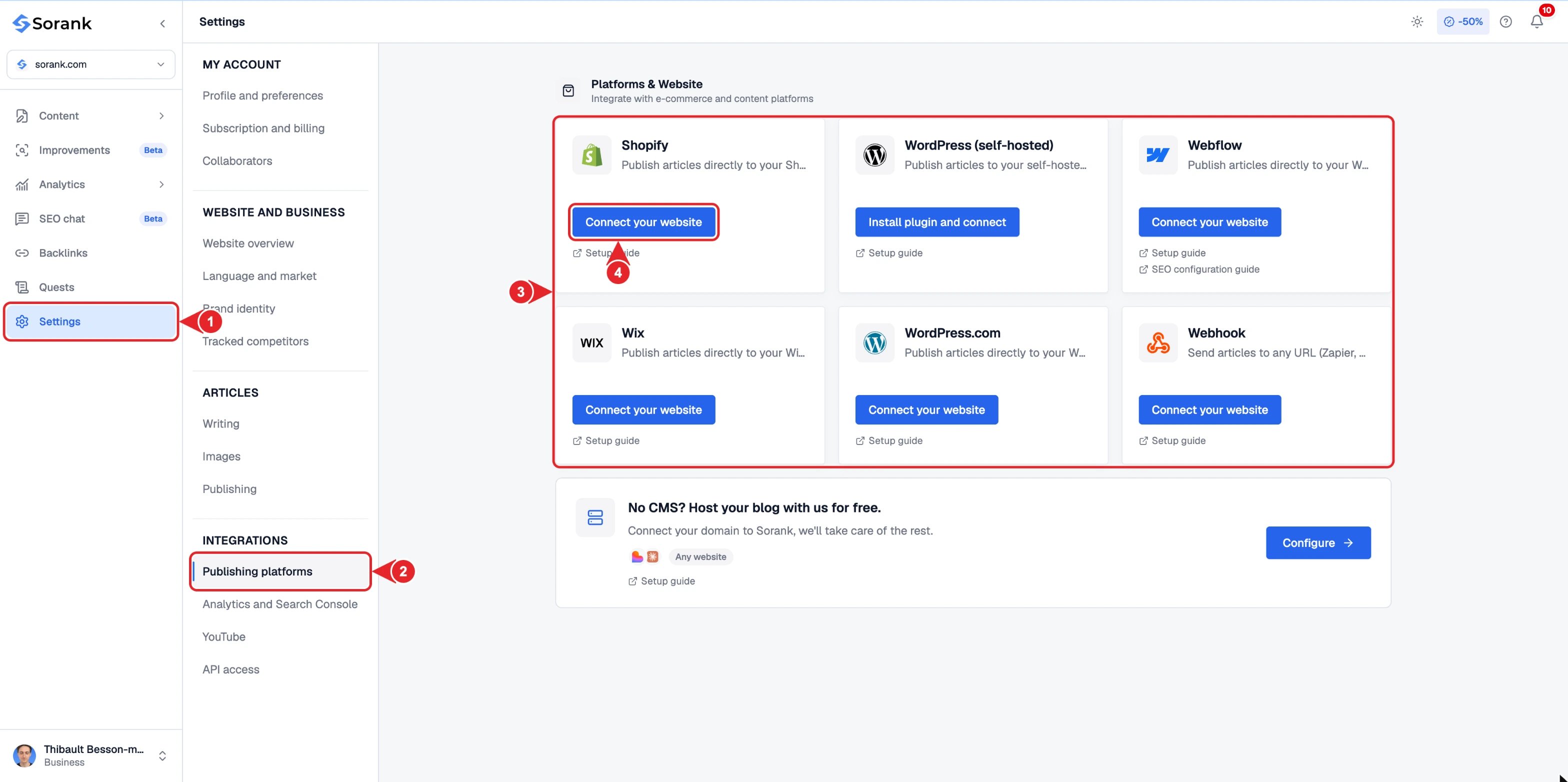
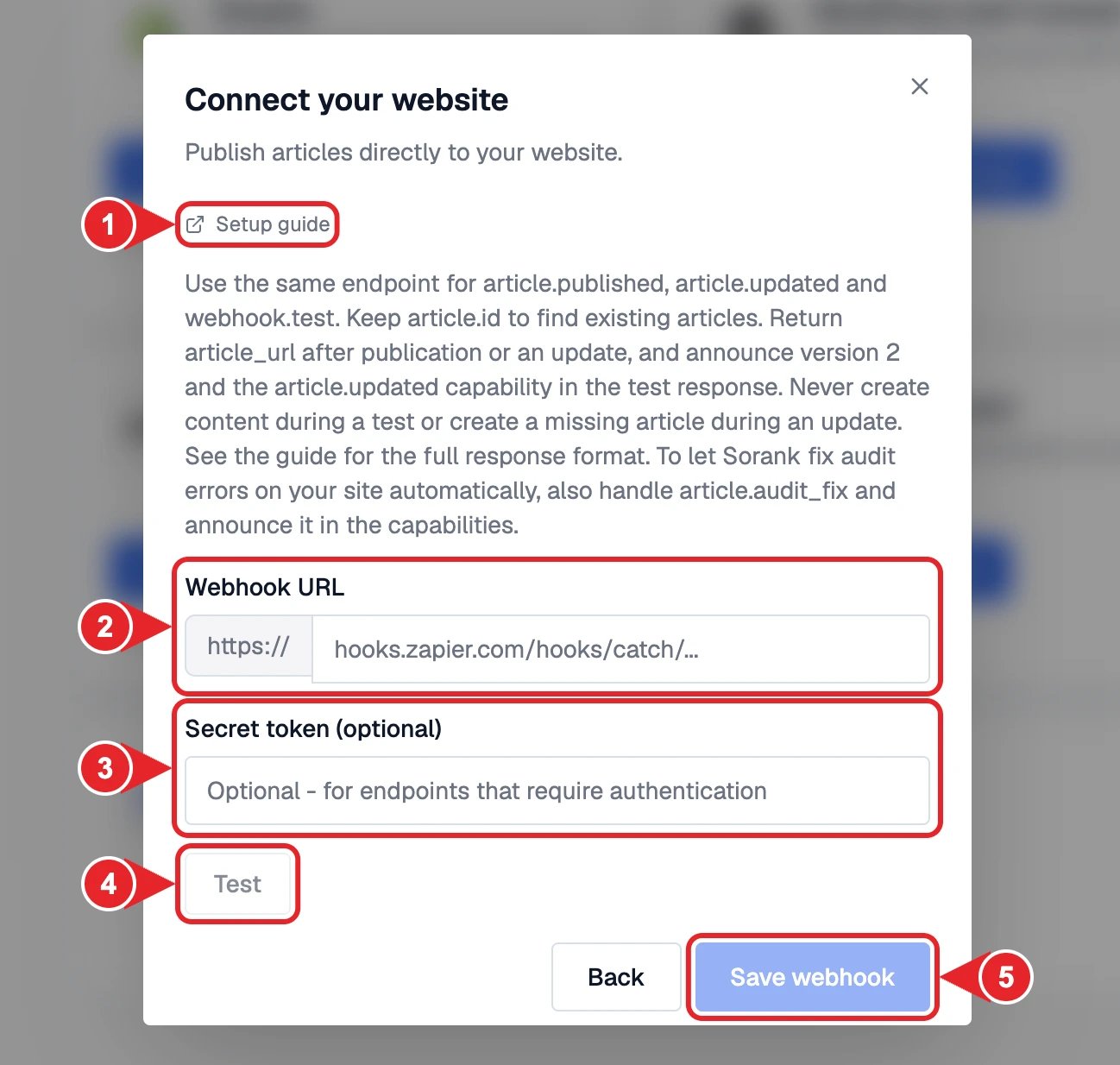
Then I will go to SORANK, Settings > Publishing platforms > Webhook, paste the URL and the secret, click Test, then Save.