
העדפות

הפרטיות חשובה לנו, ולכן יש לך אפשרות להשבית סוגים מסוימים של אחסון שייתכן שאינם נחוצים לתפקוד הבסיסי של האתר. חסימת קטגוריות עלולה להשפיע על חווית השימוש שלך באתר. מידע נוסף

קבל את כל קובצי ה-Cookie

Connect Wix to Sorank

אתה כאן
כל המדריכים
צריך עזרה?
Wix

For Wix website, you can host your blog for free.

Open the Integrations page in Sorank

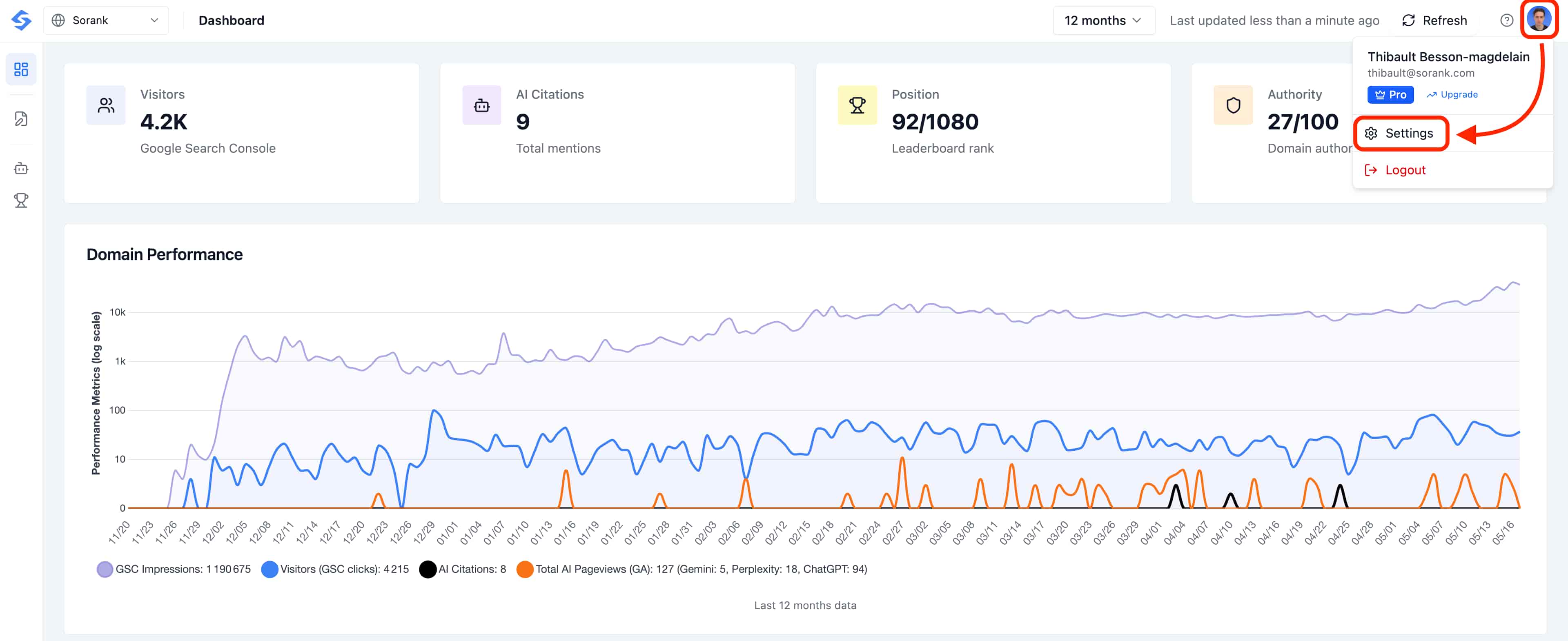
Before connecting your CMS, head to the Integrations page in Sorank. Click your profile avatar in the top-right corner of the dashboard, then select Settings.

Open Settings from the profile menu

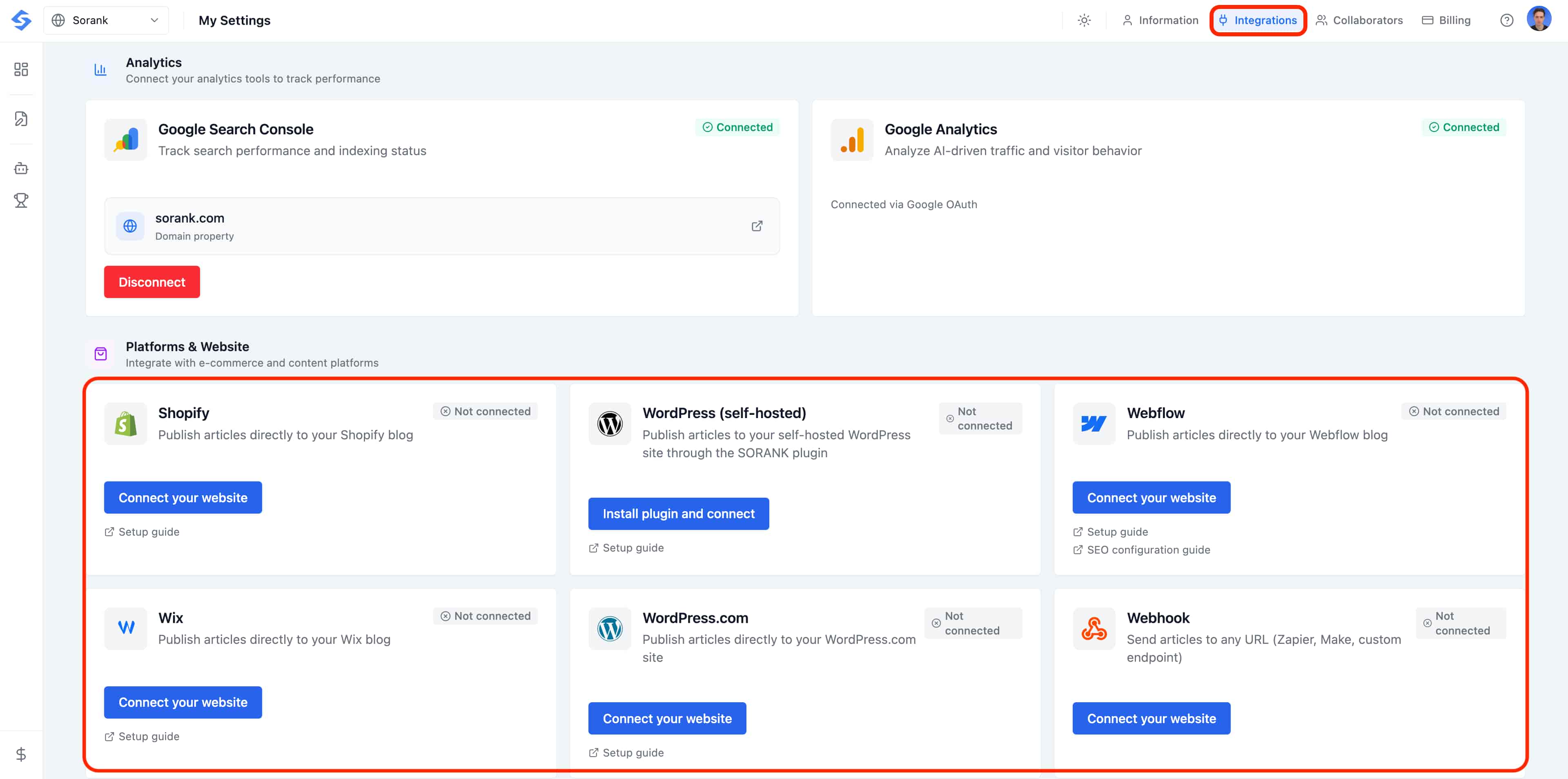
In the Settings page, click the Integrations tab at the top. This is where every CMS connector lives.

Open the Integrations tab in Settings

Want to automatically publish your blog posts on Wix without any hassle? Connect your Wix site to Sorank in a few clicks to save time and boost your SEO.

Connect Wix to Sorank

  1. Go to your Sorank account.
  2. Click Publish or go to Settings > Integration.
  3. Click Connect Wix.
  4. Install the Sorank app directly on Wix by clicking Add.

Set Up Your Blog

  1. Select the blog on your Wix site.
  2. Click Continue, accept and add the application.
  3. Verify in Settings > Integration that the connection is established.

Publish an Article

Go to SEO Article on Sorank, click Publish and confirm. Your article will be published with all content: images, links, tables, and FAQ.