
Preferences
Privacy is important to us, so you have the option of disabling certain types of storage that may not be necessary for the basic functioning of the website. Blocking categories may impact your experience on the website. More information

Privacy is important to us, so you have the option of disabling certain types of storage that may not be necessary for the basic functioning of the website. Blocking categories may impact your experience on the website. More information

Learn how to optimize your Pixpa portfolio site for GEO and SEO so AI assistants like ChatGPT and Perplexity discover and cite your content. Structured data and Sorank tips included.












































Pixpa is a website builder and CMS designed for creative professionals: photographers, designers, artists and small studios who need a clean portfolio combined with a client-proofing gallery and an optional online store. Its simplicity is its main selling point. That same simplicity, however, means you need to work deliberately to make your Pixpa site visible not just in Google but in the AI-powered discovery channels that are rapidly changing how people find creative services.
This guide covers everything you need to optimize a Pixpa site for GEO (Generative Engine Optimization) and traditional SEO, using only the tools available inside the platform.
Generative Engine Optimization is the practice of making your web content citable by AI assistants such as ChatGPT, Perplexity, Claude and Gemini. When someone asks one of these tools to recommend a wedding photographer in Berlin, a product designer in Toronto, or a brand studio in London, the AI synthesizes an answer from indexed web content. Sites that appear in those answers receive direct referral traffic and brand authority that no traditional keyword ranking can fully replicate.
For creative professionals on Pixpa, this matters because clients increasingly start their search process through AI assistants rather than Google. A portfolio that is not structured for AI citability is invisible to an entire discovery channel. The good news is that Pixpa provides the technical tools needed: custom meta titles and descriptions per page, a built-in blog for publishing text content, and access to HTML header code injection for structured data.
The most impactful technical step is adding JSON-LD structured data markup to your pages. Pixpa allows you to inject custom code into the header of individual pages through the page settings panel. This is where you place your schema markup.
Recommended JSON-LD schema types for Pixpa portfolio sites:
A portfolio site is predominantly visual, but AI systems cannot read images. The text on your site is the only surface available for indexing and citation. This means your written content strategy is disproportionately important relative to the visual quality of your work.
Write detailed captions and project descriptions for your portfolio work. Describe the client brief, the creative decisions you made, the tools and techniques used, and the measurable outcome where relevant. This descriptive text converts a purely visual gallery into structured, citable content that AI assistants can extract and reference.
On your services pages, avoid vague descriptions. Instead, write specific sentences: the studio produces brand identity systems for consumer product companies, including logo design, typography selection, brand guidelines and packaging design. Specific, factual service descriptions are what AI assistants extract when answering client recommendation queries.
Publish case studies on your blog. A case study that describes the problem, the approach, the solution and the result is structured exactly the way AI assistants prefer. Keep each case study between 600 and 1200 words, with clear H2 headings for each section.
Pixpa occupies a focused niche: it is built specifically for visual creatives, unlike general-purpose builders. Compared to Squarespace and Wix, Pixpa offers more specialized portfolio and client-proofing features but fewer native SEO automation tools. Compared to Ghost and WordPress, Pixpa is substantially easier to use but provides less control over structured data at scale. Compared to Mozello, Pixpa has more advanced portfolio gallery capabilities and a stronger focus on creative professionals.
For a solo photographer or small design studio that wants a clean portfolio without technical complexity, Pixpa is a strong choice. The GEO optimization steps described here can be implemented without any developer involvement.
Pixpa does not offer a public API and has no Make.com integration module. This means Sorank connects to Pixpa through the self-hosted blog method rather than through an automated content pipeline.
The process works as follows: Sorank analyzes your Pixpa site and identifies GEO gaps, meaning topics in your niche that AI assistants are being asked about but that your site does not currently cover. Sorank generates optimized article drafts targeting those gaps. You then publish those articles manually through the Pixpa blog editor, adding Article JSON-LD schema to each post header as described above.
While this process is more manual than API-driven integrations, it is fully effective for portfolio sites that publish content at a measured pace. Sorank handles the strategy and content generation; Pixpa handles the publication. The result is a portfolio site with a growing body of GEO-optimized text content that positions you as a citable authority in your creative specialty. Sorank also tracks which of your published pages are being cited by AI assistants over time, letting you identify which topics generate the most AI-driven traffic to your Pixpa site.

Pixpa can be effective for GEO when configured correctly. The platform allows custom meta tags and header code injection per page, which lets you add JSON-LD structured data markup. The built-in blog is the primary surface for publishing text content that AI assistants like ChatGPT and Perplexity can index and cite. The main limitation is that Pixpa has no public API, so optimization work is done manually rather than through automated workflows.
Three steps deliver the biggest impact: first, add Person or Organization JSON-LD schema to your homepage through the Custom Header Code field in Page Settings; second, publish detailed blog posts and case studies using a clear question-and-answer structure, with Article schema on each post; third, write specific, factual descriptions on every service page rather than generic taglines. AI assistants extract these direct-answer and structured-data signals when generating recommendations.
Sorank connects to Pixpa through the self-hosted blog method. Sorank analyzes your site, identifies GEO content gaps in your niche, and generates optimized article drafts. You publish those drafts manually in the Pixpa blog editor and add Article JSON-LD schema to each post header. Sorank then tracks which pages are cited by AI assistants so you can measure the impact of each published article.
THEY TRIED SORANK BEFORE YOU
 “I tested Sorank on a real client site and it's insane. It does everything an agency would bill you $1500 a month for. It's going into production on that client now.”
 Guillaume Guersanguersanguillaume.com“We are an Ads agency and we wanted to get our SEO back on track once and for all. Sorank gave us a clear view of our site, helped us prioritize optimizations, and properly structure our content. The tool is easy to use, well designed for a team, and very practical for centralizing tracking without having to juggle multiple platforms. A very solid foundation to start fresh with our SEO.”
 Gaspard MadouiAds Agency
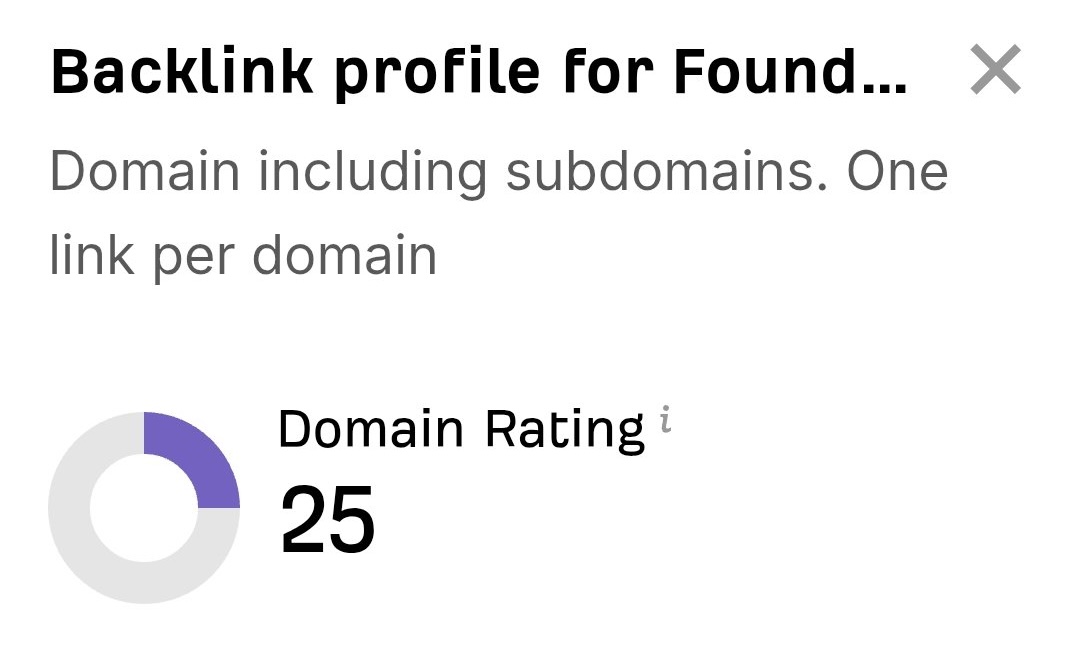 “I just let the Sorank software do its thing, and now my DR is 25 and my page is ranking higher.”
 Lucas FlandrePodcast Host“I specialized in GEO thanks to Sorank. The GEO Leaderboard allows me to show my clients their position vs competitors on ChatGPT. It’s a real commercial differentiator.”
 MélanieSEO Freelance“Great service, works well for our website and helps us understand how to improve it to rank better on Google and elsewhere. Congrats, keep going, I recommend it.”
 Hugo T.E-commerce merchant


















