
העדפות
הפרטיות חשובה לנו, ולכן יש לך אפשרות להשבית סוגים מסוימים של אחסון שייתכן שאינם נחוצים לתפקוד הבסיסי של האתר. חסימת קטגוריות עלולה להשפיע על חווית השימוש שלך באתר. מידע נוסף

הפרטיות חשובה לנו, ולכן יש לך אפשרות להשבית סוגים מסוימים של אחסון שייתכן שאינם נחוצים לתפקוד הבסיסי של האתר. חסימת קטגוריות עלולה להשפיע על חווית השימוש שלך באתר. מידע נוסף
הפוך את חזית ה-headless של commercetools לגלויה ל-Google ולחיפוש AI. השתמש ברינדור שרת, ב-REST API, ב-JSON-LD וב-llms.txt כדי ש-ChatGPT, Perplexity, Claude ו-Gemini יצטטו את דפי המוצר והקטגוריה שלך.
.webp)
.webp)





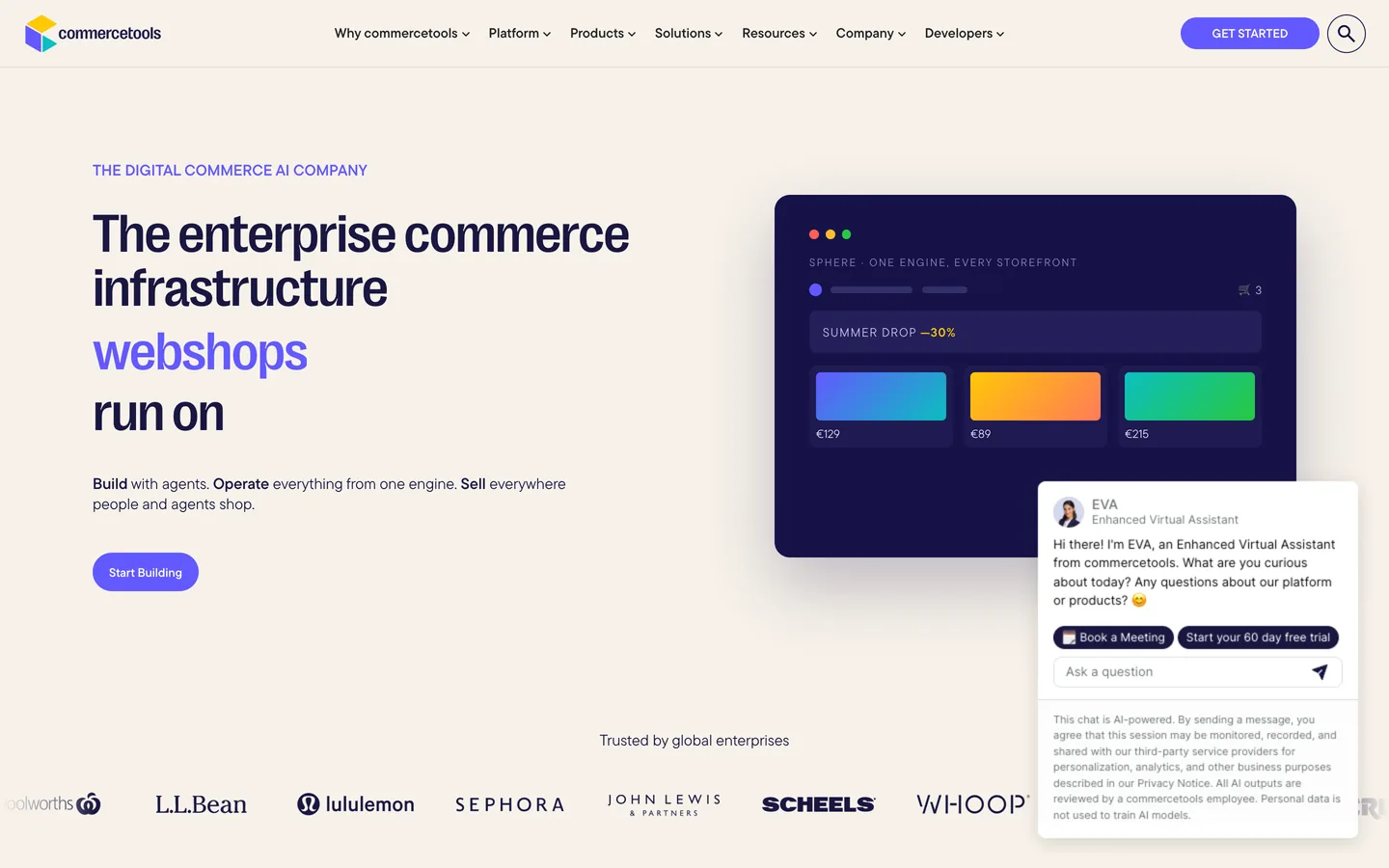


רוצה שחנות commercetools שלך תופיע בתוך תשובות AI, לא רק בחיפושי מוצרים קלאסיים? commercetools היא מנוע מסחר headless, API-first: היא מספקת מוצרים, קטגוריות ומחירים דרך REST API, ואתה בונה את החזית בעצמך. חופש זה הוא יתרון אמיתי לאופטימיזציה של מנועי חיפוש גנרטיביים (GEO) כשאתה מרנדר ומתייג דפים במכוון. התחל עם geo seo audit בסיסי ועקוב אחר כל שיפור ב-geo seo dashboard חי. מדריך זה מראה איך לבנות, לרנדר ולתייג חזית commercetools כך ש-Google ועוזרים כמו ChatGPT, Perplexity, Claude ו-Gemini יבינו, יסמכו ויצטטו את הקטלוג שלך.
SEO קלאסי עדיין מניב הכנסות, ועוזרי AI כעת מסכמים את הרשת ומציגים רשימה קצרה של מקורות מצוטטים לפני שקונה מגיע לדף מוצר. Generative Engine Optimization היא הפרקטיקה של להפוך לאחד המקורות האלה. commercetools מעניקה לך שליטה קומפוזבילית: מכיוון שהנתונים שלך יושבים מאחורי API נקי, אתה מחליט בדיוק איך ישויות מוצר, קטגוריה ותוכן מרונדרות ב-HTML. כשאתה חושף את המבנה הזה בבירור, מודלים ממפים את המותג והמוצרים שלך בביטחון ומצטטים אותם בתשובות קניות.
התחל עם benchmark. שאל את העוזרים המובילים את השאלות האמיתיות שקונים שואלים על הקטגוריה שלך, ואז תעד אם אתה מצוטט, אילו URLs של החזית מופיעים, ואיך מתייחסים למתחרים. עקוב אחר אזכורי מותג עם ai mention tracking, סקור את המקורות שאתה מרוויח דרך ai cited backlinks, והרץ geo seo audit בסיסי כדי למפות את הישויות שכבר משויכות לחנות שלך.
ב-GEO, כוונה לובשת צורה של פרומפטים. אסוף את הניסוחים שקונים משתמשים בהם בצ'אט ובקול, ואז קבץ אותם לפי משימה: לחקור קטגוריה, להשוות מוצרים, לבדוק התאמה או תאימות, ולקנות. הרחב כיסוי עם query fan-out tool ותעדף נושאים עם keyword research. לכל קבוצה, בחר דף קנוני אחד, קטגוריה, מוצר או מדריך קנייה, שיצוטט, וודא שהוא תמציתי, בר-ציטוט ונתמך במפרטים ברורים שנשלפים מתכונות המוצר שלך.
התייחס למודל נתוני המוצר של commercetools כעמוד השדרה של הישויות שלך. Product types, קטגוריות, תכונות ווריאנטים כבר ממפים לתכונות schema.org כמו name, description, image, brand ו-offers. ל-commercetools אין בלוג מובנה, לכן תוכן עריכתי חי ב-CMS headless נפרד שאתה מרכיב לתוך החזית. השתמש ב-CMS זה למדריכי קנייה, השוואות ושאלות נפוצות, ושמור על שמות מוצרים ותכונות קנוניים עקביים כך שכל דף יחזק את אותן ישויות בכל השפות והערוצים.
מכיוון שהחזית שלך, בחר framework שמרנדר בצד השרת או סטטית: Next.js, Nuxt, Remix או commercetools Frontend (לשעבר Frontastic). הגש טקסט ליבה, מפרטים ומטא-דאטה ב-HTML הראשוני כך ש-Google וזחלני AI ינתחו את התוכן בלי להריץ סקריפטים בצד לקוח בלבד. שמור על דפי מוצר וקטגוריה נגישים ללא התחברות, שמור על H1 ברור אחד לכל דף, ועקוב אחר Core Web Vitals שלך כשאתה מרכיב קריאות API.
לכל קטגוריה ומוצר, קבע כותרת דף מדויקת, meta description ברור, ו-URL נקי הכולל את הישות הראשית. השתמש ב-canonical tags כדי לאחד URLs של וריאנטים, מיון ועידון, ויישם meta robots כדי להשאיר צירופים מפולטרים מחוץ לאינדקס. מכיוון שאתה שולט ב-head, אתה יכול למפות תכונות מוצר ישירות לכותרות, תיאורים ותגי Open Graph שתואמים למחיר ולזמינות המוצגים בדף.
הכנס JSON-LD בתבניות החזית שלך מנתוני commercetools. השתמש ב-Product עם offers, price, availability ו-AggregateRating בדפי מוצר, BreadcrumbList ו-WebPage בדפי קטגוריה, FAQPage לבלוקי שאלות, ו-HowTo למדריכי הגדרה או מידה. הוסף Organization schema ברמת האתר עם logo, contactPoint, foundingDate ו-sameAs לפרופילים המאומתים שלך. אמת כל בלוק כך שעוזרים יקראו גרף ישויות נקי הבנוי מנתוני הקטלוג שלך.
צור בלוקי שאלה ותשובה מפורשים המשקפים פרומפטים אמיתיים על התאמה, חומרים, משלוח ותאימות. שמור כל תשובה בין 50 ל-120 מילים, קשר את URL הקטגוריה או המוצר הרלוונטי, וצטט מקור אחד סמכותי כמו גיליון מפרט. להגדרה או מידה, פרט את הדרישות, השלבים המסודרים והזמן הכרוך בפורמט HowTo. בלוקים קומפקטיים אלה הם בדיוק מה שעוזרים מרימים לסיכומי קניות.
ייצר sitemaps נקיים של מוצרים וקטגוריות מנתוני הקטלוג שלך והגש אותם ב-Google Search Console. ב-robots, אפשר את התיקיות שמכילות תוכן בר-ציטוט ואסור עידון ורעש session. הוסף קובץ llms.txt בשורש כדי לאותת על כללי זחילה מועדפים לסוכני AI, על ה-URLs בעדיפות לציטוט ועל תנאי השימוש החוזר שלך. מכיוון שאתה הבעלים של החזית, אתה יכול להפוך את שלושת הקבצים לאוטומטיים מאותו pipeline של build.
בנה מרכזי נושא שמקבצים קטגוריות, מוצרים ומדריכים קשורים, וחבר אותם בעוגנים תיאוריים ו-breadcrumbs ברורים המבטאים היררכיית קטלוג, מואצים עם topical cluster generator. אם חלקים אחרים של המערך שלך רצים במקום אחר, יישם את אותם עקרונות על medusa, salesforce commerce cloud ו-bigcommerce.
GEO עדיין רץ על סמכות. הרוויח ציטוטים מפרסומים אמינים, אתרי ביקורות וקהילות מתמחות בקטגוריה שלך. פרסם מדריכי קנייה תחת מומחים בשם, הצג אישורים אמיתיים, ושמור על דף About שמחזק את E-E-A-T של המותג. עקוב אחר התקדמות עם domain authority tracker ולמד את מי עוזרים מצטטים היום עם seo competitor spy.
commercetools חושפת REST API ציבורי למסחר, אך אין לה בלוג מובנה, שכן תוכן עריכתי חי ב-CMS נפרד, לכן Sorank מפרסמת ומארחת את מאמרי ה-SEO שלך בבלוג מנוהל של Sorank (תת-דומיין או תת-תיקייה משלך) שאתה מקשר מחזית commercetools שלך, עם קישור פנימי מלא. אתה מקבל בלוג אוטומטי לחלוטין וניתן לאינדוקס בלי להקים ולתחזק שירות תוכן נפרד. הפק טיוטות ממוטבות מהר עם blog article generator, וקשר כל מדריך לדפי הקטגוריה והמוצר התואמים כך שסמכות תזרום לתוך הקטלוג.
עקוב אילו פרומפטים מפעילים את המותג שלך, אילו דפים מצוטטים והיכן מתחרים מנצחים. עקוב אחר הדירוג שלך על geo leaderboard, וייחס המרות מעוזרים עם דפי נחיתה מתויגים ו-UTMs ייחודיים. חבר ביקורים מונחי AI להזמנות אמיתיות, ואז תעדף את הקטגוריות והמדריכים שמרוויחים ציטוטים והכנסה.
commercetools מעניקה לך API קטלוג נקי וקומפוזבילי; GEO מעניקה לך את האסטרטגיה, ורינדור שרת הופך אותה לגלויה. כשהחזית שלך חושפת ישויות ברורות, מטא-דאטה מדויקת ומפרטים אמינים, עוזרים מצטטים אותך בביטחון. רנדר בצד השרת, בנה תוכן ממודל הנתונים ומה-CMS שלך, הוסף Product ו-Organization JSON-LD, וכתוב תשובות בר-ציטוט, ואז תן ל-Sorank להוביל ביקורות, את הבלוג המארח וקישורים.

commercetools יכולה לתפקד היטב מאוד עבור GEO כי היא headless: אתה הבעלים של החזית ומחליט בדיוק איך דפים מרונדרים. בחר framework עם רינדור שרת או סטטי (Next.js, Nuxt, Remix או commercetools Frontend) כך שטקסט ליבה, מפרטים ומטא-דאטה יופיעו ב-HTML הראשוני שזחלני AI מנתחים באמינות. מודל נתוני המוצר שלה כבר חושף מוצרים, קטגוריות, תכונות וּווריאנטים כישויות נקיות, שאותן אתה מתייג עם Product JSON-LD, offers ו-AggregateRating. ייצר sitemaps, שלוט ב-URLs מפולטרים עם robots, והוסף קובץ llms.txt כך שעוזרים כמו ChatGPT, Perplexity, Claude ו-Gemini יוכלו להגיע ולצטט את דפי המוצר והקטגוריה שלך.
כתוב תוכן answer-first הממופה לפרומפטים אמיתיים של קניות. פתח כל קטגוריה, מוצר או מדריך קנייה עם סיכום של שתי משפטים, ואז מפרטים סרוקים מתכונות המוצר שלך, ושמור פסקאות מתחת ל-120 מילים. השתמש בהיררכיית כותרות מחמירה, בלוקי FAQ מפורשים עם תשובות של 50 עד 120 מילים על התאמה, חומרים ומשלוח, וסעיף עובדות ברור. עגן כל טענה למפרט או מקור והוסף JSON-LD (Product, FAQPage, HowTo, BreadcrumbList, Organization) בתבניות החזית שלך. פרסם מדריכי קנייה תומכים ב-CMS שלך או בבלוג Sorank, קשר אותם לדפי קטלוג תואמים, וקבץ אותם למרכזי נושא.
commercetools חושפת REST API ציבורי למסחר, אך אין לה בלוג מובנה, שכן תוכן עריכתי חי ב-CMS נפרד, לכן Sorank משתמשת בבלוג העצמאי שלה: היא מפרסמת ומארחת את מאמרי ה-SEO שלך בבלוג מנוהל של Sorank (תת-דומיין או תת-תיקייה משלך) שאתה מקשר מהחזית שלך, עם קישור פנימי מלא לקטלוג שלך. אתה מקבל בלוג אוטומטי לחלוטין וניתן לאינדוקס בלי לבנות ולתחזק שירות תוכן נפרד. מעבר לפרסום, Sorank מריצה ביקורות GEO ו-SEO מותאמות לחנות שלך, עוקבת אחר אזכורי AI ב-ChatGPT, Perplexity ו-Gemini, מנטרת מתחרים, ומציעה אופטימיזציות תוכן מדשבורד אחד.










.svg)
.svg)


