
העדפות
הפרטיות חשובה לנו, ולכן יש לך אפשרות להשבית סוגים מסוימים של אחסון שייתכן שאינם נחוצים לתפקוד הבסיסי של האתר. חסימת קטגוריות עלולה להשפיע על חווית השימוש שלך באתר. מידע נוסף

הפרטיות חשובה לנו, ולכן יש לך אפשרות להשבית סוגים מסוימים של אחסון שייתכן שאינם נחוצים לתפקוד הבסיסי של האתר. חסימת קטגוריות עלולה להשפיע על חווית השימוש שלך באתר. מידע נוסף
ייעל את האתר שלך המבוסס על Notion עבור GEO וחיפוש AI. השתמש ב-Super.so, Potion או Feather עם JSON-LD ו-llms.txt כדי ש-ChatGPT, Perplexity, Claude ו-Gemini יצטטו את הדפים שלך.
.webp)
.webp)





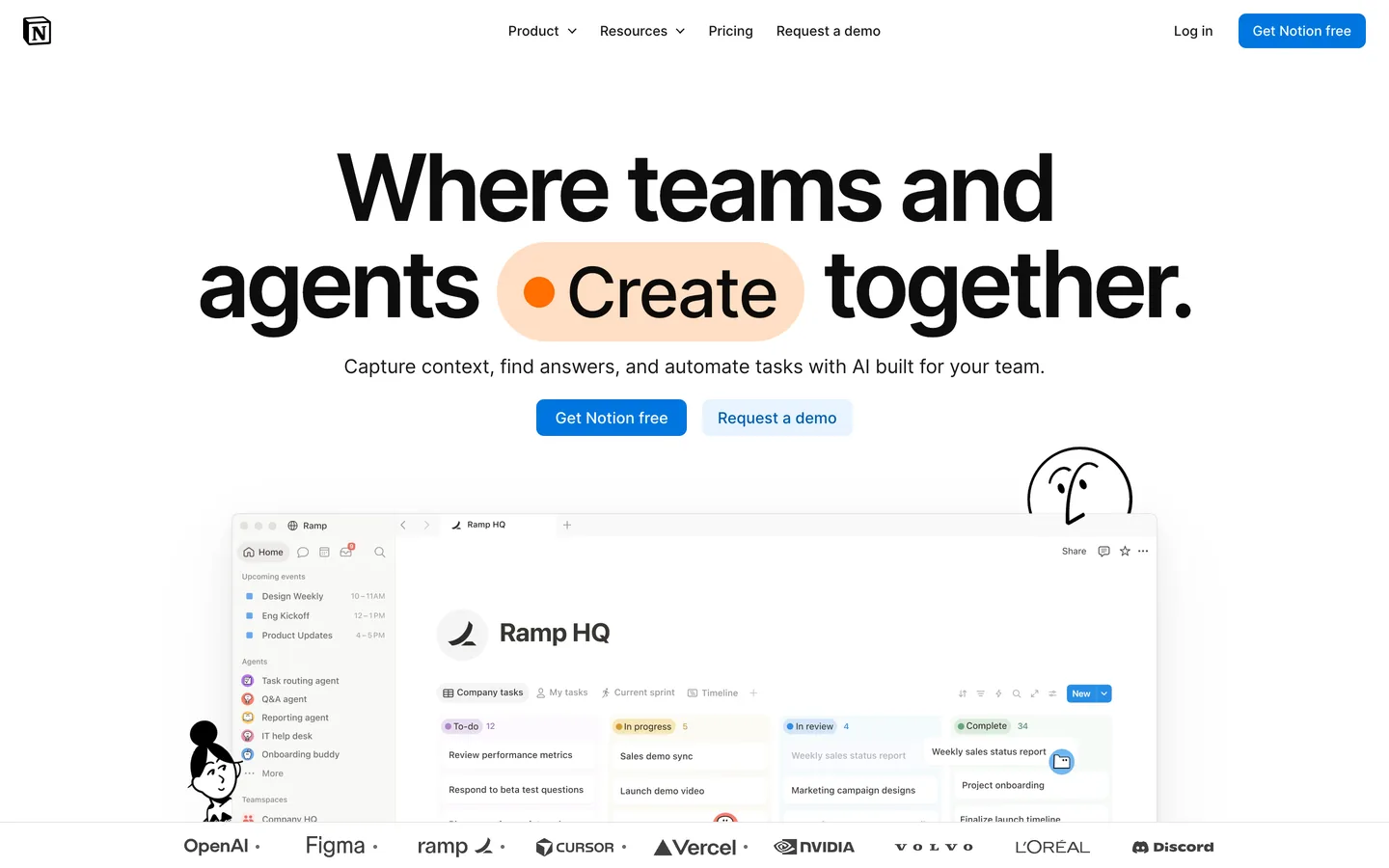


Notion הוא אחד מכלי ניהול הידע הפופולריים ביותר בעולם, ומספר גדל והולך של צוותים משתמשים בו כ-CMS headless על ידי שילוב עם שכבת פרסום כמו Super.so, Potion או Feather. התוצאה היא אתר מהיר וזמין לציבור שהתוכן שלו חי במסדי נתונים של Notion. עבור generative engine optimization (GEO), לארכיטקטורה הזו יש חוזקות אמיתיות: כל דף Notion הוא מסמך מובנה עם היררכיה ברורה, מאפיינים מפורשים ומודל תוכן עקבי. התחל עם geo seo audit כדי לבסס את הנראות הבסיסית שלך ב-AI, ועקוב אחר כל שיפור ב-geo seo dashboard. מדריך זה מסביר כיצד להגדיר אתר מבוסס-Notion כך ש-Google ועוזרי AI כמו ChatGPT, Perplexity, Claude ו-Gemini ימצאו, יאנדקסו ויצטטו את התוכן שלך.
עוזרי AI מסנתזים כעת את הרשת ומחזירים רשימה קצרה של מקורות מצוטטים. Generative Engine Optimization היא הפרקטיקה של השגת מקום בין המקורות הללו. Notion כ-CMS נותן לך יתרון מכיוון שהתוכן שאתה כותב במסדי נתונים של Notion כבר מובנה: כותרות, תאריכים, מחברים, תגיות ובלוקי טקסט עשיר ממופים באופן טבעי למאפייני schema.org. כאשר אתה חושף את המבנה הזה דרך שכבת פרסום נכונה עם metadata נכון, מודלי AI יכולים לייחס את התוכן שלך למחבר בשם ולמותג מוכר, מה שמגדיל את ביטחון הציטוט.
דפי Notion גולמיים שמשותפים בפומבי אינם מאונדקסים באופן אמין: הם נטענים לאט, יש להם כותרות גנריות ואין להם תגי meta נכונים. כלי Notion-to-website ייעודי פותר זאת. Super.so מרנדר מסדי נתונים של Notion כדפים בסגנון סטטי מהירים עם דומיינים מותאמים אישית, Google Analytics והגדרות SEO לכל דף. Potion מציע רינדור דומה עם מערכת הנושאים שלו. Feather מותאם לבלוגים וכולל שדות SEO מובנים. בחר בהתאם לסוג התוכן שלך: Super.so לאתרים מלאים, Feather להגדרות עתירות בלוגים. בכל אחד שתבחר, הגדר דומיין מותאם אישית, הפעל HTTPS והגדר כותרות דף ותיאורי meta אינדיבידואליים.
לפני יצירת תוכן חדש, מפה את מיקום ה-AI הנוכחי שלך. הצג ל-ChatGPT, Perplexity, Claude ו-Gemini את השאלות שהקהל שלך שואל, ורשום האם הדומיין או המותג שלך מופיע. השתמש ב-ai mention tracking כדי לרשום כל אזכור מותג ברחבי עוזרי AI. בדוק אילו דפים זוכים בציטוטים עם ai cited backlinks, ואז הרץ geo seo audit מלא בדומיין ה-Notion המפורסם שלך.
ב-GEO, כוונת המשתמש מגיעה כפרומפטים שיחתיים. אסוף את השאלות המדויקות שהקוראים שלך מקלידים בכלי צ'אט AI, קבץ אותן לפי משימה (ללמוד, להשוות, ליישם, לפתור), ומפה כל קבוצה לדף Notion או ערך מסד נתונים ספציפי. השתמש ב-query fan-out tool כדי להרחיב את כיסוי הנושא שלך וב-keyword research כדי לתעדף. במסדי הנתונים של Notion, השתמש במאפיינים כמו קטגוריה, מחבר, תאריך ותגיות כדי ליצור URLs מובנים נקיים ותצוגות סינון ששכבות פרסום יכולות להמיר לארכיונים ניתנים לניווט.
רוב שכבות הפרסום של Notion שואבות את כותרת הדף משם דף ה-Notion ואת ה-slug ממאפיין URL שאתה מגדיר במסד הנתונים. השתמש בזה בעקביות: שם הדף צריך להיות ה-H1 שלך ותג הכותרת שלך, כתוב כהצהרת ישות ברורה שמציינת את הנושא ואת הקהל. הוסף מאפיין תיאור Meta ייעודי למסד הנתונים של Notion שלך ומלא אותו לכל ערך מפורסם. שמור על תיאורים בין 150 ל-250 תווים, פתח בתשובה ישירה וכלול את שם הפלטפורמה ואת מקרה השימוש.
עורך הטקסט העשיר של Notion תומך בכותרות H1, H2 ו-H3, ברשימות toggle, ב-callouts ובטבלאות. השתמש ב-H2 עבור סעיפים ראשיים וב-H3 עבור תת-נקודות. פתח כל מאמר בסיכום של שני משפטים עד שלושה שעונה ישירות על השאלה הראשית, ואז בנה את הטיעון עם בלוקים של רעיון אחד לפסקה מתחת ל-120 מילים כל אחד. הוסף סעיף FAQ מפורש לקראת סוף כל מאמר עם שאלות התואמות פרומפטים אמיתיים ותשובות של 50 עד 120 מילים כל אחת. מבנה זה הוא מה שעוזרי AI סורקים ומצטטים ישירות.
Notion עצמו לא מפיק נתונים מובנים, אבל Super.so, Potion ו-Feather כל אחד מאפשר הזרקת קוד מותאם אישית בכותרת הדף. השתמש בזה כדי להוסיף schema של Organization ברמת האתר עם שם, תיאור, לוגו, foundingDate, קישורי sameAs לפרופילים המאומתים שלך ו-contactPoint. עבור פוסטים בבלוג, הזרק schema של Article הממפה את כותרת ה-Notion ל-headline, את מאפיין התאריך ל-datePublished, את מאפיין המחבר ל-author, ותמונת הכיסוי ל-image. עבור בלוקי FAQ, הזרק FAQPage. אותות אלה עוזרים ל-ChatGPT, Perplexity, Claude ו-Gemini לייחס את התוכן שלך לישות מוכרת ולצטט אותו בביטחון.
Super.so ו-Feather מייצרים תגי Open Graph אוטומטית מהגדרות הדף שלך. ודא שלכל דף מפורסם יש og:title ייחודי, og:description תיאורי ו-og:image מייצג של לפחות 1200x630 פיקסלים. נתוני Open Graph עקביים עוזרים למודלי AI לאשר את הקשר בין הנוכחות החברתית שלך לתוכן האינטרנטי שלך, ומחזקים זיהוי מותג-ישות ברחבי הרשת.
שכבת פרסום איכותית של Notion מייצרת sitemap אוטומטית ומגישה אותו ל-Google Search Console בשמך. ודא שכל ערכי מסד הנתונים המפורסמים שלך מופיעים ב-sitemap ושערכים בארכיון או טיוטה מוחרגים. הוסף כללי robots.txt לחסום נתיבי admin כלשהם שנחשפים על ידי שכבת הפרסום שלך. הוסף קובץ llms.txt בשורש הדומיין המותאם אישית שלך, המפרט את דפי העדיפות שלך, פורמט הציטוט המועדף ותנאי שימוש חוזר בתוכן. קובץ זה מזוהה יותר ויותר על ידי זחלני AI.
מודל הקישור של Notion מאפשר לך להפנות לדפים אחרים inline באמצעות אזכור @ או בלוק /link. בנה ארכיטקטורת אשכול נושא מכוונת: דף עמוד תווך אחד לכל נושא רחב שמקשר לכמה דפי אשכול, כל אחד מקשר בחזרה. השתמש ב-topical cluster generator כדי לתכנן את ההיררכיה המלאה לפני הכתיבה. שכבת הפרסום שלך תרנדר את אלה כקישורי HTML anchor סטנדרטיים, שזחלנים ומודלי AI עוקבים אחריהם כדי להבין את העומק הנושאי של האתר שלך. הוסף breadcrumbs לנושא שלך אם שכבת הפרסום תומכת בהם.
סמכות GEO פועלת על אותם אותות כמו SEO קלאסי: backlinks ממקורות אמינים, מחברים בשם עם אישורים ניתנים לאימות, ודף אודות שמתאר את המומחיות של הארגון. ב-Notion, השתמש במאפיין המחבר בעקביות בכל ערכי מסד הנתונים וקשר כל מחבר לדף ביו. פרסם מחקר ונתונים ראשוניים שאחרים מצטטים. עקוב אחר התקדמות סמכות הדומיין שלך עם domain authority tracker.
Notion חושף API ציבורי, ואפליקציית Make.com ייעודית ל-Notion זמינה. כל מאמר ש-Sorank מייצר נשלח לתרחיש Make.com באמצעות webhook, ו-Make מפרסם אותו ל-Notion על ידי יצירת דף חדש במסד הנתונים היעד באמצעות אפליקציית Notion Make.com. ל-Sorank אין מחבר Notion מקורי, אבל מסלול ה-webhook פלוס Make מבצע אוטומציה מלאה של הפרסום מקצה לקצה. הפק טיוטות ממוטבות בקנה מידה עם blog article generator. הגדרות CMS מבוססות מסד נתונים דומות עם זרימות עבודה של פרסום כוללות webflow, ghost ו-hubspot.
עקוב אחר אילו פרומפטים מזכירים את המותג שלך, אילו דפים מצוטטים ואיפה מתחרים מרוויחים קרקע. השווה מיקומים עם seo competitor spy, צפה בדירוג ה-AI שלך ב-geo leaderboard, וייחס תנועה שמונעת על ידי עוזרים עם UTMs ייחודיים בדפי נחיתה. רענן תוכן רבעונית, עדכן סטטיסטיקות, דוגמאות וקישורים פנימיים כדי לשקף את הראיות העדכניות ביותר.
מודל המסמך המובנה של Notion, בשילוב עם שכבת פרסום מסוגלת והגדרת GEO נכונה, יוצר מנוע ציטוט AI משכנע. הוסף metadata מדויק, הזרקת JSON-LD, תוכן ראשון-תשובה וארכיטקטורת קישור פנימי חזקה, ואז אוטומט תוכן חדש דרך Make.com ו-Sorank. הצלב קישורים עם אתר ה-Notion שלך עם odoo, framer ו-shopify אם ה-stack שלך מתפרס על פני פלטפורמות.

Notion יכול להצליח היטב ב-GEO כאשר הוא משולב עם שכבת פרסום נכונה כמו Super.so, Potion או Feather. מודל המסמך המובנה שלו, עם מאפיינים לכותרת, מחבר, תאריך, תגיות וקטגוריה, ממופה באופן טבעי למאפייני schema.org, שמודלי AI כמו ChatGPT, Perplexity, Claude ו-Gemini משתמשים בהם כדי לייחס תוכן לישויות בשם. הפער הוא בשכבת הרינדור: דפי Notion גולמיים משותפים לא מאונדקסים היטב. עם שכבת פרסום שמזריקה JSON-LD, מגדירה URLs קנוניים, מייצרת sitemap ומאפשרת תיאורי meta לכל דף, אתר מבוסס Notion הופך לנכס GEO חזק.
ראשית, בחר שכבת פרסום (Super.so, Potion או Feather) שמאפשרת לך להגדיר כותרות מותאמות אישית, תיאורי meta ומאפייני slug לכל ערך מסד נתונים. אז פתח כל מאמר בסיכום של שני עד שלושה משפטים שעונה ישירות על השאלה הראשית, השתמש בהיררכיית H2 קפדנית לסעיפים והוסף בלוק FAQ מפורש בסוף עם תשובות של 50 עד 120 מילים. הזרק JSON-LD של Article ו-FAQPage דרך כותרת קוד מותאם אישית של שכבת הפרסום שלך. הגש את ה-sitemap שלך ל-Google Search Console, הוסף קובץ llms.txt בדומיין השורש שלך והשג backlinks ממקורות אמינים בתחום שלך.
Notion חושף API ציבורי, ואפליקציית Make.com ייעודית ל-Notion זמינה. כל מאמר ש-Sorank מייצר נשלח לתרחיש Make.com באמצעות webhook, ו-Make יוצר דף חדש במסד הנתונים היעד של Notion באמצעות אפליקציית Notion Make.com. ל-Sorank אין מחבר Notion מקורי, אבל מסלול ה-webhook פלוס Make מבצע אוטומציה מלאה של הפרסום מקצה לקצה. מעבר לפרסום, Sorank מריץ ביקורות GEO ו-SEO בדומיין ה-Notion המפורסם שלך, עוקב אחר אזכורי AI ברחבי ChatGPT, Perplexity ו-Gemini, מפקח על מתחרים ומספק המלצות ייעול מדשבורד אחד.










.svg)
.svg)


