
التفضيلات
خصوصيتك مهمة بالنسبة لنا، لذلك لديك خيار تعطيل أنواع معينة من التخزين التي قد لا تكون ضرورية للوظائف الأساسية للموقع. قد يؤثر حظر الفئات على تجربتك في الموقع. مزيد من المعلومات

خصوصيتك مهمة بالنسبة لنا، لذلك لديك خيار تعطيل أنواع معينة من التخزين التي قد لا تكون ضرورية للوظائف الأساسية للموقع. قد يؤثر حظر الفئات على تجربتك في الموقع. مزيد من المعلومات
اجعل متجر Saleor المبني على GraphQL مرئياً لبحث Google والذكاء الاصطناعي. استخدم Pages و Models و Storefront و JSON-LD و llms.txt حتى يستشهد ChatGPT و Perplexity و Claude و Gemini بصفحات منتجاتك ومحتواك.
.webp)
.webp)





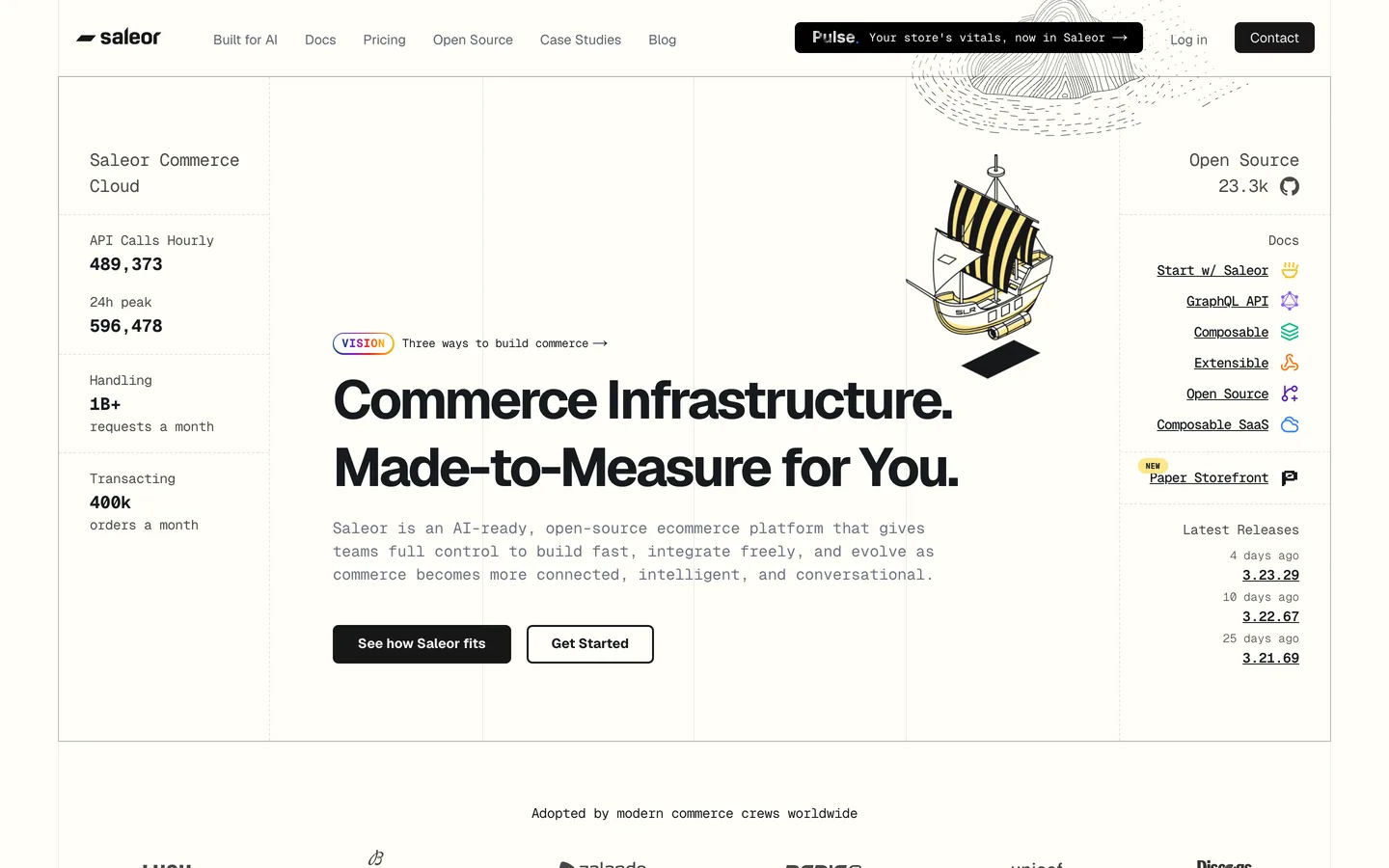



هل تريد أن يظهر متجر Saleor الخاص بك ضمن إجابات الذكاء الاصطناعي، وليس فقط في نتائج البحث الكلاسيكية؟ Saleor هي منصة تجارة مفتوحة المصدر أصلية لـ GraphQL: API واحد ومكتوب لـ GraphQL يخدم المنتجات والصفحات والمحتوى المهيكل لأي واجهة أمامية تختارها. يمنحك هذا الفصل النظيف تحكماً كاملاً في HTML و meta-data والبيانات المهيكلة التي يقرأها النموذج، وهو قلب generative engine optimization (GEO). ابدأ بـ geo seo audit أساسي وتتبع كل تحسن في geo seo dashboard حي. يوضح هذا الدليل كيفية هيكلة وعرض ووسم متجر Saleor بحيث يفهم ويثق ويستشهد به Google والمساعدون مثل ChatGPT و Perplexity و Claude و Gemini بصفحاتك.
لا يزال SEO الكلاسيكي يقود حركة المرور، والآن يقرأ مساعدو الذكاء الاصطناعي الويب ويلخصونه ويستشهدون بقائمة قصيرة من المصادر. Generative Engine Optimization هي ممارسة أن تصبح أحد تلك المصادر المستشهد بها. يمنحك Saleor ميزة لأن API الخاص بـ GraphQL يعرض المنتجات والسمات و Pages و Models ككيانات نظيفة ومكتوبة تستعلم عنها بدقة. يعرض Storefront المرجعي مع إطار عمل حديث، لذا تُرسَل الصفحات بـ HTML كامل يحلله الزواحف ونماذج اللغة بموثوقية. مهمتك هي تحويل هذا الكتالوج والمحتوى إلى صفحات مفهومة وقابلة للإحالة وموثوقة مع الحفاظ على التجربة السريعة المعتمدة على API التي يتوقعها عملاؤك.
ابدأ بمعيار مرجعي. اسأل المساعدين الرائدين نفس الأسئلة التي يطرحها المشترون، ثم سجّل ما إذا كنت مذكوراً، وأي عناوين URL تظهر، وكيف يُصوَّر المنافسون. تتبع ذكر العلامة التجارية بـ ai mention tracking، وراجع المصادر التي تكسبها بالفعل من خلال ai cited backlinks، ونفّذ geo seo audit أساسي لرسم خريطة للكيانات (العلامة التجارية والمنتجات والأشخاص) المرتبطة بنطاقك. تخبرك هذه اللقطة بصفحات المنتجات والمحتوى التي تستحق الاهتمام أولاً.
في GEO، تصل النية على شكل prompts. اجمع الصياغة التي يستخدمها المتسوقون في الدردشة والصوت، ثم صنفها حسب المهمة: الاكتشاف والمقارنة والشراء والحل. وسّع التغطية بـ query fan-out tool ورتب المواضيع بأولوية مع keyword research. لكل مجموعة، اختر صفحة قانونية واحدة، منتج أو فئة أو Page من Saleor، واجعلها موجزة وقابلة للاقتباس ومدعومة بمواصفات صريحة حتى يتمكن النموذج من اقتباس مقطع بثقة ونسبه إليك. اربط كل مجموعة prompts بمسار قانوني واحد في واجهة متجرك، واحتفظ بصفحة واحدة لكل نية حتى لا تقسم السلطة بين عناوين URL شبه مكررة.
يخزّن Saleor المحتوى التحريري في Pages و Models (أنواع صفحات بسمات مخصصة)، إلى جانب المنتجات والفئات. اعتبرها العمود الفقري لكياناتك: عرّف أنواع الصفحات لـ Articles و Guides و FAQs و Glossary، واربط الحقول بخصائص schema.org مثل name و description و image و datePublished و author و brand. نظراً لأن كل شيء يُستعلم عنه من خلال API GraphQL واحد، تسحب واجهتك الأمامية الأسماء والتفاصيل القانونية من مصدر واحد، بحيث تبقى كل صفحة متسقة، وهو بالضبط العمق والهيكل الموضوعيين اللذين تكافئهما النماذج.
ابنِ واجهة متجرك مع العرض من جانب الخادم أو التوليد الثابت بحيث تحتوي استجابة HTML الأولى بالفعل على العناوين والنص والبيانات المهيكلة بدلاً من قشرة فارغة. يفعل Storefront المرجعي لـ Saleor ذلك مع إطار عمل حديث، مستعلماً عن API الـ GraphQL في وقت البناء أو وقت الطلب ومختاراً فقط الحقول التي تحتاجها كل صفحة. استخدم التوليد الثابت مع revalidation لصفحات الكتالوج والمحتوى، وحسّن الصور، وقلّل النصوص حتى تبقى Core Web Vitals قوية. اشترك في webhooks من Saleor لإعادة التحقق من صفحة في اللحظة التي يتغير فيها منتجها أو محتواها، بحيث تبقى صفحات ذاكرة التخزين المؤقت طازجة. يعمل HTML الكامل والسريع على تحسين تغطية الزحف ويزيد من عدد المرات التي يستشهد فيها المساعدون بمحتوى Saleor الخاص بك مع الحفاظ على المعنى سليماً.
لكل مسار، أنشئ عنواناً دقيقاً ووصف meta واضحاً وعنوان URL نظيفاً يتضمن الكيان الرئيسي، مسحوباً من استعلامات GraphQL الخاصة بك. أضف علامات canonical لدمج المتغيرات ومكررات المرشحات، وطبّق meta robots لإبقاء الصفحات الرقيقة أو المفلترة خارج الفهرس. نظراً لأن Saleor يدعم قنوات ولغات متعددة، اضبط hreflang و canonicals لكل لغة عند تقديم واجهات محلية. تأكد من أن علامات Open Graph تتطابق مع نية الصفحة حتى تبقى embeddings محاذية ويقرأ المساعدون معنى متماسكاً واحداً لكل URL.
احقن JSON-LD في قوالب الصفحة الخاصة بك. استخدم Product مع offers و AggregateRating في صفحات المنتجات، و Article إلى جانب WebPage و BreadcrumbList للأدلة والمنشورات، و HowTo للدروس التعليمية، و FAQPage لكتل الأسئلة. أضف مخطط Organization على مستوى الموقع بأكمله مع logo و contactPoint و foundingDate وروابط sameAs لملفاتك الموثقة. نظراً لأن البيانات تأتي من API GraphQL من Saleor، فإنك تقولب المخطط مرة واحدة وتملؤه من استعلاماتك، بحيث تظل البيانات المهيكلة دقيقة عبر آلاف المنتجات والصفحات.
اكتب كتل سؤال وجواب صريحة تعكس prompts حقيقية. افتح كل صفحة بملخص من جملتين، واحتفظ بالفقرات تحت 120 كلمة، واحتفظ بكل إجابة بين 50 و 120 كلمة مع رابط إلى URL داخلي ذي صلة. للأدلة التعليمية أو أدلة المقاسات، اذكر المواد والخطوات والوقت المطلوب بتنسيق HowTo. في صفحات المنتجات، اعرض كتلة مواصفات قصيرة وحقائق الشحن والإرجاع وملاحظة توافق، لأن هذه المقاطع هي ما يستشهد به المساعدون عندما يسأل المتسوق ما إذا كان العنصر يناسب حاجته. خزّن هذه الحقائق كسمات Saleor و FAQ Models بحيث يغذي نفس المحتوى المهيكل كلاً من واجهة متجرك ومخططك. تقلل هذه التنسيقات من الغموض وتحافظ على المعنى سليماً عندما يستشهد نموذج بصفحات Saleor الخاصة بك.
أنشئ sitemap.xml من واجهة متجرك، وقم بتضمين عناوين URL للمنتجات والفئات و Page، وقدّمه في Google Search Console. في robots.txt، اسمح بالأدلة التي تحتوي على محتوى قابل للاقتباس واحظر ضوضاء العربة والحساب والبحث. أضف ملف llms.txt في الجذر للإشارة إلى قواعد الزحف المفضلة لوكلاء الذكاء الاصطناعي، وعناوين URL ذات الأولوية للاستشهاد، وشروط إعادة الاستخدام الخاصة بك. نظراً لأن واجهة المتجر هي ملكك، فأنت تتحكم في هذه الملفات مباشرة، بحيث تظل إشارات المصدر نظيفة ومتسقة.
ابنِ مراكز مواضيع تجمع المنتجات والأدلة ذات الصلة، ثم عرّف إجابات قانونية لكل مجموعة. استخدم breadcrumbs للتعبير عن التسلسل الهرمي للفئات لديك وأضف روابط سياقية inline بمرابط وصفية، مسرّعة بـ topical cluster generator. إذا كانت أجزاء من مجموعة تقنياتك تعيش في أماكن أخرى، طبّق نفس النهج على commercetools و medusa و shopify و webflow.
لا يزال GEO يعمل على السلطة. اكسب استشهادات من منشورات موثوقة وأبحاث أولية ومجتمعات مطورين وتجزئة متخصصة. انشر أدلة تحت أسماء خبراء معلومين، أظهر بيانات اعتماد حقيقية، واحتفظ بسير المؤلفين وصفحة About التي تعزز E-E-A-T. تتبع تقدمك بمرور الوقت مع domain authority tracker، واعرض تاريخ آخر تحديث واضح على الصفحات الاستراتيجية بحيث يقرأ Google والمساعدون النضارة ويثقون بمتجرك كمصدر.
يعرض Saleor API GraphQL عاماً مع نقطة نهاية لإنشاء المحتوى، لذلك تتصل Sorank من خلال جسر webhook من Make.com: يتم إرسال كل مقالة تولدها Sorank إلى سيناريو Make.com، وتنشرها Make إلى Saleor باستخدام وحدة HTTP العامة من Make.com، مما يخلق إدخال Page أو Model من خلال طفرة GraphQL. لا يوجد موصل أصلي حتى الآن، ومسار webhook مع Make يجعل النشر مؤتمتاً من البداية إلى النهاية. أنتج مسودات محسّنة بسرعة مع blog article generator، ثم ادفعها للبث المباشر وفق جدول زمني بينما تعرضها واجهة متجرك كصفحات قابلة للفهرسة.
تتبع أي prompts تُطلق علامتك التجارية، وأي صفحات تُستشهد بها، وأين يفوز المنافسون. قارن نفسك مع seo competitor spy، وشاهد موقفك على geo leaderboard، وانسب التحويلات المدفوعة بالمساعدين إلى صفحات مقصودة موسومة و UTMs فريدة. راجع النتائج بعد كل تغيير في المخطط ومجموعة محتوى وحملة روابط، ثم كرر شهرياً بحيث يصبح GEO محرك نمو قابل للقياس ومتراكم لمتجر Saleor الخاص بك.
يمنحك Saleor API GraphQL نظيف وتحكم كامل في العرض؛ ويمنحك GEO الاستراتيجية لاستخدامهما. عندما تشحن واجهة متجرك صفحات سريعة معروضة من جانب الخادم و meta-data دقيقة ومخطط Product و Article دقيق وإجابات قابلة للاقتباس، يشير إليك المساعدون بثقة. نموذج المحتوى من خلال Pages و Models، أضف JSON-LD و llms.txt، اعرض من جانب الخادم، ثم دع Sorank تقود عمليات التدقيق والمحتوى والروابط بحيث تصبح علامتك التجارية المصدر الذي تفضل النماذج الاستشهاد به في 2026 وما بعده.

Saleor مناسب جيداً لـ GEO لأنه أصلي لـ GraphQL و headless: API واحد ومكتوب يعرض المنتجات والسمات و Pages و Models ككيانات نظيفة، وتتحكم واجهة متجرك في HTML و meta-data والبيانات المهيكلة الدقيقة التي يقرأها النموذج. اعرض صفحات المنتجات والمحتوى من جانب الخادم بحيث تحتوي الاستجابة الأولى على ترميز حقيقي، ثم أضف JSON-LD (Product و Article و FAQPage و Organization) في قوالبك. أنشئ sitemap، واسمح بالأدلة القابلة للاقتباس في robots.txt، وأضف ملف llms.txt. نظراً لأن كل شيء يأتي من مصدر GraphQL واحد، يبقى كتالوجك متسقاً عبر اللغات والقنوات، مما يساعد المساعدين مثل ChatGPT و Perplexity و Claude و Gemini على فهم متجرك والاستشهاد به.
اكتب محتوى answer-first مرتبطاً بـ prompts حقيقية. افتح كل صفحة بملخص من جملتين، واحتفظ بالفقرات تحت 120 كلمة، واستخدم تسلسلاً هرمياً صارماً للعناوين مع كتل FAQ صريحة لإجابات من 50 إلى 120 كلمة. اربط كل ادعاء بمصدر وأضف JSON-LD عبر قوالب الصفحة الخاصة بك: Product مع offers في صفحات المنتجات، و Article و FAQPage في الأدلة. نظراً لأن Saleor Pages و Models تُستعلم عنها من خلال API GraphQL واحد، فإنك تقولب هذه الأنماط مرة واحدة وتملؤها باستمرار. اربط داخلياً بحيث تتصل مراكز الفئات بالمنتجات والأدلة ذات الصلة، مما يشير إلى العمق الموضوعي الذي تعترف به النماذج كسلطة.
يعرض Saleor API GraphQL عاماً مع نقطة نهاية لإنشاء المحتوى، لذلك تتصل Sorank من خلال جسر webhook من Make.com بدلاً من موصل أصلي. يتم إرسال كل مقالة تولدها Sorank إلى سيناريو Make.com عبر webhook، وتنشرها Make إلى Saleor باستخدام وحدة HTTP عامة، مما يخلق إدخال Page أو Model من خلال طفرة GraphQL. بالإضافة إلى النشر، تُجري Sorank عمليات تدقيق GEO و SEO مخصصة لمتجرك، وتتبع إشارات الذكاء الاصطناعي عبر ChatGPT و Perplexity و Gemini، وترصد المنافسين، وتقترح تحسينات محتوى من لوحة تحكم واحدة، بحيث تحلل وتحسّن وترصد وتطور حضور Saleor الخاص بك في منصة واحدة دون مغادرة سير عملك.









.svg)
.svg)


