設定
当社はプライバシーを重視しており、ウェブサイトの基本機能に必要のない特定のストレージを無効にするオプションを提供しています。カテゴリーをブロックすると、ウェブサイトでの体験に影響が出る可能性があります。詳細はこちら

当社はプライバシーを重視しており、ウェブサイトの基本機能に必要のない特定のストレージを無効にするオプションを提供しています。カテゴリーをブロックすると、ウェブサイトでの体験に影響が出る可能性があります。詳細はこちら

Microsoft Copilot は、GPT と Bing をもとにした Microsoft の AI アシスタントです。その仕組み、使われている場所、引用付きの回答に登場する方法を学びましょう。







ツール


要約
Microsoft Copilot は Microsoft の生成 AI アシスタントで、OpenAI の GPT モデルと Bing の検索インデックスを組み合わせ、出典を示しながら会話形式で質問に答えます。Bing、Edge、Windows、Microsoft 365 に組み込まれています。
さらに詳しく知るには、こちらに質問
Microsoft Copilot は Microsoft が開発した生成 AI のチャットボットで、大規模言語モデルとリアルタイムのウェブ検索を組み合わせています。出典を示した会話形式の回答を生成し、ページを要約し、コンテンツを作成し、Microsoft の各製品で生産性向上の作業を支援します。
AI での可視性に取り組むすべての人にとって Copilot が重要なのは、Bing、Edge、Windows、Microsoft 365 を通じて膨大なユーザーに届くからです。Copilot がどのようにコンテンツを取得し引用するかを理解すれば、数億人のユーザーが質問したときに参照されるよう、自社のページをどう位置づければよいかがわかります。
Microsoft Copilot は Microsoft の主力 AI アシスタントであり、Cortana の後継です。2023 年 2 月に Bing と Edge に組み込まれた Bing Chat として登場し、2023 年 9 月に Microsoft Copilot という統一された名称に変更されました。フリーミアムモデルで提供されており、無料で利用できるほか、より多くの機能を備えた有料プランがあります。
Copilot の本質は、検索と生産性ツールの上に重ねられた会話のレイヤーです。リンクの一覧を返すのではなく、自然な言葉で答え、使用した情報源を示します。そのため AI での可視性という観点では、ChatGPT、Perplexity、Gemini と同じカテゴリーのアシスタントに位置づけられます。
Copilot は Microsoft の Prometheus と呼ばれる手法を使っており、三つの要素を組み合わせています。Orchestrator が検索クエリを繰り返し生成し、Bing の検索インデックスが最新のウェブ結果を提供し、教師あり学習と強化学習でファインチューニングされた OpenAI の GPT-4 系のモデルが文章を生成します。これらが連携することで、Copilot は実際のページに基づいた最新の回答を返せます。
ユーザーが質問すると、Copilot は意図を評価し、ウェブ検索が必要かどうかを判断します。事実に関する質問や時事的な質問の場合は、インデックスされた数十億ページを対象に Bing 検索を実行し、関連する複数の検索を行ったうえで、結果を一つの回答にまとめます。このループは、モデルとリアルタイムの検索を組み合わせる検索拡張生成(RAG)の一形態です。
Copilot の決定的な特徴は、回答に根拠を持たせることです。取得した複数のページの情報をまとめ、元の情報源にリンクする番号付きの引用を含めます。これにより回答の出どころをたどれるようになり、パブリッシャーにとっては参照による露出を獲得する具体的な手段になります。
こうした引用こそが、コンテンツの所有者にとっての成果です。リンクされた情報源の一つになることは、ユーザーが読む回答の中に直接表示されることを意味し、これが AI 引用最適化の核心です。引用はインデックスされたページから選ばれるため、Bing のインデックスに登録されていることが、引用されるための前提条件となります。
Copilot は Microsoft のエコシステム全体に組み込まれています。Bing に表示されるほか、Microsoft Edge ではサイドバーのアシスタントとして、ページの要約やウェブコンテンツの分析を行えます。Windows 11 と対応する Windows 10 のデバイスではタスクバーから利用でき、Microsoft は 2024 年にキーボードに専用の Copilot キーまで追加しました。
また、Word、Excel、PowerPoint、Outlook、Teams などの Microsoft 365 のアプリ内でも動作し、文書の下書き、データの分析、メールの作成、会議の要約を支援します。数億人のユーザー基盤にわたるこの幅広さこそが、Copilot を AI 検索での可視性にとって重要な掲載面にしています。
いくつかのプランがあります。無料の Copilot は基本的な会話型 AI を提供します。Copilot Pro は月額約 20 ドルで、新しいモデルへの優先アクセス、カスタムアシスタント、より高解像度の画像生成が加わります。Microsoft 365 Copilot はユーザーあたり月額約 30 ドルで、企業向けに生産性スイート全体にアシスタントを組み込みます。
開発者や組織向けには、同じ技術をもとに独自の AI アシスタントを構築できるローコードのプラットフォーム、Copilot Studio があります。可視性の観点では、ユーザーがどのプランを使っているかよりも、どのプランも Bing に基づく同じ検索と引用の仕組みを利用していると理解することのほうが重要です。
従来の Bing は、キーワードに一致した結果を順位付けした一覧を返し、ユーザーがそれを一つずつ確認する必要がありました。Copilot はこれを、複数の情報源から情報を抽出して組み合わせ、明示的な引用を示す、まとめられた会話形式の回答に置き換えます。Bing の基盤の上に重ねられたチャットアシスタントのように機能するのです。
さらに、追加の質問が以前の文脈を踏まえて展開される、複数ターンの会話にも対応しています。これは、リンクの一覧としての検索から、検索エンジンがユーザーに代わって読み、まとめる会話型検索への大きな流れの一部です。
Copilot は Bing を利用しているので、まず Bing が自社サイトを見つけてインデックスできるようにしましょう。Bing Webmaster Tools にサイトマップを送信し、機械が事実を解析できるよう schema.org の構造化データを実装します。そのうえで生成エンジン最適化の原則を適用し、定義を先に示す明確な回答から始め、質問形式の見出しを使って、コンテンツを抽出しやすくします。
関連するキーワード、マルチメディア、信頼性のシグナルなど、Bing の順位要因に合わせて最適化すると、Copilot に引用される情報源の一つになる可能性が高まります。これを規律あるキーワード調査とコンテンツ計画に基づかせれば、Copilot のユーザーが実際に尋ねる質問を狙うことができ、しっかりとした AI コンテンツ戦略がそのすべてをまとめます。
Microsoft Copilot は、GPT を搭載し Bing に基づいて動作する Microsoft の AI アシスタントで、Bing、Edge、Windows、Microsoft 365 にわたって引用付きの会話形式で回答します。その到達範囲の広さから AI での可視性にとって重要な掲載面であり、Bing のインデックスに依存していることから、Bing へのインデックス登録と、明確で抽出しやすいコンテンツが引用されるための土台になります。
さらに理解を深めるには、Copilot をほかのアシスタントとあわせて、AI 引用最適化の取り組みやより広い AI 検索での可視性の戦略の中で扱いましょう。参考資料:Wikipedia、Conbersa。
出典

Copilot は、OpenAI の GPT-4 ファミリーのモデルと Microsoft の Bing の検索インデックスを組み合わせたもので、検索クエリを生成する Orchestrator と呼ばれる構成要素がそれらを調整しています。モデルは教師あり学習と強化学習でファインチューニングされています。この組み合わせによって、Copilot は Bing から取り出した最新のウェブの結果に基づきながら、流暢で会話的な答えを生み出せます。
通常の Bing は、キーワードに一致したリンクの一覧を返し、それを自分でふるいにかけることになります。Copilot は代わりに複数のページを読み、使った情報源への番号付きの引用とともに、合成された会話的な答えを返します。文脈を踏まえた追加の質問にも対応し、Bing の上に重ねられたチャットアシスタントのように振る舞います。
Copilot は Bing のインデックスに頼るので、まず Bing Webmaster Tools にサイトマップを送信し、schema.org の構造化データを加えて、Bing がサイトをクロールしてインデックスできるようにしましょう。そのうえで、抜き出しやすいよう、質問形式の見出しを使い、定義を先に示す明確なコンテンツを書きます。Bing の順位要因に向けて最適化すれば、Copilot が引用する情報源の一つになる可能性が高まります。
先行導入企業のご紹介
 “2年間、クライアントの100%がLinkedIn経由でした。毎日の投稿、コメント、DMでのフォローアップ…完全にアルゴリズム頼みでした。SEOに取り組むべきだとわかっていても、時間がかかる、技術的すぎる、自分の仕事ではないと、いつも後回しにしていました。Sorankでようやく一歩を踏み出しました。4か月で、何も投稿しなくても毎月15件のオーガニックリードを獲得しています。まだLinkedInと半々ではありませんが、自動で育つ2つ目のリード源ができたことで安心して眠れるようになりました。”
 Valentin Thomyコールドメール専門エージェンシー“Sorankは、クライアントに提供する成果を大きく変えてくれました。AIが実際に使っているキーワードを特定し、特定の競合が引用される理由を理解し、以前は完全に見落としていたチャンスを見つけられるようになりました。クライアントは、より早い順位上昇、AIの回答での可視性向上、そしてすべての施策のROIがより明確になったことを実感しています。”
 Benjamin Rouxovirank.com
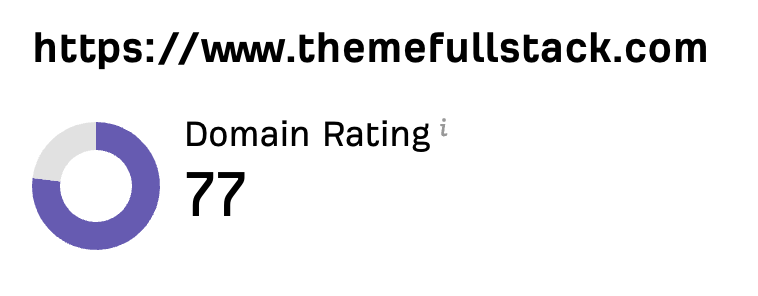 “私はマーケターではなく開発者です。私のShopifyテーマは口コミと広告だけで売れていました。Sorankのおかげで、SEOの組み立て方と上位表示される記事の書き方がようやくわかりました。監査で商品ページが遅すぎることも判明しました。2か月でオーガニックトラフィックは2倍になり、ShopifyテーマについてChatGPTで検索されたときの回答にも表示され始めています。しかも、週に約2時間の作業だけです。”
 Thème FullStackthemefullstack.com“Sorankのおかげで、私たちのSEOエージェンシーの働き方は大きく変わりました。すべてが一元化・自動化されたため、クライアント1社あたりにかける時間が大幅に減りました。以前は何時間もかかっていた作業が今では数分で終わり、ようやくビジネスの中で働くのではなく、ビジネスそのものに取り組めるようになりました。”
 Océane Bondismaison-leverage.com