التفضيلات

خصوصيتك مهمة بالنسبة لنا، لذلك لديك خيار تعطيل أنواع معينة من التخزين التي قد لا تكون ضرورية للوظائف الأساسية للموقع. قد يؤثر حظر الفئات على تجربتك في الموقع. مزيد من المعلومات

قبول جميع ملفات تعريف الارتباط
أنت هنا
جميع الأدلة
هل تحتاج مساعدة؟
Where to find Sorank invoices

Follow these steps to access your billing history and download invoices from your Sorank account.

Step 1: Open your Settings

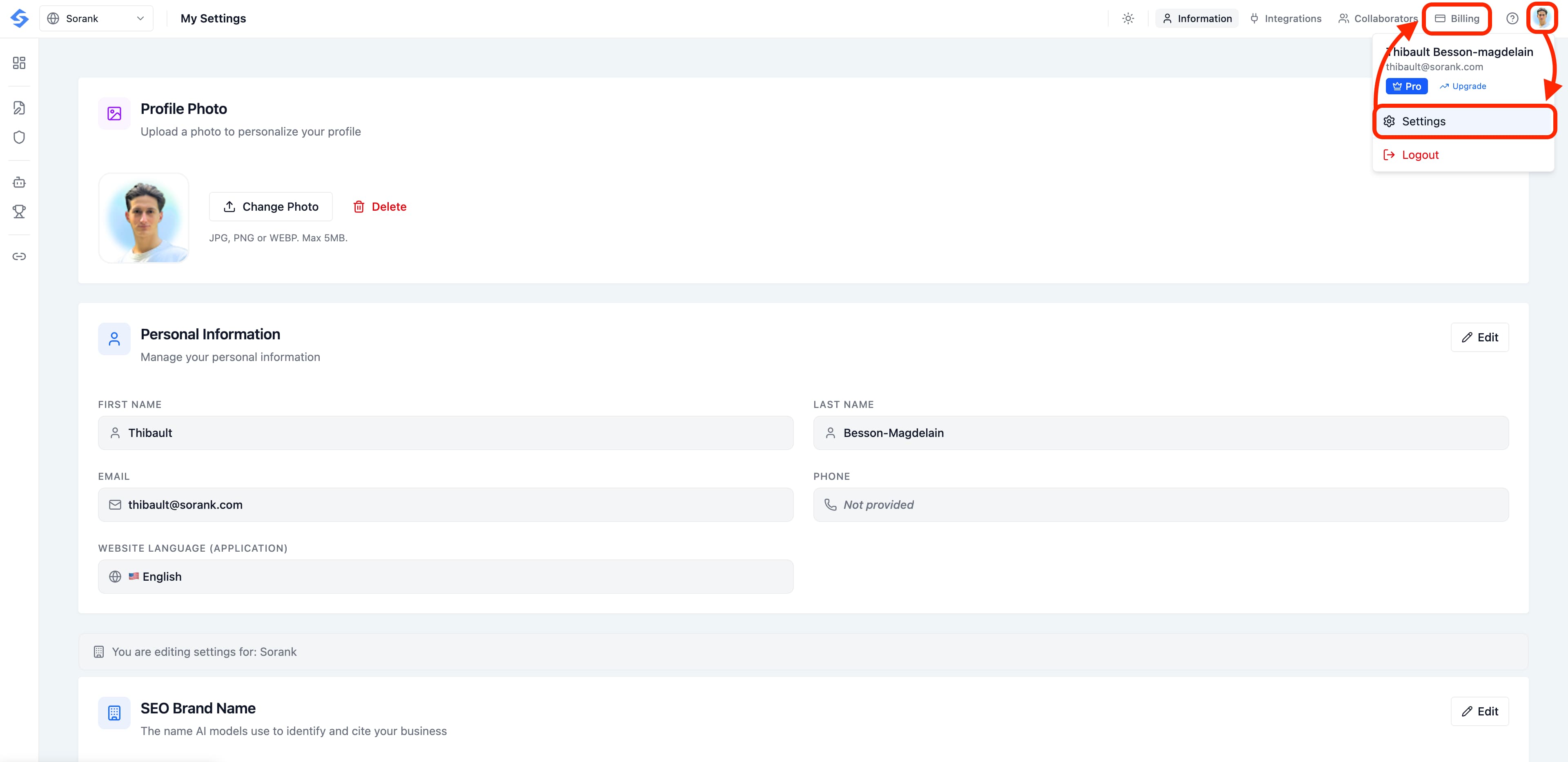
Click on your profile icon in the top-right corner of the screen, then select Settings from the dropdown menu.

In the Settings page, click the Billing tab in the top navigation bar.

Profile menu with Settings highlighted

Step 3: Scroll down to Payment History

You'll see an overview of your current plan, next billing date, and payment method.

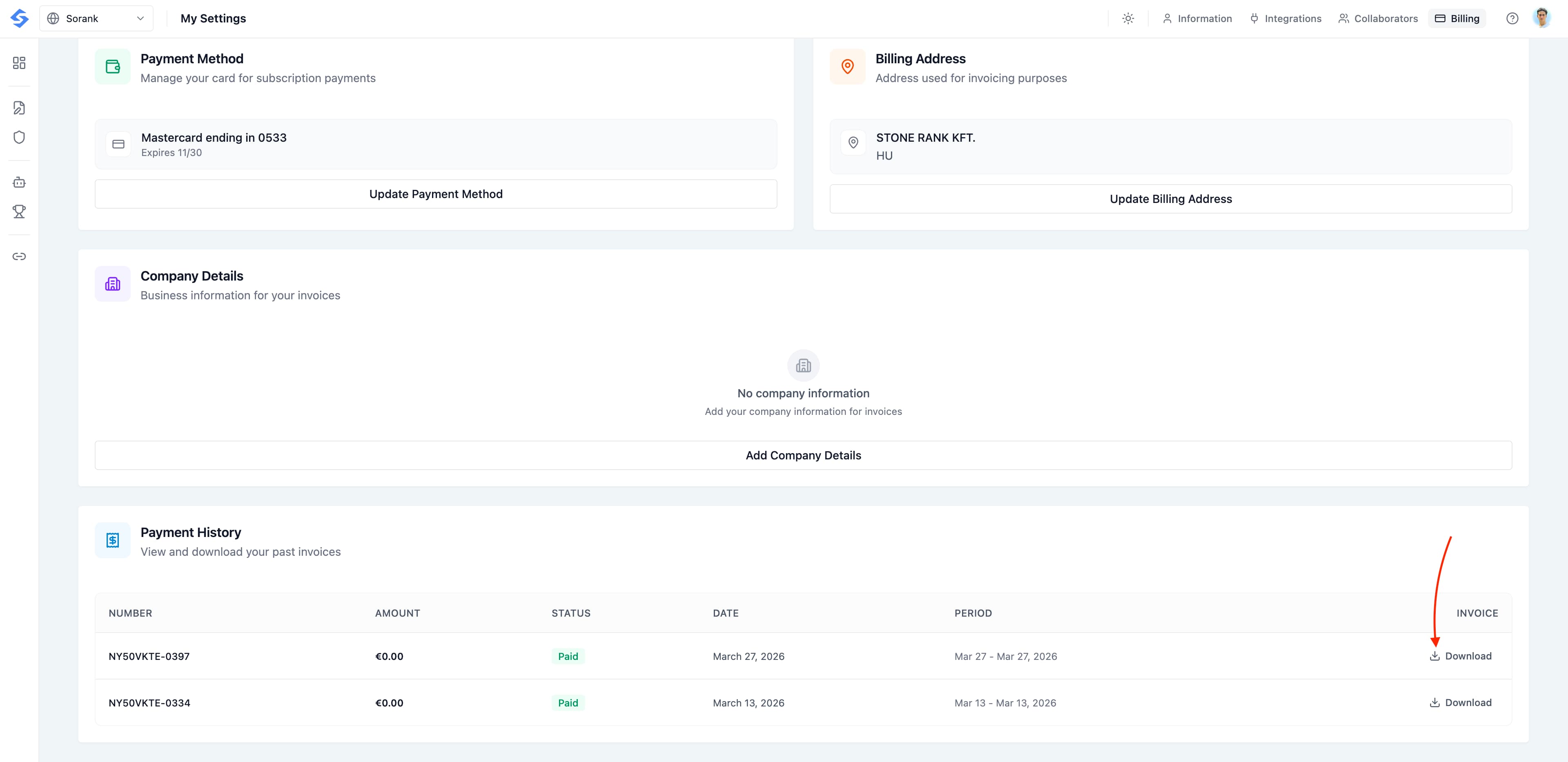
Scroll down past the Payment Method, Billing Address, and Company Details sections until you reach the Payment History table.

This table lists all your past invoices with their number, amount, status, date, and billing period.

Step 4: Download your invoice

Click the Download button on the right side of the invoice you need. The PDF will be saved to your computer.

That's it, you're done!