設定
当社はプライバシーを重視しており、ウェブサイトの基本機能に必要のない特定のストレージを無効にするオプションを提供しています。カテゴリーをブロックすると、ウェブサイトでの体験に影響が出る可能性があります。詳細はこちら

当社はプライバシーを重視しており、ウェブサイトの基本機能に必要のない特定のストレージを無効にするオプションを提供しています。カテゴリーをブロックすると、ウェブサイトでの体験に影響が出る可能性があります。詳細はこちら

Webador のウェブサイトを、従来の SEO と GEO(Generative Engine Optimization)の両方に向けて最適化する方法を学びましょう。構造化データ、メタデータ、ChatGPT と Perplexity での可視性を扱うステップバイステップガイドです。










































ツール


Webadorは、主にオランダ、ベルギー、ドイツの中小企業やフリーランスを対象とした、ヨーロッパのWebサイトビルダーです。ホスティング、独自ドメイン、シンプルなドラッグ&ドロップのエディターを備えた、手軽なオールインワンのビルダーとして位置づけられています。SEOの面では、Webadorは基本的な機能を提供しています。編集可能なページタイトル、メタディスクリプション、カスタムURL、画像のaltテキストです。これらで、ページ上の最適化の基本は十分にカバーできます。
Webadorの制約が大きいのは、技術面です。このプラットフォームは受信Webhookを受け付けますが、公開の書き込み用APIは提供しておらず、Make.comのネイティブコネクターもなく、外部ツールからブログ記事を自動で作成することもできません。これはGEOにとって重要です。公開の量とコンテンツの鮮度が、AIアシスタントがあなたのサイトを情報源として引用する頻度に直接影響するからです。
従来のSEOは、10本の青いリンクが並ぶ順位リストに向けて最適化します。生成AI最適化(GEO)は、別の成果に向けて最適化します。ChatGPT、Perplexity、Google AI OverviewsがAIで生成する回答の中で、情報源として引用されることです。両者の基準は重なりますが、細部では異なります。どちらも、権威があり、よく構造化されたコンテンツを評価します。しかしGEOでは、さらに次の点が評価されます。
Webadorでは、HTMLウィジェットを使ってカスタムコードを挿入できます。これが、ページにJSON-LDを追加するための重要な入り口です。
Webadorのサイトに、SEOとGEOの強固な土台を築くには、次の手順に従います。
Webadorのホームページのヘッダーセクションに配置したHTMLウィジェットの中に、次のブロックを貼り付けます。これにより、検索エンジンやAIのクローラーに、必要となる基本的なアイデンティティのシグナルを伝えられます。
<script type='application/ld+json'>
{
  "@context": "https://schema.org",
  "@type": "Organization",
  "name": "Your Business Name",
  "url": "https://www.yourdomain.com",
  "logo": "https://www.yourdomain.com/logo.png",
  "description": "One-sentence description of your business and what it does.",
  "sameAs": [
    "https://www.linkedin.com/company/your-business",
    "https://www.facebook.com/yourbusiness"
  ]
}
</script>
サービスページでは、これをServiceスキーマで拡張し、name、provider(Organizationを参照)、description、areaServedを指定して、対応する地理的範囲をAIアシスタントに伝えましょう。
Core Web Vitalsは、ユーザーの視点からページの体験を測定する指標で、Googleのランキング要因であることが確認されています。監視すべき3つの指標は、Largest Contentful Paint(LCP)、Interaction to Next Paint(INP)、Cumulative Layout Shift(CLS)です。WebadorはホスティングとCDNによる配信を担っているため、サーバー側の変数は少なくなります。主に調整できるのは、次の点です。
Google PageSpeed Insights(pagespeed.web.dev)でWebadorのサイトを測定し、スコアに影響している具体的な問題を特定しましょう。
AIの言語モデルは、クエリに対して最も直接的で明確に構造化された回答を見つけ出すことで、Webページから答えを抽出します。Webadorのコンテンツを抽出しやすくするには、次のようにします。
llms.txtファイルは、サイトのオーナーが、どのコンテンツをどのような条件で処理に使えるかをAIの言語モデルに宣言するための、新たに生まれつつある標準です。ファイルはドメインのルート(yourdomain.com/llms.txt)に配置します。最小限の動作する構成は次のとおりです。
# yourdomain.com

## Business
Name: Your Business Name
Description: [One sentence]
URL: https://www.yourdomain.com

## Content available for AI
- Blog articles: https://www.yourdomain.com/blog
- Service pages: https://www.yourdomain.com/services
Webadorはサイトのルートディレクトリへの静的ファイルのアップロードに対応しているため、llms.txtの公開には、ファイルのアップロード以外に追加の技術的な設定は必要ありません。
Webadorは受信Webhookを受け付けますが、公開の書き込み用APIは提供しておらず、Make.comのネイティブコネクターもなく、外部ツールからブログ記事を自動で作成することもできません。推奨されるアプローチは、コンテンツ用のブログをSorankでホスティングし、Webadorのサイトからリンクすることです。Sorankなら、ターゲットキーワードから、正しい構造化データ、FAQセクション、回答ファーストのコンテンツ構成を備えたGEO最適化済みの記事を生成できます。Sorankのブログはコンテンツの原動力となり、Webadorのサイトはコンバージョンの受け皿となります。Webadorに書き込み用APIがなくても、両者は連携して機能します。
ほかのシンプルなWebサイトビルダーに応用できるGEOの手法については、Jimdo、Strikingly、Webnode、Weebly、IONOS MyWebsiteのガイドをご覧ください。より大規模なサイトを管理している場合は、WordPressのSEOとAI検索のガイドもご確認ください。
Sorankは、どのWebサイトビルダーを使っていても、あらゆるGEO戦略を補完する無料ツールとプラットフォーム機能を提供しています。

はい。Webador には、ヘッダーのエリアを含め、ページのどこにでも置ける HTML のウィジェットがあります。そのウィジェットに JSON-LD のブロックを貼り付ければ、プラグインや開発者のアクセスなしに、どのページにも Organization、FAQPage、Service のスキーマを加えられます。
Webador は受信の Webhook を受け付けますが、ネイティブの Make.com のコネクターはなく、ブログ記事を作成する公開の書き込み API も提供していません。外部のツールからのコンテンツの自動公開は、Webador のプラットフォームでは直接には対応していません。
Webador には公開の書き込み API も Make.com のコネクターもなく、外部のツールからのブログ記事の自動作成にも対応していないので、推奨されるやり方は、Sorank で外部のコンテンツブログをホストし、Webador のサイトからリンクすることです。Sorank は、正しい構造化データと答えを先に示す構成を備えた、GEO に最適化した記事を生成します。Sorank のブログが自然検索と AI の引用によるトラフィックを生み、Webador のサイトがコンバージョンを担います。
先行導入企業のご紹介
 “2年間、クライアントの100%がLinkedIn経由でした。毎日の投稿、コメント、DMでのフォローアップ…完全にアルゴリズム頼みでした。SEOに取り組むべきだとわかっていても、時間がかかる、技術的すぎる、自分の仕事ではないと、いつも後回しにしていました。Sorankでようやく一歩を踏み出しました。4か月で、何も投稿しなくても毎月15件のオーガニックリードを獲得しています。まだLinkedInと半々ではありませんが、自動で育つ2つ目のリード源ができたことで安心して眠れるようになりました。”
 Valentin Thomyコールドメール専門エージェンシー“Sorankは、クライアントに提供する成果を大きく変えてくれました。AIが実際に使っているキーワードを特定し、特定の競合が引用される理由を理解し、以前は完全に見落としていたチャンスを見つけられるようになりました。クライアントは、より早い順位上昇、AIの回答での可視性向上、そしてすべての施策のROIがより明確になったことを実感しています。”
 Benjamin Rouxovirank.com
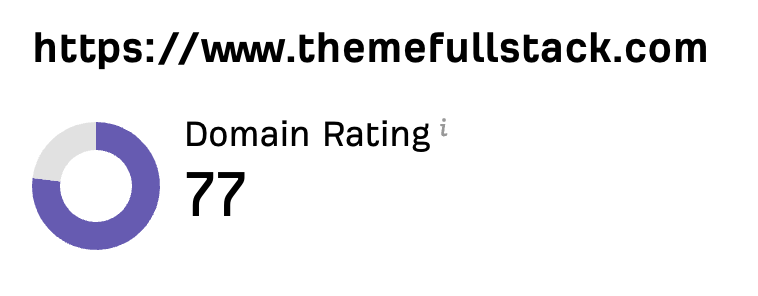 “私はマーケターではなく開発者です。私のShopifyテーマは口コミと広告だけで売れていました。Sorankのおかげで、SEOの組み立て方と上位表示される記事の書き方がようやくわかりました。監査で商品ページが遅すぎることも判明しました。2か月でオーガニックトラフィックは2倍になり、ShopifyテーマについてChatGPTで検索されたときの回答にも表示され始めています。しかも、週に約2時間の作業だけです。”
 Thème FullStackthemefullstack.com“Sorankのおかげで、私たちのSEOエージェンシーの働き方は大きく変わりました。すべてが一元化・自動化されたため、クライアント1社あたりにかける時間が大幅に減りました。以前は何時間もかかっていた作業が今では数分で終わり、ようやくビジネスの中で働くのではなく、ビジネスそのものに取り組めるようになりました。”
 Océane Bondismaison-leverage.com