設定
当社はプライバシーを重視しており、ウェブサイトの基本機能に必要のない特定のストレージを無効にするオプションを提供しています。カテゴリーをブロックすると、ウェブサイトでの体験に影響が出る可能性があります。詳細はこちら

当社はプライバシーを重視しており、ウェブサイトの基本機能に必要のない特定のストレージを無効にするオプションを提供しています。カテゴリーをブロックすると、ウェブサイトでの体験に影響が出る可能性があります。詳細はこちら

Builder.io のコンテンツを Google と AI 検索に見つけてもらいましょう。データモデルを構造化し、コンポーネントを登録し、Content API と Write API できれいなフィールドを公開し、JSON-LD と llms.txt を加えて、フロントエンドがレンダリングするページを ChatGPT、Perplexity、Claude、Gemini に引用してもらいます。










































ツール


Builder.ioで作成したコンテンツを、従来の検索結果だけでなく、AIの回答の中にも表示させたいと思いませんか? Builder.ioは、ビジュアル型のヘッドレスCMSであり、ページビルダーです。マーケターは登録済みのコンポーネントをキャンバスにドラッグ&ドロップし、構造化コンテンツはデータモデルに格納され、すべてのコンテンツがContent APIを通じてあらゆるフロントエンドに配信されます。サーバーサイドレンダリングと組み合わせれば、このビジュアルなワークフローは、生成AI最適化(GEO)の強力な土台になります。まずはGEO SEO監査で現状を把握し、常に更新されるGEO SEOダッシュボードですべての成果を追跡しましょう。このガイドでは、GoogleやChatGPT、Perplexity、Claude、Geminiなどのアシスタントがあなたのページを理解し、信頼し、引用できるように、Builder.ioのコンテンツをモデル化し、レンダリングし、注釈を付ける方法を紹介します。
従来のSEOは今もトラフィックを生み出していますが、現在はアシスタントがWebを要約し、引用元の短いリストを提示するようになっています。生成AI最適化とは、その引用元の1つになるための取り組みです。Builder.ioはその助けになります。コンテンツが構造化されているからです。ページ、セクション、データモデルは、絡み合ったマークアップではなく型付きのフィールドを持ち、同じコンテンツがAPIを通じてWeb、アプリ、アシスタントに届けられます。フロントエンドがそのコンテンツを完全なHTMLとしてレンダリングすれば、モデルはあなたのトピック、製品、専門性を自信を持って把握できます。
まずはベンチマークから始めましょう。主要なアシスタントに、オーディエンスが実際に尋ねる質問を投げかけ、あなたが引用されているか、どのURLが表示されるか、競合がどのように紹介されているかを記録します。AIメンショントラッキングでブランドの引用を追跡し、AIに引用される被リンクで獲得した参照を分析し、GEO SEO監査で現状を把握して、すでにブランドと結びついているエンティティを洗い出しましょう。
GEOでは、ユーザーの意図はプロンプトとして届きます。チャット、音声、エージェントで人々が使う正確な言い回しを集め、タスクごとに分類します。学ぶ、比較する、活用する、解決する、の4つです。クエリファンアウトツールで網羅範囲を広げ、キーワードリサーチでトピックの優先順位を決めましょう。各グループについて、引用されるべき正規のページを1つ選び、簡潔で、引用しやすく、明確な根拠に裏付けられた内容にします。
Builder.ioのデータモデルを、エンティティの骨格として扱いましょう。記事、ガイド、製品、FAQ、著者、用語集のモデルを作成し、それぞれに型付きのフィールド(タイトル、スラッグ、要約、本文、画像、公開日、著者の参照、タグ)を持たせ、カスタムコンポーネントを登録して、編集者がセマンティックなブロックからページを組み立てられるようにします。これらのフィールドを、name、description、image、datePublished、author、sameAsなどのschema.orgのプロパティに対応づけます。構造化されたモデルによって、Builder.ioが配信するすべてのページ、ロケール、チャネルで、エンティティの一貫性が保たれます。
Builder.ioはContent APIを通じてコンテンツを配信し、フロントエンドがそれをレンダリングします。Next.js、Nuxt、Astro、RemixでBuilderのSDKを使い、サーバーサイドレンダリングまたは静的生成を行って、引用されたいページが、クライアントサイドのハイドレーションなしで、最初のリクエストで完全なHTMLを返すようにします。登録済みのコンポーネントを、実際の見出しと本文を持つセマンティックなマークアップとしてレンダリングし、コンテンツ全体がクライアントのバンドルだけでなく、ページの生のソースに含まれていることを確認しましょう。
ページモデルに、SEOタイトル、メタディスクリプション、canonical URLのフィールドを追加し、フロントエンドのheadでレンダリングします。ルーティングを通じて、URLを整理された、キーワードを含むものに保ちます。特にA/Bテストを実施する場合は、meta robotsのルールを適用して、中身の薄いバリエーションや重複したバリエーションをインデックスから除外します。また、同じフィールドからOpen GraphとTwitterのタグを設定して、ソーシャルでのプレビューがページの意図とメインの文章に一致するようにします。構造化された値は、ビルドをまたいでも一貫性が保たれます。
Builder.ioのフィールドから、フロントエンドでJSON-LDを生成するか、カスタムコードブロックで追加します。コンテンツページにはArticleとWebPage、BreadcrumbListを、製品ページにはoffersを含むProductを、チュートリアルにはHowToを、質問のブロックにはFAQPageを使います。ロゴ、contactPoint、foundingDate、認証済みプロフィールへのsameAsリンクを含むOrganizationブロックを、サイト全体に追加しましょう。データは型付きのフィールドから直接取得されるため、構造化データはすべてのページで正確かつ完全な状態に保たれます。
各記事の冒頭に、質問に答える2文の要約を置き、その後でざっと読める構成で内容を展開します。実際のプロンプトを反映した、明確な質問と回答のブロックを追加し、各回答は50〜120語に収めます。手順については、必要なもの、ステップ、所要時間をHowTo形式で列挙します。ブログ記事ジェネレーターで、引用されやすい下書きの作成を効率化し、Builder.ioのエディターで視覚的に配置しましょう。
公開済みのエントリーからsitemap.xmlを生成し、Google Search Consoleで送信します。robots.txtでは、引用されうるコンテンツを含むルートを許可し、ノイズとなるページを拒否します。ルートにllms.txtファイルを追加して、AIエージェントに対する推奨のクロールルール、引用されたい優先URL、再利用の条件を示しましょう。Builder.ioはContent APIを公開しているため、ページを動かしているのと同じデータから、これらのファイルを自動で作成できます。
関連するページをまとめ、正規の回答を定めるトピックハブを作ります。パンくずリストで階層を表現し、説明的なアンカーを使った文脈に沿ったインラインリンクを追加します。トピッククラスタージェネレーターを使えば、この作業を効率化できます。データモデル間の参照をモデル化して、これらのつながりを明示しましょう。スタックの一部がほかのプラットフォームで動いている場合は、Webflow、Contentful、Framerなどのビジュアル型やヘッドレス型の類似ツールにも同じ原則を適用します。
GEOも、権威性の上に成り立っています。信頼できる出版物、独自の調査、オーディエンスが信頼するコミュニティから引用を獲得しましょう。著者モデルとして保存した実際のプロフィールを持つ、名前のある著者の名義で公開し、資格を示し、あなたが誰で、なぜ信頼できるのかを伝える会社概要ページを用意して、E-E-A-Tを強化します。ドメインオーソリティトラッカーで進捗を追跡し、SEO競合分析ツールで競合の露出を分析しましょう。
Builder.ioは、コンテンツのエントリーを作成できる公開のREST Write APIを提供しています。そのため、SorankはMake.comのWebhookブリッジを通じて連携します。Sorankが生成した各記事はMake.comのシナリオに送られ、Makeが汎用のHTTPモジュールを使って、対象のデータモデルのWrite APIに送信し、Builder.ioに公開します。Make.com専用のアプリはありませんが、Webhookと汎用HTTPの経路によって、公開までの全工程を自動化できます。Sorankのフィールドをモデルに対応づけ、秘密鍵で認証し、ブログ記事ジェネレーターで最適化された下書きをすばやく作成しましょう。
どのプロンプトでブランドが表示されるか、どのページが引用されるか、どこで競合が回答の座を勝ち取っているかを追跡します。キーワードリサーチで順位を比較し、GEOリーダーボードで自社の立ち位置を確認し、タグ付きのランディングページと固有のUTMを使って、アシスタント経由のコンバージョンを紐づけましょう。
Builder.ioは、構造化コンテンツを組み立てるための、ビジュアルでAPIファーストな方法を提供します。GEOは、引用されるための戦略を提供します。データモデルが型付きのフィールドを持ち、フロントエンドが完全なHTMLを出力し、ページにJSON-LDと引用しやすい回答があれば、アシスタントは自信を持ってあなたを引用します。整ったデータをモデル化し、サーバーサイドでレンダリングし、JSON-LDを追加し、Write APIを通じて公開しましょう。あとは、Sorankが監査、コンテンツ、リンクを推進します。

Builder.io は、ビジュアルで API ファーストのヘッドレス CMS なので GEO でよく機能します。コンテンツは型付きのフィールドと登録したコンポーネントを持つ構造化されたデータモデルにあり、Content API を通じてあらゆるフロントエンドに配信されます。Next.js、Nuxt、Astro で Builder の SDK を使い、そのコンテンツをサーバーサイドで、または静的ページとしてレンダリングし、クローラーへの最初のリクエストでクライアントのバンドルだけでなく完全な HTML を返すようにしましょう。フィールドを schema.org のプロパティに対応させ、そこから JSON-LD を生成し、URL をきれいに保ちます。サイトマップ、canonical タグ、llms.txt ファイルを加え、A/B テストのバリエーションを meta robots で制御して、ChatGPT、Perplexity、Claude、Gemini などのアシスタントがページに到達して引用できるようにしましょう。
実際のプロンプトに対応した、答えを先に示すコンテンツを書きましょう。各エントリーは 2 文の要約で始め、見通しのよい構成を続け、段落は 120 語未満に保ちます。登録したセマンティックなコンポーネントで厳密な見出しの階層を守り、50〜120 語の答えを持つ明示的な FAQ ブロックと明確な事実のセクションを使いましょう。すべての主張を情報源に結びつけ、フロントエンドかカスタムコードのブロックで Builder.io のフィールドから JSON-LD(Article、FAQPage、HowTo、Organization)を生成します。データモデル間の参照としてモデル化し、内容がわかるアンカーで関連するページをつなぐハブを作れば、モデルが権威あるものと認識して引用するテーマの深さを示せます。
Builder.io はコンテンツのエントリーを作成する公開の REST の Write API を提供しているので、Sorank はネイティブのコネクターではなく Make.com の Webhook の橋渡しで連携します。Sorank が生成した各記事は Make.com のシナリオに送られ、Make が対象のデータモデルの Write API に POST する汎用 HTTP モジュールで Builder.io に公開します。専用の Make.com アプリはありませんが、Webhook と汎用 HTTP の経路で公開を最初から最後まで自動化できます。まず Sorank のフィールドをモデルに対応させ、プライベートキーで認証しましょう。Sorank は公開に加えて、サイトに合わせた GEO と SEO の監査を行い、ChatGPT、Perplexity、Geminiでの AI による言及を追跡し、競合を監視し、一つのダッシュボードからコンテンツの最適化を提案します。
先行導入企業のご紹介
 “2年間、クライアントの100%がLinkedIn経由でした。毎日の投稿、コメント、DMでのフォローアップ…完全にアルゴリズム頼みでした。SEOに取り組むべきだとわかっていても、時間がかかる、技術的すぎる、自分の仕事ではないと、いつも後回しにしていました。Sorankでようやく一歩を踏み出しました。4か月で、何も投稿しなくても毎月15件のオーガニックリードを獲得しています。まだLinkedInと半々ではありませんが、自動で育つ2つ目のリード源ができたことで安心して眠れるようになりました。”
 Valentin Thomyコールドメール専門エージェンシー“Sorankは、クライアントに提供する成果を大きく変えてくれました。AIが実際に使っているキーワードを特定し、特定の競合が引用される理由を理解し、以前は完全に見落としていたチャンスを見つけられるようになりました。クライアントは、より早い順位上昇、AIの回答での可視性向上、そしてすべての施策のROIがより明確になったことを実感しています。”
 Benjamin Rouxovirank.com
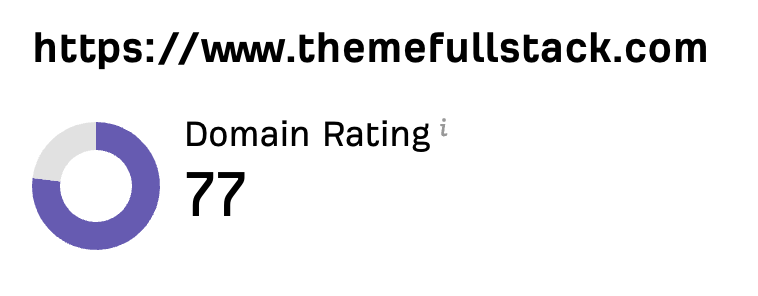 “私はマーケターではなく開発者です。私のShopifyテーマは口コミと広告だけで売れていました。Sorankのおかげで、SEOの組み立て方と上位表示される記事の書き方がようやくわかりました。監査で商品ページが遅すぎることも判明しました。2か月でオーガニックトラフィックは2倍になり、ShopifyテーマについてChatGPTで検索されたときの回答にも表示され始めています。しかも、週に約2時間の作業だけです。”
 Thème FullStackthemefullstack.com“Sorankのおかげで、私たちのSEOエージェンシーの働き方は大きく変わりました。すべてが一元化・自動化されたため、クライアント1社あたりにかける時間が大幅に減りました。以前は何時間もかかっていた作業が今では数分で終わり、ようやくビジネスの中で働くのではなく、ビジネスそのものに取り組めるようになりました。”
 Océane Bondismaison-leverage.com