



What Is Pinterest SEO and Why Does It Matter?
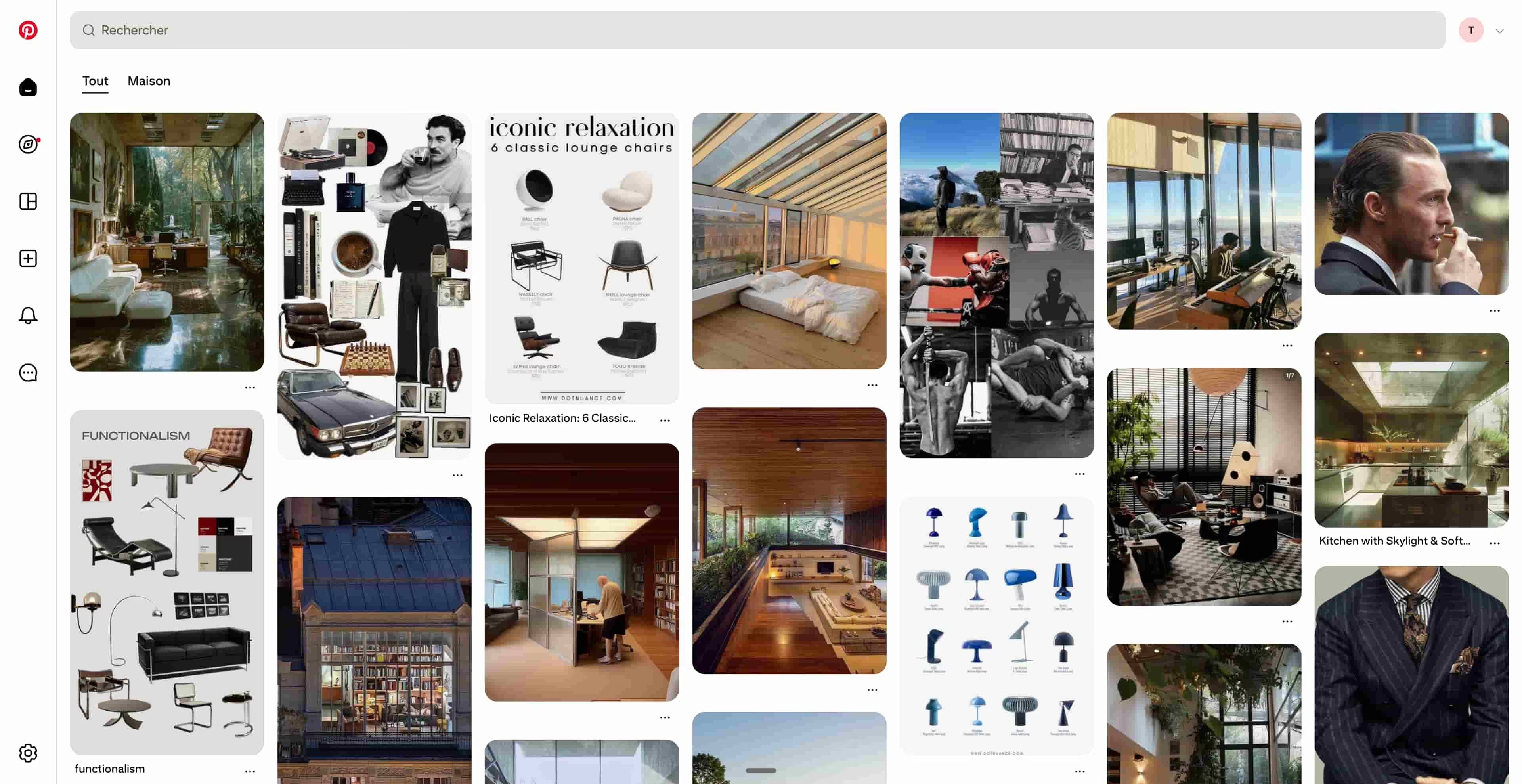
Pinterest SEO is the practice of optimizing your pins, boards, descriptions, and profile to rank higher in Pinterest's search algorithm and Google's image search results. Unlike traditional social media platforms focused on engagement metrics, Pinterest functions as a visual search engine where users actively search for ideas, products, and solutions. With over 400 million monthly active users, Pinterest drives massive traffic for both ecommerce and content-focused websites.
Pinterest is fundamentally different from Instagram, Facebook, or X (Twitter). On Pinterest, users don't primarily engage with their friends' content, they search for specific topics and discover new ideas. This search-driven behavior makes Pinterest incredibly valuable for SEO and traffic generation. In fact, Pinterest drives more referral traffic to websites than any other social media platform, including Facebook and Twitter combined.
Why should you focus on Pinterest SEO? Because Pinterest users are highly intent-driven. They're actively searching for solutions, products, inspiration, and information. When you optimize your pins for Pinterest's search algorithm, you're tapping into an audience already primed to click through to your content and make purchasing decisions. A single viral pin can drive thousands of visits to your website over months or even years.
How Pinterest Impacts Your Search Rankings
Direct SEO Benefits
Every pin you create has the potential to rank in both Pinterest's internal search and Google Images. Pinterest pins often appear in Google's image search results when users search for relevant terms. When someone clicks on your pin from Google Images, they arrive at your website with high intent, typically ready to read your content or make a purchase.
The ranking factors for Pinterest differ from traditional search engines. Pinterest's algorithm prioritizes user engagement metrics like saves, close-ups (clicks), and outbound clicks to your website. Unlike likes, which just indicate approval, saves indicate that users want to return to your pin later, signaling strong content value. When your pins receive high engagement, Pinterest surfaces them more prominently in search results.
Additionally, every pin you create generates backlink equity for your website. The pin URL links directly to your content, and when other users repin or share your pin, these shares act as additional link signals. Multiple pins linking to the same article create concentrated authority for that page, improving its rankings in Google organic search.
Social Signals and Authority
Pinterest authority is built through consistent, high-quality content that resonates with your target audience. When your pins accumulate saves and clicks over time, Pinterest recognizes your profile as an authoritative source in your niche. This authority leads to better placement in Pinterest search results and increased visibility to users searching for related topics.
Building a strong follower base on Pinterest also matters for authority. When users follow your profile, Pinterest surface your new pins to their home feeds, increasing reach and engagement. This creates a virtuous cycle, where better-performing pins attract more followers, which in turn leads to better performance for future pins. Quality followers, not follower count alone, matter most for authority building.
Pinterest and GEO: Boosting Your AI Search Visibility
Why AI Models Cite Pinterest Content
Generative AI models like ChatGPT, Perplexity, Gemini, and Claude are trained on visual and textual internet data. Pinterest content, including pin descriptions and board names, is incorporated into AI training datasets because it represents high-quality, user-curated information. When users ask AI systems about design, home decor, fashion, recipes, or business ideas, these AI models may reference or cite content discovered from Pinterest-indexed sources.
This connection to GEO (Generative Engine Optimization) is significant. If your pin description is comprehensive and well-optimized, AI systems are more likely to reference it when answering related queries. Unlike traditional search, where ranking is about appearing in results, GEO is about being cited or mentioned in AI-generated responses. Pinterest content, due to its niche focus and engaged audience, is particularly valuable for AI training.
The difference between SEO and GEO becomes especially relevant on Pinterest. While SEO focuses on discoverability in search engines, GEO focuses on being visible in AI-powered outputs. Pinterest excels at both because it combines visual content, detailed descriptions, and strong user engagement, making it attractive to both search algorithms and AI training systems.
Optimizing for Generative Engines
To optimize your Pinterest content for AI visibility, focus on rich, descriptive pin titles and descriptions. AI models extract text from pins to understand their context and relevance. Instead of generic pin descriptions like "DIY Home Decor," write comprehensive descriptions like "15 budget-friendly DIY home decor ideas using upcycled materials, including step-by-step instructions for transforming old furniture into statement pieces." This detailed approach helps AI systems understand and cite your pins.
Use AI Mention Tracking to monitor where your brand appears in AI-generated content and which Pinterest pins are generating the most visibility in AI search tools. This helps you understand which content themes perform well with AI systems and guides your future pin creation strategy. Pair this with Keyword Research tools to identify topics that AI models are likely to reference when answering user questions.
Step-by-Step Pinterest SEO Strategy
Profile Optimization
Your Pinterest profile is your storefront. Create a business account if you don't already have one, as business accounts get access to analytics and more robust pinning features. Write a clear, keyword-rich profile bio that describes who you serve and what value you provide. Include your primary keyword naturally within the first 100 characters of your bio, as this is the most visible part.
Optimize your profile image by using a professional headshot or logo. This builds trust and makes your profile instantly recognizable. Add your website URL to your profile, ensuring the link is active and direct (not a redirect). This link serves as a critical backlink to your homepage.
Create pinnable sections or boards organized by topic. Organize your boards hierarchically so your audience can easily find the content they're looking for. Use keyword-rich board names and descriptions. For example, instead of "My Ideas," create boards like "SEO Content Strategy for B2B Startups" or "Technical SEO Audit Tools and Guides." This organization helps both Pinterest algorithm and users understand your content focus.
Content Strategy for Maximum Visibility
Create pins specifically for Pinterest, not just images from your blog posts. Pins that look professionally designed, use contrasting colors, and include clear text overlays perform best. Use tall, vertical formats (1000x1500px recommended) because they dominate Pinterest's feed and take up more real estate.
Write compelling pin titles that include your target keywords and clearly communicate the value proposition. Instead of "My Article," write "Complete Beginner's Guide to Technical SEO: Audit Your Site in 7 Steps." This makes users want to click your pin. Include relevant keywords naturally throughout the title without keyword stuffing.
Create comprehensive pin descriptions that expand on your keywords and provide context. Pinterest allows 500 characters for descriptions, so use this space strategically. Include long-tail keyword variations, your main keyword, and a compelling reason to click. For example, "Discover the 25 most impactful technical SEO improvements that boost rankings. Learn how to conduct an on-page audit using the OnPage Audit tool and fix critical issues within days."
Use Pinterest keywords rather than hashtags. Hashtags on Pinterest are less effective than natural keyword inclusion. Instead of adding #SEO, incorporate "SEO" naturally into your pin description where it makes sense contextually. This helps Pinterest understand your content's relevance without looking forced.
Building Backlinks and Authority from Pinterest
Every pin you create drives link equity back to your website. Create pins that appeal to different audiences and link to different pages on your site. This distributes authority across your content and helps multiple pages rank. For example, create pins linking to blog posts, landing pages, product pages, and resource guides.
Pair this with Sorank's Backlink Network, and collaborate with other pinners in your niche. When complementary accounts repin your pins, you gain additional link signals and exposure to their followers. Monitor your Backlink Analysis to see which pins are generating the most outbound clicks and referral traffic.
Use Sorank Chrome Extension to track when your pins appear in Google Images and monitor their performance over time. This visibility helps you understand which pins resonate with search engines and which topics to focus on for future content creation.
Best Practices and Common Mistakes
Do's
Pin consistently and regularly. Pinterest algorithm rewards consistent pinners, so establish a schedule and stick to it. Aim for at least 5-15 pins per week, but quality matters more than quantity. Schedule pins in advance using Pinterest's native scheduler or third-party tools.
Create multiple pins for each piece of content. A single blog post should have 3-5 different pins, each with different designs, titles, and descriptions. This increases the chances that at least one will resonate with different audience segments and perform well in search.
Engage with the Pinterest community. Save pins from other creators in your niche, leave comments on popular pins, and repin valuable content. This engagement signals to Pinterest that you're an active, involved member of the community, which boosts your profile's authority.
Use rich pins when possible. Rich pins are enhanced pins that include extra information like product details or article metadata. They provide additional context to both Pinterest algorithm and users, improving performance.
Don'ts
Don't spam the platform with low-quality or irrelevant pins. Pinterest algorithm detects spam quickly and penalizes accounts that violate community guidelines. Every pin should provide genuine value to your audience.
Avoid using misleading titles or descriptions that don't match your content. This leads to high bounce rates, which signals to Pinterest that your content isn't delivering on its promise. Only create titles and descriptions that accurately represent your content.
Don't focus solely on driving traffic to your homepage. While homepage links matter, diversifying your link targets across your website improves overall SEO. Pin to specific blog posts, product pages, and resource guides.
Avoid using overly promotional language. Pinterest users prefer inspiration and information over hard-sell marketing. Frame your pins as helpful resources rather than sales pitches. For example, instead of "Buy Our SEO Tool Now," create a pin titled "How to Conduct a Free SEO Audit in 5 Steps Using the Free SEO Tools Guide."
How Sorank Helps You Track Pinterest Performance
Maximizing Pinterest SEO requires ongoing monitoring and optimization. Use the GEO/SEO Audit tool to evaluate your pins' optimization and identify opportunities for improvement. This tool analyzes pin descriptions, titles, and board organization for SEO best practices.
The SEO Competitor Spy tool reveals what your competitors are pinning, how their pins perform, and what keywords they're targeting. Use this intelligence to refine your own Pinterest strategy and identify content gaps in your niche.
Use Blog Article Generator to create content worth pinning. The more high-quality blog posts you publish, the more pins you can create and promote. Use Topical Cluster Generator to organize your content into cohesive topics that work well on Pinterest boards.
Complement your Pinterest strategy with other social media platforms. Explore our guides on Quora SEO, LinkedIn SEO, YouTube SEO, and X (Twitter) SEO for a comprehensive multi-channel approach to social media optimization.
Pinterest SEO のキーワードはどう見つけるのか
Pinterest SEO は、ユーザーが Pinterest の検索バーに入力する言葉から始まります。その言葉は Google の検索語句と異なることが多く、より短く、視覚的で、季節性があります(「秋 玄関 飾り」「狭いベランダ アイデア」)。この語彙は 3 つの無料の情報源から集められます。
- 検索候補:Pinterest の検索バーにテーマを入力し、オートコンプリートで表示される語句と、検索バー下の候補ボタンを書き留めます。実際の検索から生まれた言葉です。
- Pinterest Trends:公式のトレンドツールで、キーワードへの関心が 1 年を通してどう変化するかがわかります。季節もののピンはピークの数週間前に公開しましょう。
- 自社のデータ:Pinterest アナリティクスで成果の高いピンを確認し、ピンのリンクに UTM パラメータを付けておけば、Google アナリティクス 4 でコンバージョンにつながる訪問を生んだピンがわかります。
メインキーワードはピンのタイトル、ボード名、説明文の最初の一文に入れ、残りの説明文で類義語を使います。自社サイトでは、各ピンのリンク先の記事が対応する Google の検索語句を狙うようにします。Sorank のキーワード調査がその検索語句を見つけ、ブログ記事ジェネレーターが記事を書きます。
Sources
1. Backlinko - Pinterest SEO Guide and Ranking Factor Analysis (2024)
2. HubSpot - Pinterest Marketing and Traffic Generation Best Practices (2023)
3. Search Engine Journal - Visual Search and Image SEO Optimization Guide (2024)
4. Ahrefs - Referral Traffic Sources and Social Media Performance (2024)
5. Moz - Social Signals and Their Impact on Search Rankings (2023)