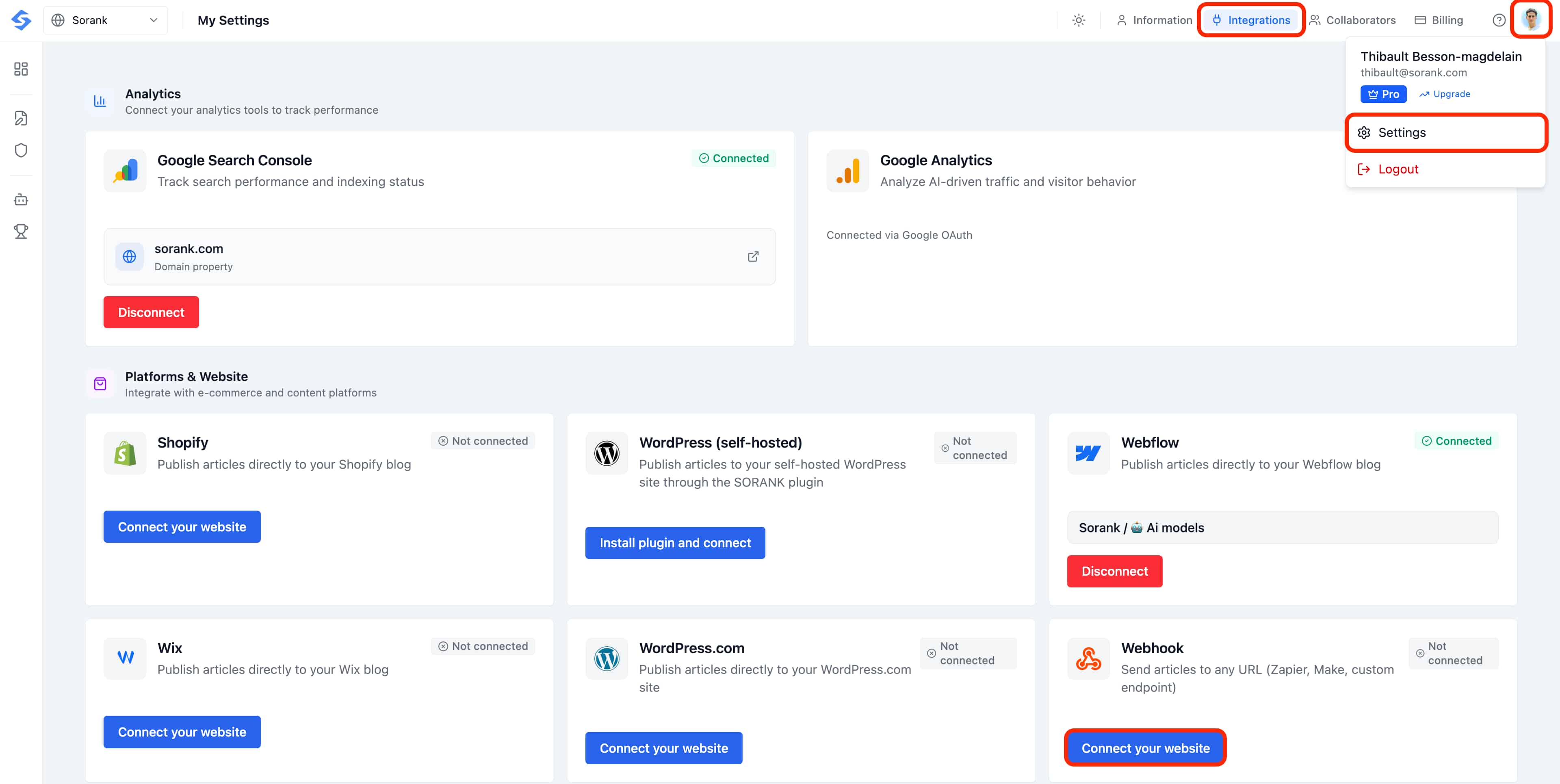
 ## Step 2: Configure Your Endpoint
1. Paste your destination URL into the **Webhook URL** field (for example, a Zapier catch hook, a Make webhook, or your own server endpoint).
2. Optionally, add a **Secret token** if your endpoint requires authentication. Sorank will include it as a `Bearer` token in the `Authorization` header so your server can verify the call comes from Sorank.
3. Click **Test** to send a sample payload (event type `webhook.test`) and confirm your endpoint responds correctly.
4. Click **Save webhook** to activate the integration.
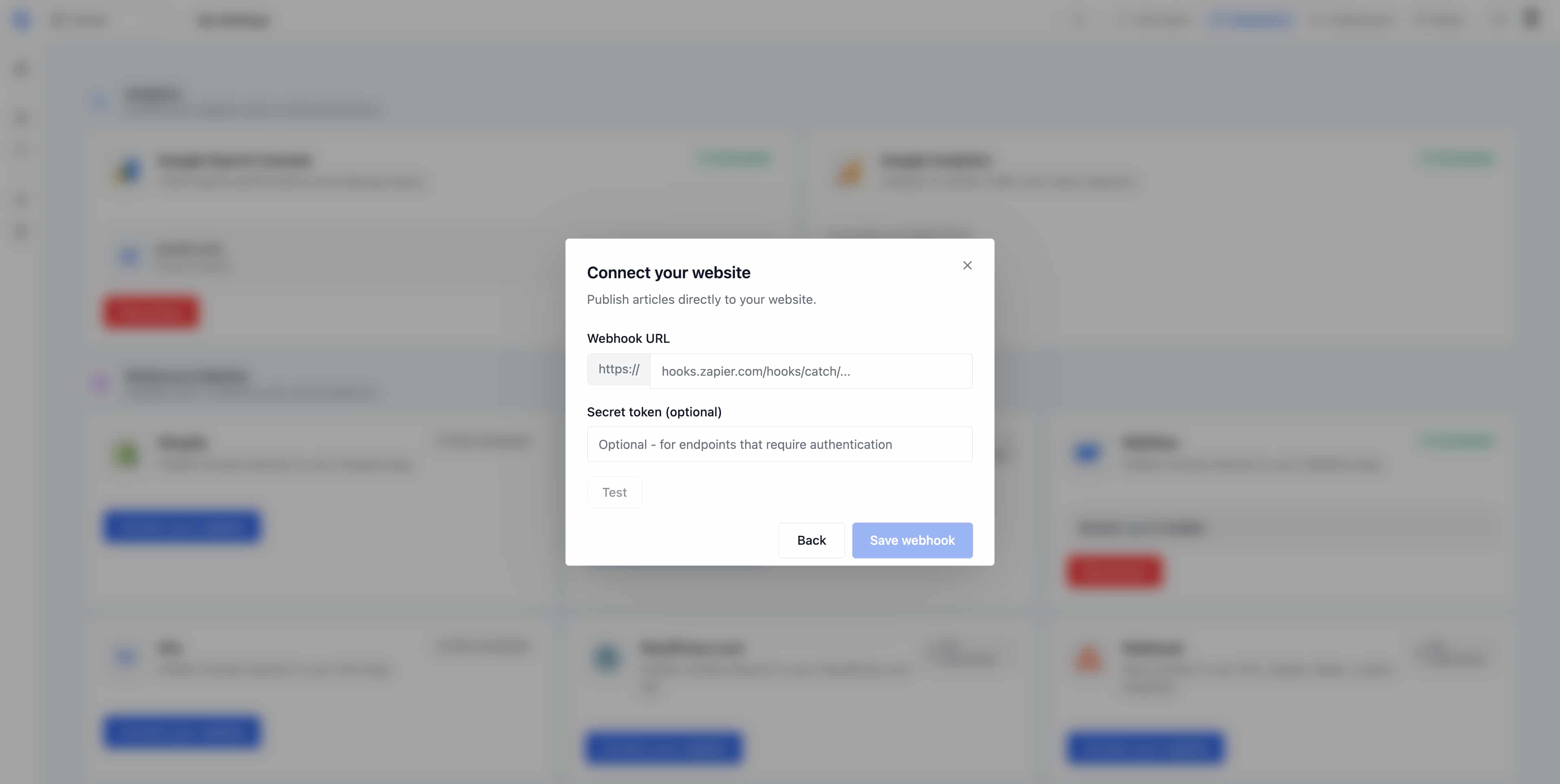
## Step 2: Configure Your Endpoint
1. Paste your destination URL into the **Webhook URL** field (for example, a Zapier catch hook, a Make webhook, or your own server endpoint).
2. Optionally, add a **Secret token** if your endpoint requires authentication. Sorank will include it as a `Bearer` token in the `Authorization` header so your server can verify the call comes from Sorank.
3. Click **Test** to send a sample payload (event type `webhook.test`) and confirm your endpoint responds correctly.
4. Click **Save webhook** to activate the integration.
 ## HTTP Request Details
Every webhook Sorank sends to your endpoint follows the same HTTP contract. Here is what your server will receive:
* **Method:** `POST`
* **Content-Type:** `application/json`
* **User-Agent:** `SORANK-Webhook/1.0`
* **Authorization:** `Bearer {webhook_secret}` (optional, only sent if you configured a secret in your integration settings)
Use the `User-Agent` header to identify Sorank traffic in your logs, and verify the `Authorization` header on your side to ensure the request comes from Sorank and not an unknown caller.
## Webhook Payload Structure
Sorank emits two types of webhook events. Both share the same top-level envelope (`event`, `delivery_id`, `timestamp`, `article`) so your integration only needs to switch on the `event` field to route the payload.
### Event: article.published
Fired every time you publish an article from Sorank. This is the event your production endpoint should process to create the post in your CMS or trigger your automation flow.
```javascript theme={null}
{
"event": "article.published",
"delivery_id": "550e8400-e29b-41d4-a716-446655440000",
"timestamp": "2025-05-21T10:30:45.123456Z",
"article": {
"id": "550e8400-e29b-41d4-a716-446655440000",
"title": "Best SEO Practices for 2025",
"slug": "best-seo-practices-2025",
"meta_description": "Discover the best SEO practices for 2025.",
"focus_keyphrase": "seo practices",
"content": "
## HTTP Request Details
Every webhook Sorank sends to your endpoint follows the same HTTP contract. Here is what your server will receive:
* **Method:** `POST`
* **Content-Type:** `application/json`
* **User-Agent:** `SORANK-Webhook/1.0`
* **Authorization:** `Bearer {webhook_secret}` (optional, only sent if you configured a secret in your integration settings)
Use the `User-Agent` header to identify Sorank traffic in your logs, and verify the `Authorization` header on your side to ensure the request comes from Sorank and not an unknown caller.
## Webhook Payload Structure
Sorank emits two types of webhook events. Both share the same top-level envelope (`event`, `delivery_id`, `timestamp`, `article`) so your integration only needs to switch on the `event` field to route the payload.
### Event: article.published
Fired every time you publish an article from Sorank. This is the event your production endpoint should process to create the post in your CMS or trigger your automation flow.
```javascript theme={null}
{
"event": "article.published",
"delivery_id": "550e8400-e29b-41d4-a716-446655440000",
"timestamp": "2025-05-21T10:30:45.123456Z",
"article": {
"id": "550e8400-e29b-41d4-a716-446655440000",
"title": "Best SEO Practices for 2025",
"slug": "best-seo-practices-2025",
"meta_description": "Discover the best SEO practices for 2025.",
"focus_keyphrase": "seo practices",
"content": "Article body content here...
", "featured_image": { "url": "https://storage.example.com/image.jpg", "alt": "Best SEO Practices for 2025", "placement": "hero" }, "images": [ { "url": "https://storage.example.com/image2.jpg", "alt": "SEO diagram", "placement": "body" } ], "word_count": 1500, "keyword": "seo practices", "language": "en-US" } } ``` ### Event: webhook.test Fired when you click the Test button in Sorank to verify your endpoint is reachable. The payload uses dummy values (id is all zeros, featured\_image is omitted, images is empty) so your integration can safely ignore it or use it to confirm connectivity without creating a real post. ```javascript theme={null} { "event": "webhook.test", "delivery_id": "550e8400-e29b-41d4-a716-446655440000", "timestamp": "2025-05-21T10:30:45.123456Z", "article": { "id": "00000000-0000-0000-0000-000000000000", "title": "Test Article - Webhook Connectivity Check", "slug": "test-article-webhook-check", "meta_description": "This is a test payload to verify webhook connectivity.", "focus_keyphrase": "webhook test", "content": "This is a test payload sent by SORANK to verify your webhook endpoint is working correctly.
", "images": [], "word_count": 20, "keyword": "webhook test", "language": "en-US" } } ``` ### Field Reference * **event**, Event type. Either `article.published` or `webhook.test`. Switch on this field to route the payload. * **delivery\_id**, Unique UUID for each delivery attempt. Store it on your side to deduplicate retries and protect against double-publishing. * **timestamp**, ISO 8601 UTC timestamp of when the event was emitted. * **article.id**, Unique identifier of the article in Sorank. * **article.title**, The article H1 / title. * **article.slug**, URL-friendly slug, lowercase and hyphenated. * **article.meta\_description**, SEO meta description, ready to drop into your `` tag. * **article.focus\_keyphrase**, Primary target keyphrase used for the article. * **article.content**, Full article body in HTML, including headings, paragraphs, lists and inline image tags. * **article.featured\_image**, Cover image object with `url`, `alt` and `placement`. Only present on `article.published` events. * **article.images**, Array of additional in-body images. Each entry has `url`, `alt` and `placement`. May be empty. * **article.word\_count**, Total word count of the article body. * **article.keyword**, Same as the focus keyphrase, kept as a separate field for backward-compatible integrations. * **article.language**, BCP 47 language tag (e.g. `en-US`, `fr-FR`). ## Common Use Cases * **Zapier:** use a "Catch Hook" trigger to forward articles to thousands of apps such as WordPress, Notion, Airtable or Google Sheets. * **Make:** use a Webhooks module to build custom, multi-step publishing automations. * **n8n:** wire a Webhook node into a flow that creates the post in your headless CMS or back office. * **Custom backend:** send articles directly to your own API to publish on a hand-coded site, a headless CMS such as Sanity or Strapi, or any internal tool. ## Tips * Always click **Test** before saving to confirm your endpoint accepts the request and returns a 2xx response. * Switch on the `event` field server-side so `webhook.test` calls never create real posts. * Use `delivery_id` as an idempotency key to avoid publishing the same article twice on retries. * Keep your **Secret token** private, verify the `Authorization` header on every request, and rotate the secret regularly. * Use an HTTPS endpoint to keep article data secure in transit. * Once connected, every published article in Sorank will automatically be sent to your webhook URL. ## 🔄 Why your articles may not appear (failure causes) Because the webhook only delivers the data, a "success" in Sorank does not guarantee the article is live on your site. When something goes wrong, it is almost always on the receiving side. Here are the most common causes and how to fix them. ### Causes on your integration side * **Your CMS API key is read-only instead of read & write**, This is one of the most frequent issues. If the credentials your code uses to write to your CMS (Sanity, Strapi, Contentful, or any headless backend) only have *view / read* permissions, your endpoint will receive the JSON but silently fail to create the post. Generate a key with **write** access and update it in your integration. * **Your code receives the JSON but never pushes it to your CMS**, Receiving the payload is only half the job. Make sure your endpoint actually maps the Sorank fields and creates the post in your CMS or database. Log the incoming payload and confirm your publish call runs and succeeds. * **Field mapping is incorrect**, If your code expects different field names than the ones in the payload, the post may be created empty or rejected. Double-check you read `article.title`, `article.slug`, `article.content`, etc., exactly as documented above. * **Your endpoint returns 2xx but throws an error afterwards**, If you acknowledge the request before processing it asynchronously, a later failure in your publishing logic won't be visible to Sorank. Check your own server logs to catch these. ### Causes on the delivery side * **Your webhook endpoint is no longer responding** (server offline), Bring your server back online and verify the URL responds normally. * **The webhook URL changed but wasn't updated in Sorank**, Update the URL in your Sorank integration settings. * **You regenerated your webhook secret on your side**, Update the secret in Sorank so it matches the one your server now expects in the `Authorization` header. * **Your endpoint returns an error Sorank can't interpret**, Check your server logs to identify the issue, then fix it on your webhook side. * **A firewall on your server is blocking our requests**, Whitelist the Sorank IPs in your firewall, or allow the `SORANK-Webhook/1.0` User-Agent. * **Your endpoint takes more than 30 seconds to respond**, Optimize your endpoint so it responds faster, or acknowledge the request immediately and process it asynchronously. When Sorank can't deliver an article to your endpoint, your scheduler is automatically paused and you'll receive an email. As soon as you fix the issue and reconnect your webhook in Sorank, your scheduler resumes on its own. Your article is already generated and safely stored, nothing is lost. ## 🚀 Not a developer? Host your blog on Sorank instead The webhook requires you to write and maintain code that catches the JSON and publishes it to your site. If you built your site with a no-code or AI tool, like **Lovable**, **Base44**, **Cursor** or **Claude Code**, and you're not able to develop and host an endpoint that catches the webhook and publishes the article, there's a much simpler path. We created a solution where you can **auto-host your blog on your own subdomain, directly on Sorank**. No code, no endpoint to maintain, no webhook to catch. Learn how it works here: [Host your blog on Sorank](/documentation/host-your-blog-on-sorank). ## Looking for a native integration instead? If your platform is supported, a direct connector is easier than the webhook. See our guides for [Webflow](/documentation/connect-webflow), [Shopify](/documentation/connect-shopify), [WordPress.org](/documentation/connect-wordpress-org), [WordPress.com](/documentation/connect-wordpress-com), [Wix](/documentation/connect-wix) and [HubSpot](/documentation/use-hubspot-with-sorank). ### The problem persists after checking? If you've checked the points above and publishing still fails, reply directly to the email you received: our team will look into what's happening on your account. Your articles remain generated and stored safely in Sorank. As soon as the connection is restored, your scheduler picks up automatically where it left off.