> ## Documentation Index
> Fetch the complete documentation index at: https://sorank.com/llms.txt
> Use this file to discover all available pages before exploring further.
# Content calendar
> Schedule keywords and let Sorank generate and publish articles automatically.
Schedule keywords and let Sorank generate and publish articles automatically.
The Automatic Schedule is Sorank's "hands-free" content engine. You plan keywords into a calendar, and Sorank generates and publishes one article per scheduled slot, on the day and time you defined, without you touching a thing. It's the best fit if you want to scale your blog steadily over weeks or months without doing the work yourself every day.
## The Schedule Calendar
The calendar is the heart of the Automatic Schedule. Each cell represents a publishing slot on a given day. Once a keyword is dropped into a slot, Sorank will automatically generate the article and push it to your connected CMS at the configured publish time.
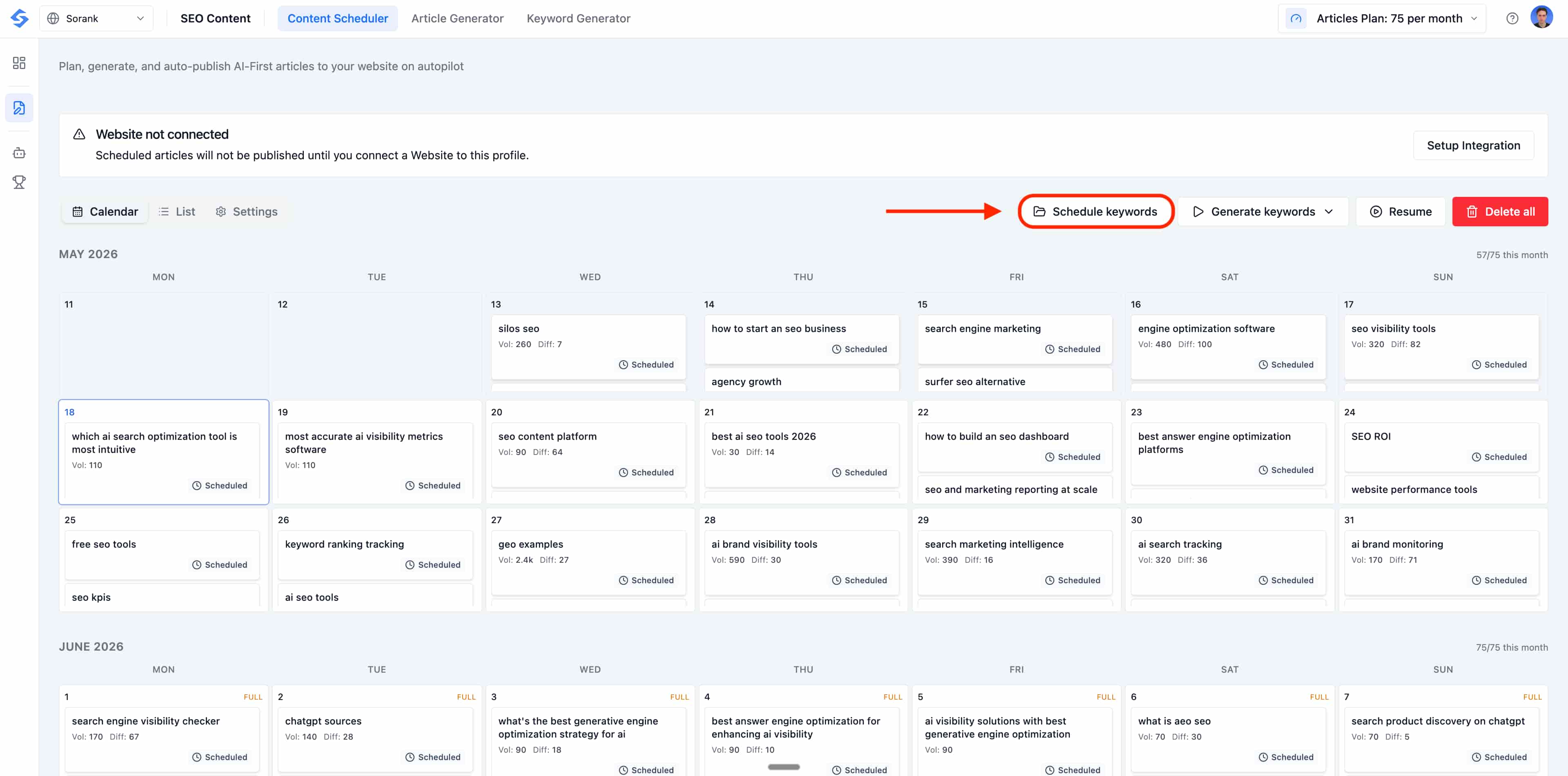 From the top-right of the page you can:
* **Schedule keywords** in bulk from your existing silos.
* **Generate** articles immediately for the current slots.
* Open **Settings** to define your timezone, publish time and default instructions.
The counter in the top-right shows your remaining article quota for the current billing cycle, so you always know how many slots you can still fill.
## Schedule Keywords from Your Silos
Click **Schedule keywords** to open the keyword picker. You can browse your existing silos, see the monthly search volume for each keyword, and tick the ones you want to publish on. This is the fastest way to plan an entire content sprint in seconds.
From the top-right of the page you can:
* **Schedule keywords** in bulk from your existing silos.
* **Generate** articles immediately for the current slots.
* Open **Settings** to define your timezone, publish time and default instructions.
The counter in the top-right shows your remaining article quota for the current billing cycle, so you always know how many slots you can still fill.
## Schedule Keywords from Your Silos
Click **Schedule keywords** to open the keyword picker. You can browse your existing silos, see the monthly search volume for each keyword, and tick the ones you want to publish on. This is the fastest way to plan an entire content sprint in seconds.
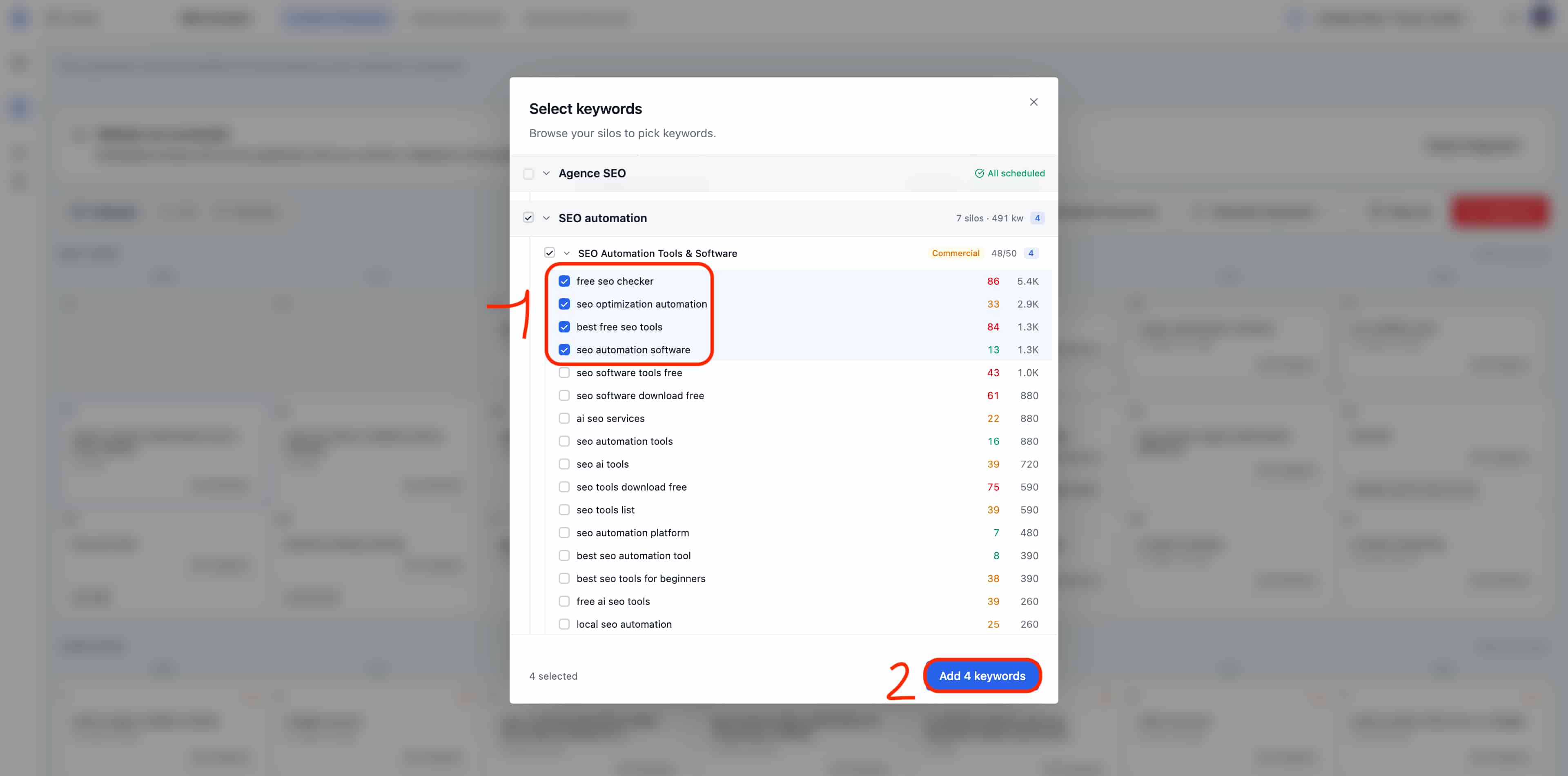 Check the keywords you want, then click **Add keywords** at the bottom of the picker. Sorank will automatically place them into the next available calendar slots, following your schedule settings.
## Configure Your Schedule Settings
To set up your automation rules, click **Settings** in the top bar of the Content Scheduler. This is where you define how the AI behaves for every scheduled slot:
Check the keywords you want, then click **Add keywords** at the bottom of the picker. Sorank will automatically place them into the next available calendar slots, following your schedule settings.
## Configure Your Schedule Settings
To set up your automation rules, click **Settings** in the top bar of the Content Scheduler. This is where you define how the AI behaves for every scheduled slot:
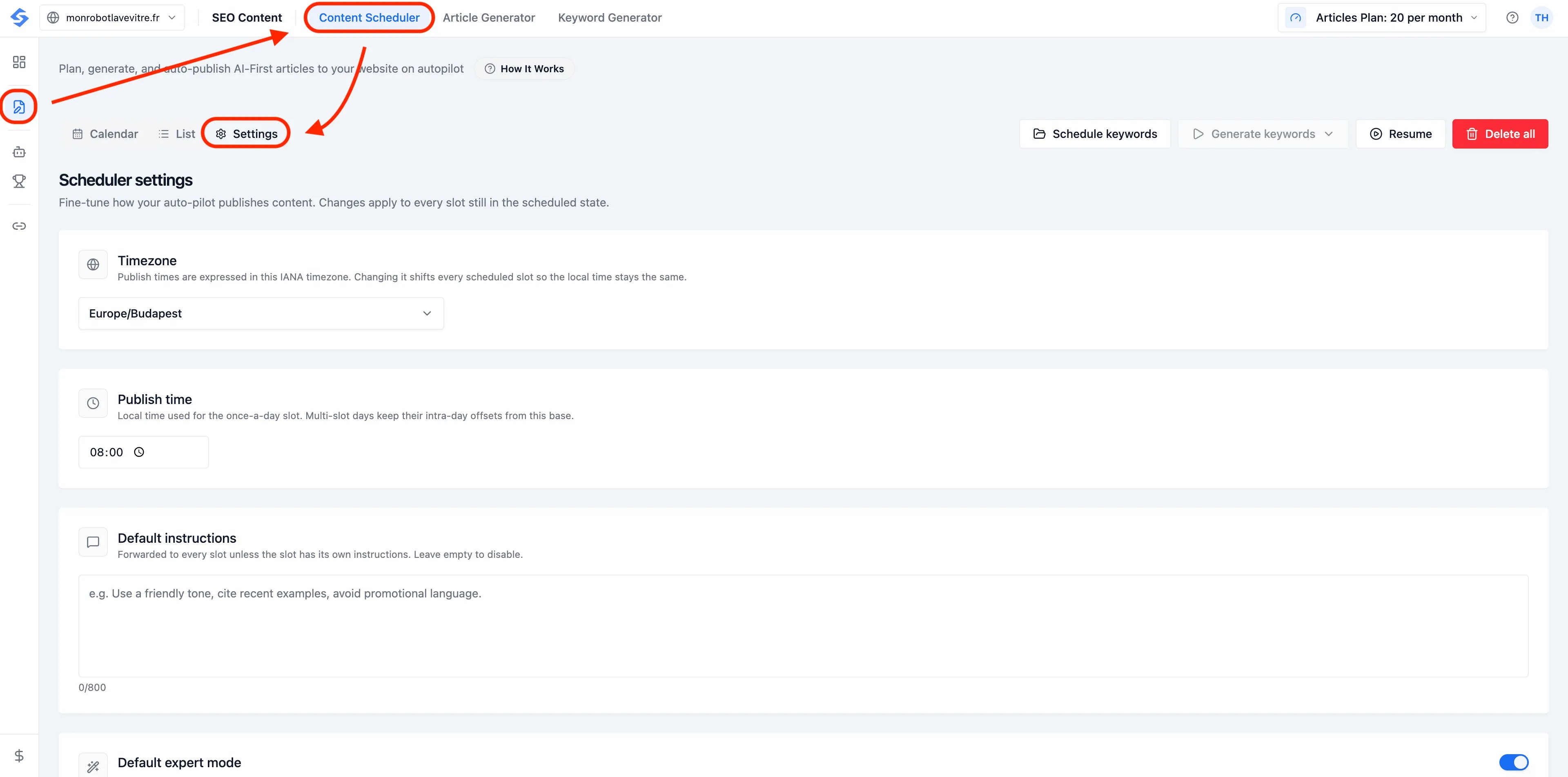 * **Timezone:** set this to your target audience's region so articles go live when readers are most active.
* **Publish Time:** choose the specific time of day for your automated posts.
## Default Instructions:
Add custom, tailor-made guidelines the AI will follow for every scheduled article (for example: *"Use a friendly tone, cite recent examples, avoid promotional language, and always mention our commitment to sustainability"*).
## Default Expert Mode:
* **Timezone:** set this to your target audience's region so articles go live when readers are most active.
* **Publish Time:** choose the specific time of day for your automated posts.
## Default Instructions:
Add custom, tailor-made guidelines the AI will follow for every scheduled article (for example: *"Use a friendly tone, cite recent examples, avoid promotional language, and always mention our commitment to sustainability"*).
## Default Expert Mode:
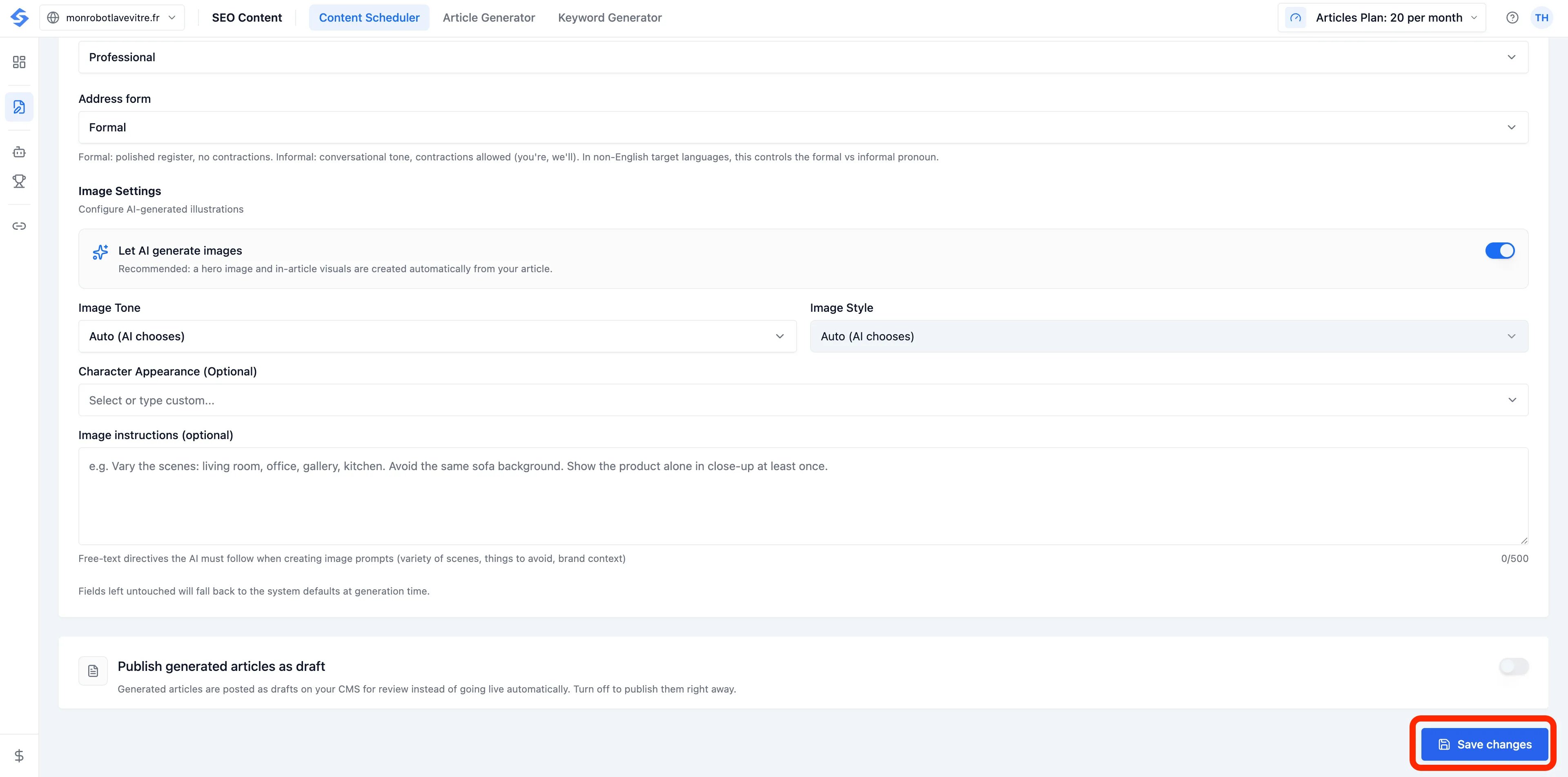
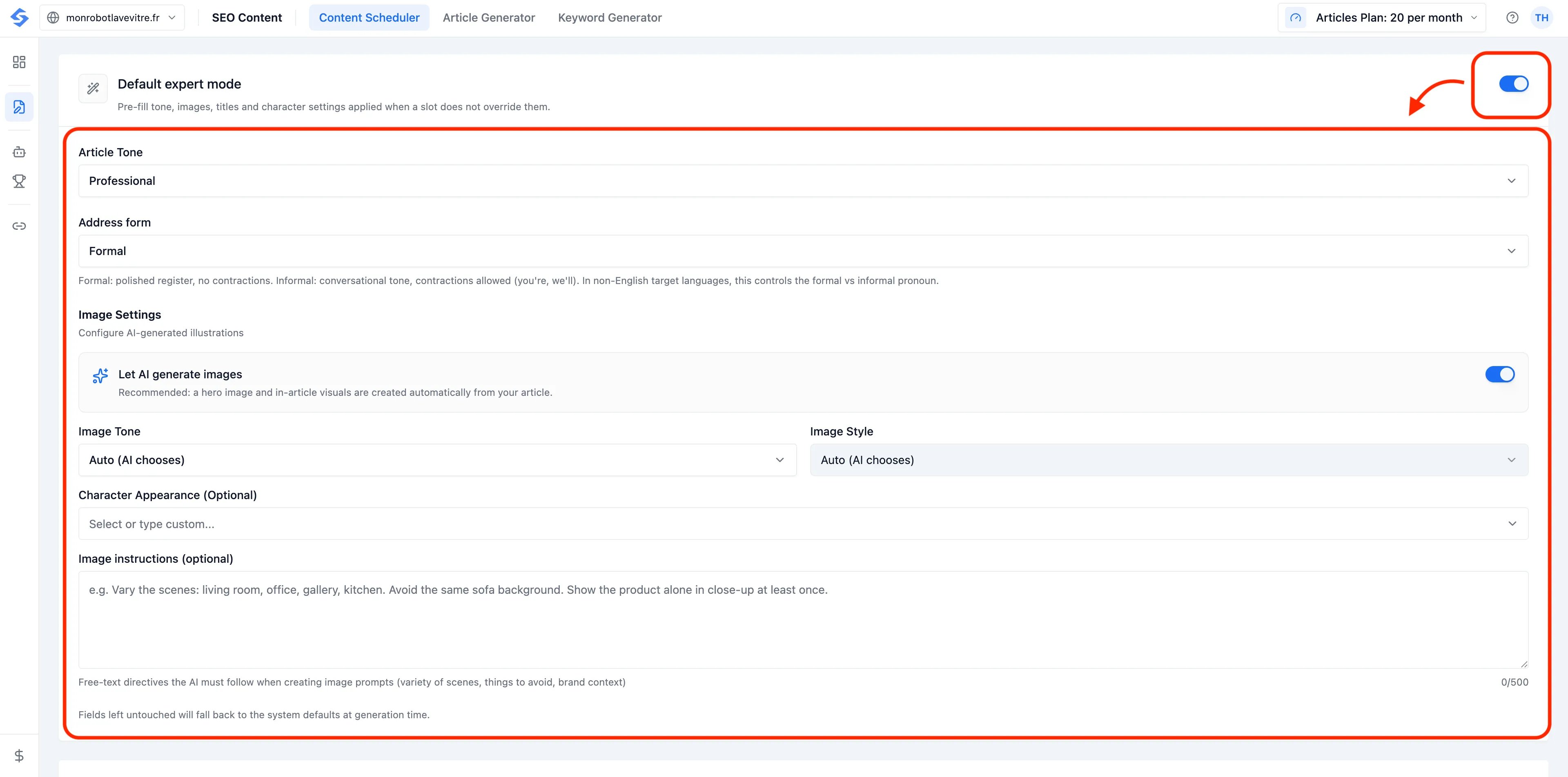 Enable this to automatically apply your preferred tone, image styles and character settings to every scheduled slot.
### Don't forget to save your settings !
Enable this to automatically apply your preferred tone, image styles and character settings to every scheduled slot.
### Don't forget to save your settings !