> ## Documentation Index
> Fetch the complete documentation index at: https://sorank.com/llms.txt
> Use this file to discover all available pages before exploring further.
# ربط Wix بـ Sorank
> Doc Sorank - Wix
## فتح صفحة التكاملات في Sorank
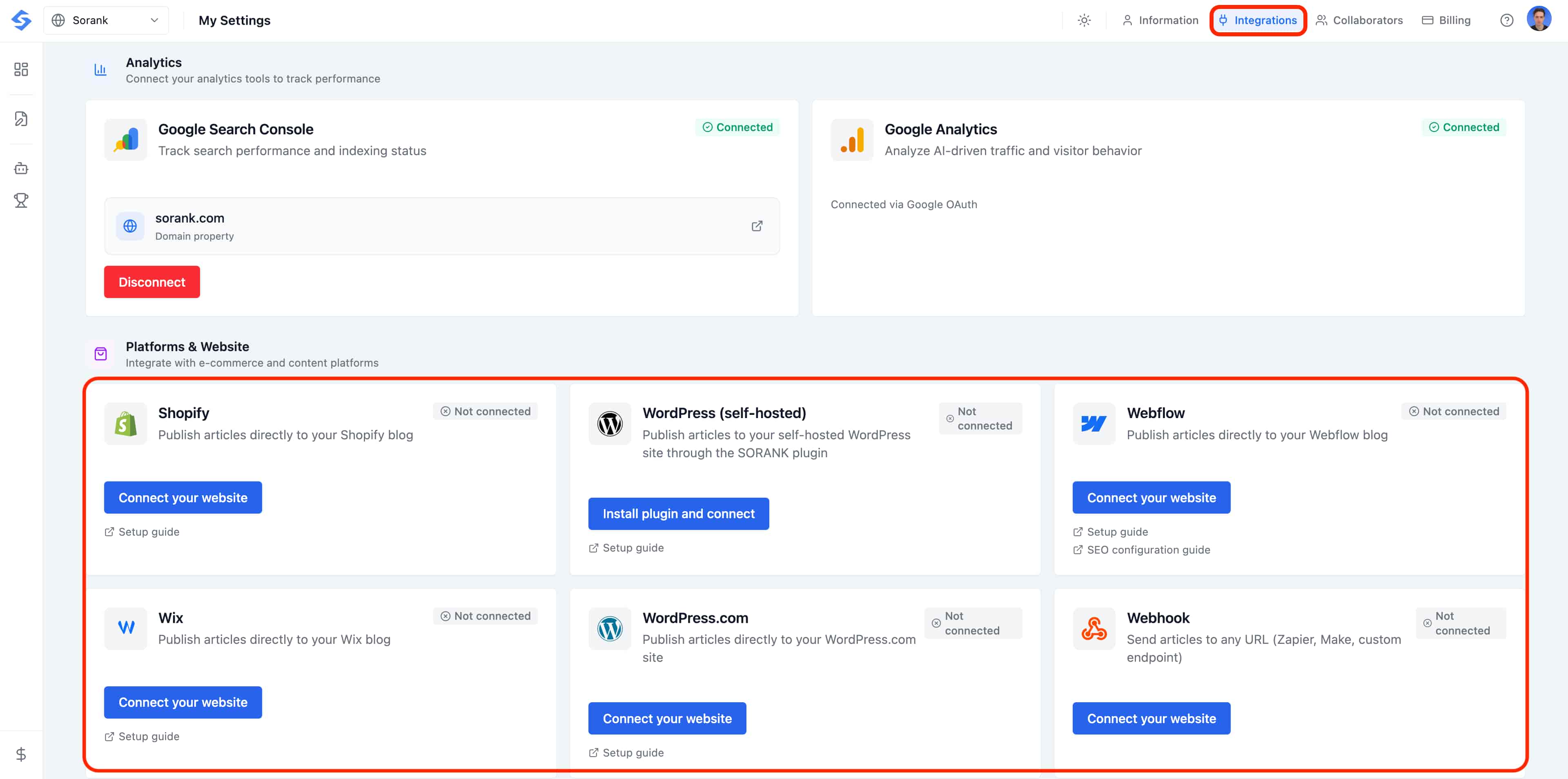
قبل ربط نظام إدارة المحتوى الخاص بك، توجه إلى صفحة **Integrations** في Sorank. انقر على **صورة ملفك الشخصي** في الزاوية العلوية اليمنى من لوحة التحكم، ثم حدد **Settings**.
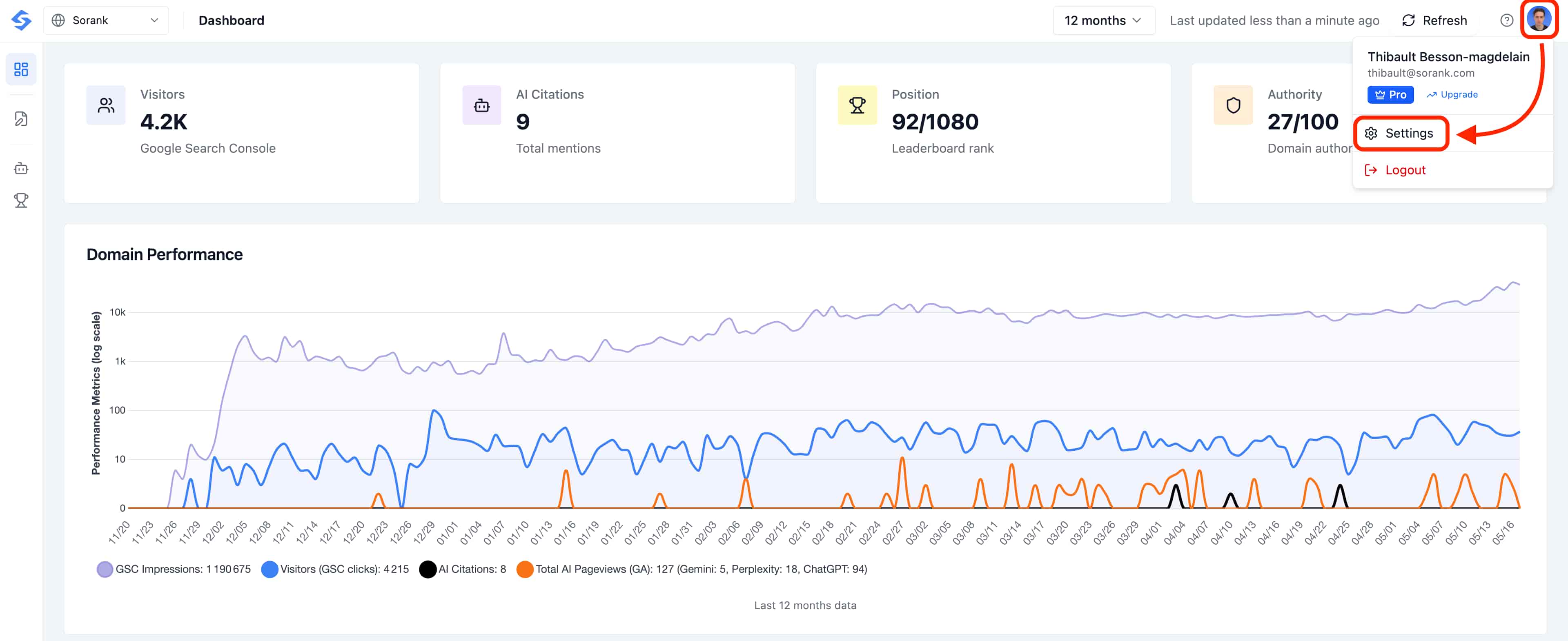
 في صفحة الإعدادات، انقر على علامة تبويب **Integrations** في الأعلى. هنا توجد جميع موصلات نظام إدارة المحتوى.
 هل تريد نشر مقالات مدونتك تلقائياً على Wix دون أي متاعب؟ اربط موقع Wix الخاص بك بـ Sorank في بضع نقرات لـ **توفير الوقت وتعزيز SEO الخاص بك**.
## ربط Wix بـ Sorank
1. توجه إلى حساب Sorank الخاص بك.
2. انقر **Publish** أو توجه إلى **Settings > Integration**.
3. انقر **Connect Wix**.
4. قم بتثبيت تطبيق Sorank مباشرة على Wix بالنقر على **Add**.
## إعداد مدونتك
1. اختر ال**مدونة** على موقع Wix الخاص بك.
2. انقر **Continue**، واقبل وأضف التطبيق.
3. تحقق في **Settings > Integration** من أن الاتصال قد تم إنشاؤه.
## نشر مقال
توجه إلى **SEO Article** في Sorank، وانقر **Publish** ثم أكد. سيتم نشر مقالك مع جميع المحتوى: الصور والروابط والجداول و FAQ.
هل تريد نشر مقالات مدونتك تلقائياً على Wix دون أي متاعب؟ اربط موقع Wix الخاص بك بـ Sorank في بضع نقرات لـ **توفير الوقت وتعزيز SEO الخاص بك**.
## ربط Wix بـ Sorank
1. توجه إلى حساب Sorank الخاص بك.
2. انقر **Publish** أو توجه إلى **Settings > Integration**.
3. انقر **Connect Wix**.
4. قم بتثبيت تطبيق Sorank مباشرة على Wix بالنقر على **Add**.
## إعداد مدونتك
1. اختر ال**مدونة** على موقع Wix الخاص بك.
2. انقر **Continue**، واقبل وأضف التطبيق.
3. تحقق في **Settings > Integration** من أن الاتصال قد تم إنشاؤه.
## نشر مقال
توجه إلى **SEO Article** في Sorank، وانقر **Publish** ثم أكد. سيتم نشر مقالك مع جميع المحتوى: الصور والروابط والجداول و FAQ.